Centered – Auto Reframe
You move. The frame follows.
Designed for iPhone
Free · In-app purchases
- Age rating4+
- CategoryPhoto & Video
- DeveloperSebastian Schilling
- LanguagesEnglish+ 5 more
- Size6.8 MB
Links to the official App Store page
Download.org hosts no file of Centered – Auto Reframe. The button opens its official App Store page, published by Sebastian Schilling. Listing last checked on Nov 23, 2026.
Screenshots



About
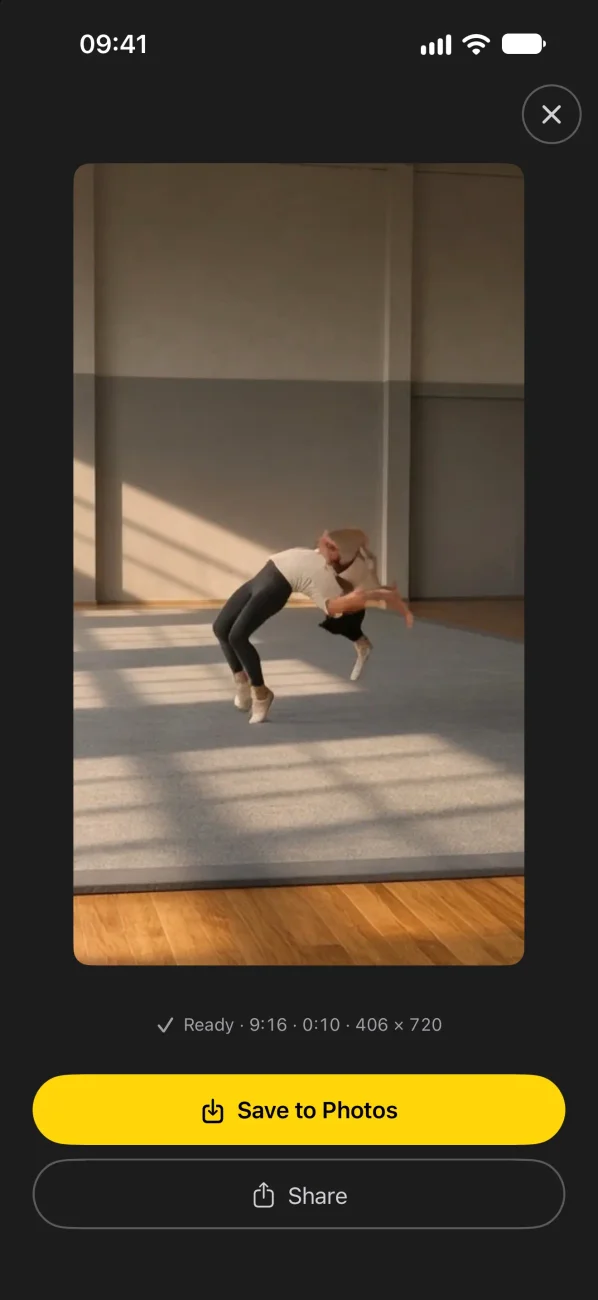
Keep your phone still and film the whole scene. Centered finds the person in your clip and turns it into a video where the frame follows them – like having someone behind the camera. Upright 9:16, 4:5, square or wide 16:9: you pick the format.
Made for every place where the phone stands on the floor: the gym, the studio, the crag, the skatepark.
HOW IT WORKS
1. Pick a clip from your photo library.
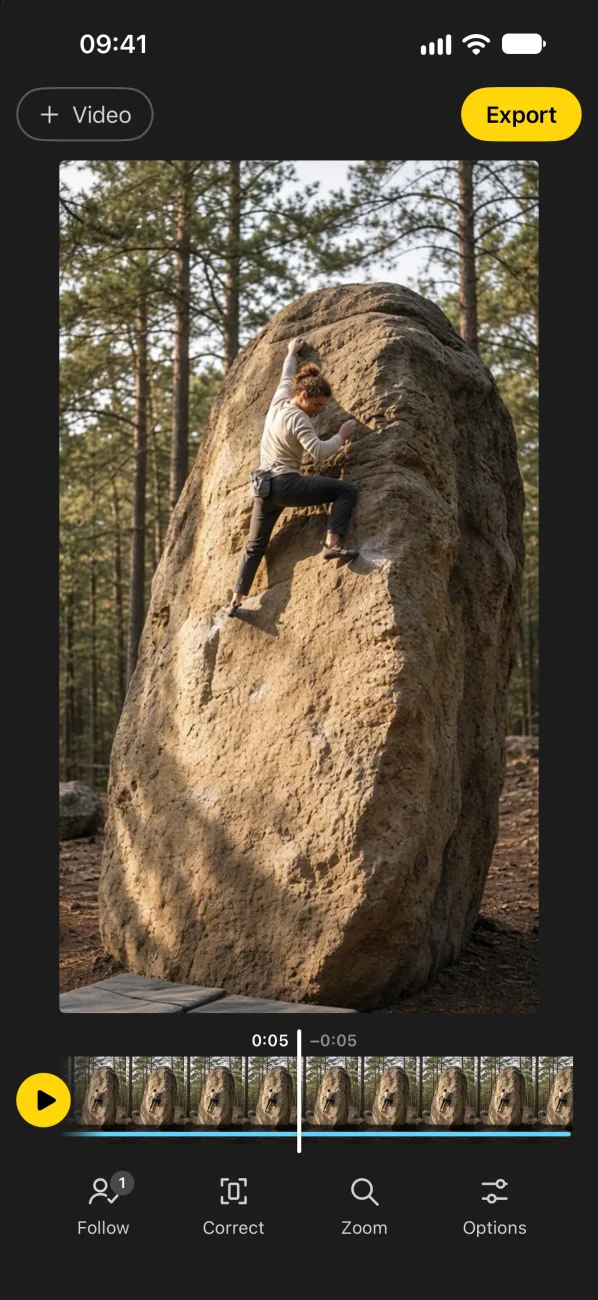
2. Centered finds the people and follows the main one. Tap to follow someone else – or several people at once.
3. Choose the format and how the zoom behaves – all in one view, with the result right in front of you. Then save to Photos or share.
FILMED UPRIGHT OR SIDEWAYS
Upright for tall movement like climbing or pole: the whole wall in the shot, you up close in the result. Sideways for wide movement like dance or martial arts: the whole floor in the shot, you in the middle of the frame.
STEER IT WHEN YOU WANT
• Correct the frame: drag it where it should be. Your points override the automatic detection.
• Combine people: if someone turns away and comes back as a new person, join them into one.
• Fixed, auto or manual zoom: keep one distance, or follow the size of the person.
• Be the camera operator: in manual zoom, drag the yellow frame to aim the camera at chosen moments and pull a corner to zoom. Centered moves smoothly from point to point.
• Blur faces: everyone except the people you follow becomes unrecognizable – for clips with bystanders in the gym or the park.
• Rotate the video in 90° steps if your phone recorded it the wrong way round.
• Quick, medium or calm transitions – calm looks like someone holding the camera.
• 9:16, 4:5, 1:1 and 16:9. Switch any time.
• Trim the clip. Deleted a person or points by mistake? One tap brings them back.
• Recent clips reopen instantly, with your corrections – no second analysis.
PRIVATE BY DESIGN
Everything happens on your iPhone. Nothing is uploaded, there is no account, and no usage data is collected. Centered only reads the clip you pick and saves the finished video.
FOR
Climbing and bouldering, dance, fitness, yoga, calisthenics, skate and BMX, aerial and pole, martial arts, gymnastics, parkour, golf and tennis, physio and coaching.
PRICE
Every feature is free, with no limits. Exports carry a small "Centered" watermark. A one-time purchase removes it for good – no subscription, on all your devices, with Family Sharing.
Questions or ideas? centered@sebastianschilling.com
What’s new
Version 1.1 · Nov 15, 2026
• One view for everything: follow, correct and zoom with the result right in front of you.
• Be the camera operator: in manual zoom, drag the yellow frame to aim the camera and pull a corner to zoom.
• Blur faces: everyone except the people you follow becomes unrecognizable.
• Rotate videos in 90° steps.
• Better at finding the main person, even far away or partly hidden.
• Now in German, Spanish, French, Italian and Japanese.
App privacy
What Sebastian Schilling declares on the App Store about how this app handles data.
-
Data not collected
The developer does not collect any data from this app.
Privacy practices may vary, for example with the features you use or your age.
Information
- Seller
- Sebastian Schilling
- Category
- Photo & Video
- Version
- 1.1
- Updated
- Nov 15, 2026
- Released
- Oct 30, 2026
- Size
- 6.8 MB
- Requires
- iOS 17.0 or later
- Age rating
- 4+
- Price
- Free
- In-app purchases
- Yes
- Languages
- English, French, German, Italian, Japanese, Spanish
- Copyright
- © 2026 Sebastian Schilling
You might also like
-
 PickCamAI Fancam: Auto-follow anyone
-
 Active Follow CamAuto-tracking lecture camera
-
 FILMGAWI여러 명 영상에서 인물별 세로 영상
-
 PrimoRec: Creator CameraShoot wide, post tall
-
 Auto Reframe: Video CropResize & Change Aspect Ratio
-
 VertiCutLandscape video to vertical
-
 DancePai - AI Dance EditorAI Dance Recognition & Editor
-
 Catchy Cam - Auto Tracking CamFollow-cam for solo videos
-
 MeClips: AI Video TrackingAuto Reframe & Dance Clips
-
 Follower - Subject FramingFollow the subject in frame