
CI Select
Select preferred frequency map
Designed for iPhone, iPad, iPod touch
Free
- Age rating17+
- CategoryMedical
- DeveloperMario Svirsky
- LanguagesEnglish
- Size32.7 MB
Links to the official App Store page
Download.org hosts no file of CI Select. The button opens its official App Store page, published by Mario Svirsky. Listing last checked on Nov 20, 2026.
Screenshots
About
For cochlear implant users. Request manual at CISelect.questions@gmail.com or https://med.nyu.edu/research/translational-auditory-research-lab/sites/default/files/ci-select-manual.pdf
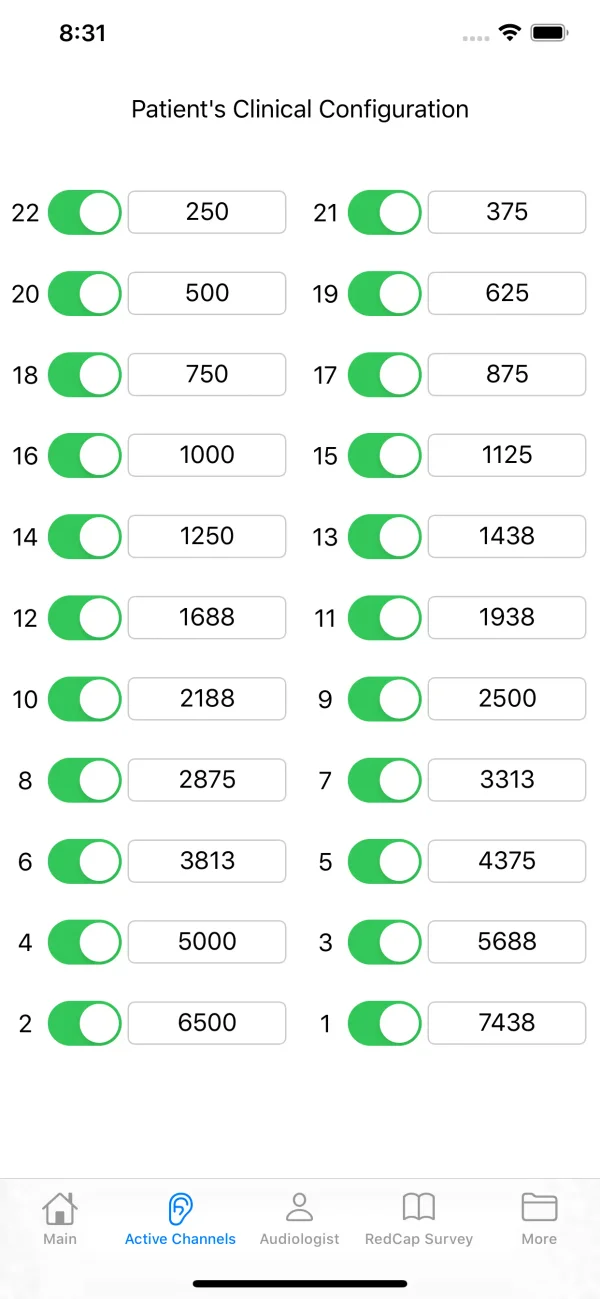
NOTE: Instructions for users of Cochlear devices with 22 active electrodes and default frequency allocation table (188-7938Hz). Users with deactivated electrodes or non-default FAT should consult the manual.
1) Audio link to iPhone:
• N7 processor or newer: Use MiniMic 2+ with audio cable between iPhone and Mini-Mic 2+ line-in jack.
• N6 processor or older: Connect iPhone via audio cable to speech processor.
• Deactivate microphone input by:
o Using accessory-only map (consult audiologist)
o Using remote to set 100% accessory/0% microphone mix ratio
NOTE: Current version may not work well with Bluetooth connection between the iPhone and the speech processor. Use wired connection only.
Using CI Select:
• Adjust iPhone volume to comfortable level using speech or continuous audio.
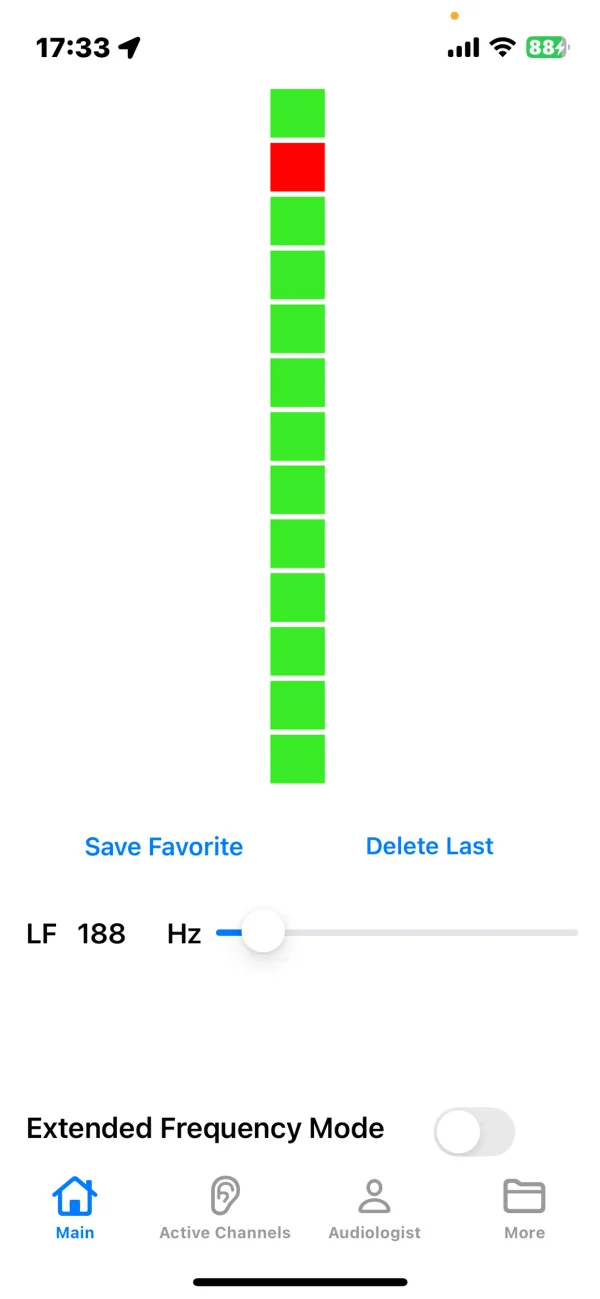
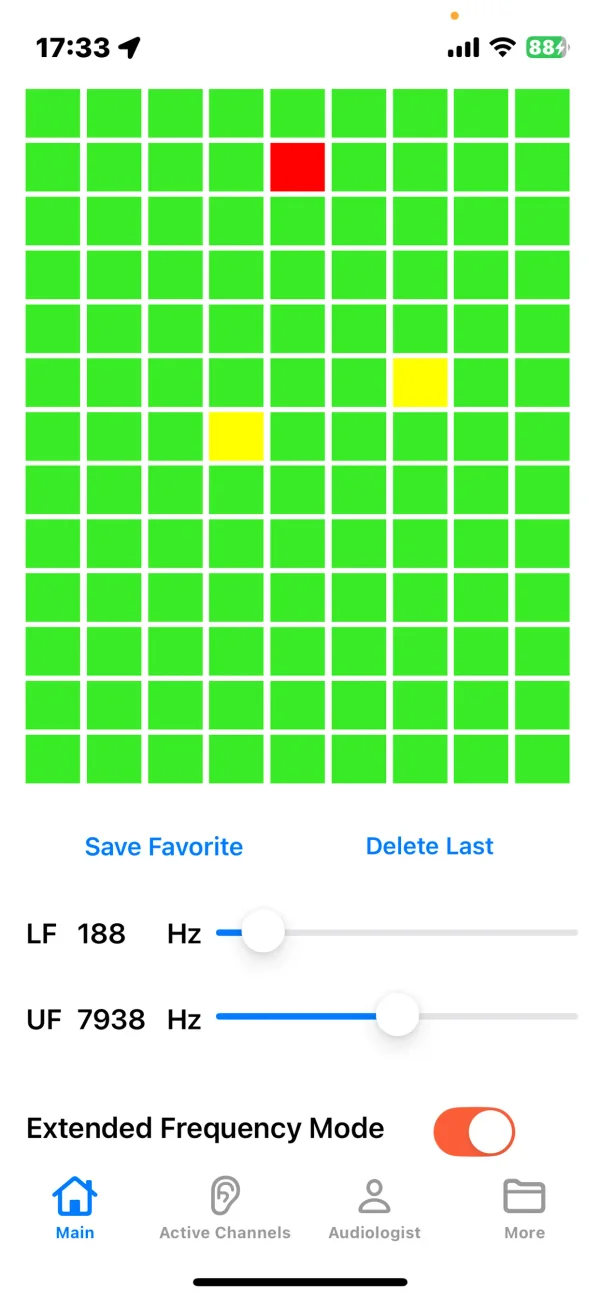
• Select grid boxes (each one represents a different FAT) to compare sound quality and speech intelligibility. Use "LF edge" slider or click boxes to change settings. Red square shows current setting. Default is 188Hz (standard FAT).
• Note: Slight audio delay may occur. If bothersome, minimize acoustic input by removing acoustic component, hearing device in other ear, or using ear plug in opposite ear.
• Test different FATs until finding best intelligibility and sound quality. App makes no permanent changes—share preferred settings with audiologist for permanent map changes.
Grid Searching Tips:
• Tried FATs appear lighter green. Current FAT is red.
• Click "Save Favorite" to mark promising FATs (yellow). Select multiple favorites.
• "Delete last" removes most recent favorite. Repeat to reset grid.
Advanced Option - Extended Frequency Mode: Default grid adjusts LF edge only (sufficient for most users). For full control:
• Click "Extended Frequency Mode" (EFM) below LF edge bar
• This gives access to full grid with LF edges (rows) and HF edges (columns)
• Selected box shows LF & HF intersection
• Toggle EFM switch to return to default view
For non-standard settings, reference the full manual for detailed instructions.
What’s new
Version 1.15 · Nov 19, 2026
Fixed tracking of some options in the app.
App privacy
What Mario Svirsky declares on the App Store about how this app handles data.
-
Data not linked to you
May be collected but is not linked to your identity.
- Health and fitness
- Identifiers
- Usage data
Privacy practices may vary, for example with the features you use or your age.
Information
- Seller
- Mario Svirsky
- Category
- Medical
- Version
- 1.15
- Updated
- Nov 19, 2026
- Released
- Dec 9, 2020
- Size
- 32.7 MB
- Requires
- iOS 15.6 or later
- Age rating
- 17+
- Price
- Free
- Languages
- English
- Copyright
- © 2005 Mario Svirsky
You might also like
-
 CIQOLMedical
-
 HearCareHearCare MED-EL 1.0
-
 Clearly AudiobooksAudiovisual Hearing Coach
-
 Hearify TrainingRevolutionize your hearing!
-
 AB Remote SupportMarvel CI Remote Programming
-
 AB ListenFitHealth & Fitness
-
 Sounds Training AppAuditory Training App
-
 AudioKey 3MED-EL AudioKey 3.0
-
 ARO 2026Medical
-
 Redux Dryer AppFor Hearing Instruments