CI Select
Select preferred frequency map
Projetado para iPhone, iPad, iPod touch
Grátis
- Classificação etária17+
- CategoriaMedicina
- DesenvolvedorMario Svirsky
- IdiomasInglês
- Tamanho32,7 MB
Leva à página oficial na App Store
O Download.org não hospeda nenhum arquivo de CI Select. O botão abre a página do app na App Store, onde Mario Svirsky o publica. Página verificada pela última vez em 20/11/2026.
Capturas de tela
Sobre
O desenvolvedor não forneceu este texto no seu idioma.
For cochlear implant users. Request manual at CISelect.questions@gmail.com or https://med.nyu.edu/research/translational-auditory-research-lab/sites/default/files/ci-select-manual.pdf
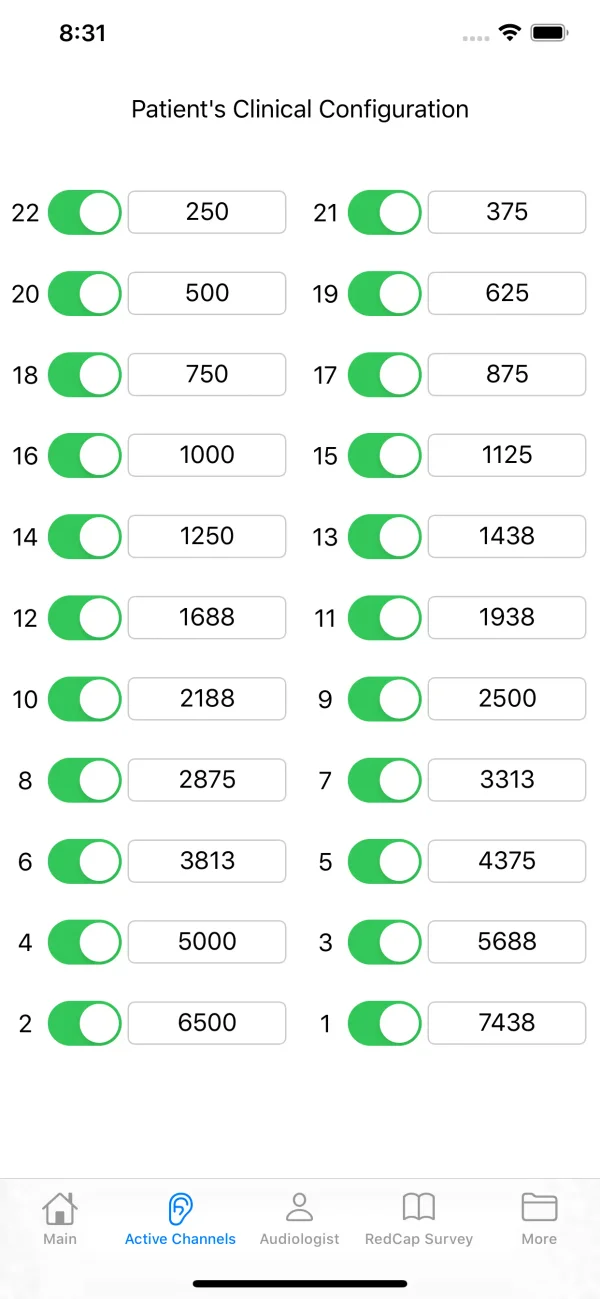
NOTE: Instructions for users of Cochlear devices with 22 active electrodes and default frequency allocation table (188-7938Hz). Users with deactivated electrodes or non-default FAT should consult the manual.
1) Audio link to iPhone:
• N7 processor or newer: Use MiniMic 2+ with audio cable between iPhone and Mini-Mic 2+ line-in jack.
• N6 processor or older: Connect iPhone via audio cable to speech processor.
• Deactivate microphone input by:
o Using accessory-only map (consult audiologist)
o Using remote to set 100% accessory/0% microphone mix ratio
NOTE: Current version may not work well with Bluetooth connection between the iPhone and the speech processor. Use wired connection only.
Using CI Select:
• Adjust iPhone volume to comfortable level using speech or continuous audio.
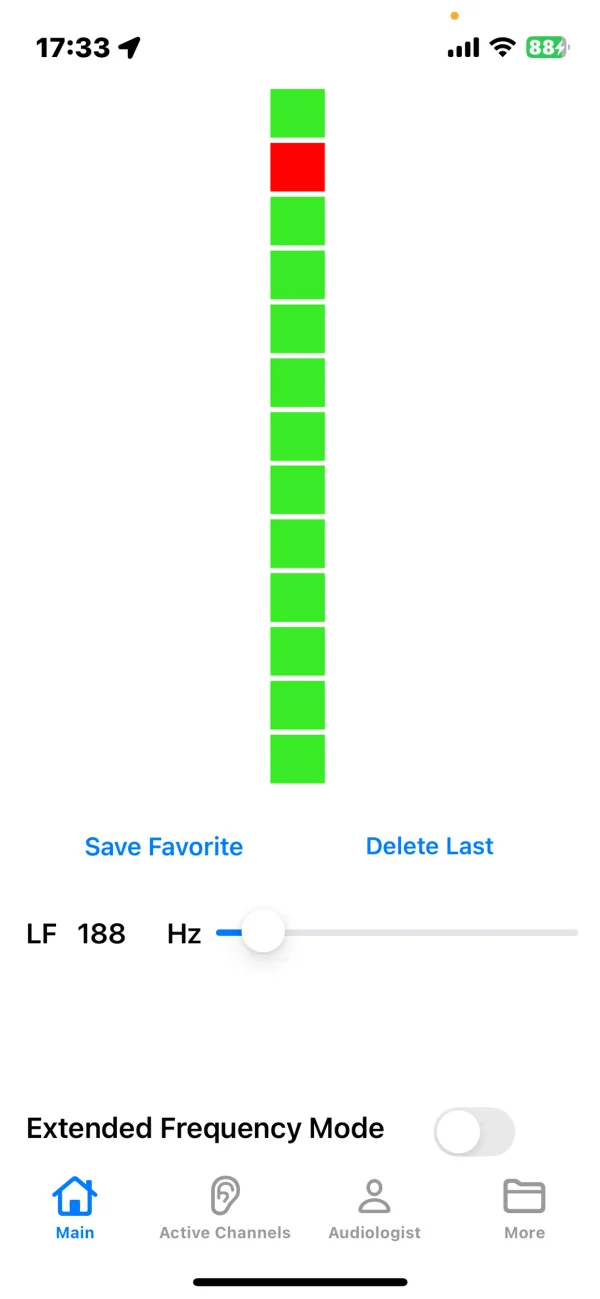
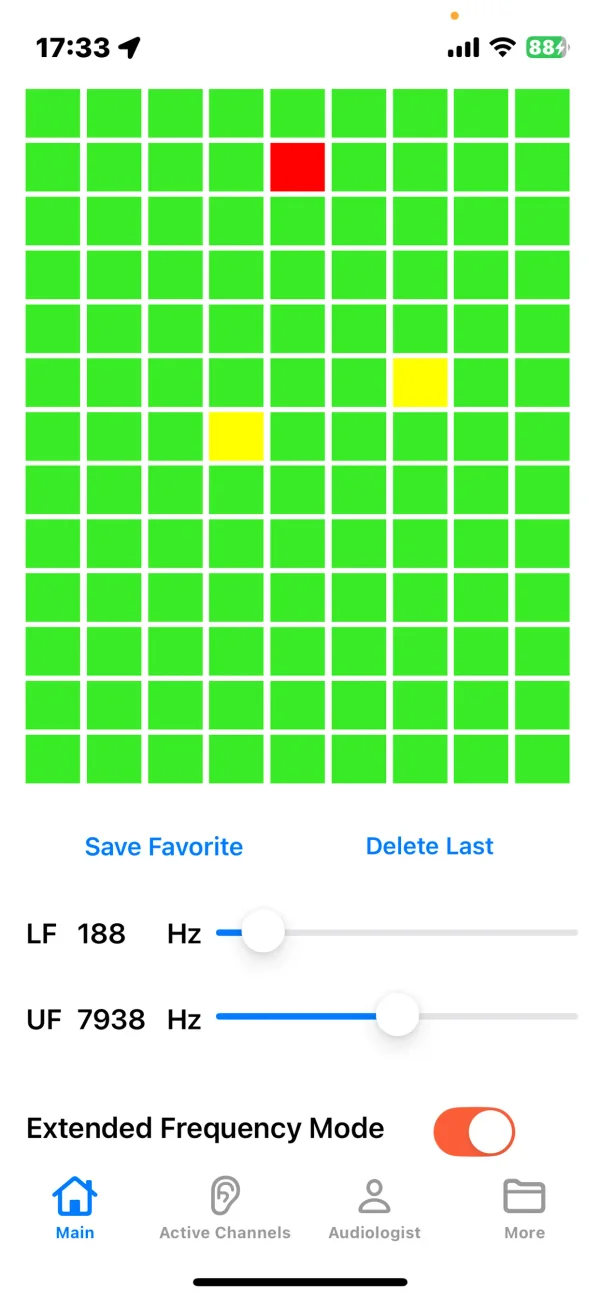
• Select grid boxes (each one represents a different FAT) to compare sound quality and speech intelligibility. Use "LF edge" slider or click boxes to change settings. Red square shows current setting. Default is 188Hz (standard FAT).
• Note: Slight audio delay may occur. If bothersome, minimize acoustic input by removing acoustic component, hearing device in other ear, or using ear plug in opposite ear.
• Test different FATs until finding best intelligibility and sound quality. App makes no permanent changes—share preferred settings with audiologist for permanent map changes.
Grid Searching Tips:
• Tried FATs appear lighter green. Current FAT is red.
• Click "Save Favorite" to mark promising FATs (yellow). Select multiple favorites.
• "Delete last" removes most recent favorite. Repeat to reset grid.
Advanced Option - Extended Frequency Mode: Default grid adjusts LF edge only (sufficient for most users). For full control:
• Click "Extended Frequency Mode" (EFM) below LF edge bar
• This gives access to full grid with LF edges (rows) and HF edges (columns)
• Selected box shows LF & HF intersection
• Toggle EFM switch to return to default view
For non-standard settings, reference the full manual for detailed instructions.
Novidades
Versão 1.15 · 19/11/2026
Fixed tracking of some options in the app.
Privacidade do app
O que Mario Svirsky declara na App Store sobre como este app lida com os dados.
-
Dados não vinculados a você
Podem ser coletados, mas não são vinculados à sua identidade.
- Saúde e fitness
- Identificadores
- Dados de uso
As práticas de privacidade podem variar, por exemplo, com base nos recursos que você usa ou na sua idade.
Informações
- Vendedor
- Mario Svirsky
- Categoria
- Medicina
- Versão
- 1.15
- Atualizado
- 19/11/2026
- Lançamento
- 09/12/2020
- Tamanho
- 32,7 MB
- Requer
- iOS 15.6 ou posterior
- Classificação etária
- 17+
- Preço
- Grátis
- Idiomas
- Inglês
- Copyright
- © 2005 Mario Svirsky