- 対象年齢17+
- カテゴリメディカル
- 開発元Mario Svirsky
- 言語英語
- サイズ32.7 MB
App Storeの公式ページにリンクしています
Download.orgはCI Selectのファイルを一切ホストしていません。ボタンを押すと、Mario Svirskyが公開しているApp Storeのアプリページが開きます。ページの最終確認:2026/11/20。
スクリーンショット
概要
開発元はこのテキストをお使いの言語で提供していません。
For cochlear implant users. Request manual at CISelect.questions@gmail.com or https://med.nyu.edu/research/translational-auditory-research-lab/sites/default/files/ci-select-manual.pdf
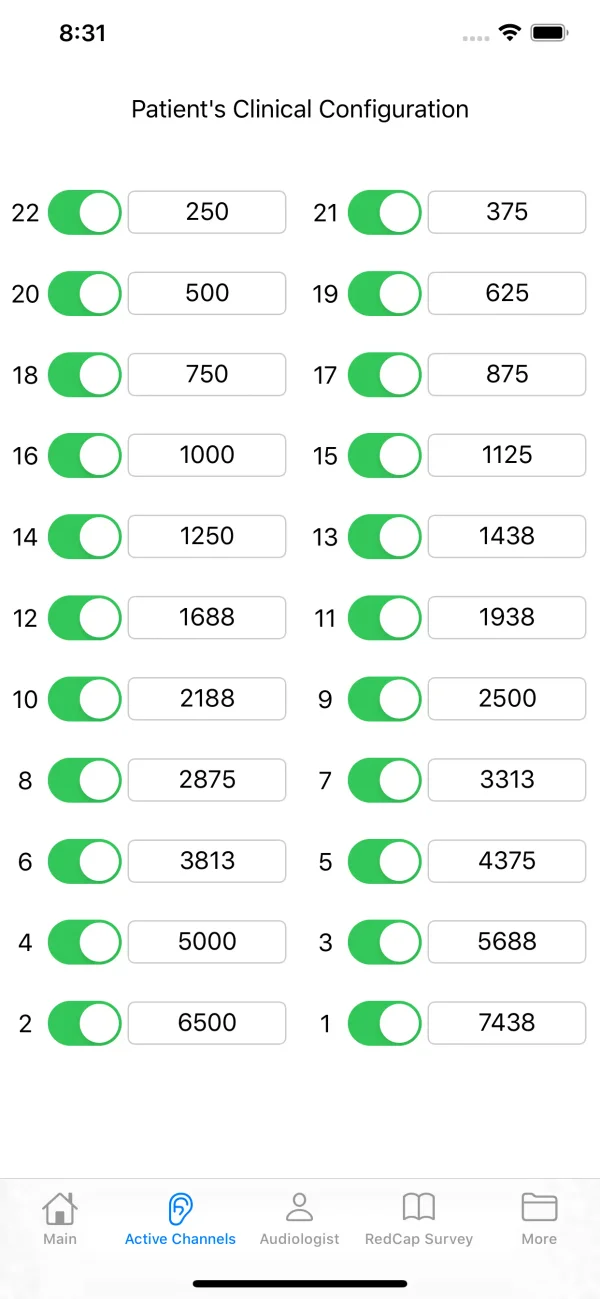
NOTE: Instructions for users of Cochlear devices with 22 active electrodes and default frequency allocation table (188-7938Hz). Users with deactivated electrodes or non-default FAT should consult the manual.
1) Audio link to iPhone:
• N7 processor or newer: Use MiniMic 2+ with audio cable between iPhone and Mini-Mic 2+ line-in jack.
• N6 processor or older: Connect iPhone via audio cable to speech processor.
• Deactivate microphone input by:
o Using accessory-only map (consult audiologist)
o Using remote to set 100% accessory/0% microphone mix ratio
NOTE: Current version may not work well with Bluetooth connection between the iPhone and the speech processor. Use wired connection only.
Using CI Select:
• Adjust iPhone volume to comfortable level using speech or continuous audio.
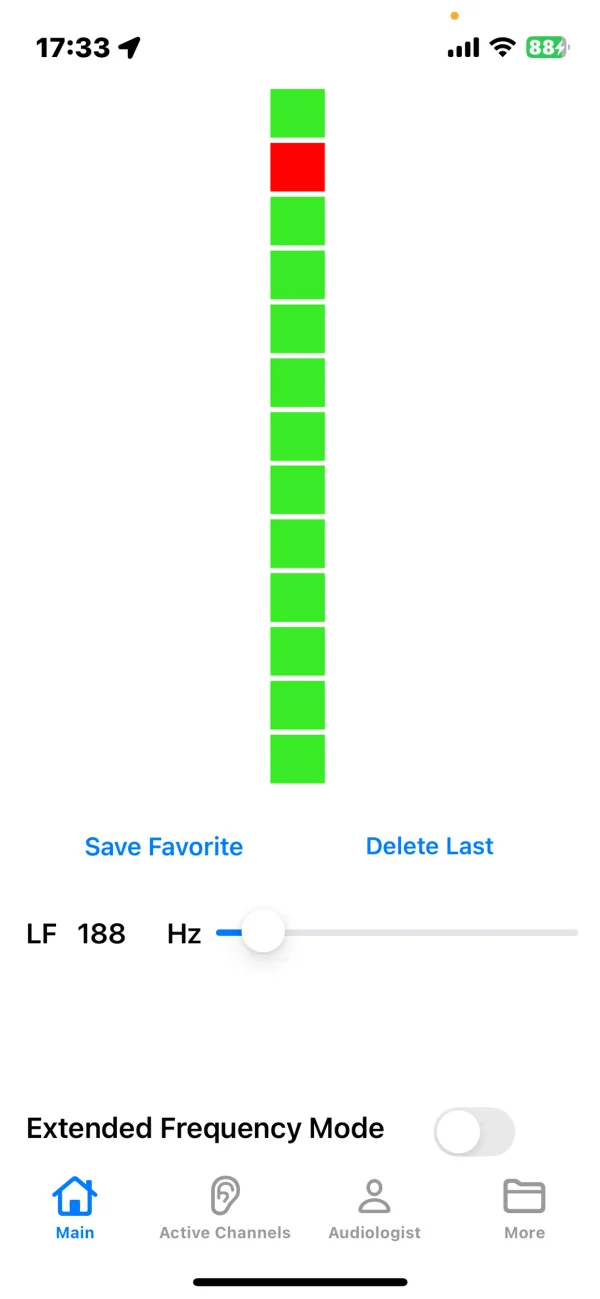
• Select grid boxes (each one represents a different FAT) to compare sound quality and speech intelligibility. Use "LF edge" slider or click boxes to change settings. Red square shows current setting. Default is 188Hz (standard FAT).
• Note: Slight audio delay may occur. If bothersome, minimize acoustic input by removing acoustic component, hearing device in other ear, or using ear plug in opposite ear.
• Test different FATs until finding best intelligibility and sound quality. App makes no permanent changes—share preferred settings with audiologist for permanent map changes.
Grid Searching Tips:
• Tried FATs appear lighter green. Current FAT is red.
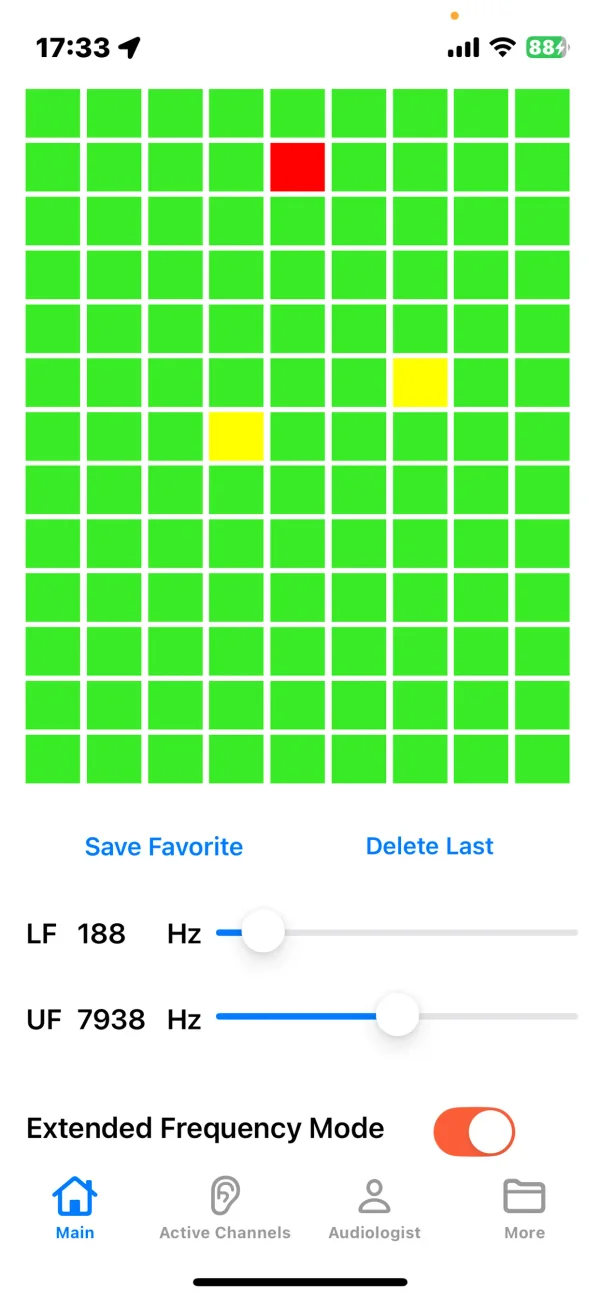
• Click "Save Favorite" to mark promising FATs (yellow). Select multiple favorites.
• "Delete last" removes most recent favorite. Repeat to reset grid.
Advanced Option - Extended Frequency Mode: Default grid adjusts LF edge only (sufficient for most users). For full control:
• Click "Extended Frequency Mode" (EFM) below LF edge bar
• This gives access to full grid with LF edges (rows) and HF edges (columns)
• Selected box shows LF & HF intersection
• Toggle EFM switch to return to default view
For non-standard settings, reference the full manual for detailed instructions.
新機能
バージョン 1.15 · 2026/11/19
Fixed tracking of some options in the app.
アプリのプライバシー
このアプリのデータの取り扱いについて、Mario SvirskyがApp Storeで申告している内容です。
-
ユーザーに関連付けられないデータ
収集される場合がありますが、ユーザーの識別情報には関連付けられません。
- ヘルスケアとフィットネス
- ID
- 使用状況データ
プライバシーの取り扱いは、ご利用の機能やお客様の年齢などに応じて異なる場合があります。
情報
- 販売元
- Mario Svirsky
- カテゴリ
- メディカル
- バージョン
- 1.15
- 更新日
- 2026/11/19
- リリース
- 2020/12/9
- サイズ
- 32.7 MB
- 必要条件
- iOS 15.6以降
- 対象年齢
- 17+
- 価格
- 無料
- 言語
- 英語
- 著作権
- © 2005 Mario Svirsky