CI Select
Select preferred frequency map
Được thiết kế cho iPhone, iPad, iPod touch
Miễn phí
- Độ tuổi17+
- Danh mụcY Tế
- Nhà phát triểnMario Svirsky
- Ngôn ngữTiếng Anh
- Kích thước32,7 MB
Liên kết đến trang App Store chính thức
Download.org không lưu trữ tệp nào của CI Select. Nút này mở trang ứng dụng trên App Store, nơi Mario Svirsky phát hành ứng dụng. Trang được kiểm tra lần cuối: 20/11/2026.
Ảnh chụp màn hình
Giới thiệu
Nhà phát triển chưa cung cấp nội dung này bằng ngôn ngữ của bạn.
For cochlear implant users. Request manual at CISelect.questions@gmail.com or https://med.nyu.edu/research/translational-auditory-research-lab/sites/default/files/ci-select-manual.pdf
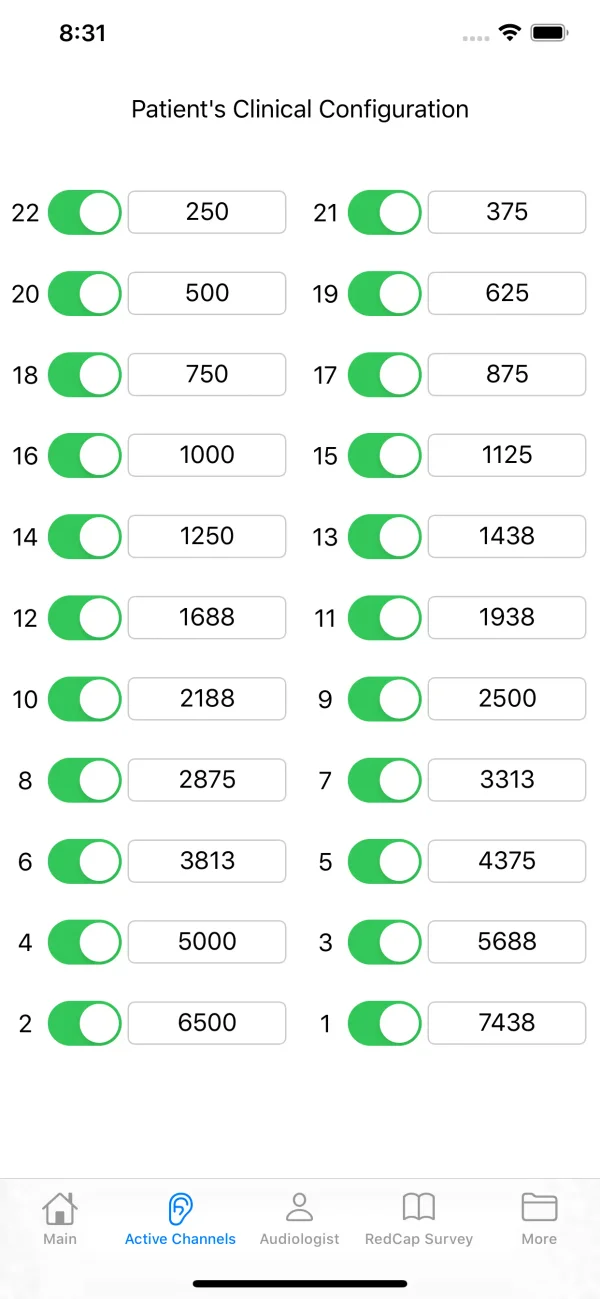
NOTE: Instructions for users of Cochlear devices with 22 active electrodes and default frequency allocation table (188-7938Hz). Users with deactivated electrodes or non-default FAT should consult the manual.
1) Audio link to iPhone:
• N7 processor or newer: Use MiniMic 2+ with audio cable between iPhone and Mini-Mic 2+ line-in jack.
• N6 processor or older: Connect iPhone via audio cable to speech processor.
• Deactivate microphone input by:
o Using accessory-only map (consult audiologist)
o Using remote to set 100% accessory/0% microphone mix ratio
NOTE: Current version may not work well with Bluetooth connection between the iPhone and the speech processor. Use wired connection only.
Using CI Select:
• Adjust iPhone volume to comfortable level using speech or continuous audio.
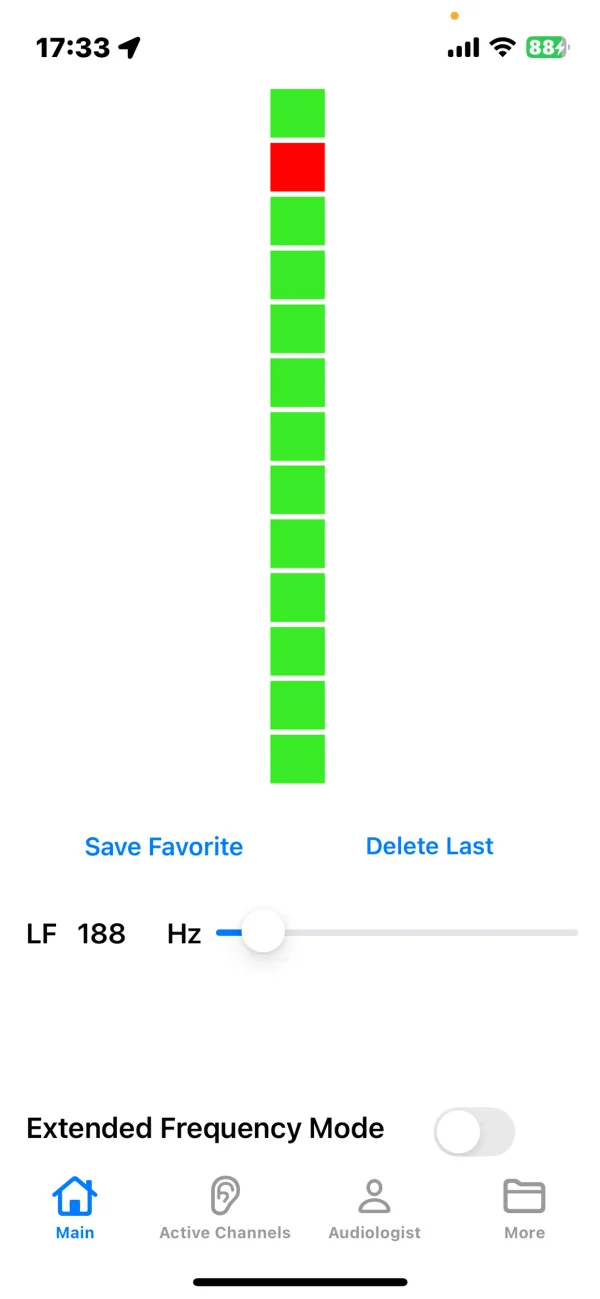
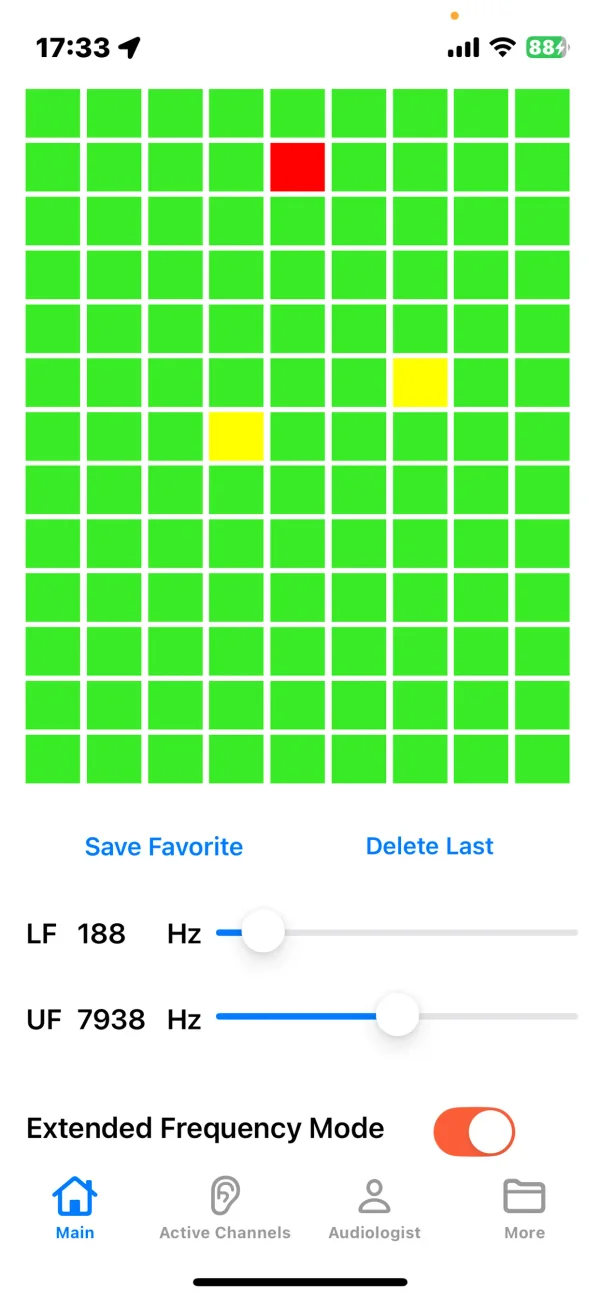
• Select grid boxes (each one represents a different FAT) to compare sound quality and speech intelligibility. Use "LF edge" slider or click boxes to change settings. Red square shows current setting. Default is 188Hz (standard FAT).
• Note: Slight audio delay may occur. If bothersome, minimize acoustic input by removing acoustic component, hearing device in other ear, or using ear plug in opposite ear.
• Test different FATs until finding best intelligibility and sound quality. App makes no permanent changes—share preferred settings with audiologist for permanent map changes.
Grid Searching Tips:
• Tried FATs appear lighter green. Current FAT is red.
• Click "Save Favorite" to mark promising FATs (yellow). Select multiple favorites.
• "Delete last" removes most recent favorite. Repeat to reset grid.
Advanced Option - Extended Frequency Mode: Default grid adjusts LF edge only (sufficient for most users). For full control:
• Click "Extended Frequency Mode" (EFM) below LF edge bar
• This gives access to full grid with LF edges (rows) and HF edges (columns)
• Selected box shows LF & HF intersection
• Toggle EFM switch to return to default view
For non-standard settings, reference the full manual for detailed instructions.
Có gì mới
Phiên bản 1.15 · 19/11/2026
Fixed tracking of some options in the app.
Quyền riêng tư của ứng dụng
Những gì Mario Svirsky khai báo trên App Store về cách ứng dụng này xử lý dữ liệu.
-
Dữ liệu không liên kết với bạn
Có thể được thu thập nhưng không liên kết với danh tính của bạn.
- Sức khoẻ và thể chất
- Mã định danh
- Dữ liệu sử dụng
Phương thức đảm bảo quyền riêng tư có thể khác nhau, chẳng hạn như tuỳ theo các tính năng bạn sử dụng hoặc độ tuổi của bạn.
Thông tin
- Người bán
- Mario Svirsky
- Danh mục
- Y Tế
- Phiên bản
- 1.15
- Cập nhật
- 19/11/2026
- Phát hành
- 09/12/2020
- Kích thước
- 32,7 MB
- Yêu cầu
- iOS 15.6 trở lên
- Độ tuổi
- 17+
- Giá
- Miễn phí
- Ngôn ngữ
- Tiếng Anh
- Bản quyền
- © 2005 Mario Svirsky