Code-n: code from your phone
AI agent, remote control
Designed for iPhone, iPod touch
Free
- Age rating4+
- CategoryDeveloper Tools
- DeveloperMatej Zalmanek
- LanguagesEnglish+ 8 more
- Size43.8 MB
Links to the official App Store page
Download.org hosts no file of Code-n: code from your phone. The button opens its official App Store page, published by Matej Zalmanek. Listing last checked on Nov 23, 2026.
Screenshots



About
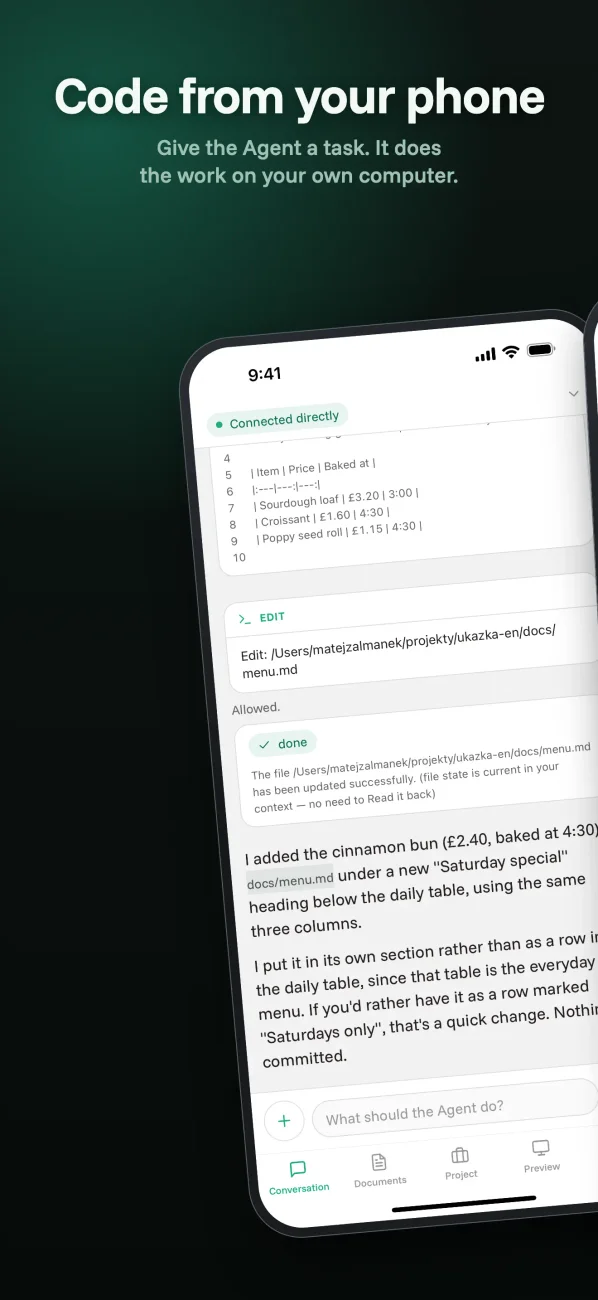
Coden is a remote control for a coding Agent (Claude Code) that works on your own computer or in GitHub Codespaces. You give tasks, watch and approve from your phone — the code stays with you.
SOUND FAMILIAR?
• You give the Agent a task, step away from the desk — and come back to find it sat there the whole time, waiting for a single “yes” from you.
• In a meeting, on the bus or on the couch, you have no idea whether the Agent is still working or finished long ago.
• An idea hits when you're away from the computer, and by the time you get back, it's gone.
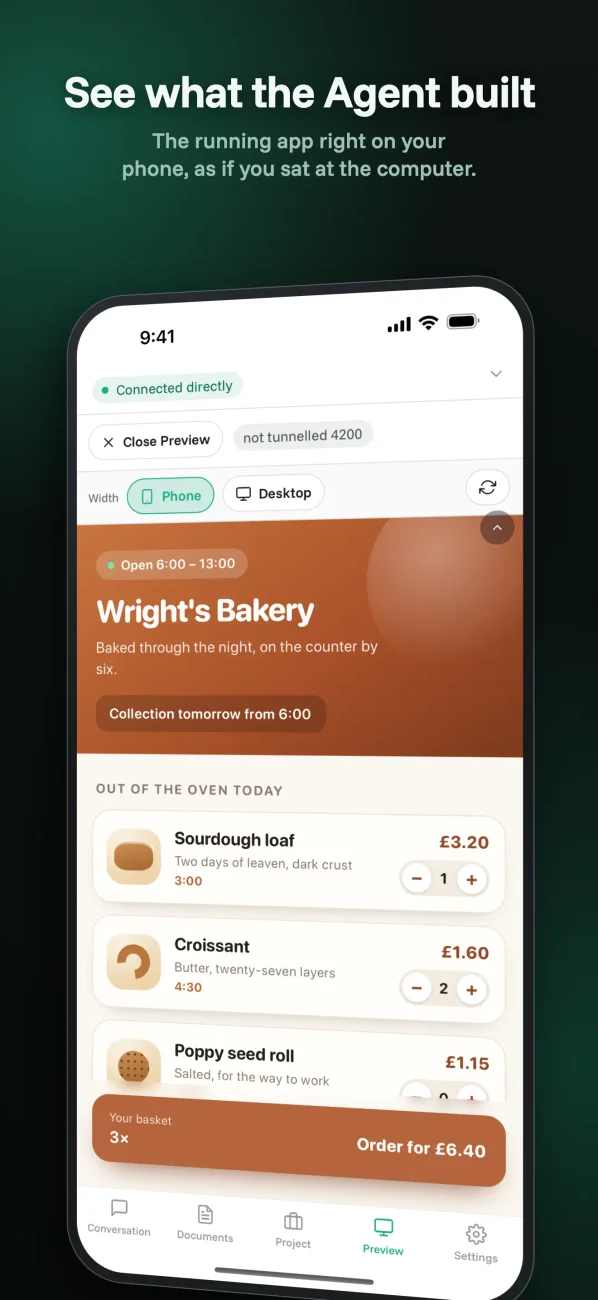
• You want to see what the Agent built, but localhost:5173 opens nothing on your phone.
• A terminal over SSH is misery on a small screen, and opening ports or setting up a VPN just for that is the last thing you want.
WHAT CODEN DOES ABOUT IT
• Permission requests come to your phone. One tap to allow, even right from the notification, and the Agent keeps going.
• You see every step the Agent takes live, line by line, with progress on the lock screen too. And you get a notification when it's done.
• Give it a task from anywhere. The Agent on your computer starts right away.
• Preview shows the app the Agent got running right on your phone screen — as if you were at the computer.
• The phone pairs with the computer by QR code. No ports, no VPN, no terminal.
• Go through what the Agent changed in a turn like a pull request: line-by-line diffs, comments on lines, and reverting a file.
• No computer at hand? The Server runs in GitHub Codespaces next to your repository. It goes to sleep when idle and wakes up when you connect.
WHAT ELSE IT DOES
• Conversation with the Agent, including history and images in your prompts.
• Documents: the project's files, Markdown, HTML pages with their styles, PDFs and images. Edit Markdown right in the text.
• All of the project's files on request, not just documents.
• Tests: run them and see what failed.
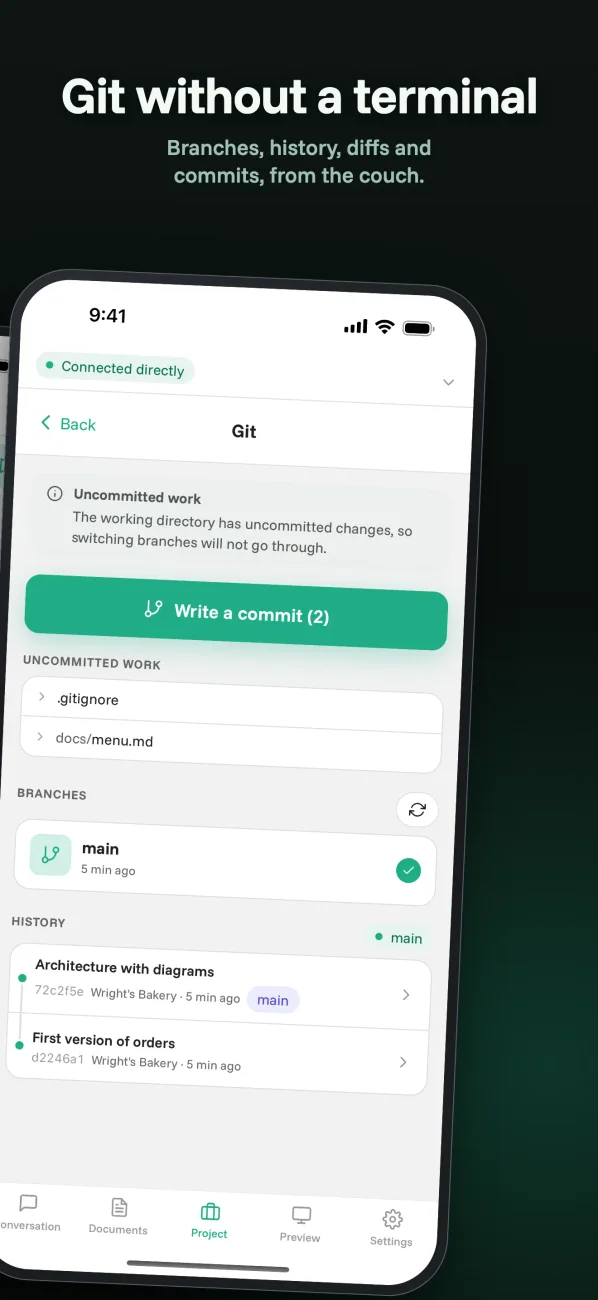
• Git: branches, commits, history.
• Project Tasks by state, with labels.
• Schedules: the Agent with a brief, or a command in the project, at set times.
THE WORK STAYS WITH YOU
Neither the project nor the source code is uploaded to us. The Agent runs on your computer or in your Codespace, under your account, over the directory you gave it. The phone is a window into it, not storage.
The connection between the phone and the computer is end-to-end encrypted. When the two cannot see each other directly, our Service passes the traffic — but it cannot read it, because it has no key to it.
NO ACCOUNT
There is nothing to register and nothing to sign in to with us. You only need a GitHub account if the Server is to run in Codespaces.
WHAT YOU NEED
• A computer with macOS, Windows or Linux, and the Server from coden-app.com — as a VS Code extension, a desktop app or from the terminal. Or, instead of a computer, a GitHub account and the Server in Codespaces.
• The Claude Code CLI and an Anthropic account — you pay for the Agent directly with them
• Git
Without the Agent the Server still runs: Documents and Preview work, there is just nobody to give a task to.
FREE
Both the app and the Server are free. We sell nothing inside the app and collect no analytics. Codespaces run on your GitHub quota.
What’s new
Version 1.5.2 · Nov 18, 2026
More reliable pairing: after scanning a QR code you can go back to Settings, an earlier code stays valid after a new one is generated, and a brief connection drop is retried. Forgetting a Server is faster and no longer freezes.
App privacy
What Matej Zalmanek declares on the App Store about how this app handles data.
-
Data not collected
The developer does not collect any data from this app.
Privacy practices may vary, for example with the features you use or your age.
Information
- Seller
- Matej Zalmanek
- Category
- Developer Tools
- Version
- 1.5.2
- Updated
- Nov 18, 2026
- Released
- Sep 24, 2026
- Size
- 43.8 MB
- Requires
- iOS 15.1 or later
- Age rating
- 4+
- Price
- Free
- Languages
- English, Czech, French, German, Italian, Polish, Slovak, Spanish, Ukrainian
- Copyright
- © 2026 Matěj Žalmánek
You might also like
-
 VeelopsVibe Code Anywhere
-
 Pastura - Local LLMs simulatorLike stargazing, but for LLMs
-
 HTML Editor + ViewerAll-in-One HTML Tool
-
 PyodiosOffline Python notebook & REPL
-
 Device Info: System MonitorCPU, RAM, Battery & Network
-
 App Rank AnalyticsApp Rank: Chart & ASO Tracker
-
 KKCode - OpenCode MobileAI Coding Agent on Mobile
-
 Vibe Pocket: AI Coding AgentsNo computer needed
-
 iPerf ReloadedNetwork speed test with iPerf3
-
 Neon Vision EditorNative Code & Markdown Editor