Cognotes - AI Notes App & PDF
Flashcard, Mind Mapping, PPT
Designed for iPad, Mac
Free · In-app purchases
- Age rating4+
- CategoryProductivity
- Developer雨轩 蒋
- LanguagesEnglish+ 7 more
- Size90.3 MB
Links to the official App Store page
Download.org hosts no file of Cognotes - AI Notes App & PDF. The button opens its official App Store page, published by 雨轩 蒋. Listing last checked on Nov 18, 2026.
Screenshots
About
Cognotes is an AI-native knowledge workspace that seamlessly integrates deep reading, structured annotation, bidirectional linking, spaced repetition, and AI presentation generation into a single, unified workflow. Whether you're studying for exams, researching academic papers, or creating content, Cognotes helps you move from raw information to clear, structured understanding — your ultimate AI Note and Flashcard companion with a built-in PDF Reader.
【 Unified Multi-Format Workspace 】
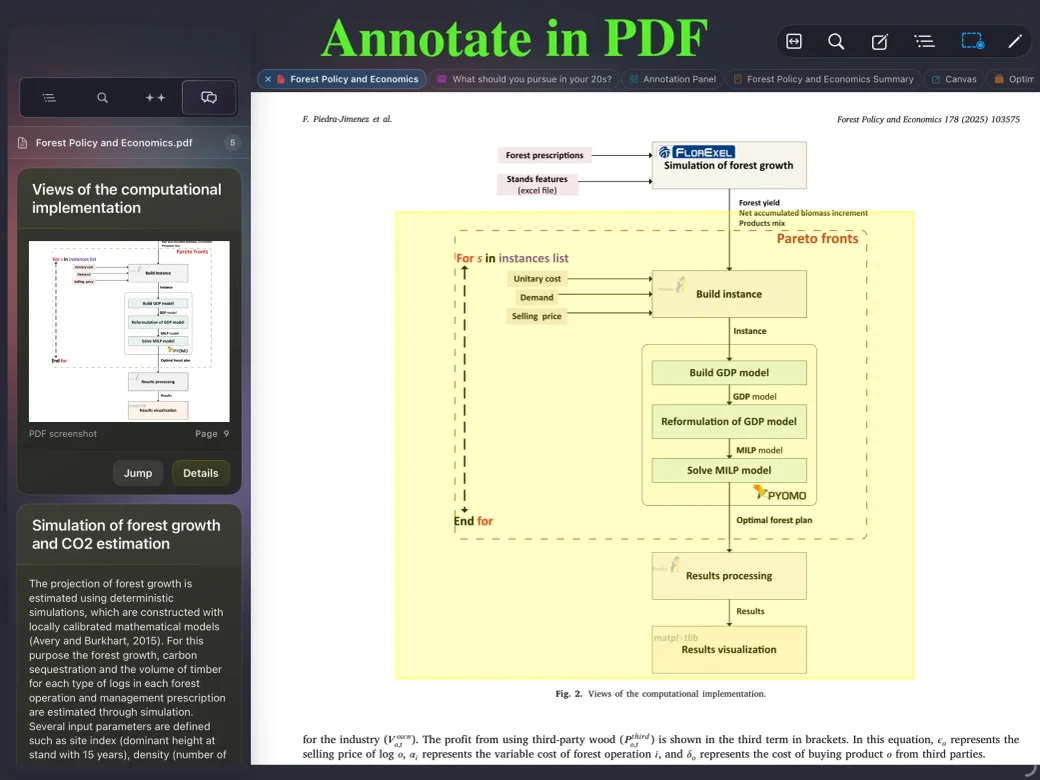
• PDF Deep Reading: Built-in OCR, freehand drawing, text highlights, and rectangle capture annotations. Also acts as a PDF Converter to extract and reuse content in other formats.
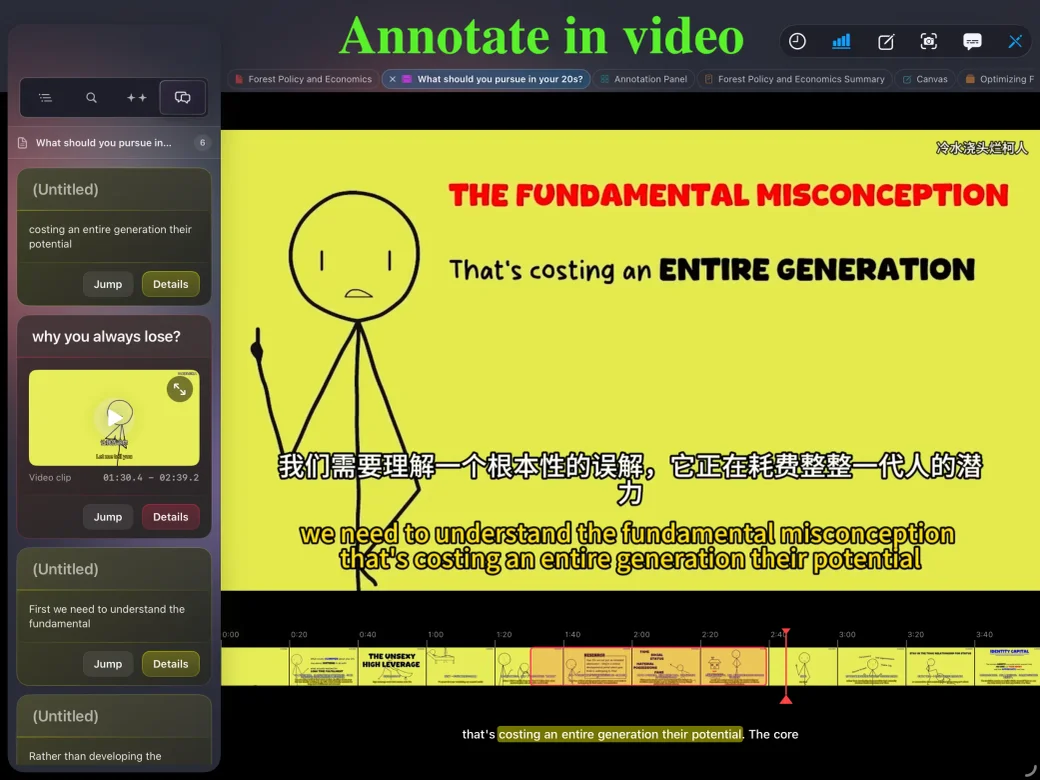
• Video Notes: Import videos, parse SRT subtitles, capture specific frames, and bind annotations to the timeline. Supports audio to text and voice to text conversion for lecture or interview recordings.
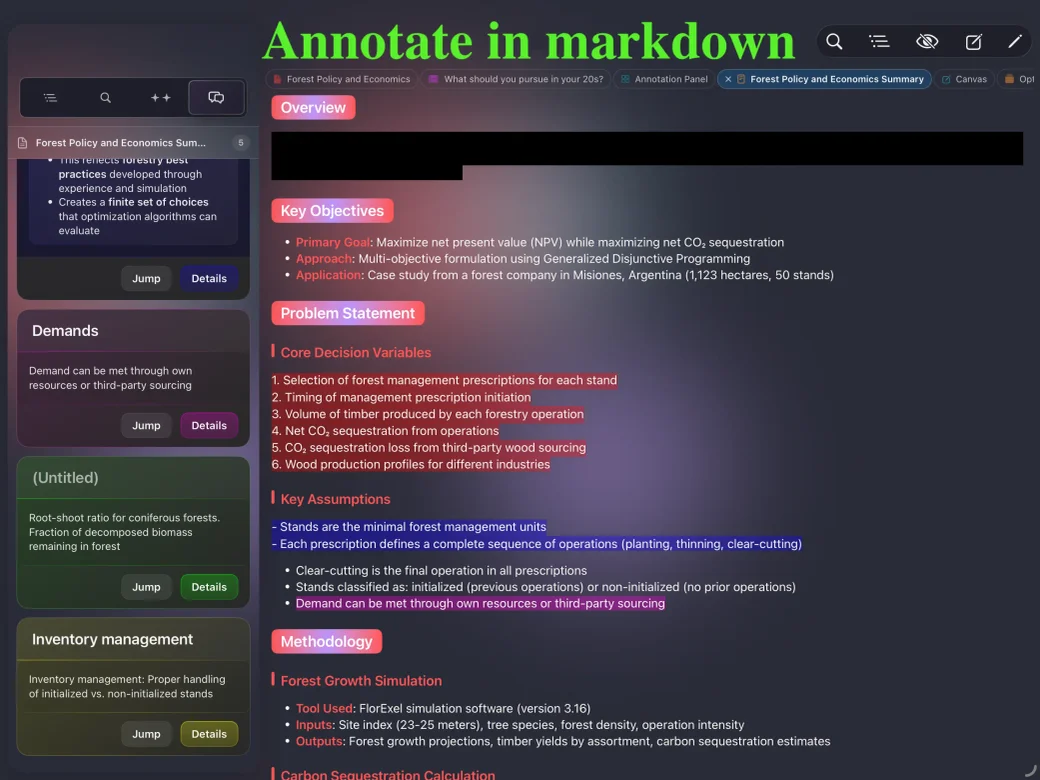
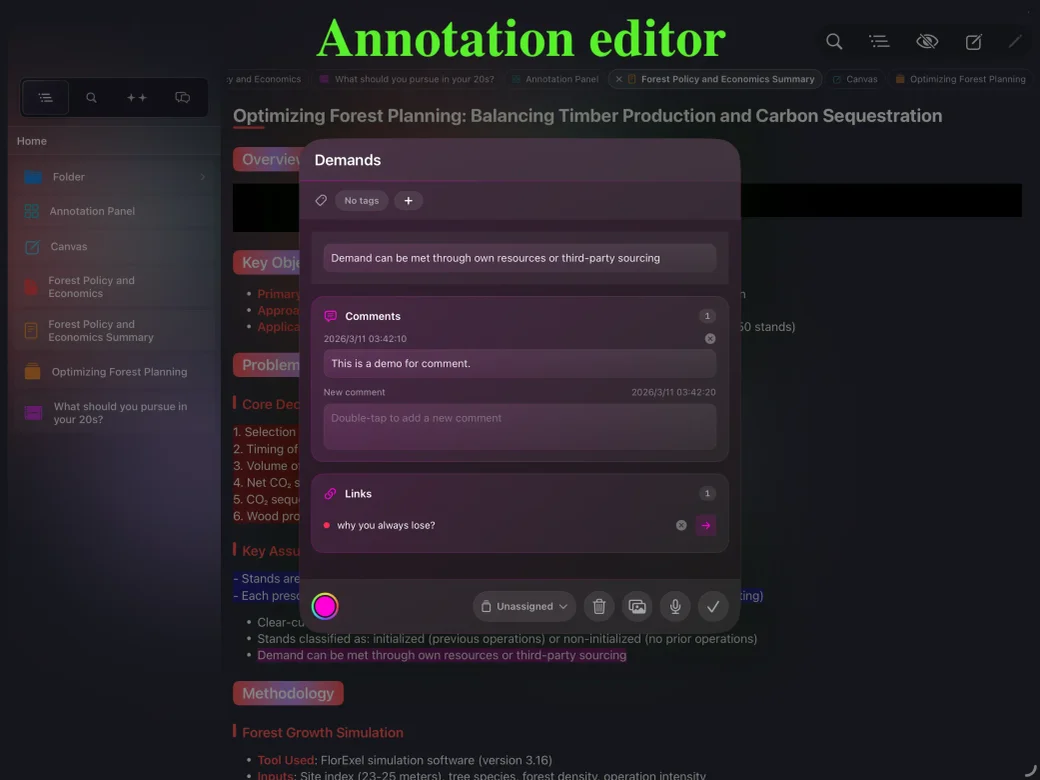
• Markdown Editing: Rich text editing with multi-dimensional properties, tags, and audio recordings. A powerful markdown editor that doubles as a notetaker — just note it down and organize everything.
【 Connect & Visualize Knowledge 】
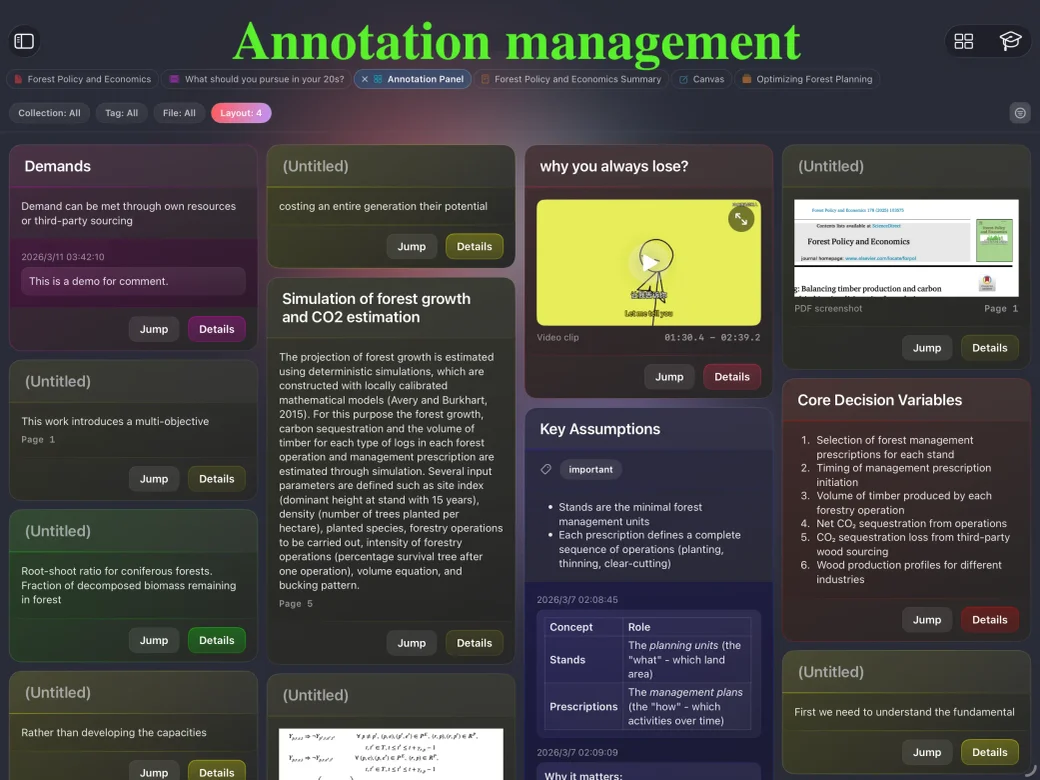
• Annotation Panel: Aggregate, filter, and manage all your highlights and notes across different documents and doc files.
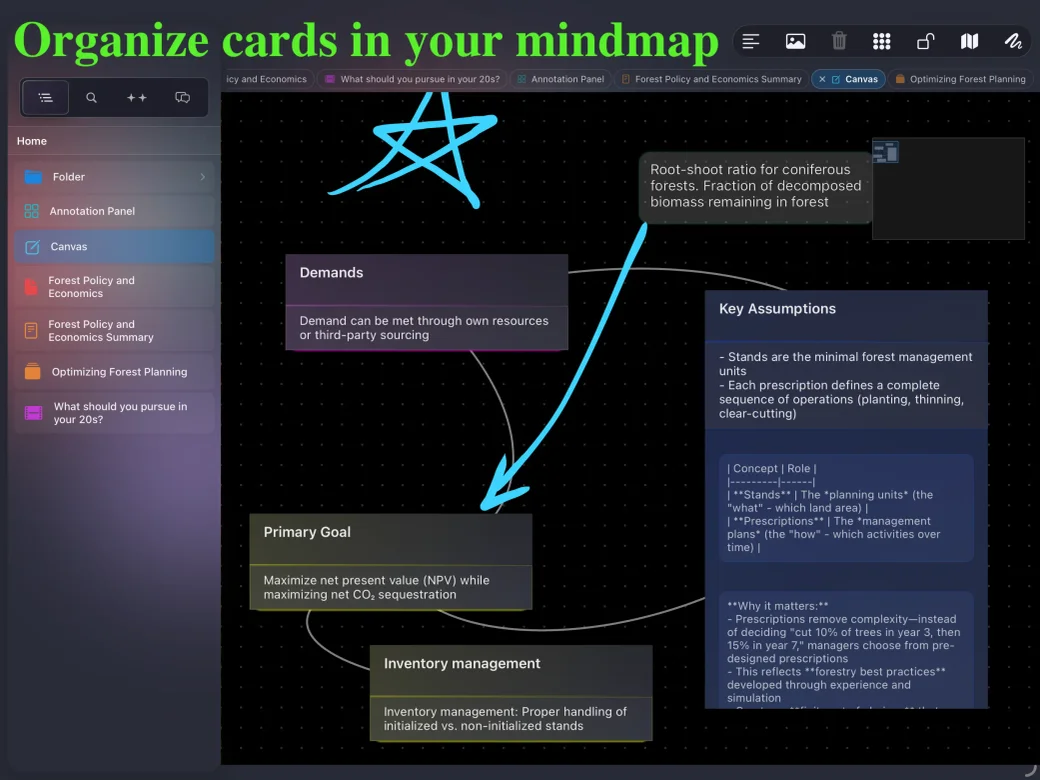
• Infinite Canvas: Drag and drop annotation cards into a mind map to establish bidirectional links between ideas. This canvas gives you a visual planner to map out complex topics.
• Side Canvas: Visualize and organize your knowledge on a split-screen while reading PDFs or watching videos — a perfect layout for transcriber and transcription workflows.
【 FSRS Flashcards & Spaced Repetition 】
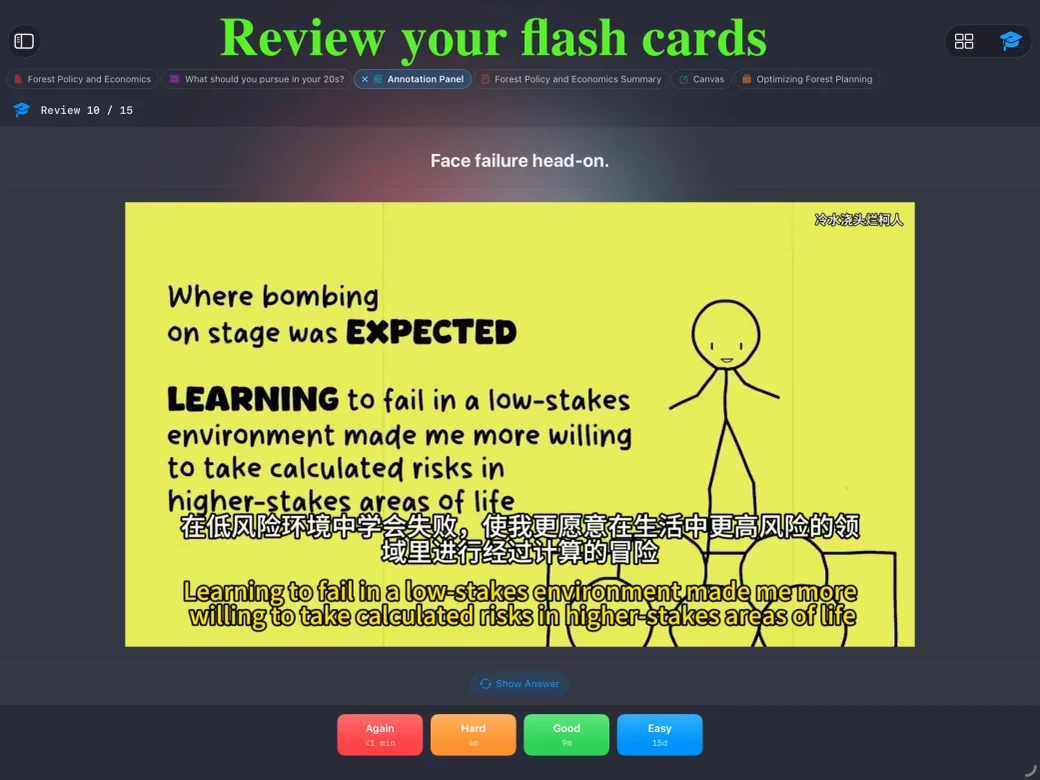
• Built-in advanced FSRS algorithm automatically turns your annotations into review flashcards. A true Flashcard system that helps you stop hoarding notes and start remembering key concepts.
【 Powerful AI Assistant 】
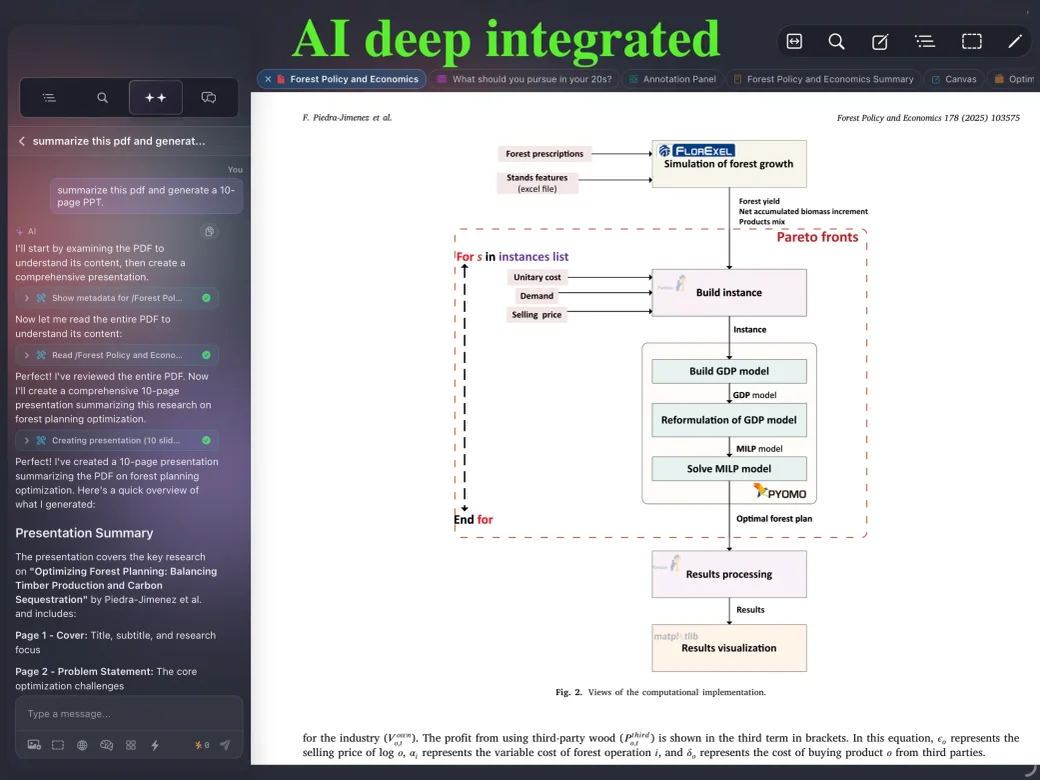
• Select text or capture screenshots and send them directly to the built-in ai for deep analysis.
• Supports Web Search and Global Mode (search across your entire workspace).
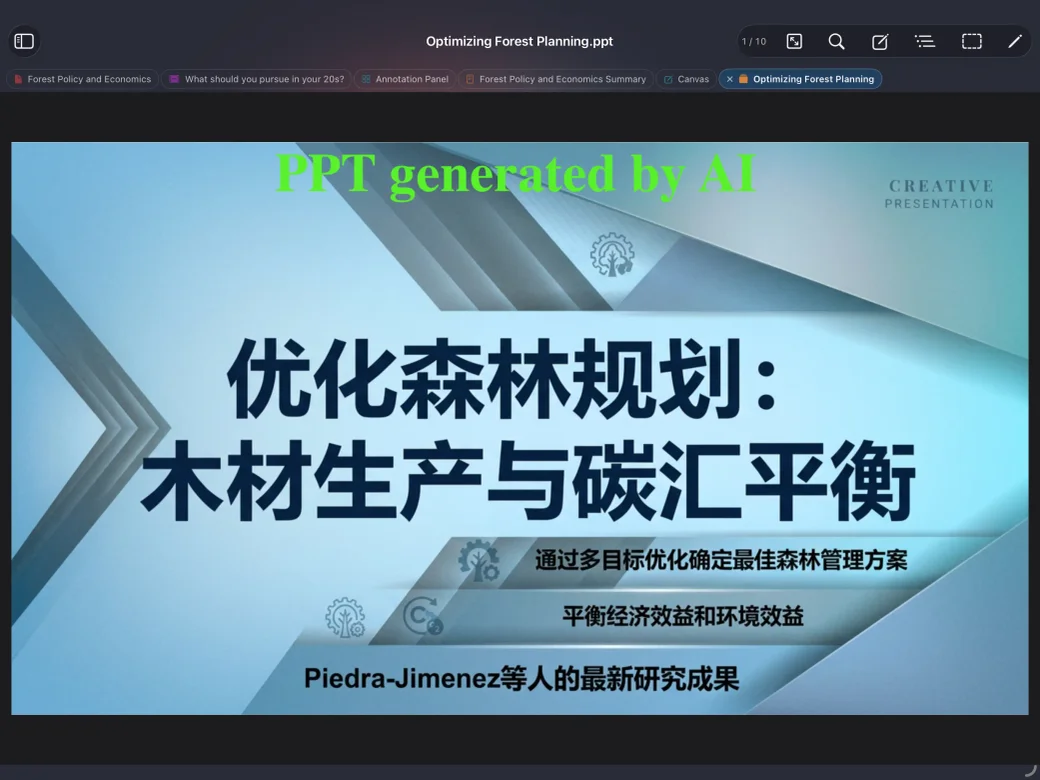
• AI Presentation Maker: Input a topic or outline, and AI will automatically generate a structured PPT with images.
• Audio Transcription: Convert interviews or lectures into text and integrate them seamlessly into your annotation workflow — also functions as an audio to text and voice to text hub.
【 Built for Deep Thinkers 】
• Students & Lifelong Learners: Build a paperless study and review system with a built-in planner to track your learning progress.
• Researchers & Analysts: Process massive amounts of literature and dense information efficiently using PDF Converter and doc management.
• Writers & Knowledge Workers: Go from capturing inspiration to structured output, using notetaker tools and note it quick capture.
Auto-renewable subscription Terms of Use: https://www.apple.com/legal/internet-services/itunes/dev/stdeula/
Privacy Policy: https://api.cortex-app.top/privacy
What’s new
Version 1.8 · Apr 16, 2026
1. Fixed onboarding guidance
2. Usage bill export
3. Title bar UI improvements
App privacy
What 雨轩 蒋 declares on the App Store about how this app handles data.
-
Data not linked to you
May be collected but is not linked to your identity.
- User content
- Usage data
Privacy practices may vary, for example with the features you use or your age.
Information
- Seller
- 雨轩 蒋
- Category
- Productivity
- Version
- 1.8
- Updated
- Apr 16, 2026
- Released
- Mar 11, 2026
- Size
- 90.3 MB
- Requires
- iOS 17.0 or later
- Age rating
- 4+
- Price
- Free
- In-app purchases
- Yes
- Languages
- English, French, German, Japanese, Korean, Portuguese, Simplified Chinese, Spanish
- Copyright
- © 2026 Cortex. All rights reserved.
You might also like
-
 Epoch NotesLaTeX & Math Handwriting
-
 Latch : Focus & App BlockerBlock Apps, Limit Screen Time
-
 ProjiKit: Project Notes & WikiPlanner, Kanban Board & Tasks
-
 Pensieve NotePlace Notes in the Real World
-
 Oaklet Notes: EncryptedHandwrite & type. No account.
-
 Omeria 2Productivity
-
 mimosa: Notes, PDF & ScannerMistake Notebook & Revision
-
 Flyout: Notes, Markdown, CodeReminders, checklists, tags
-
 BookyAIEdit the text in your PDFs
-
 ReWriteMe: AI WriterPolish emails, notes, replies