Connect My Computer
Designed for Mac computers
Designed for iPhone, iPad, iPod touch
Free · In-app purchases
- Age rating4+
- CategoryProductivity
- DeveloperHana Mobile
- LanguagesEnglish+ 12 more
- Size6.6 MB
Links to the official App Store page
Download.org hosts no file of Connect My Computer. The button opens its official App Store page, published by Hana Mobile. Listing last checked on Nov 12, 2026.
Screenshots


About
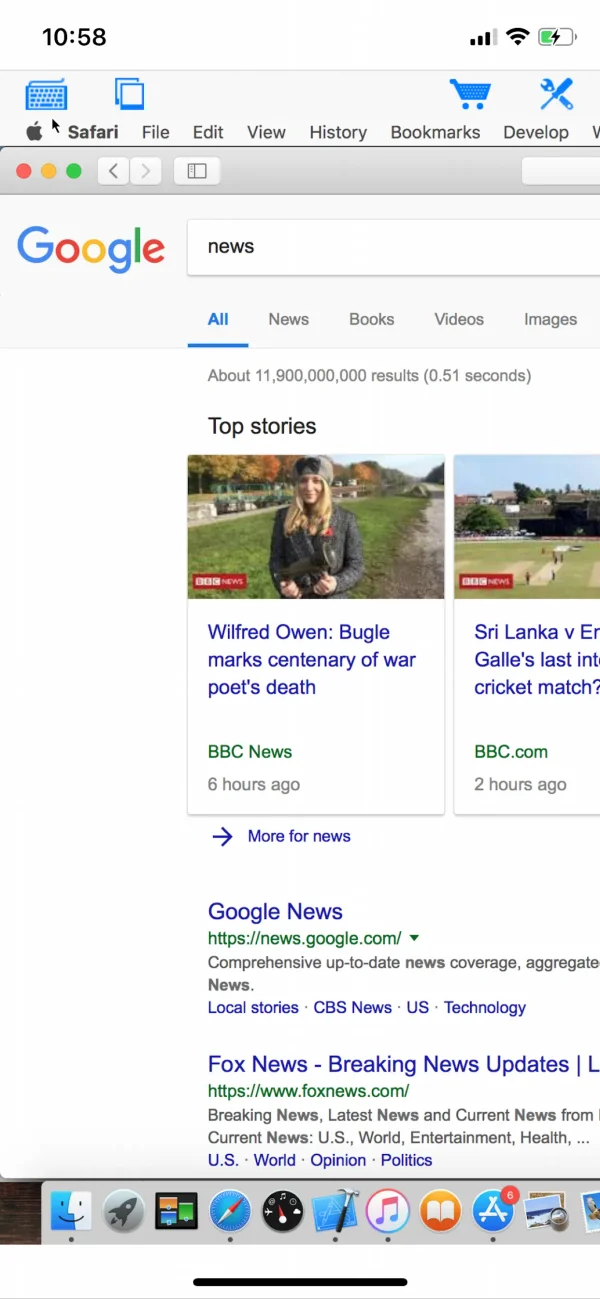
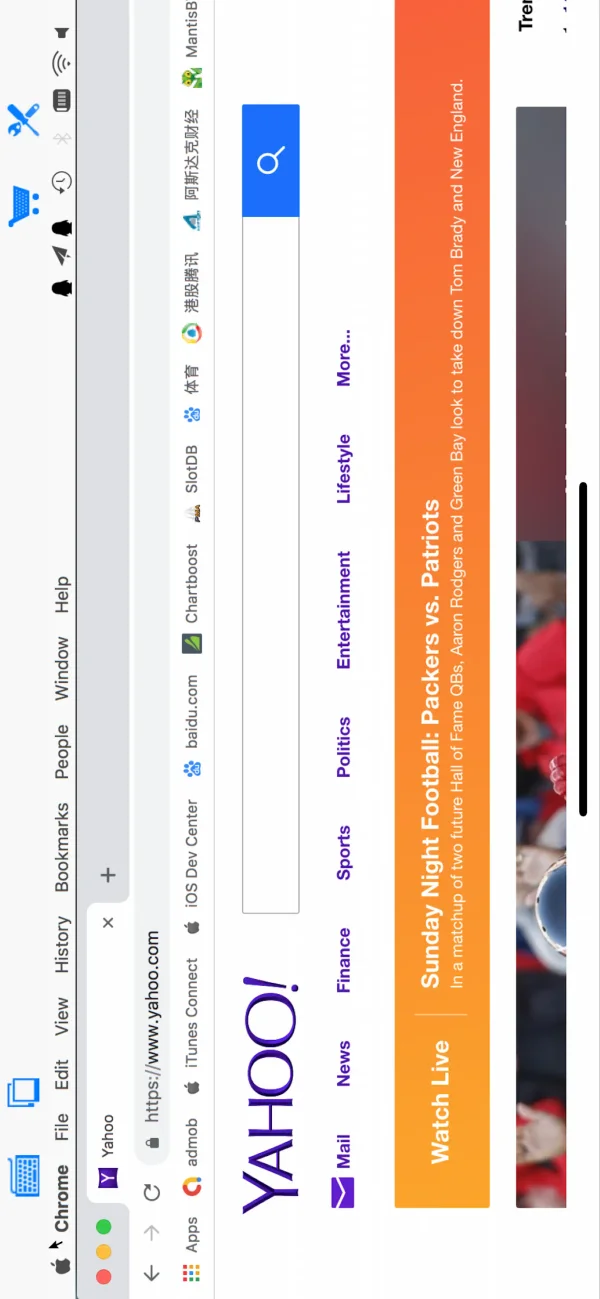
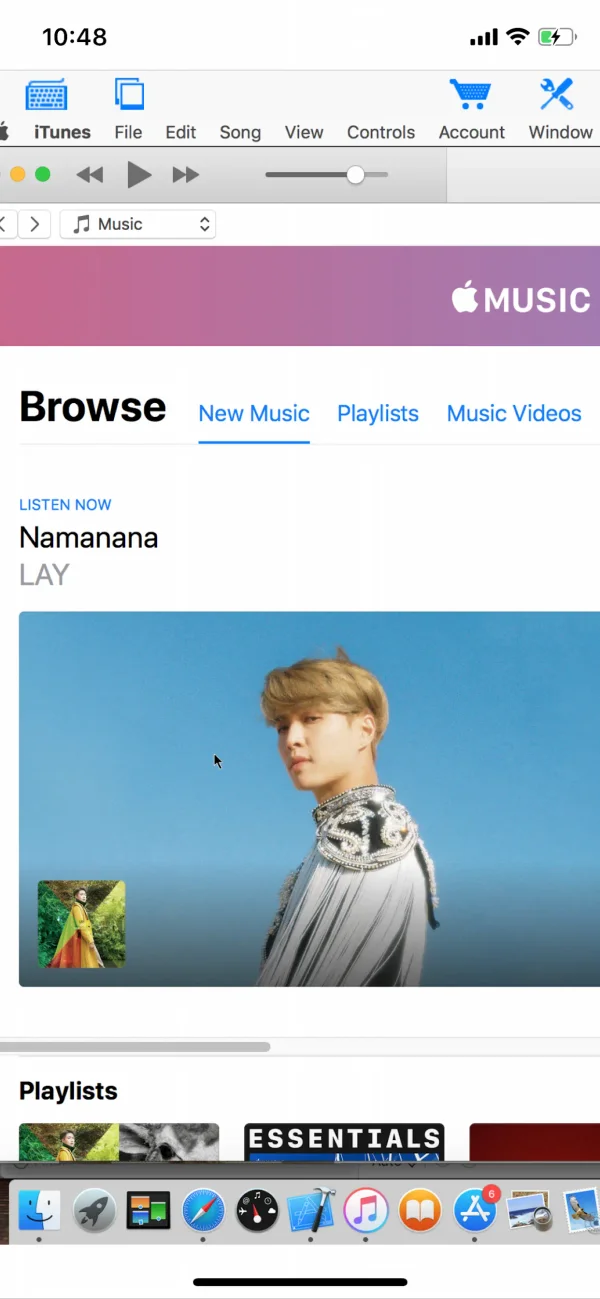
Connect to your Mac computers from iPad/iPhone/iPod Touch at anytime! Great functionalities and It's FREE! Support Retina display for the new iPad and iPhone XS Max!
Compared with this free version, the Pro version has more features:
- Multiple connections
- Trackpad to move mouse cursor (also support click) and do mouse wheel scroll
- Mouse right click, hover and mouse drag
- Modifier keypad including Shift, Ctrl and Alt which enables you to press almost any key combinations.
- A cool functional keyboard: Cut, copy & paste and other shortcuts keypad, including HOME, END, PAGE UP, PAGE DOWN, Arrow keys, etc.
- Virtual left button and right mouse button
- Easy dragging and resizing using virtual mousepad
- Support video output (need iPad or iOS4 and output connector)
Features:
- Specifically designed for both iPad and iPhone
- Support Retina display for the new iPad and iPhone 4/4S
- Take advantage of iPad's big screen
- Portrait and landscape mode
- Support various resolutions and colors
- Tap to do click, double tap to double click, and all easy to use features
- Pinch to zoom in and out. Choose the zoom scale you like
- International keyboard support for many languages, including French, German, Italian, Korean, Russian, Swedish, Spanish, Portuguese etc.
- Mac OS X Login
- Easy to use design
Supported Platform:
- Mac OS X Mountain Lion
- Mac OS X Lion
- Mac OS X Snow Leopard
- Mac OS X Leopard
- Mac OS X Tiger
- Windows with VNC server installed
Note: This is also a full VNC client. Thus you can also use it to connect to Windows with VNC server installed.
Brief install instructions (Use it if you do not need step-by-step instructions):
How to configure my Mac?
- Mac OS Tiger: http://www.macminicolo.net/Mac_VNC_tutor.html
- Leopard or Snow Leopard: http://reviews.cnet.com/8301-13727_7-10329122-263.html
For detailed setup instructions and more information, see
http://www.hanajobs.com/mobile/forums/show/13.page
Send your comments/suggestions to hanamobiles@gmail.com or visit our website.
What’s new
Version 1.4.1 · Mar 21, 2025
- Bug fixes
App privacy
What Hana Mobile declares on the App Store about how this app handles data.
-
Data not collected
The developer does not collect any data from this app.
Privacy practices may vary, for example with the features you use or your age.
Information
- Seller
- Hana Mobile LLC
- Category
- Productivity
- Version
- 1.4.1
- Updated
- Mar 21, 2025
- Released
- Oct 1, 2010
- Size
- 6.6 MB
- Requires
- iOS 12.0 or later
- Age rating
- 4+
- Price
- Free
- In-app purchases
- Yes
- Languages
- English, Dutch, French, German, Italian, Japanese, Korean, Portuguese, Russian, Simplified Chinese, Spanish, Swedish + 1 more
- Copyright
- © 2010-2025 Hana Mobile LLC
You might also like
-
 Duet Air - Remote DesktopThe fastest Remote Desktop
-
 UTM Remote Virtual MachinesRemote desktop for VMs
-
 NoMachineRemote desktop for everybody
-
 RemotePC Remote DesktopRemote Desktop Access
-
 VMouse - VNC Remote MouseWiFi mouse and keyboard
-
 Mouse · Keyboardfor Mac or PC
-
 RealVNC Viewer: Remote DesktopProductivity
-
 Avica Remote DesktopRemote access from anywhere
-
 Shadow PCShadow PC mobile access
-
 Halo OSYour pocket PC