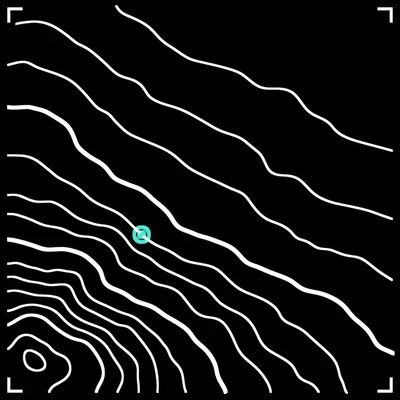
Contour — Ambient Morph Synth
Drones, textures, pads, MIDI
Designed for iPhone, iPad
Free · In-app purchases
- Age rating4+
- CategoryMusic
- DeveloperChih Han Lin
- LanguagesEnglish
- Size108.3 MB
Links to the official App Store page
Download.org hosts no file of Contour — Ambient Morph Synth. The button opens its official App Store page, published by Chih Han Lin. Listing last checked on Nov 16, 2026.
Screenshots

About
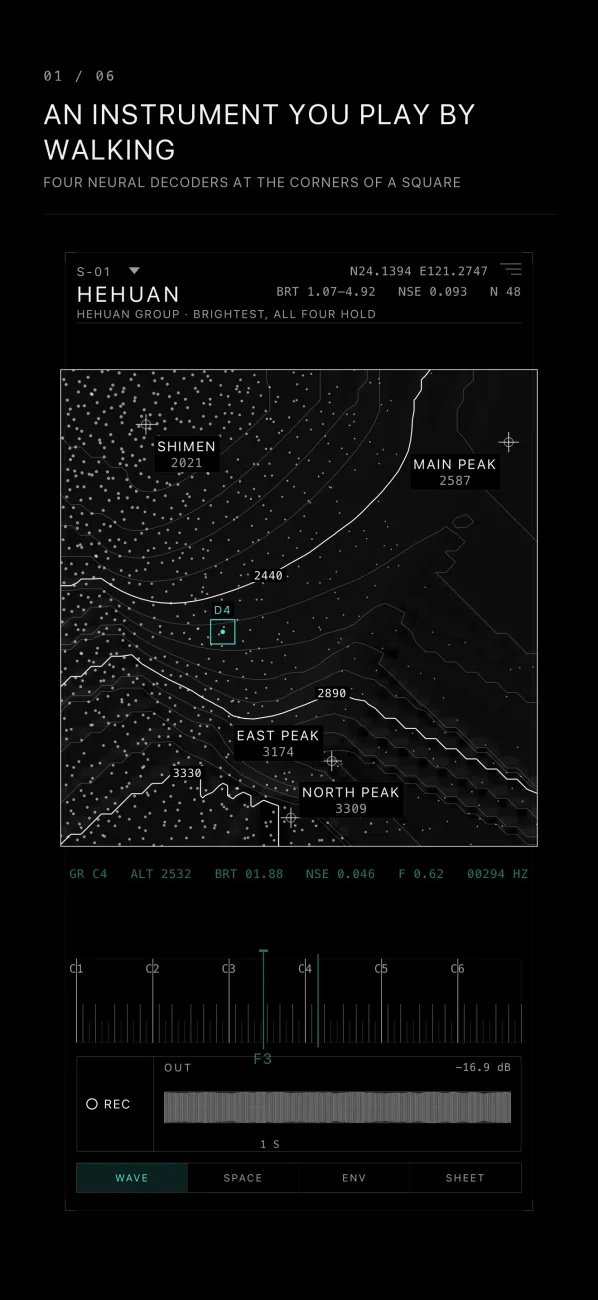
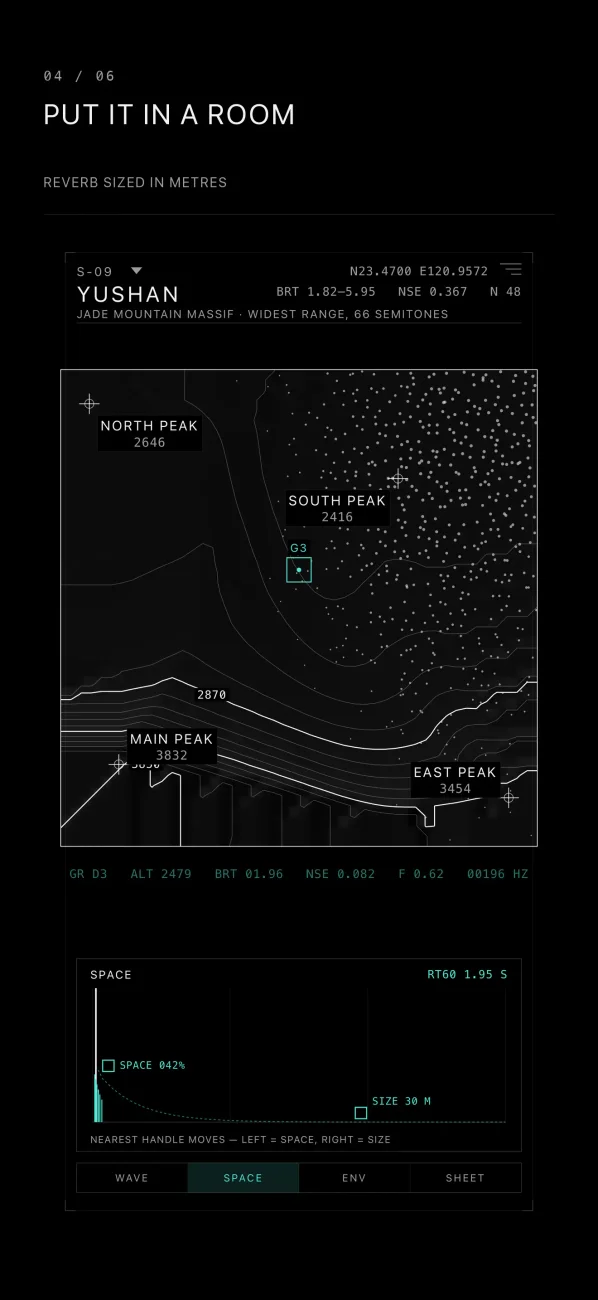
Contour is an instrument you play by walking.
Four neural decoders sit at the corners of a square. Your finger somewhere in
the middle is a blend of all four, and the square is drawn as a survey sheet.
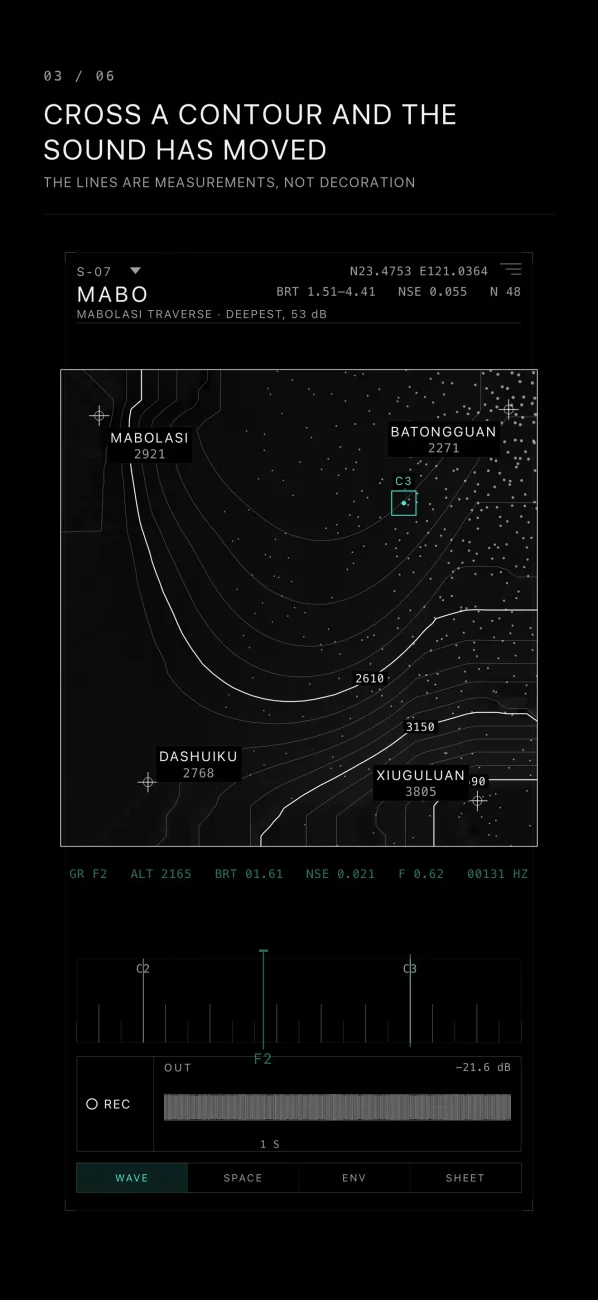
The contour lines are not decoration. They come from what those four decoders
actually produce, laid out so that equal distances on screen are equal
perceptual distances in sound. Cross a line and the sound has changed by a
measured amount.
THE SHEETS
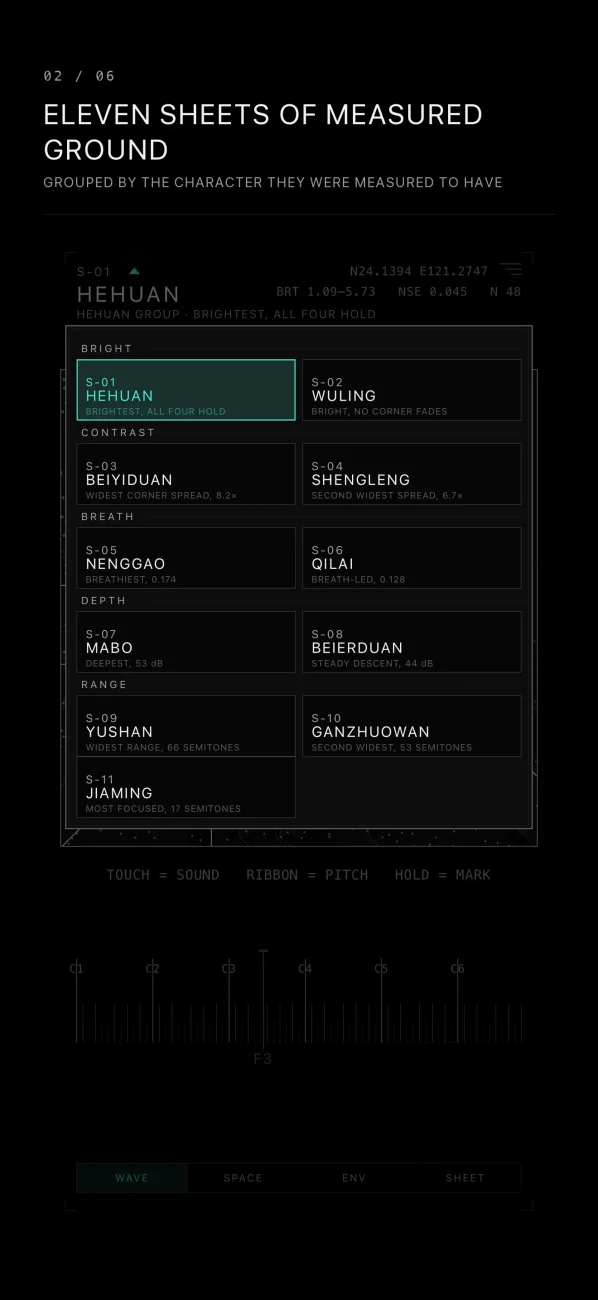
Eleven of them, each a different set of four corners, each chosen by measuring
the whole library rather than by ear. They are grouped by what the measurement
found:
BRIGHT — HEHUAN, the brightest, where all four corners hold their own.
CONTRAST — BEIYIDUAN, the widest corner spread at 8.2 times.
BREATH — NENGGAO, the breathiest.
DEPTH — MABO, the deepest at 53 dB.
RANGE — YUSHAN, the widest at 66 semitones; JIAMING, the most focused at 17.
They are named after Taiwan's high mountain traverses.
PLAYING IT
Touch the sheet to sound it. The ribbon underneath sets pitch, or send MIDI and
play it from a keyboard. Press harder and the note opens up — the contact patch
of your finger is the dynamic. Hold on empty ground to drop a mark you can come
back to.
The readout above the ribbon tells you where you are while you are there:
brightness, noise, the grid reference, the frequency.
IN A HOST
Contour is also an AUv3 plug-in. It runs in AUM, GarageBand, Cubasis, Logic for
iPad and anything else that hosts Audio Units, with the position automatable as
two parameters and the sheet recallable with your session. The plug-in draws
the same map the app does, laid out for the window a host gives it.
WHAT IS FREE
Three sheets — BEIYIDUAN, NENGGAO and YUSHAN — with the whole instrument: the
map, the ribbon, MIDI, reverb, marks, and the plug-in. No time limit and no
account.
CONTOUR PRO
A single purchase, once, unlocks:
• All eleven sheets
• Recording, straight to a file
• The envelope panel — attack, decay, sustain, release
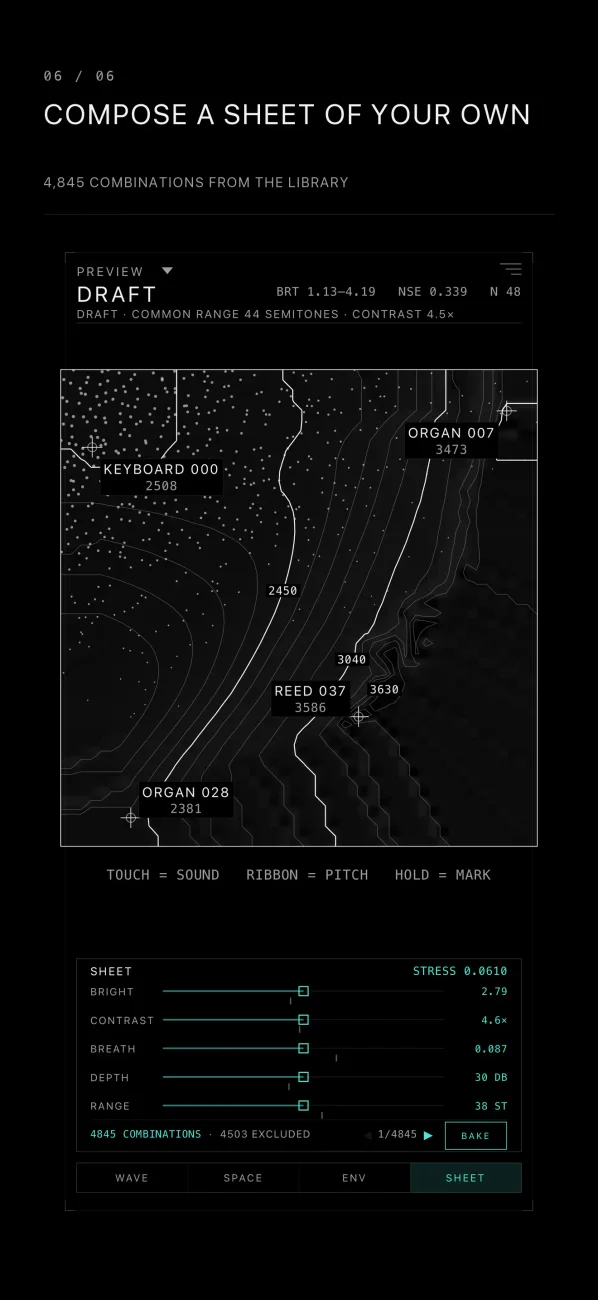
• Composing sheets of your own from the library, 4,845 combinations of four
corners, with the map baked for the pitches they share
Requires iOS 16 or later. iPhone and iPad.
What’s new
Version 1.0.4 · Oct 7, 2026
Exports from your DAW come out clean, and a MIDI keyboard plugged into the app finally plays it.
In the app
• A MIDI keyboard plays Contour. It never did: every message from an external controller was misread and dropped.
• Recordings play back at the speed and pitch you played them. On most iPhones they came out about three times slower and more than an octave and a half low.
• Sound comes back after a phone call, Siri, an alarm, or plugging in headphones. Before, the instrument stayed silent until you quit and reopened it.
• Stopping a recording no longer freezes the screen, and a recording that fails says so instead of doing nothing.
• One damaged sheet file no longer hides every sheet you have baked.
• Previewing and baking a sheet takes about half the time.
• With nothing playing, nothing recording and no keyboard connected, Contour no longer keeps running in the background. With a keyboard connected it plays on as before.
• VoiceOver can buy Pro, restore a purchase, and close the Pro and Settings panels. None of their buttons could be reached before.
With a keyboard, in the app and in a host
• Playing legato no longer cuts off the note you are holding when you lift the one before it.
• Pitch bend returns to the note when the wheel comes back. In the app it used to climb further with every message.
• In the plug-in, the sustain pedal, pitch bend and aftertouch all work, and stopping the transport releases every held note.
In a host
• Exports and bounces are clean. A host renders an export much faster than real time and Contour could not keep up, so most of the file was silence broken by fragments of sound. It now renders at whatever speed the host asks, and the same project exports the same way every time.
• Exports keep the release and the reverb tail instead of cutting them off where the region ends.
• Notes land where the host places them. They were moved to the start of each buffer — up to 85 ms early in a large one.
• Automation ramps sweep instead of jumping straight to the end.
• Latency stays the same from the moment the plug-in loads, and long sessions over Bluetooth or USB audio no longer start to drop out.
• Deleting a sheet you baked no longer silences the one that is playing, and a saved project always reopens on the sheet it was saved with.
Thank you to the player who wrote in about exports.
App privacy
What Chih Han Lin declares on the App Store about how this app handles data.
-
Data not collected
The developer does not collect any data from this app.
Privacy practices may vary, for example with the features you use or your age.
Information
- Seller
- Chih Han Lin
- Category
- Music
- Version
- 1.0.4
- Updated
- Oct 7, 2026
- Released
- Aug 18, 2026
- Size
- 108.3 MB
- Requires
- iOS 16.0 or later
- Age rating
- 4+
- Price
- Free
- In-app purchases
- Yes
- Languages
- English
- Copyright
- © Nonotoday LLC
You might also like
-
 2099 Techno: Generative SynthChaos-driven acid track writer
-
 Ringo Beats: Chaos DrumsChaos AUv3 beat generator
-
 KAGARIBI: AUv3 SynthShape, play, understand sound
-
 1981 FM: 80s Track GeneratorChaos-driven 80s track writer
-
 Pixelsynth: AUv3 Visual SynthPlay, shape & see your sound
-
 Pendulums: Chaos MelodyChaos Theory + Music Theory
-
 95 LoFi: Generative Beat MakerChaos-driven Chillhop Studio
-
 Beat Kitchen Harmonic SynthHarmonic synth & audio effect
-
 Noemi: AUv3 Generative MusicAUv3 plugin host & sequencer
-
 Rithmatic: FM SynthSynthesizer & vocal harmonizer