Desktop Mirroring
Screen Share & Second Screen
Designed for iPhone, iPad, Mac
Free · In-app purchases
- Age rating4+
- CategoryUtilities
- Developer晶 王
- LanguagesEnglish+ 19 more
- Size2.0 MB
Links to the official App Store page
Download.org hosts no file of Desktop Mirroring. The button opens its official App Store page, published by 晶 王. Listing last checked on Nov 23, 2026.
Screenshots

About
Desktop Mirroring - your Mac's screen, right in your pocket
Your Mac is across the room and you just need to use it. Is the build done? Did the download finish? What was that notification? Your Mac mini is plugged into the TV and there is no monitor on the desk. Desktop Mirroring puts a live, readable view of your Mac's screen on your iPhone or iPad - connected in one tap over your own Wi-Fi - and lets you work it from there.
MADE TO BE REACHED
Not everyone can sit down at a computer. If you are bedridden, recovering, or cannot sit upright for long, the Mac on your desk is out of reach and the phone in your hand is the only computer you can actually use. Desktop Mirroring closes that gap: the Mac's screen comes to your device, and your taps, swipes and typing go back to the Mac. No extra hardware, no second computer, nothing to stretch for.
HOW IT WORKS
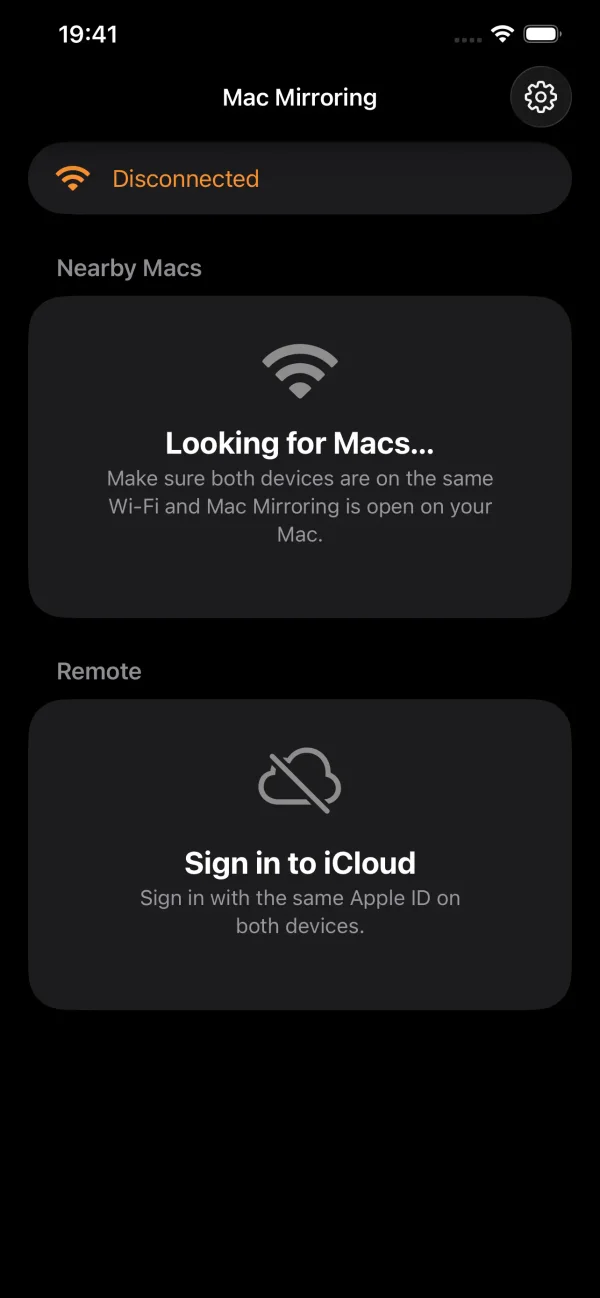
Connect in one tap - Your Mac runs a small menu-bar tool. On the same Wi-Fi, your iPhone finds it automatically. No accounts, no pairing codes, no cables. Tap your Mac's name and you are looking at it.
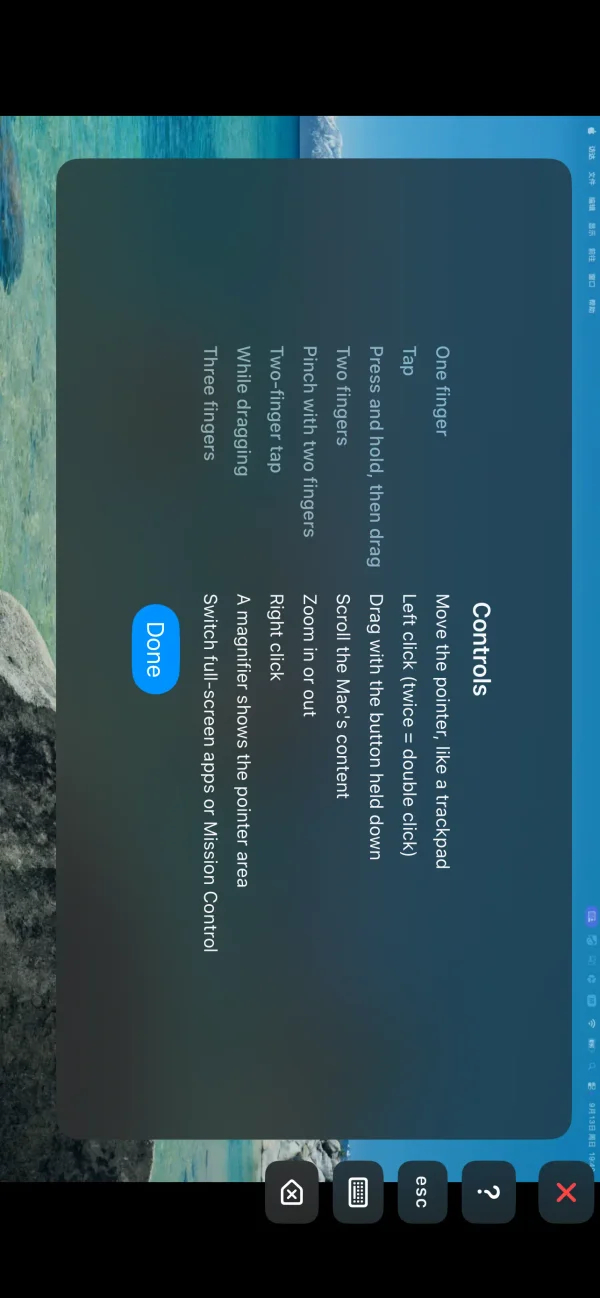
Use it from where you are - Move the pointer, tap, scroll, drag and type. The controls stay simple: a trackpad-style surface, a keyboard, and a few keys for Mission Control and Esc.
Read it from across the room - High-resolution mirroring over your local network, so windows, menus and tabs stay readable. The stream adapts its bitrate to your connection instead of stalling.
Look in from anywhere - Not on the same Wi-Fi? Turn on Remote in the Mac app and view your Mac's screen over iCloud, with your own Apple ID. Remote is view only: over the internet the app only looks.
MORE TO LOVE
Pick the display you share - Multi-display Mac? Choose which display gets mirrored from the Mac menu bar.
Private by design - On your Wi-Fi the video and your input go straight between your devices. Remote view runs through your own private iCloud. No sign-ups, no third-party servers.
Works with any Mac - MacBook, iMac, Mac mini: if it runs macOS, it is ready.
Free to try - Full use, free, for 3 days after your first connection. After that, Premium keeps it going.
Terms of Use: https://www.apple.com/legal/internet-services/itunes/dev/stdeula/
What’s new
Version 1.4 · Nov 22, 2026
10 new languages: Arabic, Indonesian, Italian, Malay, Dutch, Polish, Russian, Thai, Turkish and Vietnamese.
App privacy
What 晶 王 declares on the App Store about how this app handles data.
-
Data not collected
The developer does not collect any data from this app.
Privacy practices may vary, for example with the features you use or your age.
Information
- Seller
- 晶 王
- Category
- Utilities
- Version
- 1.4
- Updated
- Nov 22, 2026
- Released
- Sep 17, 2026
- Size
- 2.0 MB
- Requires
- iOS 17.0 or later
- Age rating
- 4+
- Price
- Free
- In-app purchases
- Yes
- Languages
- English, Arabic, Dutch, French, German, Hindi, Indonesian, Italian, Japanese, Korean, Malay, Polish + 8 more
- Copyright
- © 2026 王晶
You might also like
-
 DesktopScreenMirrormacOS Desktop to iPhone
-
 Remote Mac Desktop ControlTrackpad, Keyboard and Screen
-
 迅视Utilities
-
 TapTermUtilities
-
 文件管理专家Utilities
-
 FEEL THISFeel 20+ Vibration Effects
-
 NoFMUtilities
-
 LensGuard: AI Glasses DetectorSpot smart & camera glasses
-
 NearscreenMirror your screen over Wi-Fi
-
 WeBe Bluetooth Mouse for MacKeyboard Trackpad for Mac & PC