DocPro: Sign & Edit Documents
Edit, sign & open documents
Designed for iPhone, iPad, iPod touch
Free · In-app purchases
- Age rating4+
- CategoryProductivity
- DeveloperJavid Abid
- LanguagesEnglish+ 16 more
- Size156.0 MB
Links to the official App Store page
Download.org hosts no file of DocPro: Sign & Edit Documents. The button opens its official App Store page, published by Javid Abid. Listing last checked on Nov 23, 2026.
Screenshots
About
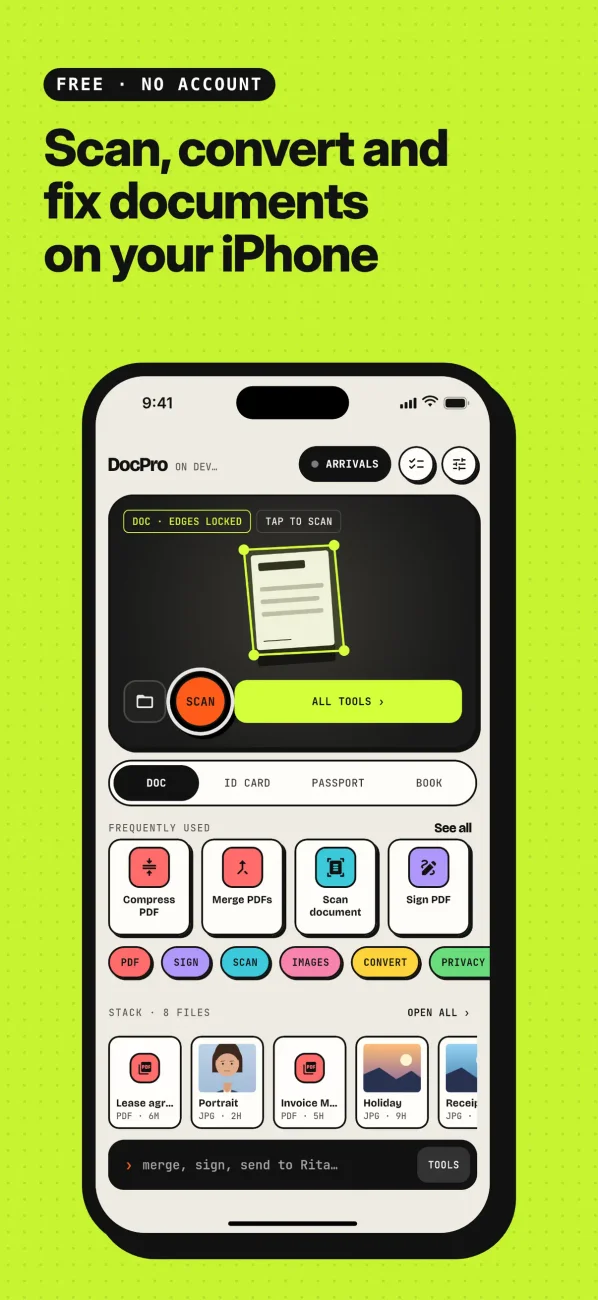
DocPro lets you open, edit and sign documents on your iPhone or iPad, for free. Fix a typo in a Word file, update a price in an Excel sheet, read a PowerPoint, scan paper, fix a PDF, make a passport photo and sign where it says "sign here", all in one app with over 50 tools.
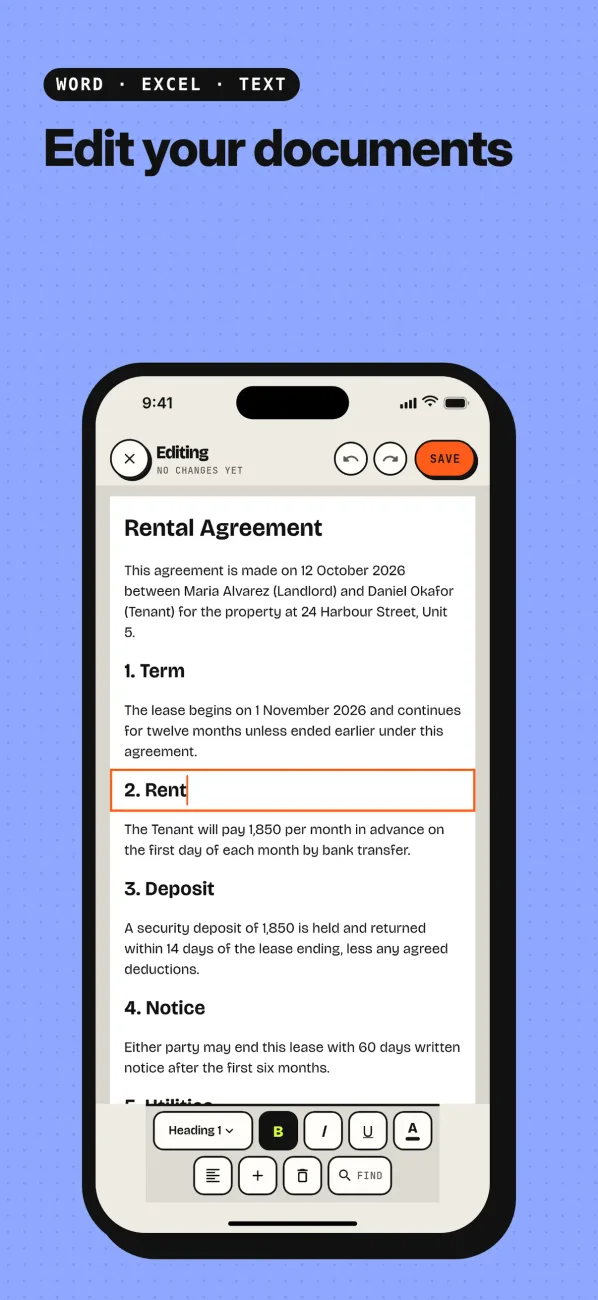
EDIT DOCUMENTS (NEW, FREE)
- Edit the text of Word (.docx), OpenDocument (.odt), RTF and text files
- Make a paragraph a title, heading or body text, and change bold, italic, underline, colour and alignment
- Edit cells in Excel (.xlsx) and CSV files, and add, clear or delete rows
- Undo and redo, and pictures, tables and charts you don't touch are kept as they were
- Save back to the original file, or as a new copy in the same format or as a PDF
- For PowerPoint and other files, use Edit as PDF, or open the file in another app
OPEN ANY DOCUMENT
- Word opens as pages, PowerPoint as slides with a presentation mode, Excel as a grid with sheet tabs
- Also opens OpenDocument, RTF, text, Markdown, JSON and CSV files
- DocPro appears in "Open in" and the Share sheet for documents
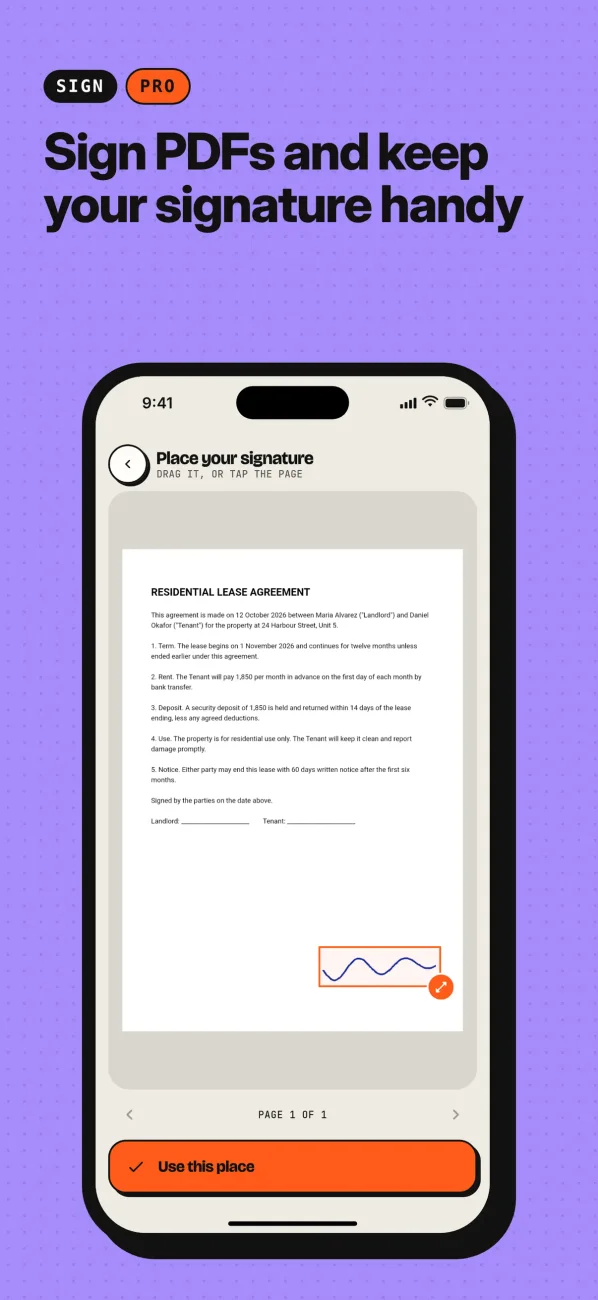
SIGN DOCUMENTS (DOCPRO PRO)
- Sign PDFs: draw your signature once and place it on any page
- Signature vault: keep your signatures and initials ready to reuse
- Request a signature: send a PDF for someone else to sign
EDIT PDFs
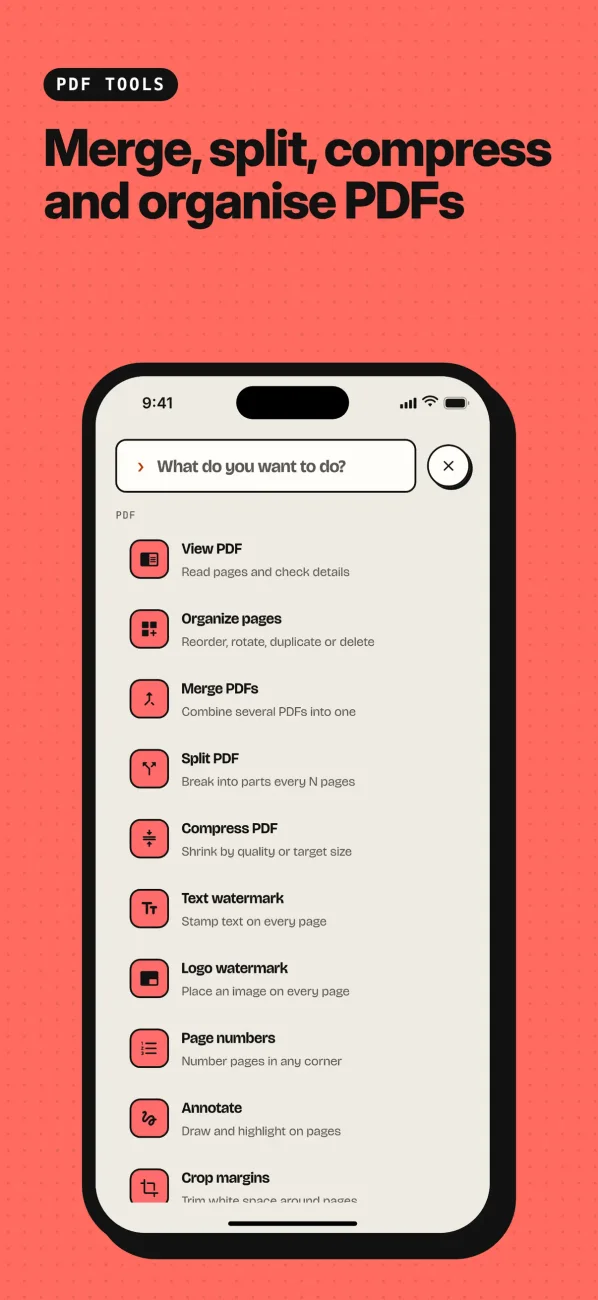
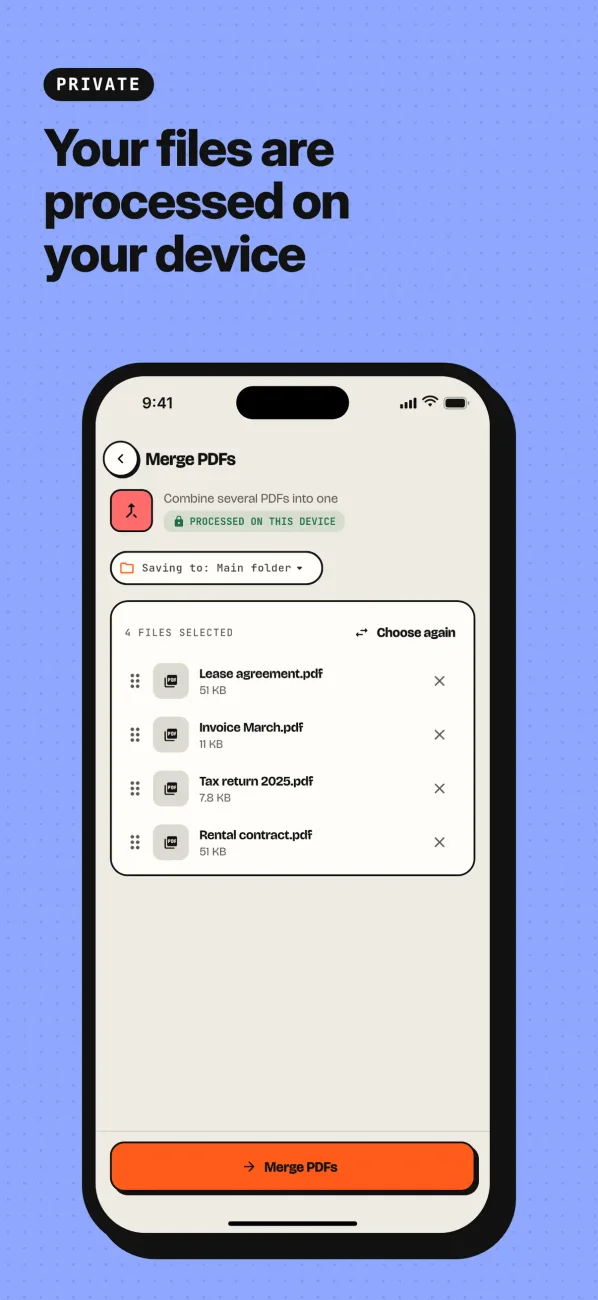
- Merge, split, rotate and organize pages: reorder, duplicate or delete
- Fill in PDF forms, annotate and highlight
- Add page numbers and text or logo watermarks
- Crop margins, resize pages to A4, Letter or Legal, flatten, grayscale
- Remove blank pages, reverse order, keep odd or even pages
- Compare two PDFs, repair a broken file, save as PDF/A for archives
SCAN AND READ TEXT
- Scan paper documents with automatic edge detection
- Extract text from a photo or PDF, or make a scan searchable
CONVERT
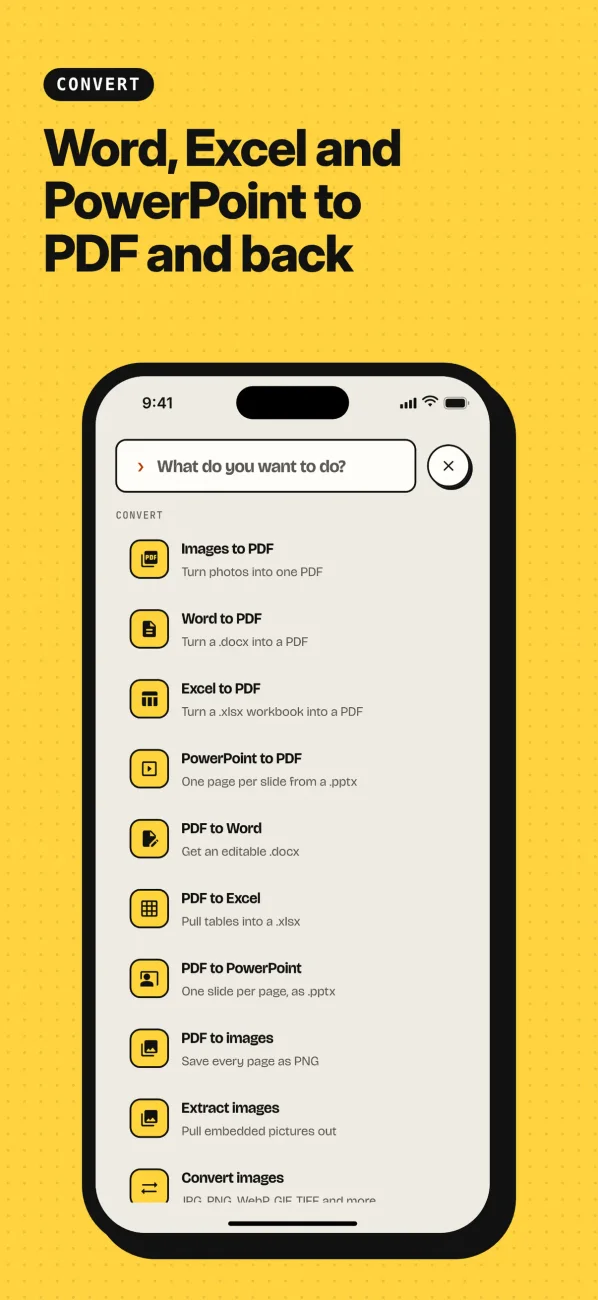
- Word, Excel and PowerPoint to PDF, and PDF back to Word, Excel or PowerPoint
- Images to PDF, PDF to images, text to PDF
- Convert images between JPG, PNG, WebP, GIF, TIFF and more
COMPRESS FOR UPLOADS
- Compress PDFs by quality or to a target size
- Shrink an image to the exact KB a form asks for
- Resize and convert many images at once
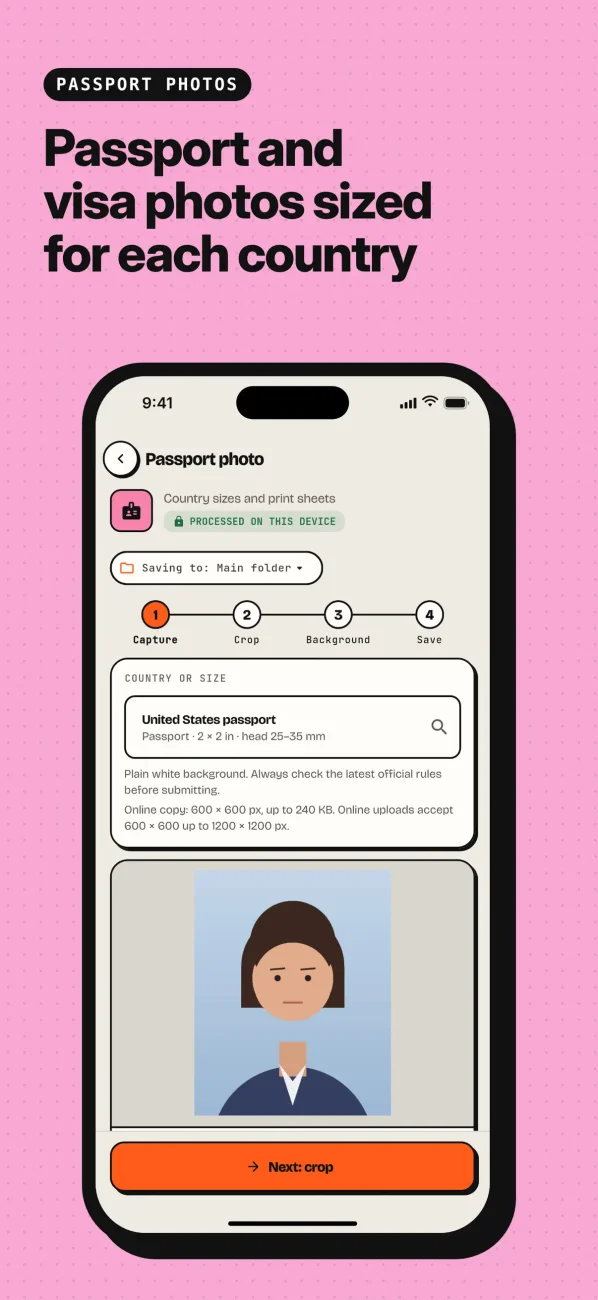
PASSPORT AND ID PHOTOS
- Sizes for 35 countries and document types, with print sheets
- A camera with a framing guide and checks for head tilt, eyes and lighting
- Background swap and background removal
PRIVACY
- Protect and unlock PDFs with AES-256 passwords
- Redact PDFs and blur faces in photos
- Clean metadata from PDFs and remove location data from photos
- Your files are processed on your device, not uploaded (except Request a signature, which sends the PDF you choose so the other person can sign it)
YOUR FILES, YOUR WAY
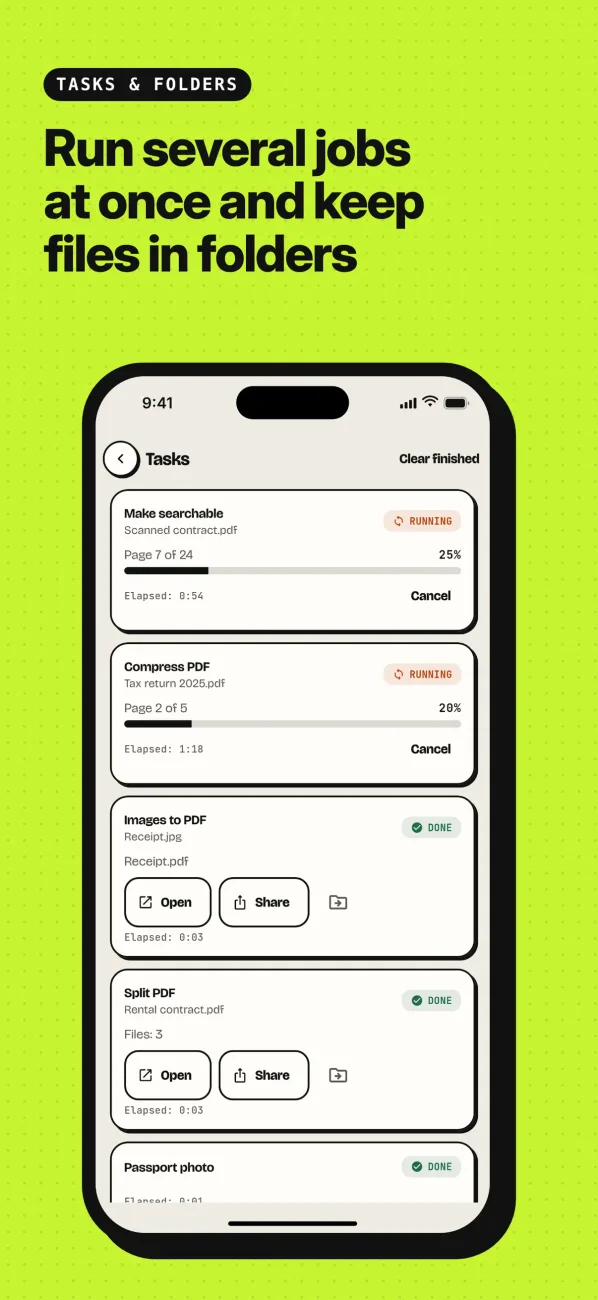
- Create your own folders and choose where new files are saved
- Your DocPro folder also appears in the Files app
- Jobs keep running when you switch apps
- Works on iPhone and iPad, in 18 languages
PRICING
Every tool is free, including document editing. Only signing needs DocPro Pro (Sign PDF, Signature vault and Request signature), a monthly subscription that renews automatically until you cancel it in your Apple account settings.
Terms of Use: https://www.apple.com/legal/internet-services/itunes/dev/stdeula/
Privacy Policy: https://docpro.pro/privacy/
Made by an independent developer. Questions or ideas? Get in touch from the app or via docpro.pro.
What’s new
Version 4.6.0 · Nov 19, 2026
New in this version:
- Edit Word, OpenDocument, RTF and text files for free: change the text, headings, bold, italic, colour and alignment
- Edit Excel and CSV cells, and add or delete rows
- Save your changes back to the original file, or as a new copy in the same format or as a PDF
- Open Word, Excel and PowerPoint files right in DocPro, with slides, sheet tabs and a presentation mode
- Also opens OpenDocument, RTF, text, Markdown and CSV files
- DocPro now appears in "Open in" and the Share sheet for documents
- Edit as PDF for PowerPoint and other files, or open them in another app
- Jobs keep running when you switch apps
App privacy
What Javid Abid declares on the App Store about how this app handles data.
-
Data linked to you
May be collected and linked to your identity.
- Contact info
- User content
- Identifiers
-
Data not linked to you
May be collected but is not linked to your identity.
- Usage data
- Diagnostics
Privacy practices may vary, for example with the features you use or your age.
Information
- Seller
- Javid Abid
- Category
- Productivity
- Version
- 4.6.0
- Updated
- Nov 19, 2026
- Released
- Nov 11, 2026
- Size
- 156.0 MB
- Requires
- iOS 15.5 or later
- Age rating
- 4+
- Price
- Free
- In-app purchases
- Yes
- Languages
- English, Arabic, Czech, Dutch, French, German, Hindi, Italian, Pashto, Persian, Polish, Portuguese + 5 more
- Copyright
- © 2026 Javid Abid
You might also like
-
 Scale It PDFPDF takeoff for the trades
-
 LumenScan: PDF Scanner OfflineGST Invoice, Aadhaar to PDF
-
 Lectio: Scan, OCR & ReadTurn pages into usable notes
-
 Wing AIProductivity
-
 DocuScanner – PDF ScannerSecure Scanner for Scan & Sign
-
 Documents: Files & DocsFile Manager & PDF Editor
-
 PurEst®Productivity
-
 PDF Reader: Edit, Scan & SignConvert to Word, Excel & Merge
-
 Documents Editor: DocProEdit DOCX with AI Summaries
-
 PUC Reminder - Vehicle HealthVehicle Maintenance Manager