
- Age rating9+
- CategoryUtilities
- DeveloperWolfram Wacker
- LanguagesEnglish
- Size2.9 MB
Links to the official App Store page
Download.org hosts no file of DualPane. The button opens its official App Store page, published by Wolfram Wacker. Listing last checked on Nov 23, 2026.
Screenshots



About
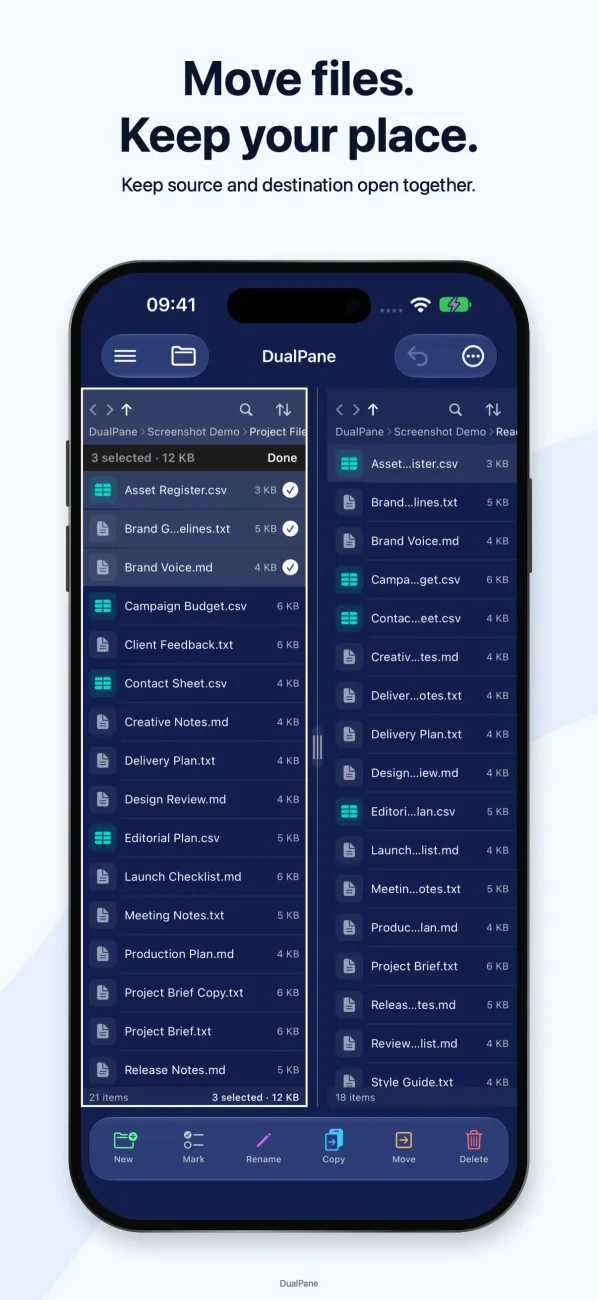
DualPane is a focused dual-pane file manager for iPhone, iPad and Apple Silicon Mac that makes everyday file work faster, clearer and more efficient.
Browse two folders side by side, move and copy files between locations, organize documents, manage archives, preview text files and work with shared files from other apps. DualPane is designed for practical file workflows without clutter. Whether you are sorting downloads, organizing project folders, reviewing shared files or working with archives, DualPane gives you a faster way to manage files directly on your device.
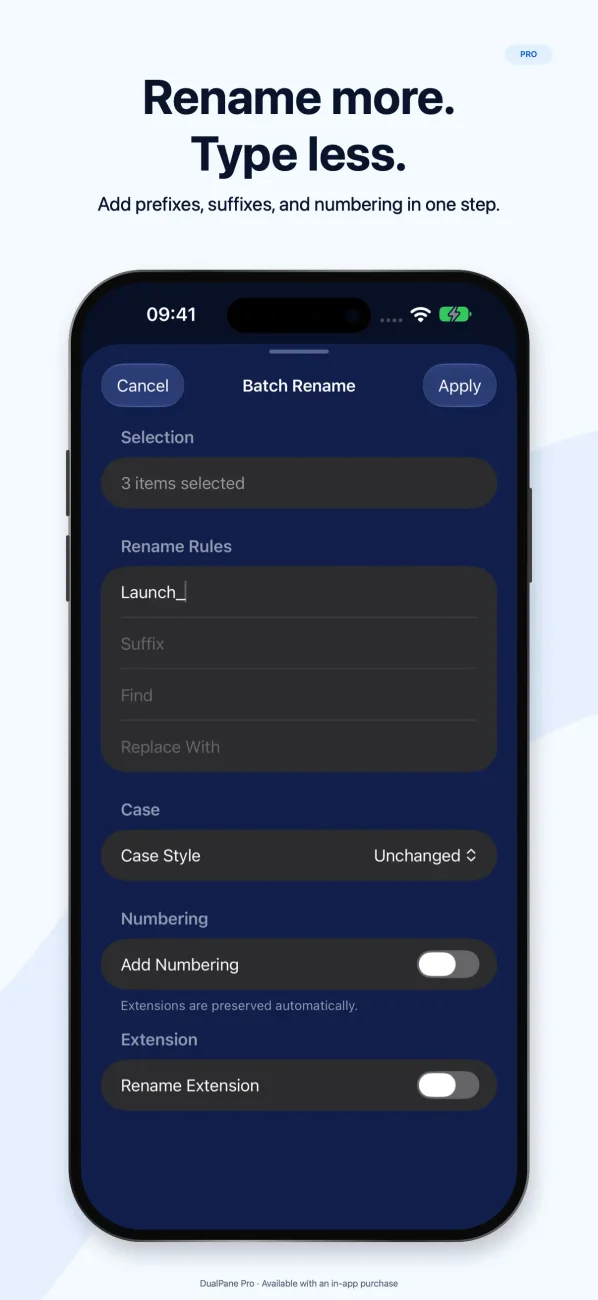
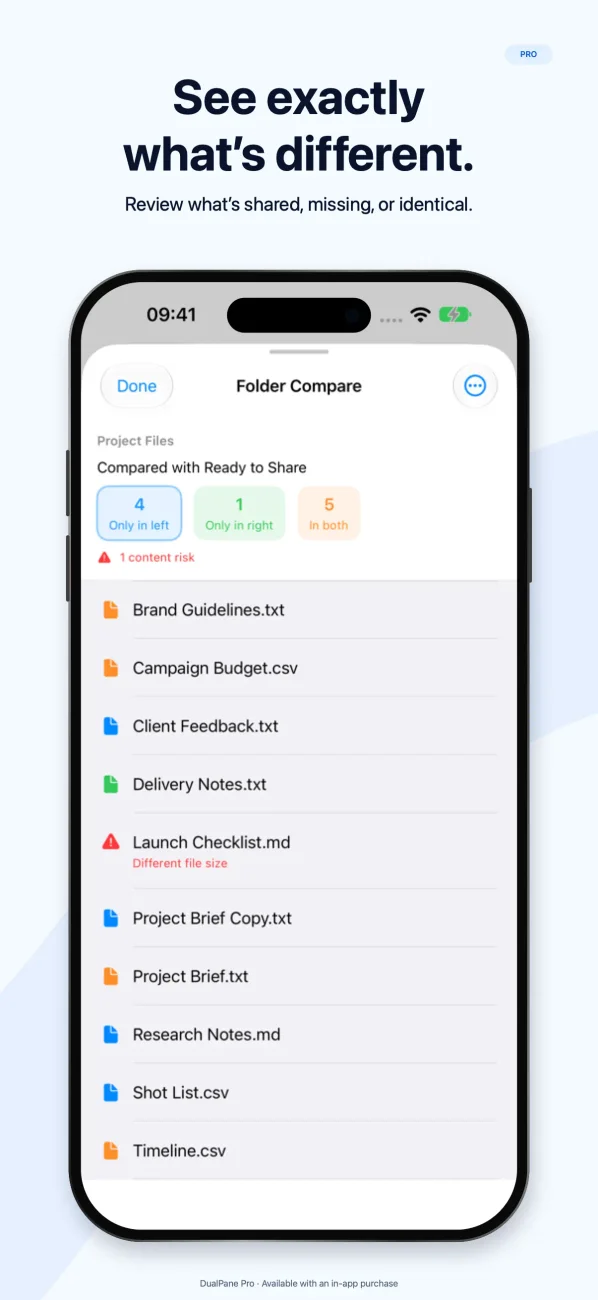
DualPane Pro unlocks advanced tools for power users, including batch rename, folder compare, duplicate finding, within-pane copy and move, archive browsing, text editing and more.
Key Features:
• Dual-Pane file management for faster file operations
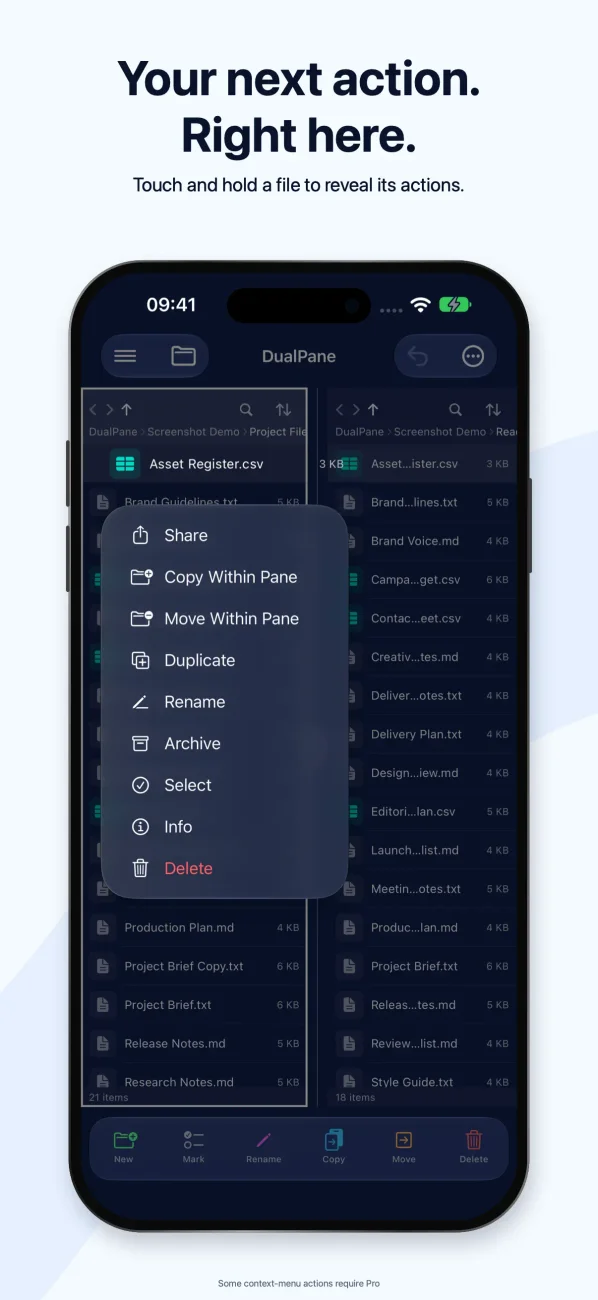
• Long-press any file or folder to access the context menu
• Browse folders side by side, copy and move files between panes
• Adjustable pane widths (drag the divider, reset in settings)
• Open folders, navigate subfolders and manage files efficiently
• Rename files and folders
• Create new folders
• Delete files and folders
• Search within the active pane, including subfolders
• Import files from other apps with the share extension
• Review pending imports before saving them into a folder
• Preview text-based files such as TXT and JSON
• Share files to other apps, AirDrop, Print or Save to Files
• Create and extract archives
• Preview archive contents and handle unsupported files more clearly
• Works on iPhone, iPad and Apple Silicon Mac
DualPane Pro:
• Undo renames, file moves and supported local deletions
• Recover deleted files and folders using Recently Deleted.
• Drag and drop files or folders from one pane to the other
• Batch rename multiple files and advanced batch rename options
• Compare left and right folders
• Find duplicate files
• Copy and move to another folder within the same pane
• Browse archive contents before extraction
• Extract only selected files from archive preview
• Create, edit and save text-based files directly in the app
• Share folders and selections as archive files
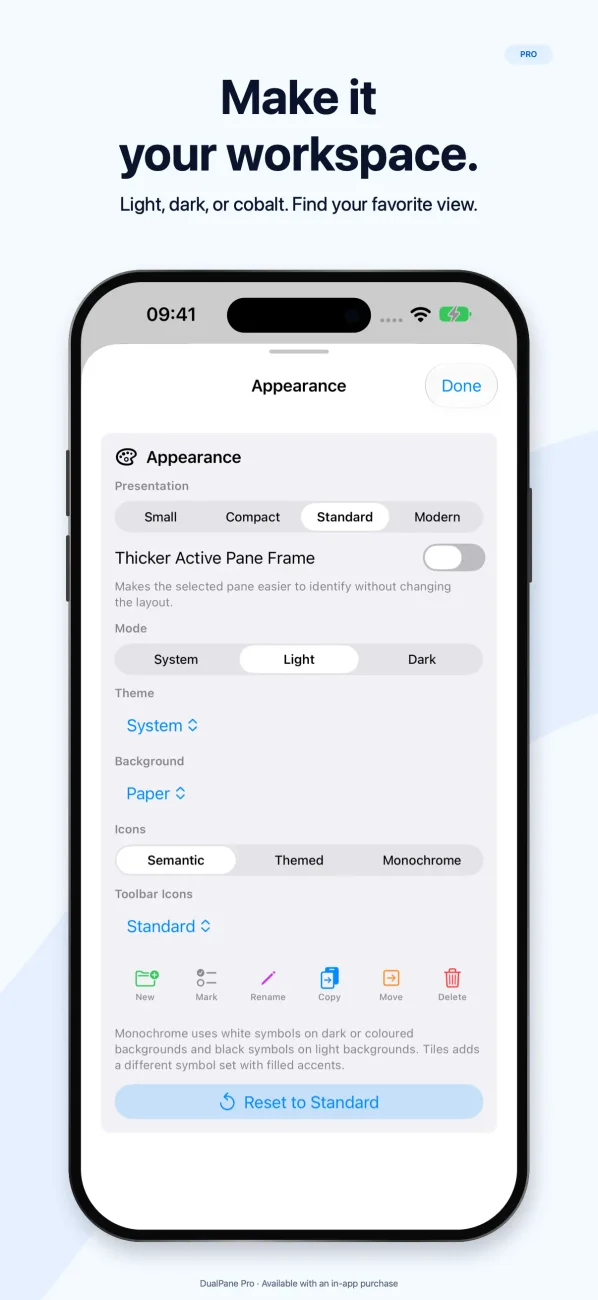
• Customization of pane background colours
• Customization of bottom toolbar icon styles
• Saved Workspaces to quickly reopen your preferred folder pairs
What’s new
Version 6.1 · Nov 21, 2026
Document previews now support swipe-down dismissal, included a new “choose” drag-and-drop mode that lets you select copy or move after dropping files and streamlined file context menus.
App privacy
What Wolfram Wacker declares on the App Store about how this app handles data.
-
Data not collected
The developer does not collect any data from this app.
Privacy practices may vary, for example with the features you use or your age.
Information
- Seller
- Wolfram Wacker
- Category
- Utilities
- Version
- 6.1
- Updated
- Nov 21, 2026
- Released
- Mar 20, 2026
- Size
- 2.9 MB
- Requires
- iOS 18.0 or later
- Age rating
- 9+
- Price
- Free
- In-app purchases
- Yes
- Languages
- English
- Copyright
- © 2025-2026 wwb-apps.ai
You might also like
-
 ToolBox Pro - All in OneCalculator, Converter & More
-
 Photo to ZIP - Image to ZipZip Photos Fast, Share Easily.
-
 LinkQR for SafariQR Code Batch Export & History
-
 AudioWeaver: Audio CleanerAI Real-Time Noise Reduction
-
 Block Ads: Adblocker VPNBlock ads and trackers
-
 Convert Video to MP3: VidoTuneMP3 Converter -Audio Extractor
-
 Freestyle Calculator: Sci & FXFormula·Percent·Math·Sync·Tape
-
 LudyVAC - Video to AudioMP3 Converter & Ringtone Maker
-
 Photo Cleaner: Swipe SorterDelete Similar Shots & Videos
-
 AppHunt - Global pricingGlobal pricing alerts wishlist