
- 対象年齢9+
- カテゴリユーティリティ
- 開発元Wolfram Wacker
- 言語英語
- サイズ2.9 MB
App Storeの公式ページにリンクしています
Download.orgはDualPaneのファイルを一切ホストしていません。ボタンを押すと、Wolfram Wackerが公開しているApp Storeのアプリページが開きます。ページの最終確認:2026/11/23。
スクリーンショット




概要
開発元はこのテキストをお使いの言語で提供していません。
DualPane is a focused dual-pane file manager for iPhone, iPad and Apple Silicon Mac that makes everyday file work faster, clearer and more efficient.
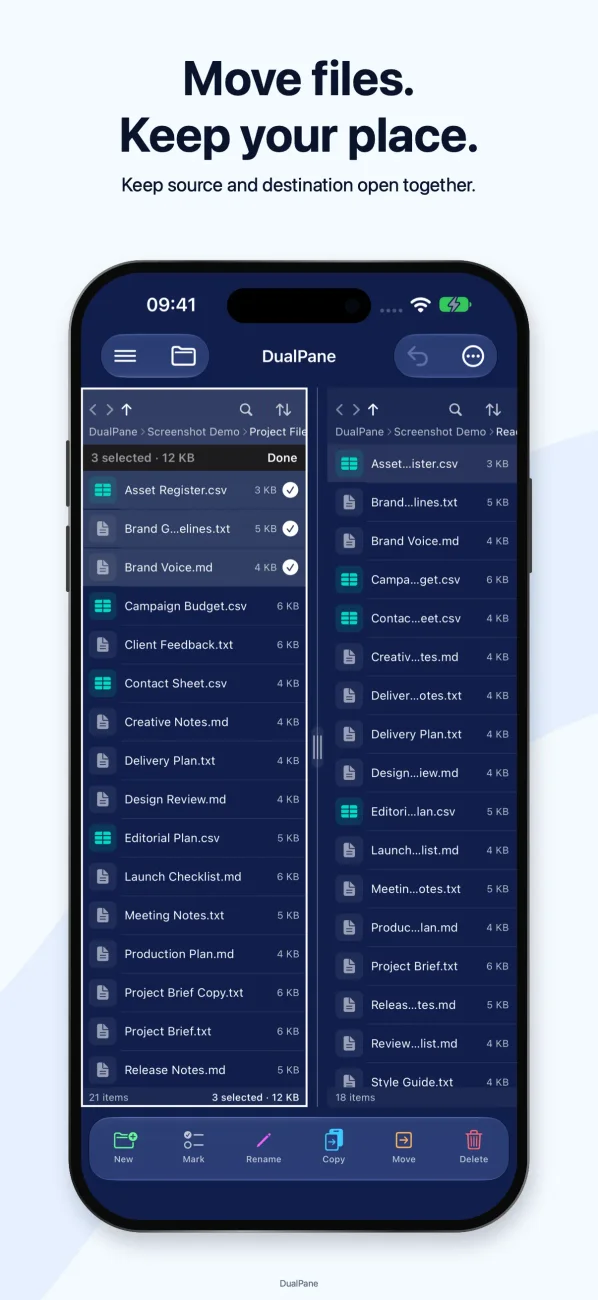
Browse two folders side by side, move and copy files between locations, organize documents, manage archives, preview text files and work with shared files from other apps. DualPane is designed for practical file workflows without clutter. Whether you are sorting downloads, organizing project folders, reviewing shared files or working with archives, DualPane gives you a faster way to manage files directly on your device.
DualPane Pro unlocks advanced tools for power users, including batch rename, folder compare, duplicate finding, within-pane copy and move, archive browsing, text editing and more.
Key Features:
• Dual-Pane file management for faster file operations
• Long-press any file or folder to access the context menu
• Browse folders side by side, copy and move files between panes
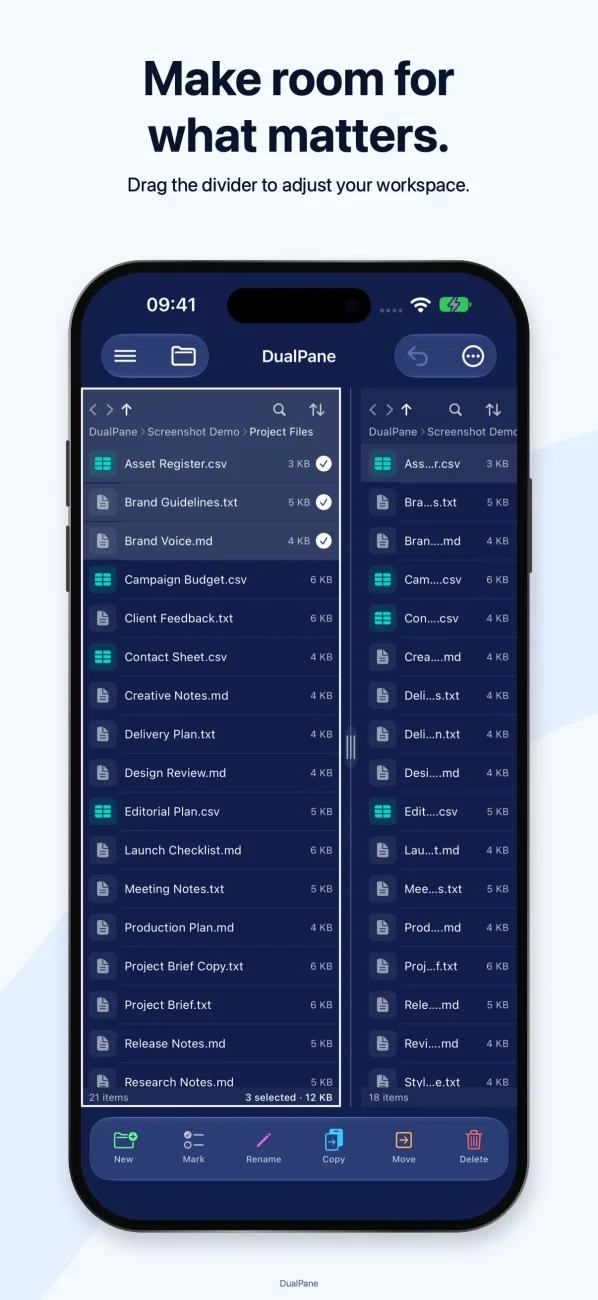
• Adjustable pane widths (drag the divider, reset in settings)
• Open folders, navigate subfolders and manage files efficiently
• Rename files and folders
• Create new folders
• Delete files and folders
• Search within the active pane, including subfolders
• Import files from other apps with the share extension
• Review pending imports before saving them into a folder
• Preview text-based files such as TXT and JSON
• Share files to other apps, AirDrop, Print or Save to Files
• Create and extract archives
• Preview archive contents and handle unsupported files more clearly
• Works on iPhone, iPad and Apple Silicon Mac
DualPane Pro:
• Undo renames, file moves and supported local deletions
• Recover deleted files and folders using Recently Deleted.
• Drag and drop files or folders from one pane to the other
• Batch rename multiple files and advanced batch rename options
• Compare left and right folders
• Find duplicate files
• Copy and move to another folder within the same pane
• Browse archive contents before extraction
• Extract only selected files from archive preview
• Create, edit and save text-based files directly in the app
• Share folders and selections as archive files
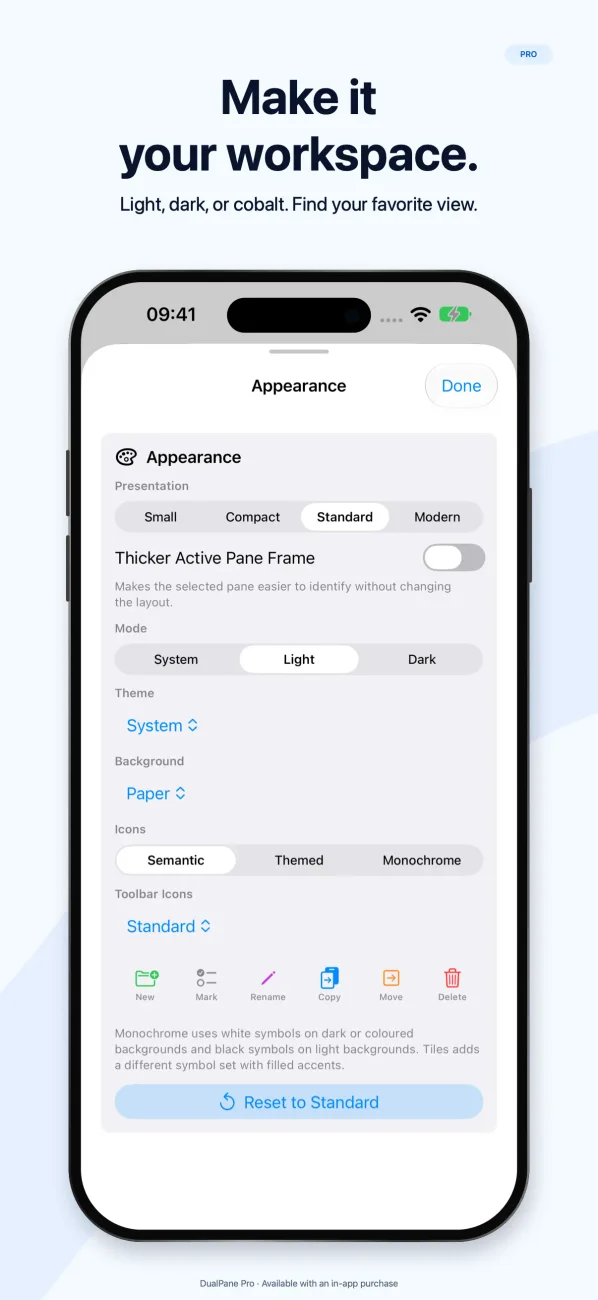
• Customization of pane background colours
• Customization of bottom toolbar icon styles
• Saved Workspaces to quickly reopen your preferred folder pairs
新機能
バージョン 6.1 · 2026/11/21
Document previews now support swipe-down dismissal, included a new “choose” drag-and-drop mode that lets you select copy or move after dropping files and streamlined file context menus.
アプリのプライバシー
このアプリのデータの取り扱いについて、Wolfram WackerがApp Storeで申告している内容です。
-
データの収集なし
開発元はこのアプリからデータを収集しません。
プライバシーの取り扱いは、ご利用の機能やお客様の年齢などに応じて異なる場合があります。
情報
- 販売元
- Wolfram Wacker
- カテゴリ
- ユーティリティ
- バージョン
- 6.1
- 更新日
- 2026/11/21
- リリース
- 2026/3/20
- サイズ
- 2.9 MB
- 必要条件
- iOS 18.0以降
- 対象年齢
- 9+
- 価格
- 無料
- アプリ内課金
- あり
- 言語
- 英語
- 著作権
- © 2025-2026 wwb-apps.ai
こちらもおすすめ
-
 ToolBox Pro - All in Oneユーティリティ
-
 Photo to ZIP - Image to Zipユーティリティ
-
 LinkQR for Safari一括書き出しと履歴
-
 AudioWeaver: ノイズリデューサーAI リアルタイムノイズ低減
-
 広告ブロック: Adblocker VPN広告とトラッカーをブロック
-
 VidoTune: Convert Video to MP3MP3 Converter -Audio Extractor
-
 フリースタイル電卓 - 式編集・単位変換・為替計算・テーマリアルタイム計算機・履歴・科学・ウィジェット・関数・カスタム
-
 LudyVAC - 動画を音声に変換MP3コンバーター & 着信音メーカー
-
 Picalune – スワイプで写真整理似た画像を比較・不要な動画をまとめて削除
-
 AppHunt世界の価格比較・通知・ウィッシュリスト