
DualPane
Dual-Pane File Manager
Được thiết kế cho iPhone, iPad
Miễn phí · Mua hàng trong ứng dụng
- Độ tuổi9+
- Danh mụcTiện Ích
- Nhà phát triểnWolfram Wacker
- Ngôn ngữTiếng Anh
- Kích thước2,9 MB
Liên kết đến trang App Store chính thức
Download.org không lưu trữ tệp nào của DualPane. Nút này mở trang ứng dụng trên App Store, nơi Wolfram Wacker phát hành ứng dụng. Trang được kiểm tra lần cuối: 23/11/2026.
Ảnh chụp màn hình




Giới thiệu
Nhà phát triển chưa cung cấp nội dung này bằng ngôn ngữ của bạn.
DualPane is a focused dual-pane file manager for iPhone, iPad and Apple Silicon Mac that makes everyday file work faster, clearer and more efficient.
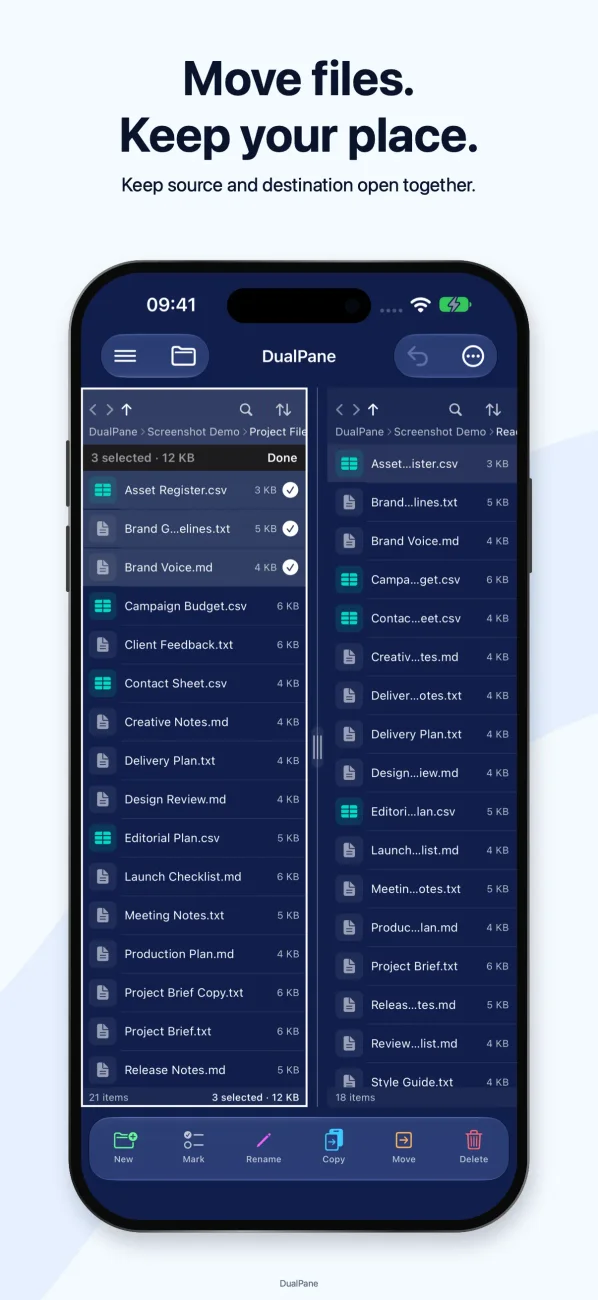
Browse two folders side by side, move and copy files between locations, organize documents, manage archives, preview text files and work with shared files from other apps. DualPane is designed for practical file workflows without clutter. Whether you are sorting downloads, organizing project folders, reviewing shared files or working with archives, DualPane gives you a faster way to manage files directly on your device.
DualPane Pro unlocks advanced tools for power users, including batch rename, folder compare, duplicate finding, within-pane copy and move, archive browsing, text editing and more.
Key Features:
• Dual-Pane file management for faster file operations
• Long-press any file or folder to access the context menu
• Browse folders side by side, copy and move files between panes
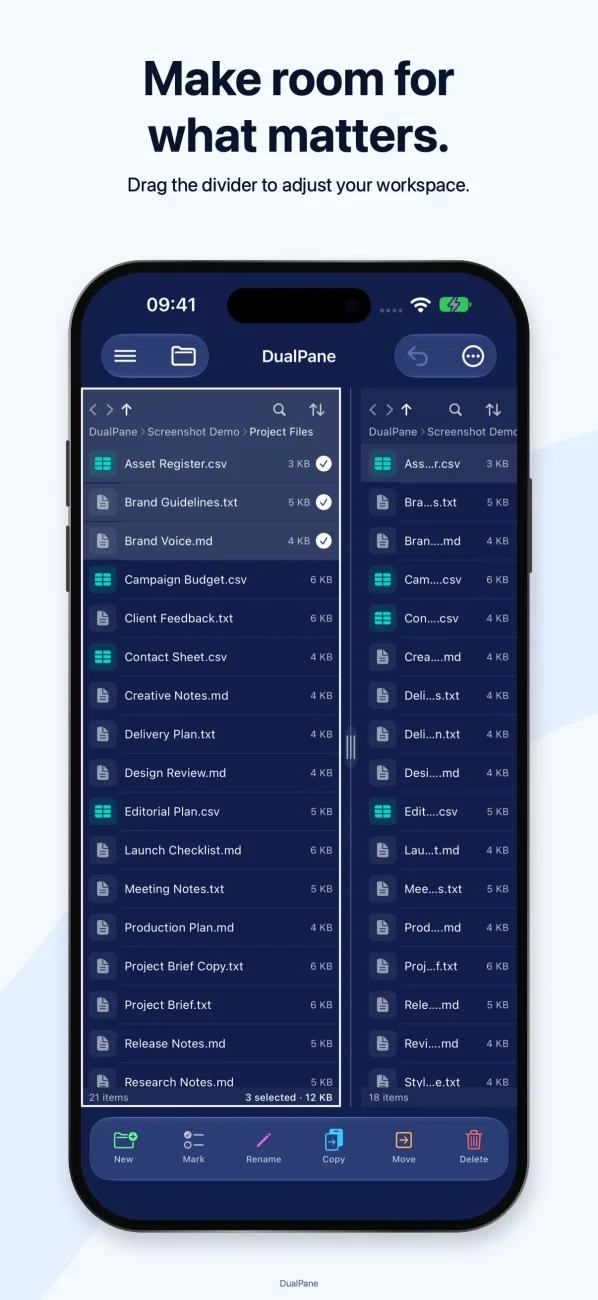
• Adjustable pane widths (drag the divider, reset in settings)
• Open folders, navigate subfolders and manage files efficiently
• Rename files and folders
• Create new folders
• Delete files and folders
• Search within the active pane, including subfolders
• Import files from other apps with the share extension
• Review pending imports before saving them into a folder
• Preview text-based files such as TXT and JSON
• Share files to other apps, AirDrop, Print or Save to Files
• Create and extract archives
• Preview archive contents and handle unsupported files more clearly
• Works on iPhone, iPad and Apple Silicon Mac
DualPane Pro:
• Undo renames, file moves and supported local deletions
• Recover deleted files and folders using Recently Deleted.
• Drag and drop files or folders from one pane to the other
• Batch rename multiple files and advanced batch rename options
• Compare left and right folders
• Find duplicate files
• Copy and move to another folder within the same pane
• Browse archive contents before extraction
• Extract only selected files from archive preview
• Create, edit and save text-based files directly in the app
• Share folders and selections as archive files
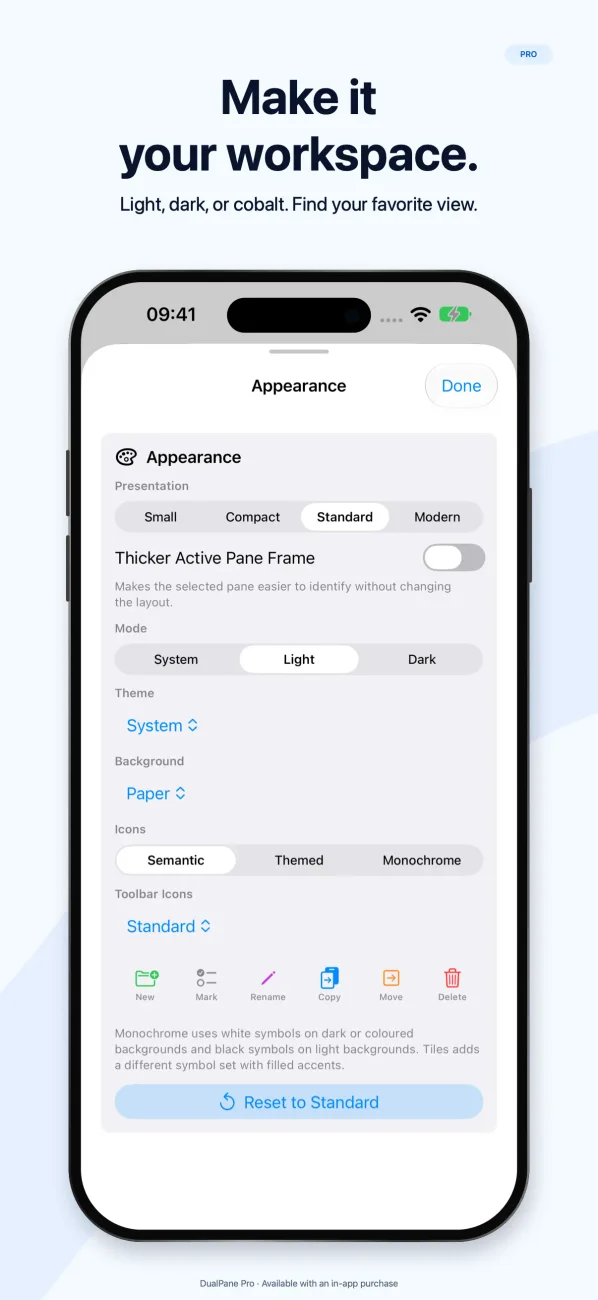
• Customization of pane background colours
• Customization of bottom toolbar icon styles
• Saved Workspaces to quickly reopen your preferred folder pairs
Có gì mới
Phiên bản 6.1 · 21/11/2026
Document previews now support swipe-down dismissal, included a new “choose” drag-and-drop mode that lets you select copy or move after dropping files and streamlined file context menus.
Quyền riêng tư của ứng dụng
Những gì Wolfram Wacker khai báo trên App Store về cách ứng dụng này xử lý dữ liệu.
-
Dữ liệu không được thu thập
Nhà phát triển không thu thập bất kỳ dữ liệu nào từ ứng dụng này.
Phương thức đảm bảo quyền riêng tư có thể khác nhau, chẳng hạn như tuỳ theo các tính năng bạn sử dụng hoặc độ tuổi của bạn.
Thông tin
- Người bán
- Wolfram Wacker
- Danh mục
- Tiện Ích
- Phiên bản
- 6.1
- Cập nhật
- 21/11/2026
- Phát hành
- 20/03/2026
- Kích thước
- 2,9 MB
- Yêu cầu
- iOS 18.0 trở lên
- Độ tuổi
- 9+
- Giá
- Miễn phí
- Mua hàng trong ứng dụng
- Có
- Ngôn ngữ
- Tiếng Anh
- Bản quyền
- © 2025-2026 wwb-apps.ai
Có thể bạn cũng thích
-
 ToolBox Pro - All in OneTiện Ích
-
 Photo to ZIP - Image to ZipTiện Ích
-
 LinkQR cho SafariXuất hàng loạt và lịch sử
-
 AudioWeaver: Bộ giảm tiếng ồnGiảm ồn AI thời gian thực
-
 AdBlocker VPN: No Logs!We blocked 870,000 DNS!
-
 VidoTune: Convert Video to MP3MP3 Converter -Audio Extractor
-
 Freestyle Máy tính · Biên tậpLịch sử · Chuyển đổi · Sổ tay
-
 LudyVAC - Video sang Âm thanhChuyển đổi MP3 & Nhạc chuông
-
 Picalune – Dọn ẢnhXóa hình tương tự và video
-
 AppHunt - Global pricingTiện Ích