
DualPane
Dual-Pane File Manager
iPhone, iPad için tasarlandı
Ücretsiz · Uygulama içi satın alma
- Yaş sınırı9+
- KategoriYardımcılar
- GeliştiriciWolfram Wacker
- Dillerİngilizce
- Boyut2,9 MB
Resmi App Store sayfasına bağlanır
Download.org, DualPane için hiçbir dosya barındırmaz. Düğme, uygulamanın App Store üzerindeki sayfasını açar; uygulamayı orada Wolfram Wacker yayınlar. Sayfanın son kontrolü: 23.11.2026.
Ekran görüntüleri




Hakkında
Geliştirici bu metni dilinizde sunmamış.
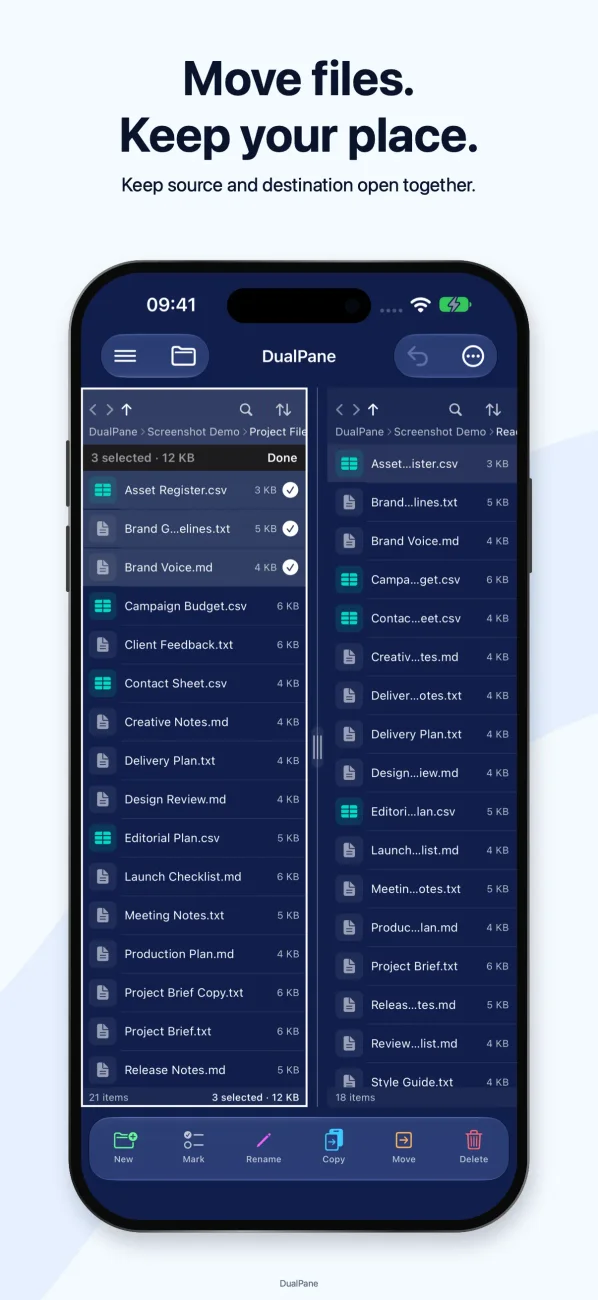
DualPane is a focused dual-pane file manager for iPhone, iPad and Apple Silicon Mac that makes everyday file work faster, clearer and more efficient.
Browse two folders side by side, move and copy files between locations, organize documents, manage archives, preview text files and work with shared files from other apps. DualPane is designed for practical file workflows without clutter. Whether you are sorting downloads, organizing project folders, reviewing shared files or working with archives, DualPane gives you a faster way to manage files directly on your device.
DualPane Pro unlocks advanced tools for power users, including batch rename, folder compare, duplicate finding, within-pane copy and move, archive browsing, text editing and more.
Key Features:
• Dual-Pane file management for faster file operations
• Long-press any file or folder to access the context menu
• Browse folders side by side, copy and move files between panes
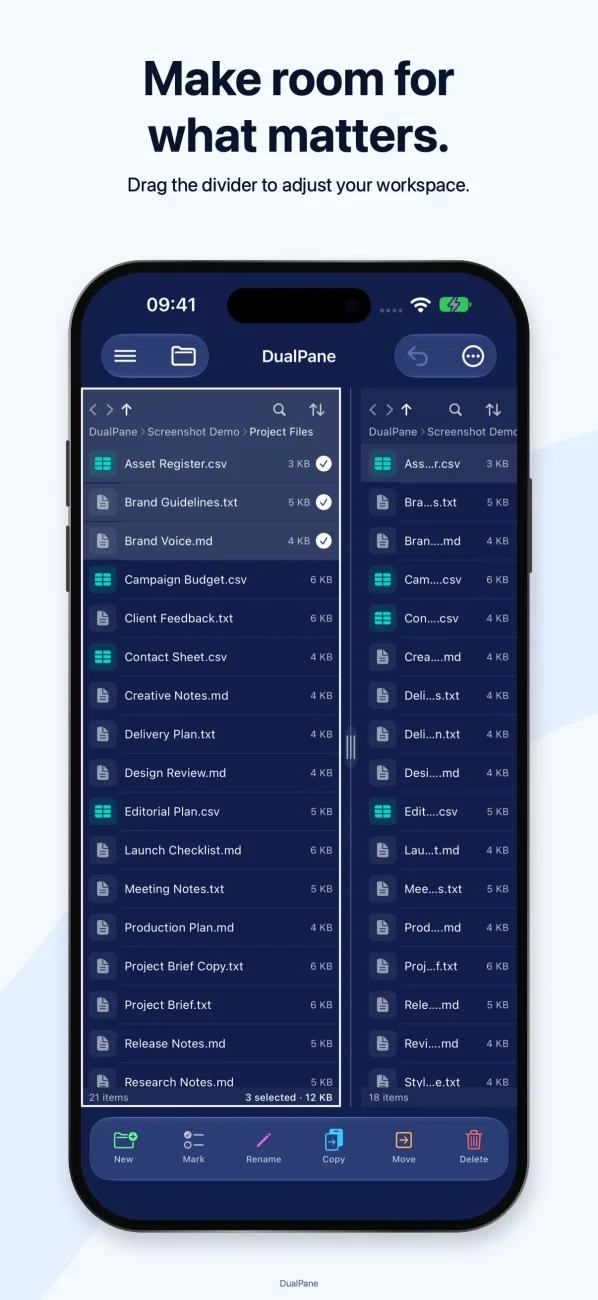
• Adjustable pane widths (drag the divider, reset in settings)
• Open folders, navigate subfolders and manage files efficiently
• Rename files and folders
• Create new folders
• Delete files and folders
• Search within the active pane, including subfolders
• Import files from other apps with the share extension
• Review pending imports before saving them into a folder
• Preview text-based files such as TXT and JSON
• Share files to other apps, AirDrop, Print or Save to Files
• Create and extract archives
• Preview archive contents and handle unsupported files more clearly
• Works on iPhone, iPad and Apple Silicon Mac
DualPane Pro:
• Undo renames, file moves and supported local deletions
• Recover deleted files and folders using Recently Deleted.
• Drag and drop files or folders from one pane to the other
• Batch rename multiple files and advanced batch rename options
• Compare left and right folders
• Find duplicate files
• Copy and move to another folder within the same pane
• Browse archive contents before extraction
• Extract only selected files from archive preview
• Create, edit and save text-based files directly in the app
• Share folders and selections as archive files
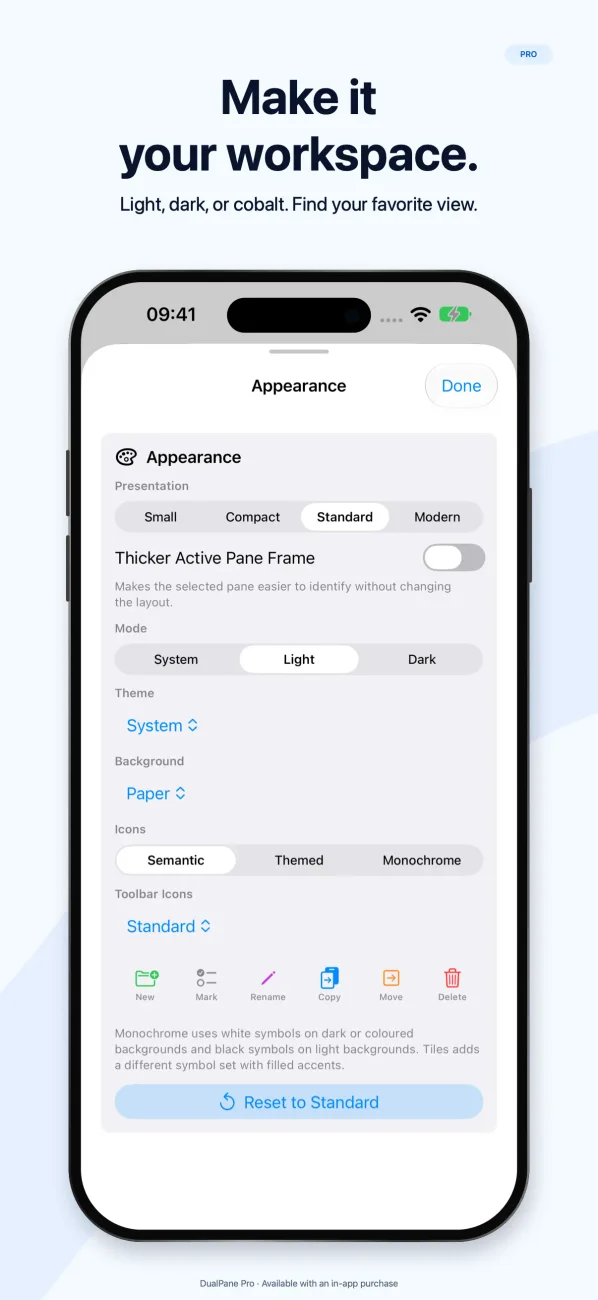
• Customization of pane background colours
• Customization of bottom toolbar icon styles
• Saved Workspaces to quickly reopen your preferred folder pairs
Yenilikler
Sürüm 6.1 · 21.11.2026
Document previews now support swipe-down dismissal, included a new “choose” drag-and-drop mode that lets you select copy or move after dropping files and streamlined file context menus.
Uygulama gizliliği
Bu uygulamanın verileri nasıl işlediği hakkında Wolfram Wacker tarafından App Store üzerinde yapılan beyan.
-
Veri toplanmıyor
Geliştirici bu uygulamadan hiçbir veri toplamıyor.
Gizlilik uygulamaları, örneğin kullandığınız özelliklere veya yaşınıza göre değişiklik gösterebilir.
Bilgiler
- Satıcı
- Wolfram Wacker
- Kategori
- Yardımcılar
- Sürüm
- 6.1
- Güncellendi
- 21.11.2026
- Yayın tarihi
- 20.03.2026
- Boyut
- 2,9 MB
- Gereksinim
- iOS 18.0 veya sonrası
- Yaş sınırı
- 9+
- Fiyat
- Ücretsiz
- Uygulama içi satın alma
- Evet
- Diller
- İngilizce
- Telif hakkı
- © 2025-2026 wwb-apps.ai
Bunları da beğenebilirsiniz
-
 ToolBox Pro - Hepsi Bir AradaHesap Makinesi, Dönüştürücü
-
 Photo to ZIP - Image to ZipYardımcılar
-
 LinkQR Safari içinToplu dışa aktarma ve geçmiş
-
 AudioWeaver: Gürültü AzaltıcıGerçek zamanlı gürültü AI
-
 Reklam Engelle: Adblocker VPNReklam ve izleyicileri engelle
-
 VidoTune: Convert Video to MP3MP3 Converter -Audio Extractor
-
 Freestyle Hesap MakinesiGeçmiş · Çevirici · Formül
-
 LudyVAC - Videodan SeseMP3 Dönüştürücü & Zil Sesi
-
 Picalune – Fotoğraf SilBenzer resimler, video temizle
-
 AppHunt - Global pricingYardımcılar