EasyMapper Projection Mapping
Mobile Projection Mapping
Designed for iPhone, iPad, iPod touch
Free · In-app purchases
- Age rating4+
- CategoryGraphics & Design
- DeveloperAbhinav Bhardwaj
- LanguagesEnglish
- Size114.8 MB
Links to the official App Store page
Download.org hosts no file of EasyMapper Projection Mapping. The button opens its official App Store page, published by Abhinav Bhardwaj. Listing last checked on Nov 18, 2026.
Screenshots

About
Turn your house into a Christmas light show — straight from your iPhone and any projector. This app has simple UX for someone looking to explore their creativity or impress with house decor during holidays. At the same time, it also has elite and comprehensive features for the seasoned VJ or someone much further into their tech art journey
Project falling snow, swirling visuals, and your own photos and videos onto windows, walls, and props. Trace the exact shape of any surface, set your scenes on a timeline, and let the show run all night. No laptop, no rig, no expensive software.
HOW IT WORKS
1. Connect a projector with a USB-C to HDMI adapter, or go wireless with AirPlay
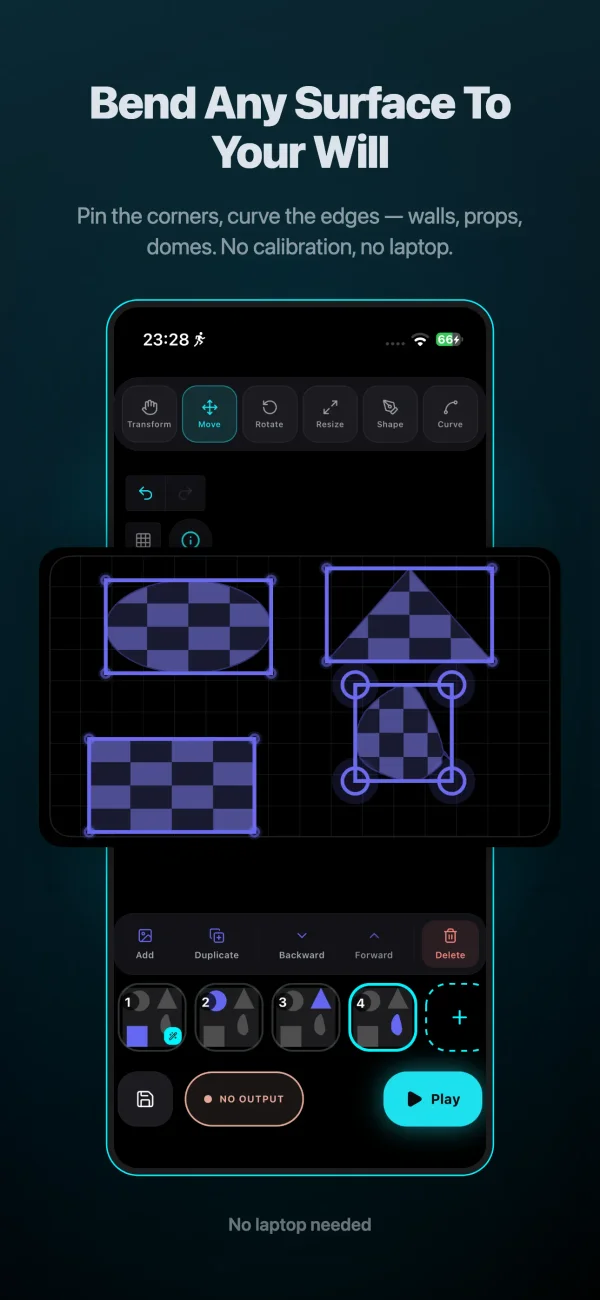
2. Drag four corners to fit your wall, or trace a custom outline around any object
3. Drop in shaders, effects, photos, or videos and hit play
MAPPING THAT FITS REAL SURFACES
- Corner-pin any layer to any wall, prop, or window
- Trace or sketch a surface's silhouette so content masks to the real object, not just a rectangle
- Unlimited layers, each pinned and transformed independently
- Grid, dot, and checker test patterns to line up corners before loading media
LIVE VISUALS, NO RENDERING
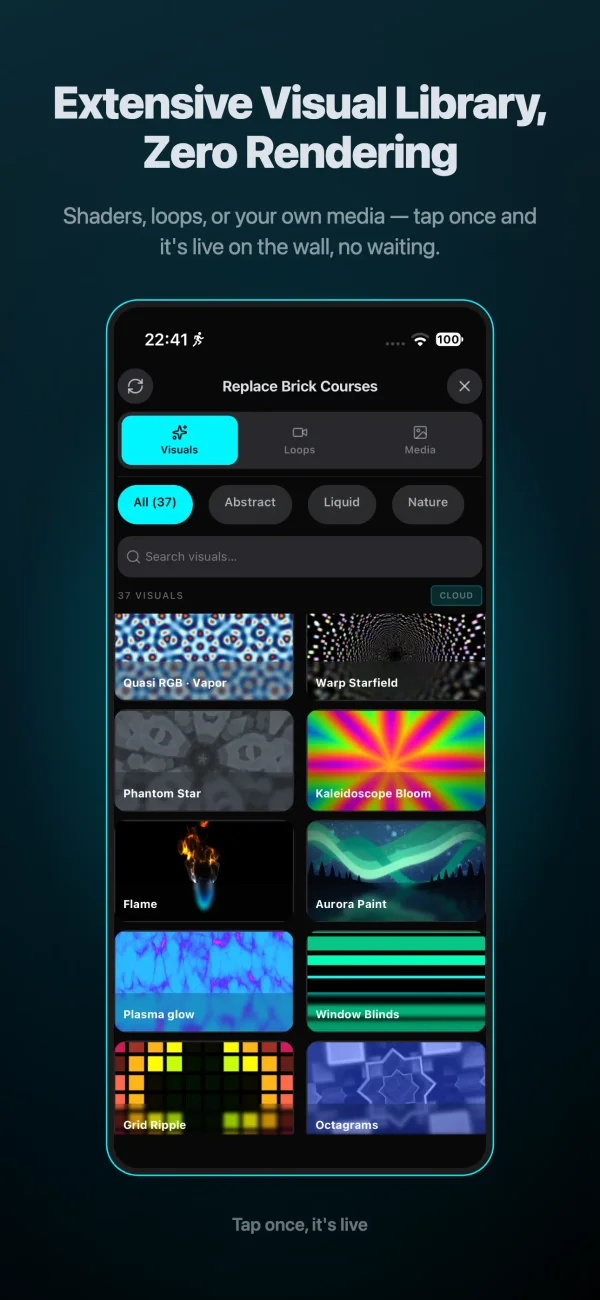
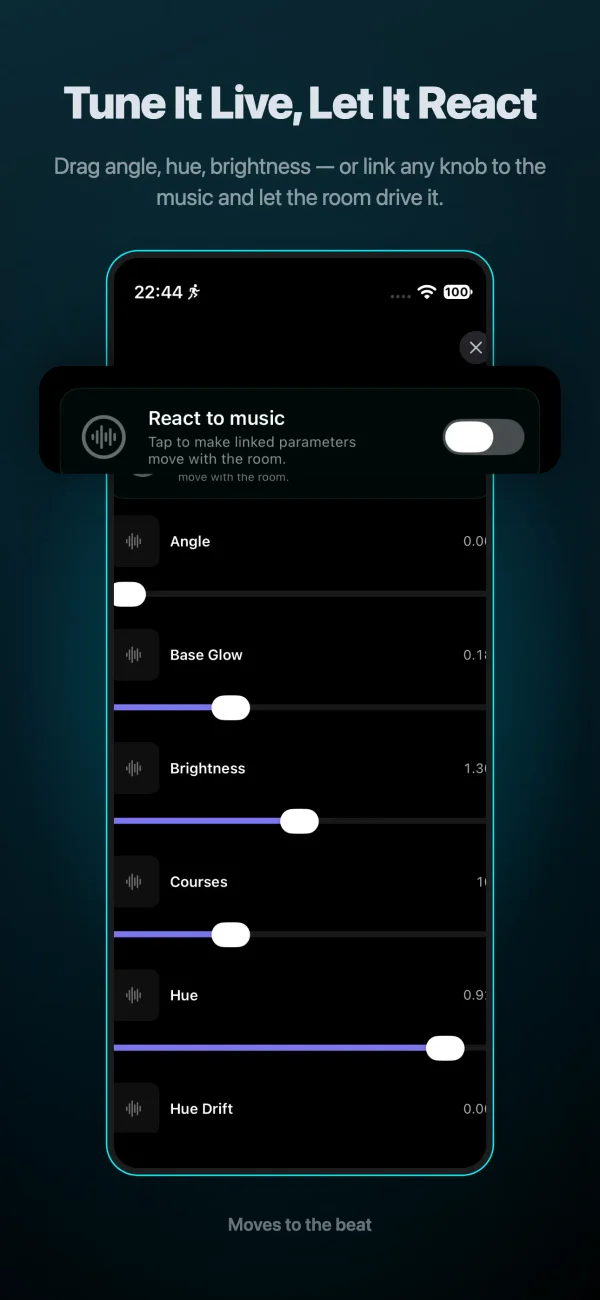
- 30+ real-time shaders: tweak brightness, hue, scale, and speed live
- Built-in video loop library, plus your own photos and footage
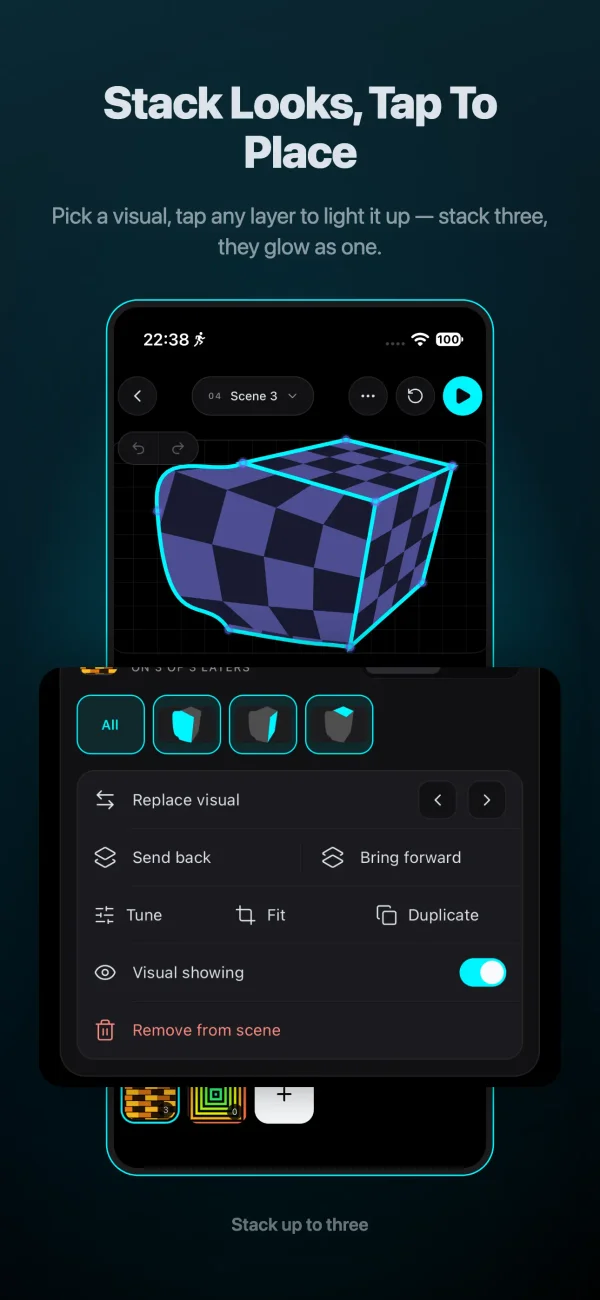
- Stack multiple visuals within a single mapped surface
- Room Effects: falling snow, rocket bursts, emoji swarms, and more across your whole space, with depth control
- Music-reactive mode: effects pulse with the room's volume (audio is measured only, never recorded or stored)
- Halloween collection: skeleton dances, ghost swarms, lightning storms, and glowing eyes
A SHOW THAT RUNS ITSELF
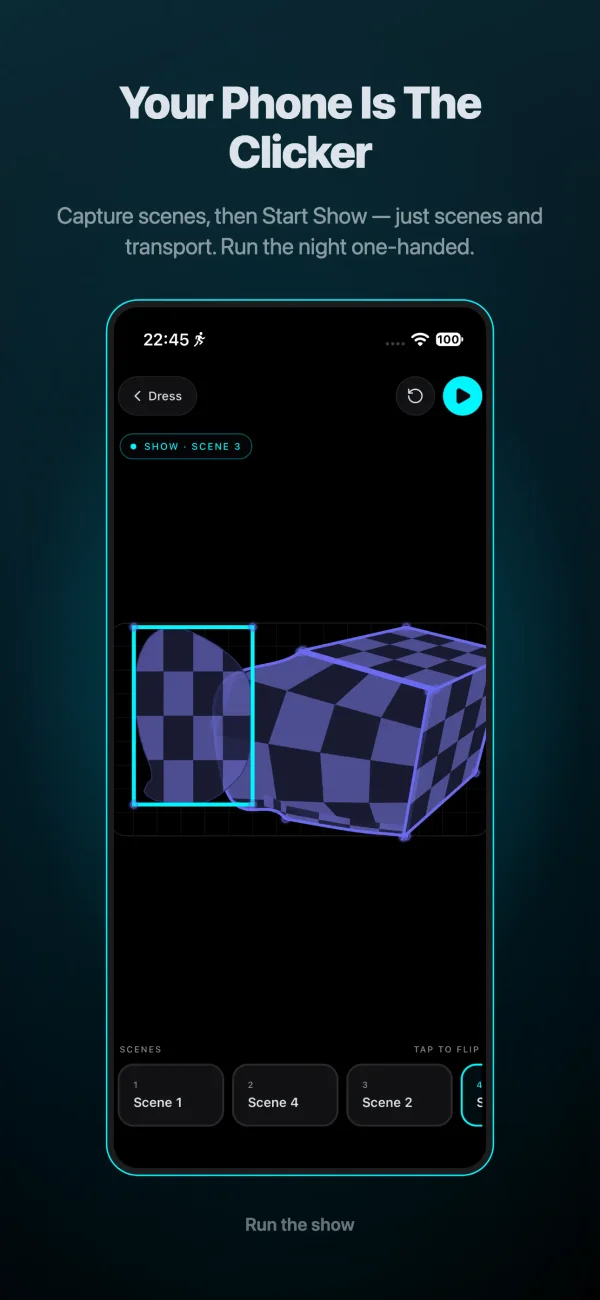
- Save multiple scenes for one mapping and switch between them live
- Sequence scenes on a timeline with fades for a hands-off show
- Play, pause, restart, and scrub the playhead
BUILT FOR LIVE USE
- Wired HDMI output for a rock-solid signal, or AirPlay when cables won't reach
- Guided connect flow gets you onto the projector in seconds
- Save your mappings and pick up where you left off, synced across your devices
PERFECT FOR
- Christmas and Halloween house and yard displays
- Parties and events: instant VJ-style backdrops
- Content creators: turn any wall into a set
- Galleries, pop-ups, and installation prototypes
WHAT YOU NEED
- An iPhone or iPad
- Any projector with HDMI input (or an AirPlay-compatible display)
- A USB-C or Lightning to HDMI adapter for wired output
EASYMAPPER PREMIUM
Start with a free trial. Premium unlocks unlimited mappings, the full shader and effects library, Room Effects, and cloud sync. Choose monthly or annual, and manage or cancel anytime in Settings → your Apple ID → Subscriptions.
PRIVACY
Your photos and videos stay on your device and are never uploaded.
Privacy Policy: https://easy-mapper.xyz/privacy-policy
Terms of Use: https://www.apple.com/legal/internet-services/itunes/dev/stdeula/
What’s new
Version 2.2.5 · Nov 3, 2026
New Christmas assets to power your christmas decorations!
Stack visuals on any surface
- Layer several visuals on one surface (shaders, videos and photos) and watch them blend together.
- Put one visual on as many surfaces as you like: pick it, then tap the surfaces.
- Adjust each visual's opacity, speed and colour, or bring it forward, send it back, or hide it.
Scenes
- Duplicate a scene or start a blank one, then switch between them live from the scene menu.
Connect & try instantly
- A new projector connection screen shows your projector's resolution and plays a live visual on the wall the
moment you connect. You can try visuals free, with no mapping needed.
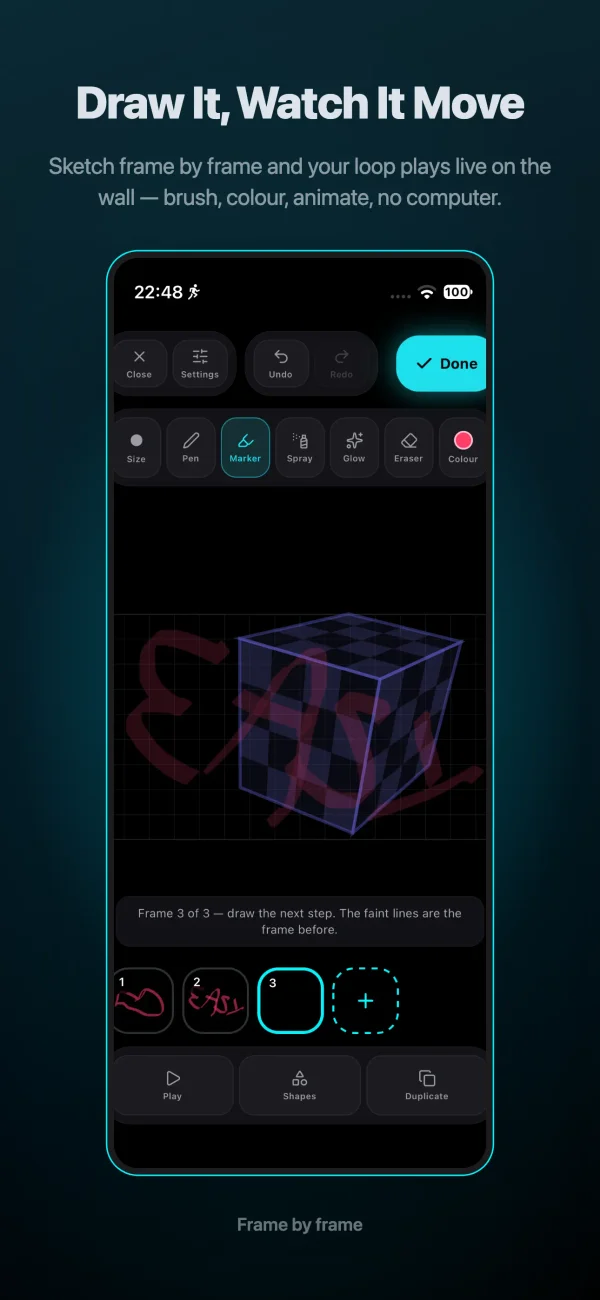
Sketch
- Marker, spray and glow brushes now each have a distinct look.
Tune
- Shader controls now open full screen, so fine-tuning is easier.
Improvements
- Optional evening reminders to help you set up your first projection.
- The sign-in form now stays visible above the keyboard.
- Visual polish across the home, profile and sign-up screens.
- Bug fixes and performance improvements.
App privacy
What Abhinav Bhardwaj declares on the App Store about how this app handles data.
-
Data linked to you
May be collected and linked to your identity.
- Contact info
- Identifiers
- Usage data
-
Data not linked to you
May be collected but is not linked to your identity.
- Identifiers
- Usage data
Privacy practices may vary, for example with the features you use or your age.
Information
- Seller
- Abhinav Bhardwaj
- Category
- Graphics & Design
- Version
- 2.2.5
- Updated
- Nov 3, 2026
- Released
- May 18, 2026
- Size
- 114.8 MB
- Requires
- iOS 15.1 or later
- Age rating
- 4+
- Price
- Free
- In-app purchases
- Yes
- Languages
- English
- Copyright
- © 2026 Abhinav Bhardwaj
You might also like
-
 PicoMap: Projection MappingTurn Any Surface Into a Stage
-
 Redrawing Reality: ProjectorAI Projection Mapping & VFX
-
 Pro Mapper Projection MappingWarp Video onto Wall & Window
-
 LayerMapper MAppProjection Mapping Software
-
 SurfaBeam - Projection MappingVideo Mapping & Light Shows
-
 ProjectX - Projection MappingProject Visuals on Any Surface
-
 MapKraftProjection Mapping
-
 Chromatose: Visual SynthesizerModular Psychedelic Video Art
-
 BeamSpace: Projection MappingProjector Mapper & VJ Visuals
-
 Lazy LightingProjection Mapping