EasyScan: PDF Scanner & OCR
Scan documents to text & image
Designed for iPhone, iPad
Free
- Age rating4+
- CategoryProductivity
- DeveloperPixelnetica
- LanguagesEnglish+ 6 more
- Size56.9 MB
Links to the official App Store page
Download.org hosts no file of EasyScan: PDF Scanner & OCR. The button opens its official App Store page, published by Pixelnetica. Listing last checked on Nov 14, 2026.
Screenshots

About
EasyScan scans one document page at a time with the camera, corrects the perspective and image quality, and exports the result as a PDF, TIFF, PNG, JPEG, or plain-text file. It is also the demo app for Pixelnetica's Document Scanning SDK (DSSDK) and shows the SDK working in a real app.
Capture
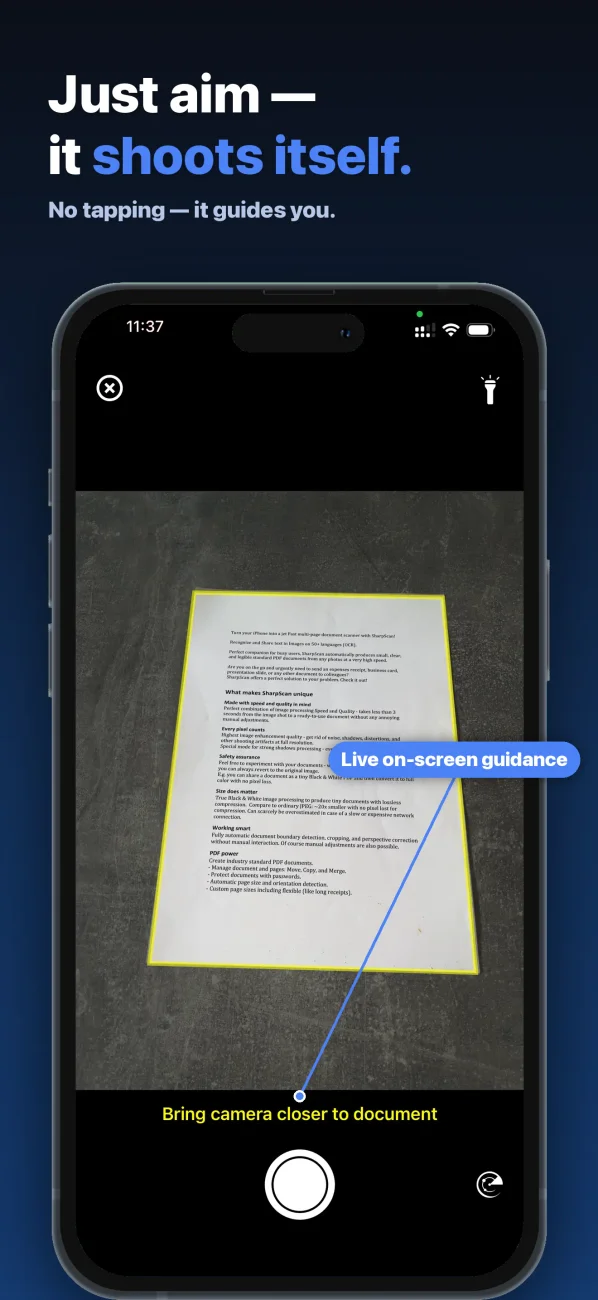
The camera shows a live edge overlay and captures automatically when it detects a steady, well-framed page. A manual shutter, tap-to-focus, and torch are on the capture screen. You can also bring in one photo at a time from your library and process it the same way.
Editing
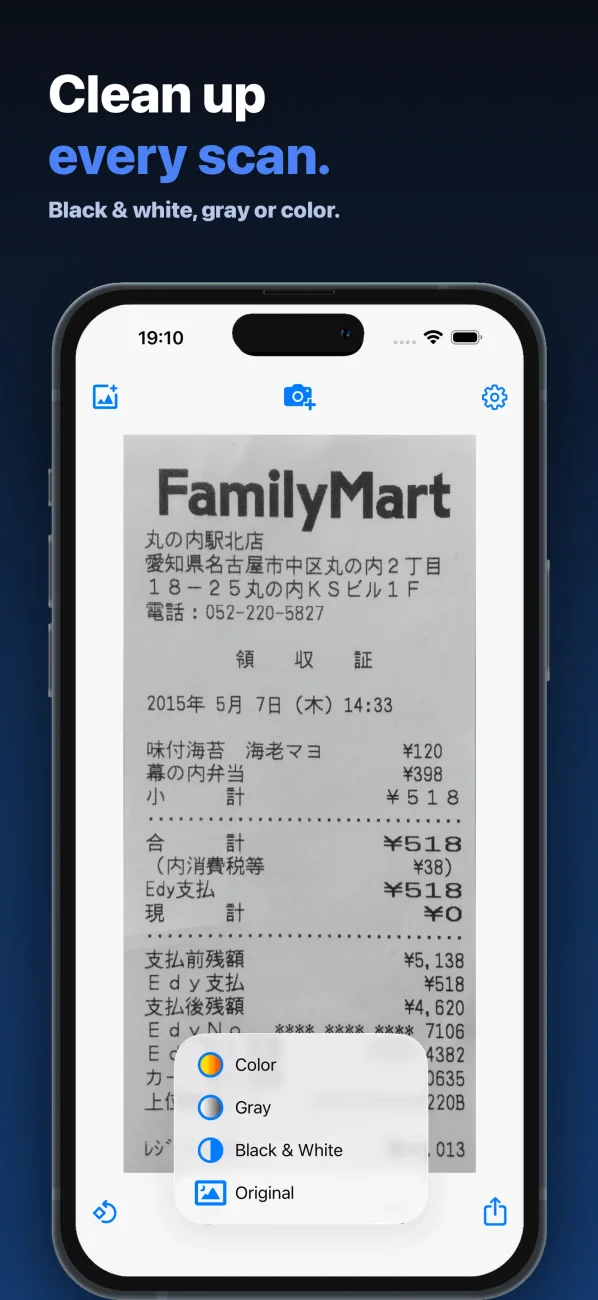
Adjust the detected corners, crop, correct the perspective, deskew, and rotate the page. Choose the output mode: Original, Color, Grayscale, or Black & White.
Export
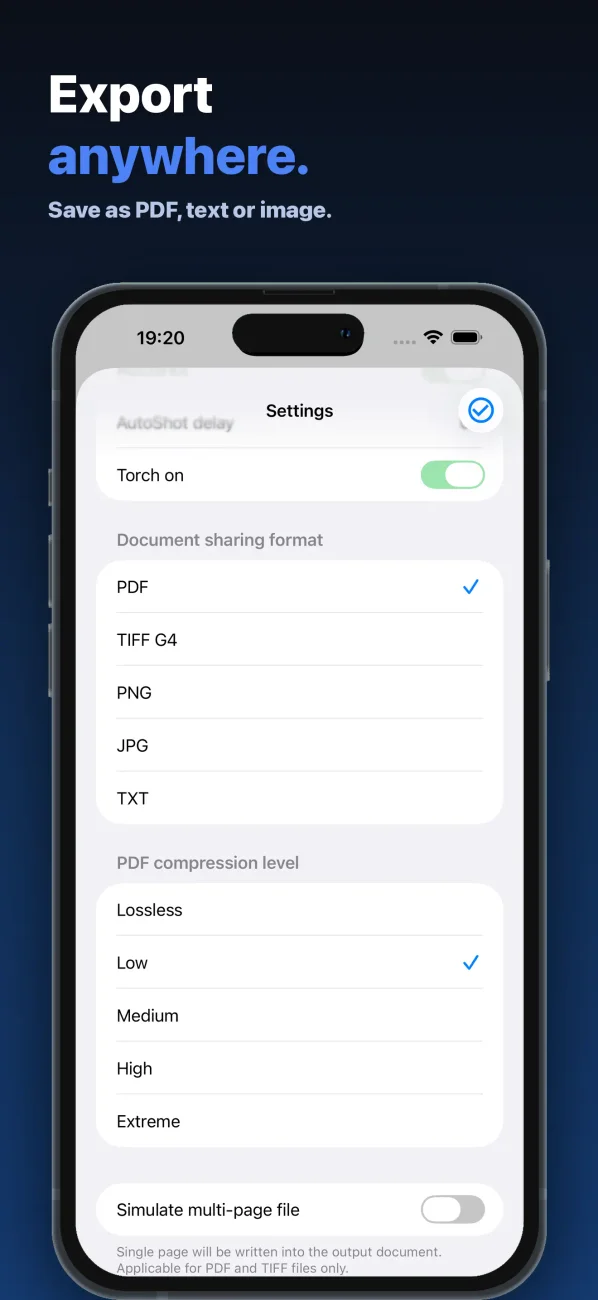
- PDF, with five compression presets from Lossless to Extreme.
- Searchable PDF: recognized text is embedded as a real text layer you can search and copy.
- TIFF (G4), PNG, JPEG, and plain text (TXT).
Files are shared through the standard iOS share sheet, or opened from the Files app.
Text recognition (OCR)
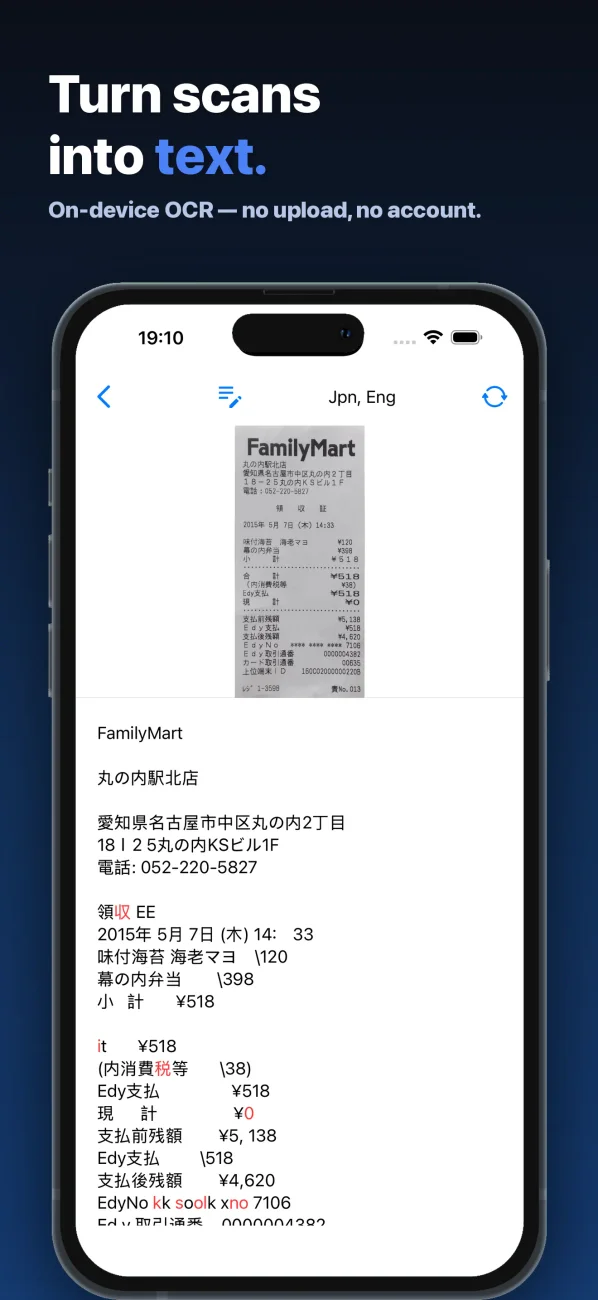
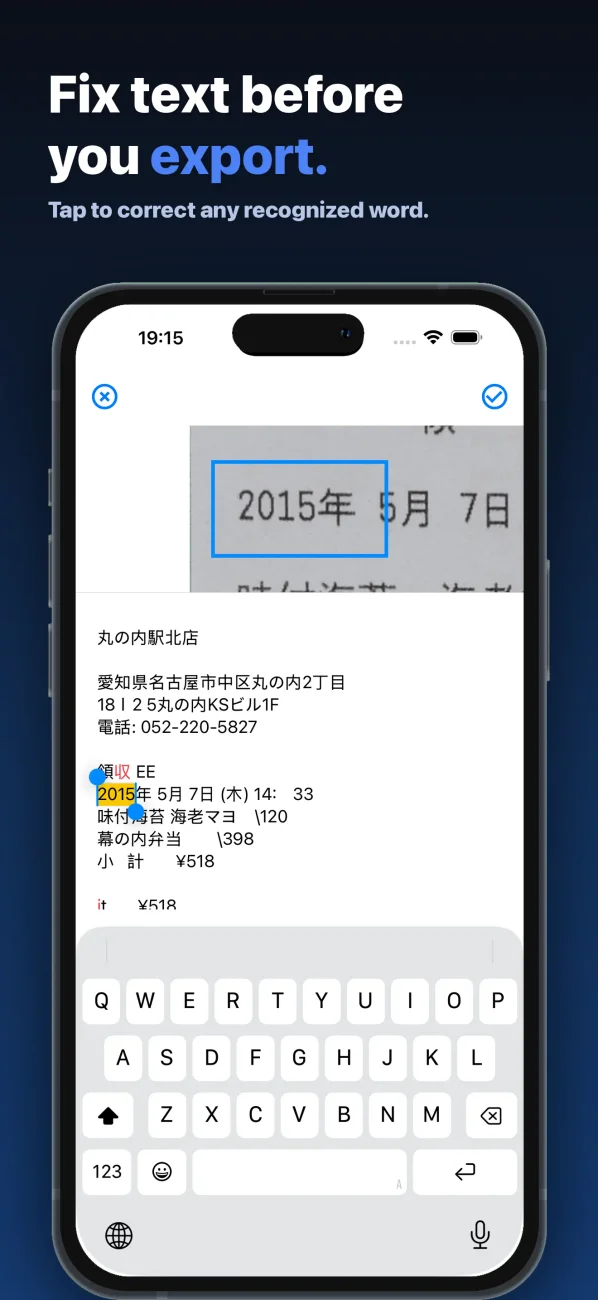
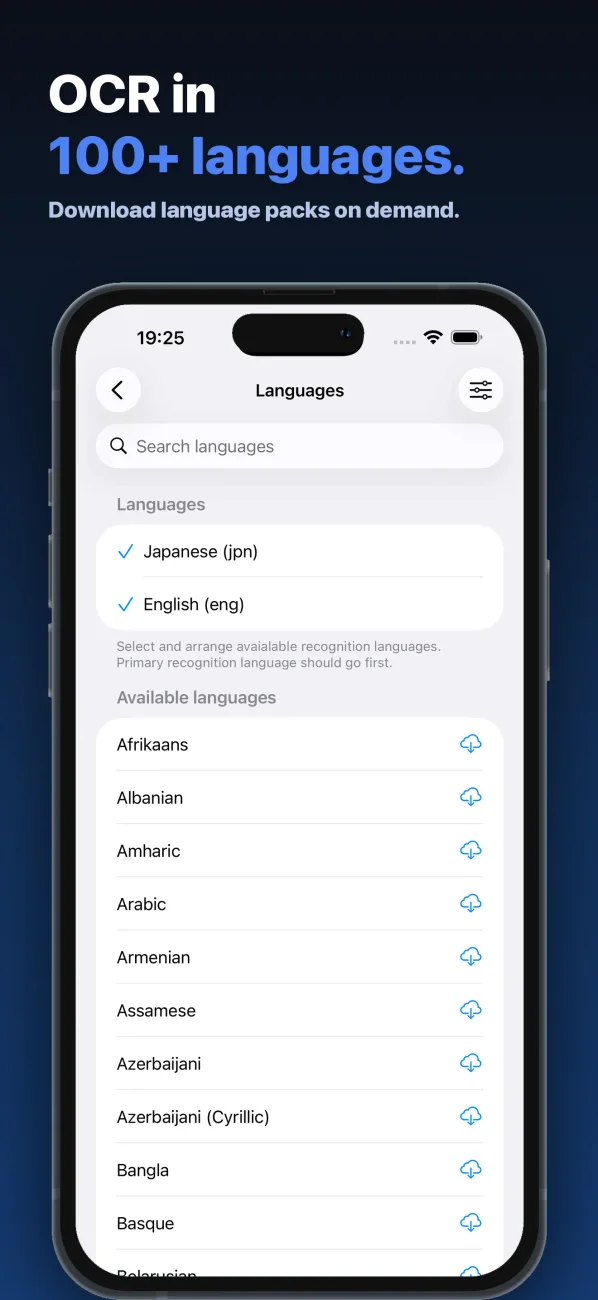
Text recognition runs on the device. After a scan, the recognized text opens in an editable view for correction before you export it. A language picker sets the recognition language; language packs download when you first select one. Offline text-orientation detection is included and needs no download.
On-device processing
Scanning, image processing, and text recognition run on your device. No account or sign-in is required. Language packs are downloaded only when you choose to add one.
Document Scanning SDK
EasyScan is built on Pixelnetica's DSSDK and demonstrates its edge detection, perspective correction, deskew, color processing, and on-device OCR. Developers can find documentation through the link on this page, and the app's complete source code is published as a sample on GitHub: https://github.com/Pixelnetica/apple-ios-pdf-ocr-document-scanner
What’s new
Version 3.0.2 · Aug 1, 2026
Fixed a problem with automatic capture. If AutoShot caught your document the instant the camera opened, the scan worked but an error message could still appear. That false alarm is gone.
App privacy
What Pixelnetica declares on the App Store about how this app handles data.
-
Data not linked to you
May be collected but is not linked to your identity.
- Location
- Identifiers
- Usage data
- Diagnostics
Privacy practices may vary, for example with the features you use or your age.
Information
- Seller
- PIXELNETICA DOO
- Category
- Productivity
- Version
- 3.0.2
- Updated
- Aug 1, 2026
- Released
- May 3, 2019
- Size
- 56.9 MB
- Requires
- iOS 16.3 or later
- Age rating
- 4+
- Price
- Free
- Languages
- English, French, German, Italian, Japanese, Simplified Chinese, Spanish
- Copyright
- © 2026 Pixelnetica
You might also like
-
 DocScan: Document Scanner+OCRScan Documents & Receipts Fast
-
 EasyScan: Doc Scan & ShareScan documents to PDF
-
 OpenBothFor Open WebUI and OpenCode
-
 RawScanPDF Scanner, No Corrections
-
 RevenueSnap: Daily Sales LogSales Log & PDF Reports, AI
-
 Smart Print: Print & ScannerPrint PDF, Photos & Documents
-
 SmileTimeYour calendar as a timeline
-
 Scanner4K4K HD Photo Scanner & Editor
-
 HerBChain NFC ReaderProductivity