
- Age rating4+
- CategoryUtilities
- Developerdamien godefroy
- LanguagesEnglish+ 8 more
- Size8.9 MB
Links to the official App Store page
Download.org hosts no file of EZ Microphone. The button opens its official App Store page, published by damien godefroy. Listing last checked on Nov 13, 2026.
Screenshots


About
Your phone becomes a real microphone for your computer.
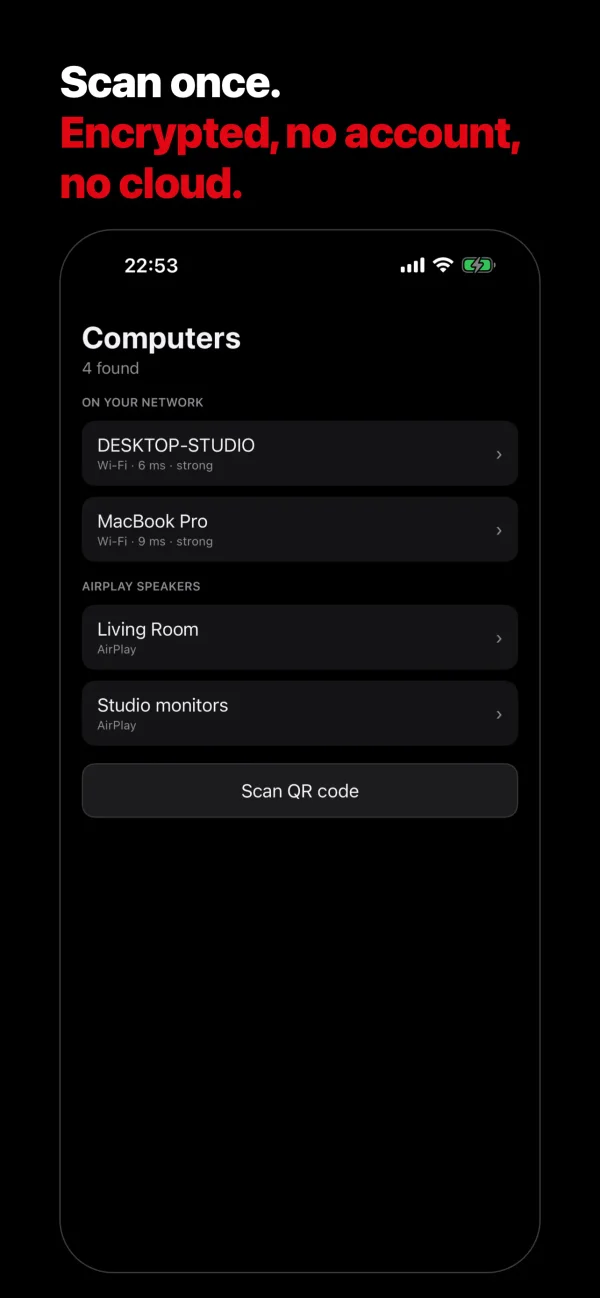
EZ Microphone streams your voice from your iPhone to a Windows PC or a Mac, over encrypted Wi-Fi or a USB cable, with a few milliseconds of latency. The computer sees a genuine microphone, so every app can use it: voice chat, streaming and recording software, video calls, games.
Install the free EZ Mic companion on your computer (ezmicrophone.com), scan its QR code once, and talk.
The microphone
• Wi-Fi or USB, and it switches between them mid-session on its own
• Over Wi-Fi, encrypted end to end; your computer's key is pinned by the QR code you scanned
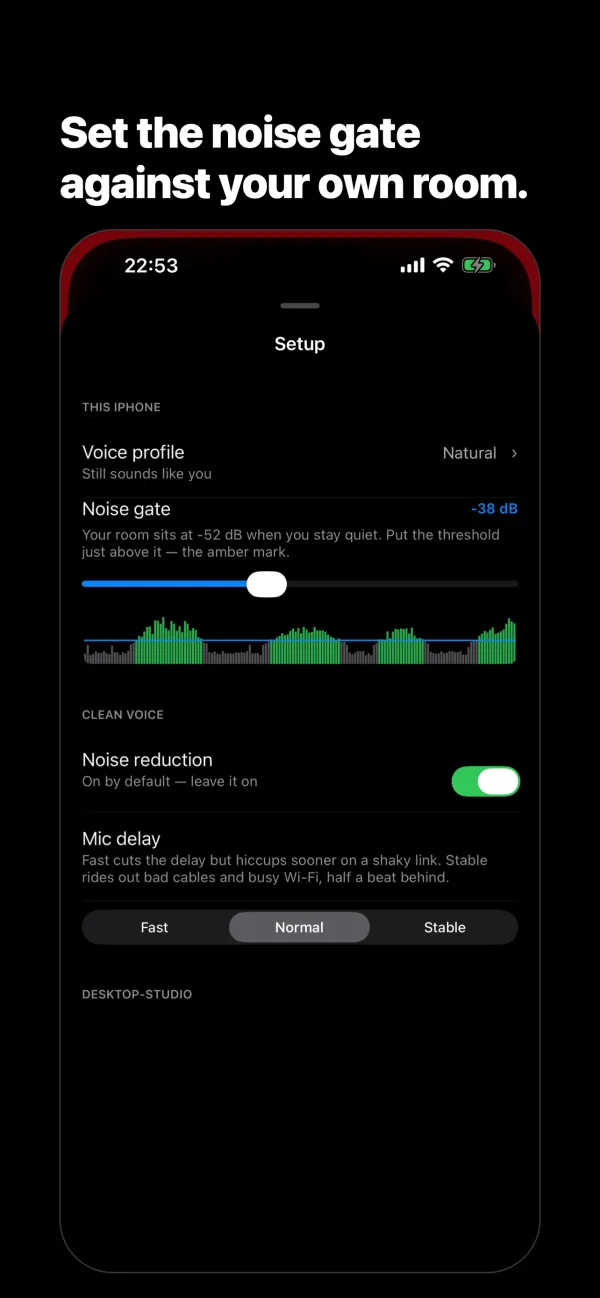
• Noise reduction, and a noise gate you set against eight seconds of your own room
• Guided mic check: the computer plays your voice back and names the app that is listening (Windows)
• Meeting mode with echo cancellation, and mute synced both ways
Your voice
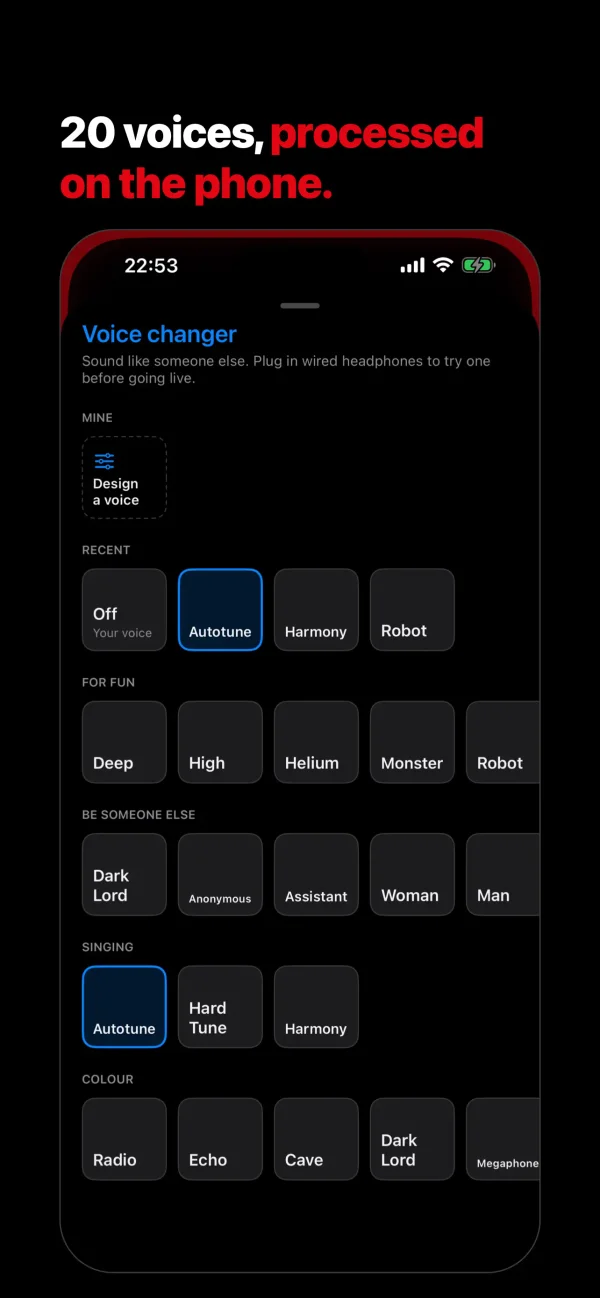
• 20 voice effects (autotune, harmonizer, robot, deep voice and more), processed on the phone
• Design your own voice with the real controls, and keep it
• Studio monitor: hear yourself in your headphones, effects included
• Studio tone: three-band EQ and compressor
For streamers and gamers
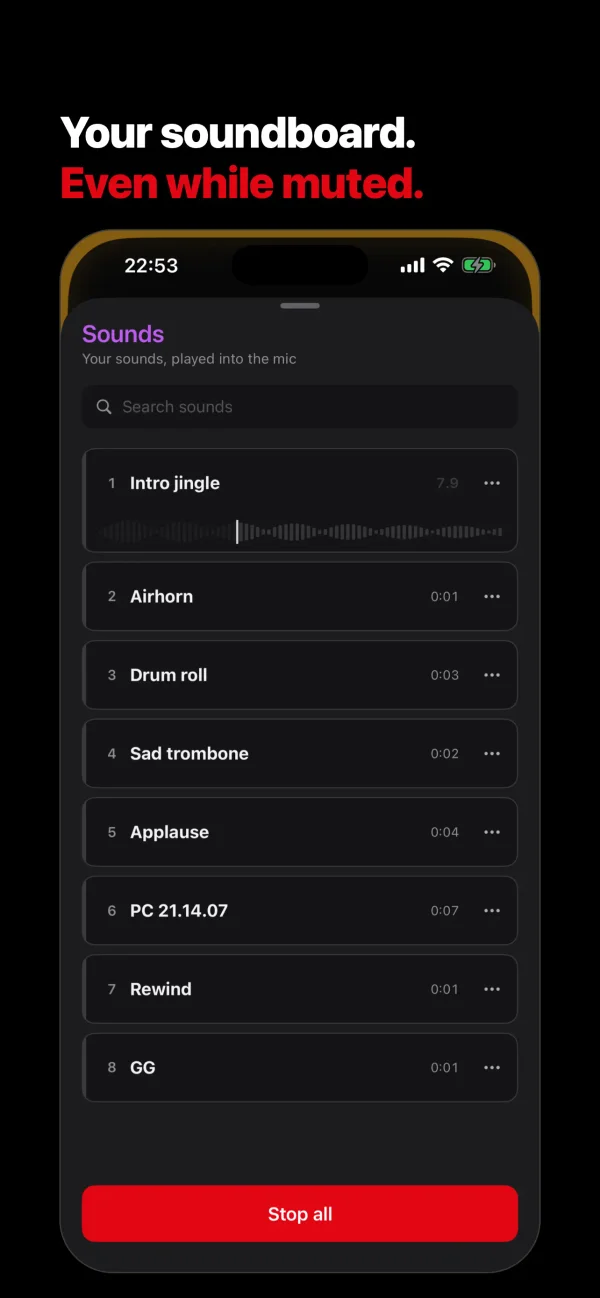
• A soundboard of up to 99 pads with your own MP3, WAV or M4A, trimmed on the phone. It plays even while you're muted
• Clip the PC: record what the computer is playing, up to thirty seconds, and keep it as a pad (Windows)
• One fader per app on your Windows PC
• Game chat translated on the phone (Counter-Strike 2 on Windows), and reply in the other player's language
• A buzz in your pocket when the match starts (Windows)
• Send your voice to AirPlay speakers too
Words, not just voice
• Dictate or type to your computer's clipboard, translated on the phone if you want
• On Windows, speak French and your team hears it in English in the game's voice chat
Recording
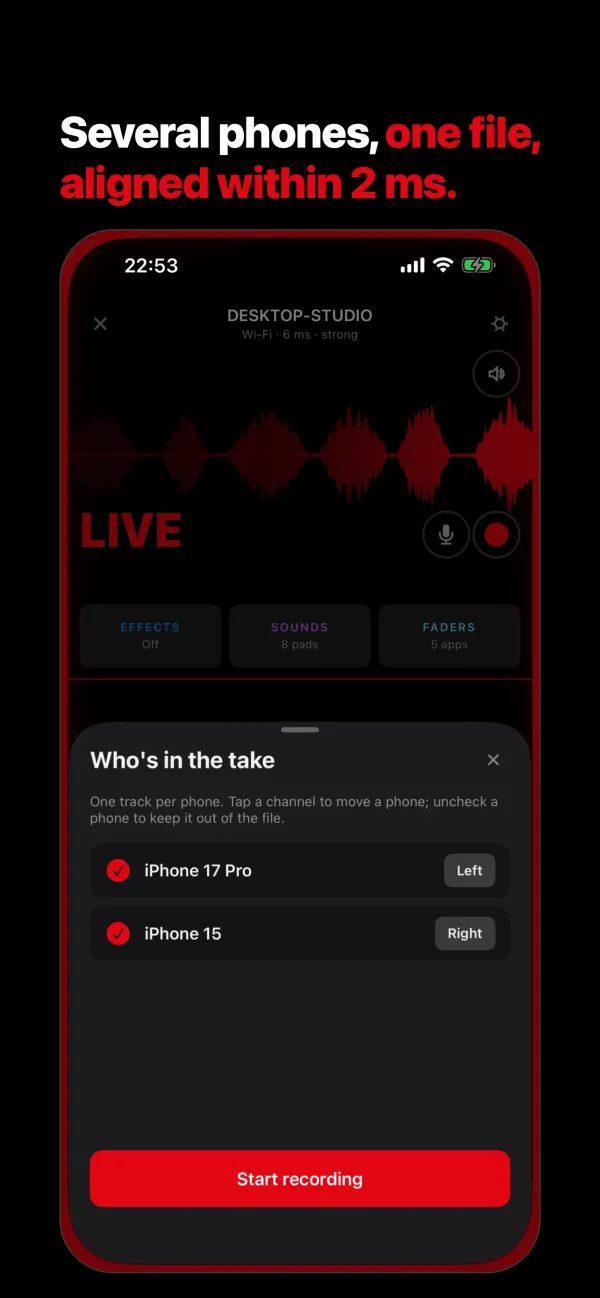
• Several phones, one multitrack WAV, every voice on its own track, aligned within 2 ms
• The phone that presses REC decides who is in the take and on which channel
• At the end, copy the take to your phone
Privacy
No account, no cloud, no ads, no analytics. Your voice only goes to the computer you paired.
Requirements
iPhone with iOS 16 or later. Computer: Windows 10 or 11 (64-bit x64) or a Mac with Apple Silicon, running the free EZ Mic companion. Dictation with translation needs iOS 26. Live captions are Mac only.
EZ Microphone Pro
Using EZ Microphone takes a yearly subscription, which starts with 14 days free, or a one-time lifetime purchase. If the trial ends without either, the app stops and says so. The price in your currency is shown in the app before you buy.
Payment is charged to your Apple Account when you confirm the purchase. The subscription renews automatically unless it is cancelled at least 24 hours before the end of the current period; renewal is charged within the 24 hours before the end of the period. Manage or cancel it in your App Store account settings. Any unused part of the free trial is forfeited when you buy a subscription.
License (EULA): https://www.apple.com/legal/internet-services/itunes/dev/stdeula/
Terms of use: https://ezmicrophone.com/terms.html
Privacy: https://ezmicrophone.com/privacy.html
Support: https://ezmicrophone.com/support.html
What’s new
Version 1.3.0 · Oct 20, 2026
• Share your voices: in “Design a voice”, “Share this voice” sends a link. Your friends tap it and the voice lands in their app, ready to use.
• Hear yourself on your computer while you design a voice: every setting is heard live (best with a headset).
• You can now delete a voice you made.
• If a payment for your yearly plan fails, the app now tells you so, with a button to update your payment method, instead of asking you to connect to the Internet.
• Fixed: after a dictation interrupted by a notification or the lock button, your phone could keep sending silence to your computer. Your voice now always comes back.
• Fixed: plugging or unplugging the cable no longer turns a muted mic back on.
• Reliability fixes and improvements.
App privacy
What damien godefroy declares on the App Store about how this app handles data.
-
Data not collected
The developer does not collect any data from this app.
Privacy practices may vary, for example with the features you use or your age.
Information
- Seller
- damien godefroy
- Category
- Utilities
- Version
- 1.3.0
- Updated
- Oct 20, 2026
- Released
- Jul 13, 2022
- Size
- 8.9 MB
- Requires
- iOS 16.0 or later
- Age rating
- 4+
- Price
- Free
- In-app purchases
- Yes
- Languages
- English, French, German, Italian, Japanese, Korean, Portuguese, Russian, Spanish
- Copyright
- © App And Soft 2026
You might also like
-
 Micstream: Microphone for PCUse your phone as wireless mic
-
 Megaphone! - AI Meeting NotesVoice dictation & keyboard
-
 DroidCam Webcam & OBS CameraUse your phone as a PC Webcam.
-
 Bluetooth Loudspeakervoice over bluetooth speaker
-
 Microphone - record voice memoscene sound effects recorder
-
 PhoneMic: Wireless Mic for PCUse your phone as a PC mic
-
 My Microphone: Voice AmplifierBluetooth mic for live karaoke
-
 Mic Test - Instant Audio CheckEasily test your mic's audio
-
 Bluetooth Record EnablerRecord video using bluetooth
-
 Vipro: Valorant Lineups GuideSmokes, Mollies & Crosshairs