FaveFrame
Save exact frames from video
Designed for iPhone, iPad
Free · In-app purchases
- Age rating4+
- CategoryPhoto & Video
- DeveloperChristopher Broughton
- LanguagesEnglish+ 7 more
- Size7.9 MB
Links to the official App Store page
Download.org hosts no file of FaveFrame. The button opens its official App Store page, published by Christopher Broughton. Listing last checked on Nov 16, 2026.
Screenshots

About
FaveFrame saves an exact frame from a video as a photo.
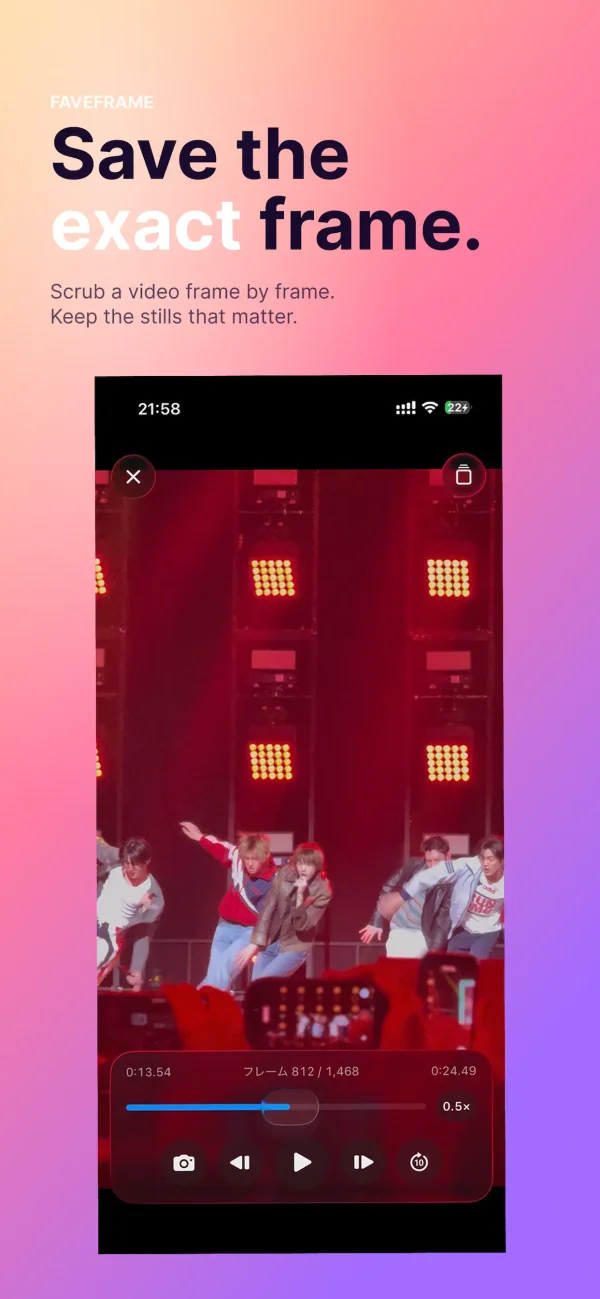
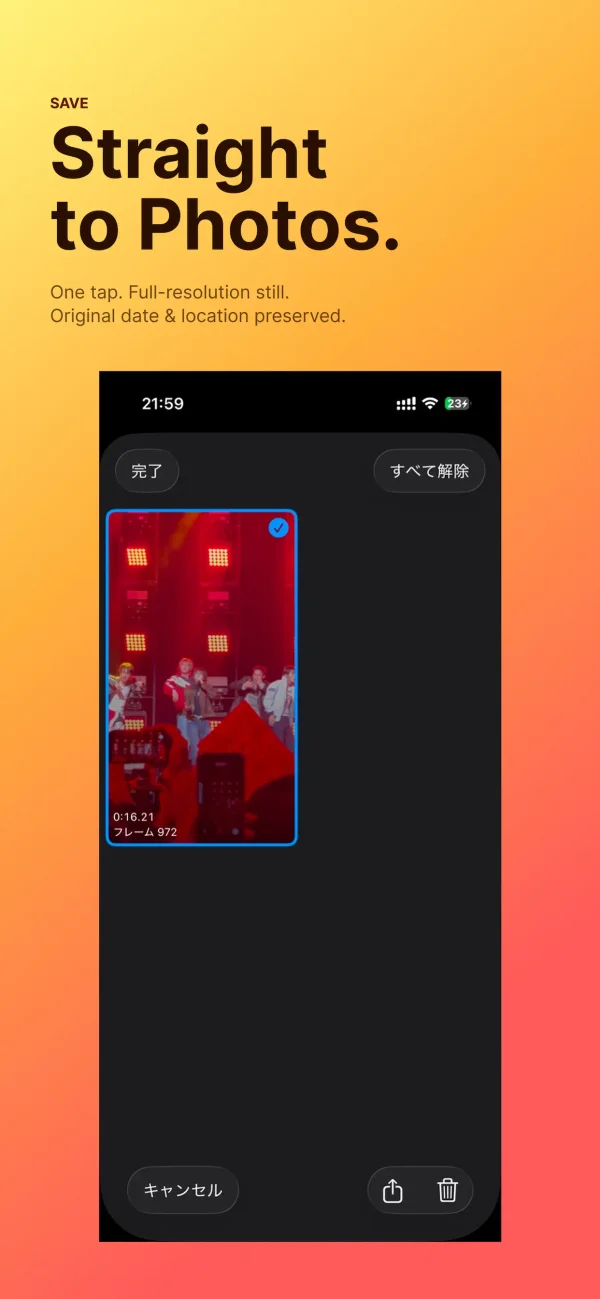
Choose a video from Photos or Files. Use the timeline, slow playback, and frame controls to find the moment you want. Tap the capture button to save that frame directly to your Photos library.
FaveFrame works well with concert clips, sports videos, family moments, travel footage, pet videos, and other recordings where timing matters.
Key features
• Move backward or forward one frame at a time
• Skip by 5, 10, or 30 frames
• Press and hold the frame buttons for continuous movement
• Play video at 0.1×, 0.25×, 0.5×, or normal speed
• Use the timeline to move quickly through longer videos
• Pinch to zoom and pan while reviewing a frame
• Save captures as HEIF or JPEG
• Preserve HDR when saving compatible videos as HEIF
• Preserve the source video date and location when available
• Save captures to a dedicated FaveFrame album when enabled
• Review recent captures after reopening the app
• Share or delete captured frames
• Undo an accidental capture
• Open videos stored in Photos, iCloud, or Files
• Choose light, dark, or system appearance
• Configure haptics, automatic playback, and remembered playback speed
Private processing
FaveFrame processes videos and captured frames on your device. The app does not upload your videos or photos to a server.
Access
Your first frame capture is free. A one-time purchase unlocks unlimited captures. There is no subscription.
Customers who purchased an earlier paid version keep full access.
What’s new
Version 2.0 · Aug 5, 2026
FaveFrame 2.0 includes a redesigned interface and more control over every capture.
• Choose HEIF or JPEG capture format
• Preserve HDR with compatible HEIF captures
• Set the larger frame buttons to 5, 10, or 30 frames
• Share saved frames directly after capture
• Review recent captures after reopening the app
• Choose light, dark, or system appearance
• Configure haptics, automatic playback, and remembered speed
• See clearer status for videos stored in iCloud
• Use improved frame selection and timeline synchronization
• Benefit from more reliable capture after repeated seeking
FaveFrame now includes one free frame capture. A one-time purchase unlocks unlimited captures. Customers who purchased an earlier paid version keep full access.
App privacy
What Christopher Broughton declares on the App Store about how this app handles data.
-
Data not collected
The developer does not collect any data from this app.
Privacy practices may vary, for example with the features you use or your age.
Information
- Seller
- Christopher Broughton
- Category
- Photo & Video
- Version
- 2.0
- Updated
- Aug 5, 2026
- Released
- May 28, 2026
- Size
- 7.9 MB
- Requires
- iOS 18.0 or later
- Age rating
- 4+
- Price
- Free
- In-app purchases
- Yes
- Languages
- English, French, German, Japanese, Korean, Portuguese, Simplified Chinese, Spanish
- Copyright
- © Christopher Broughton
You might also like
-
 Shared Album SaverSave shared album photos
-
 Zone MeterLight Meter for Photographers
-
 My M43 KitMFT lens database and kit log
-
 PanimeBring your photos to life
-
 BrightroomFilm Negative & Slide Scanner
-
 Vanishing FrameMotion blur photo editor
-
 moarpixelson-device 4× photo upscaler
-
 ICMPhotoForgeCreate painterly motion photos
-
 VRL CamVTubing meetings IRL. Go VRL!
-
 TAME Video CompressorShrink clips, save space