FaveFrame
Save exact frames from video
iPhone, iPad için tasarlandı
Ücretsiz · Uygulama içi satın alma
- Yaş sınırı4+
- KategoriFotoğraf ve Video
- GeliştiriciChristopher Broughton
- Dillerİngilizce+ 7 dil daha
- Boyut7,9 MB
Resmi App Store sayfasına bağlanır
Download.org, FaveFrame için hiçbir dosya barındırmaz. Düğme, uygulamanın App Store üzerindeki sayfasını açar; uygulamayı orada Christopher Broughton yayınlar. Sayfanın son kontrolü: 16.11.2026.
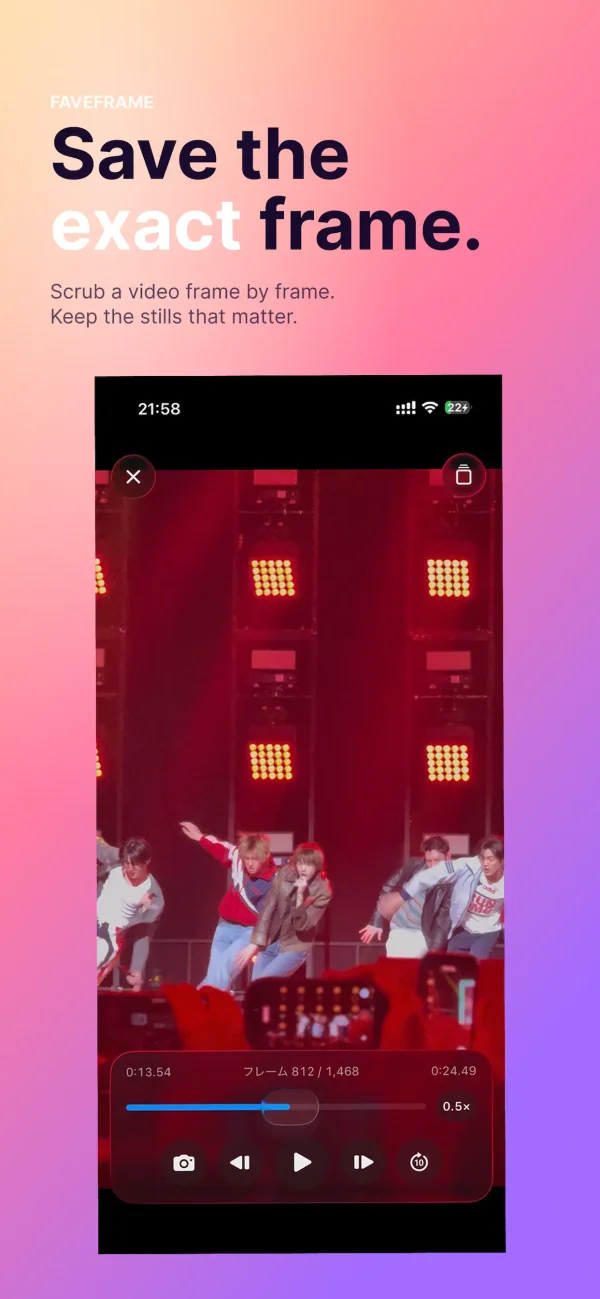
Ekran görüntüleri

Hakkında
Geliştirici bu metni dilinizde sunmamış.
FaveFrame saves an exact frame from a video as a photo.
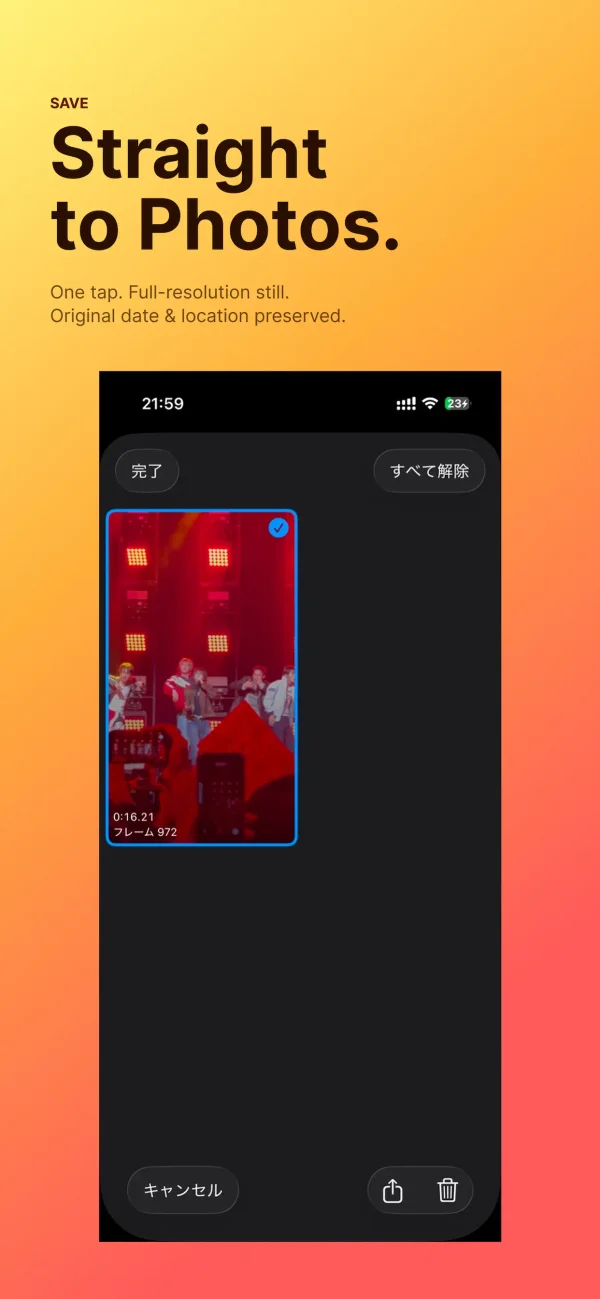
Choose a video from Photos or Files. Use the timeline, slow playback, and frame controls to find the moment you want. Tap the capture button to save that frame directly to your Photos library.
FaveFrame works well with concert clips, sports videos, family moments, travel footage, pet videos, and other recordings where timing matters.
Key features
• Move backward or forward one frame at a time
• Skip by 5, 10, or 30 frames
• Press and hold the frame buttons for continuous movement
• Play video at 0.1×, 0.25×, 0.5×, or normal speed
• Use the timeline to move quickly through longer videos
• Pinch to zoom and pan while reviewing a frame
• Save captures as HEIF or JPEG
• Preserve HDR when saving compatible videos as HEIF
• Preserve the source video date and location when available
• Save captures to a dedicated FaveFrame album when enabled
• Review recent captures after reopening the app
• Share or delete captured frames
• Undo an accidental capture
• Open videos stored in Photos, iCloud, or Files
• Choose light, dark, or system appearance
• Configure haptics, automatic playback, and remembered playback speed
Private processing
FaveFrame processes videos and captured frames on your device. The app does not upload your videos or photos to a server.
Access
Your first frame capture is free. A one-time purchase unlocks unlimited captures. There is no subscription.
Customers who purchased an earlier paid version keep full access.
Yenilikler
Sürüm 2.0 · 05.08.2026
FaveFrame 2.0 includes a redesigned interface and more control over every capture.
• Choose HEIF or JPEG capture format
• Preserve HDR with compatible HEIF captures
• Set the larger frame buttons to 5, 10, or 30 frames
• Share saved frames directly after capture
• Review recent captures after reopening the app
• Choose light, dark, or system appearance
• Configure haptics, automatic playback, and remembered speed
• See clearer status for videos stored in iCloud
• Use improved frame selection and timeline synchronization
• Benefit from more reliable capture after repeated seeking
FaveFrame now includes one free frame capture. A one-time purchase unlocks unlimited captures. Customers who purchased an earlier paid version keep full access.
Uygulama gizliliği
Bu uygulamanın verileri nasıl işlediği hakkında Christopher Broughton tarafından App Store üzerinde yapılan beyan.
-
Veri toplanmıyor
Geliştirici bu uygulamadan hiçbir veri toplamıyor.
Gizlilik uygulamaları, örneğin kullandığınız özelliklere veya yaşınıza göre değişiklik gösterebilir.
Bilgiler
- Satıcı
- Christopher Broughton
- Kategori
- Fotoğraf ve Video
- Sürüm
- 2.0
- Güncellendi
- 05.08.2026
- Yayın tarihi
- 28.05.2026
- Boyut
- 7,9 MB
- Gereksinim
- iOS 18.0 veya sonrası
- Yaş sınırı
- 4+
- Fiyat
- Ücretsiz
- Uygulama içi satın alma
- Evet
- Diller
- İngilizce, Fransızca, Almanca, Japonca, Korece, Portekizce, Basitleştirilmiş Çince, İspanyolca
- Telif hakkı
- © Christopher Broughton