- Age rating4+
- CategoryNavigation
- DeveloperHYENJU KIM
- LanguagesKorean+ 2 more
- Size72.6 MB
Links to the official App Store page
Download.org hosts no file of TDriveViewer — EV Dashboard. The button opens its official App Store page, published by HYENJU KIM. Listing last checked on Nov 12, 2026.
Screenshots
About
A driver's-seat dashboard that links your iPhone straight to the car over BLE.
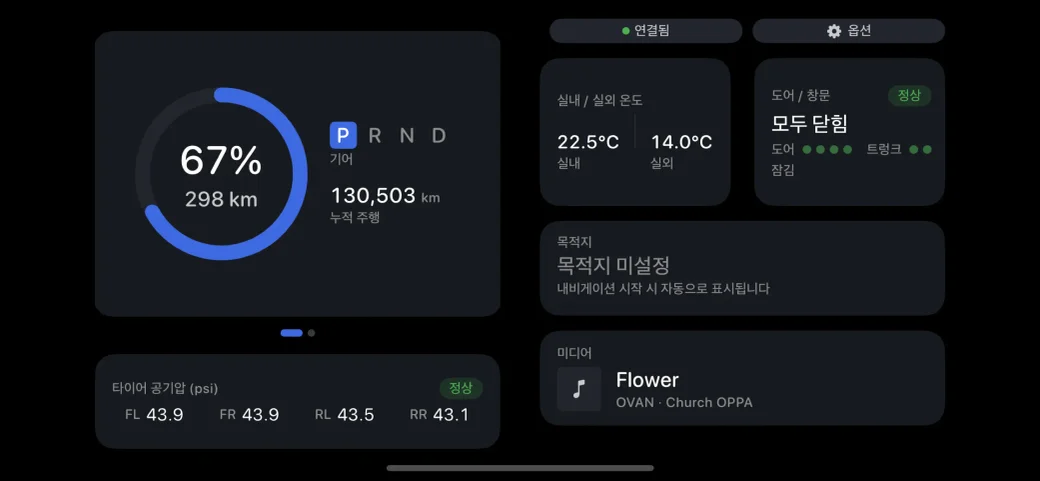
TDriveViewer connects your iPhone to a Tesla vehicle directly over Bluetooth (BLE). No Tesla account, no internet, no external dongle. See speed, gear, battery, media and destination on a single screen.
■ Key features
• No account, no cloud — a direct BLE link; vehicle data stays between the car and your iPhone
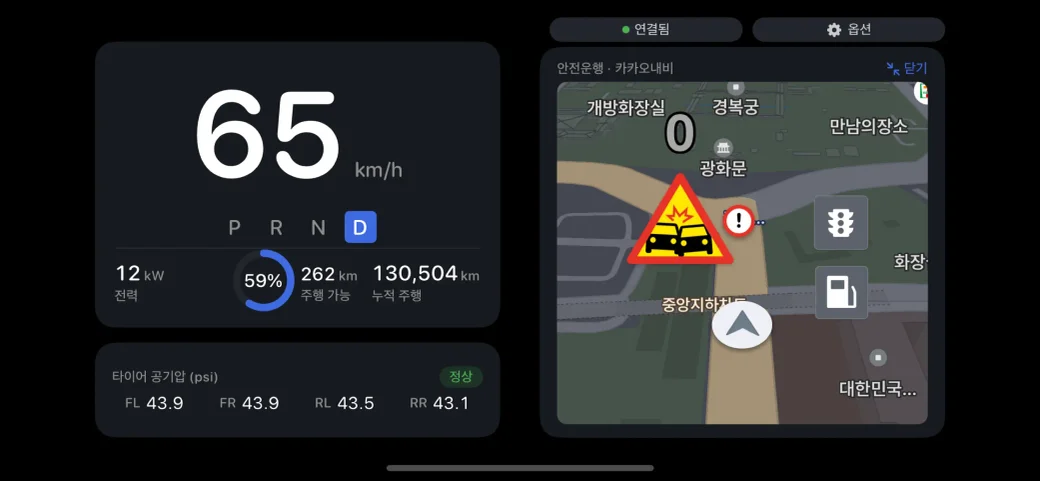
• Full dashboard — speed, gear, SoC, media and destination on one screen
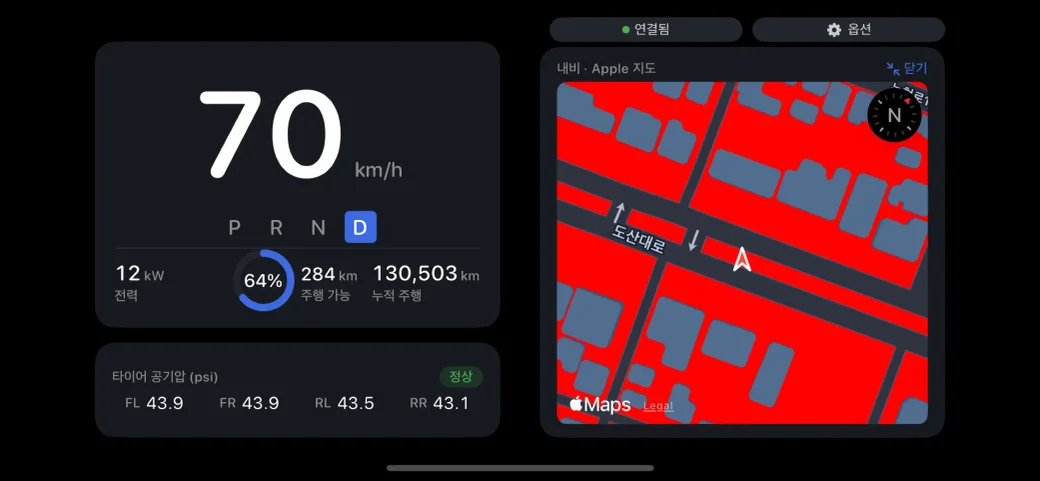
• Driving mode — rotate to landscape and a mount-optimized layout turns on automatically
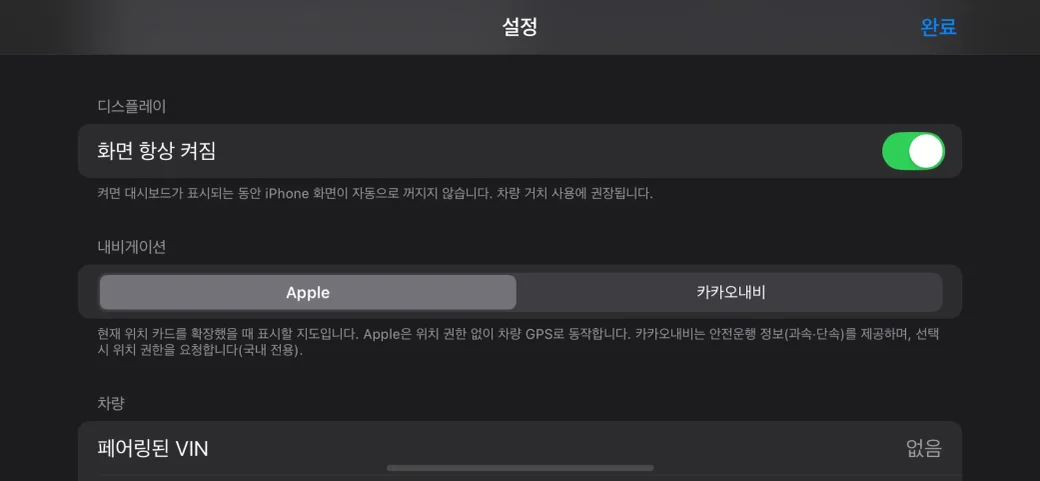
• Turn-by-turn guidance — Apple Maps by default, KakaoNavi optional. See route, traffic and ETA right on the driving screen
• Charging mode — live input power, rate and estimated time to full while charging
• Dark OLED theme — pure-black background built for night driving
• Fully localized — Korean, English and Japanese
■ Why TDriveViewer
• iPhone-first — designed for the driver's-seat iPhone experience
• Read-only — sends no command to the vehicle (no unlock, no drive control)
• Free, no ads, no in-app purchases
■ Compatibility
• Vehicles: Tesla Model 3 / Y / S / X / CT
• OS: iOS 18.6 or later (iPhone and iPad)
• One-time pairing with the vehicle required (key card tap or phone-key authentication)
■ Guidance and location
• Location is used only while turn-by-turn guidance (KakaoNavi) is active, and is sent to Kakao Mobility for route calculation. No other vehicle data leaves your device.
■ Please note
• Do not stare at the screen while driving. The car's own instrument cluster always takes priority; values shown here are for reference.
■ Disclaimer
TDriveViewer is a third-party app and is not affiliated with, endorsed by, or officially connected to Tesla, Inc. or its subsidiaries. Tesla and Model 3 / Y / S / X / CT are trademarks of Tesla, Inc., used here only to indicate compatibility.
What’s new
Version 1.2.0 · Jul 12, 2026
What's New (v1.2.0)
• Responsive card layout optimized for iPhone Plus/Max — a fuller dashboard on larger screens
• Redesigned charging card — horizontal gauge with charge-limit marker and at-a-glance charging status (charging / complete / scheduled)
• Apple Maps improvements — smoother driving view with synchronized camera and vehicle marker
• GPS notice banner when driving through tunnels with Kakao Navi
• Major iPad layout improvements
• Refinements and stability fixes based on user feedback
App privacy
What HYENJU KIM declares on the App Store about how this app handles data.
-
Data not linked to you
May be collected but is not linked to your identity.
- Location
Privacy practices may vary, for example with the features you use or your age.
Information
- Seller
- HYENJU KIM
- Category
- Navigation
- Version
- 1.2.0
- Updated
- Jul 12, 2026
- Released
- Jun 14, 2026
- Size
- 72.6 MB
- Requires
- iOS 18.6 or later
- Age rating
- 4+
- Languages
- Korean, English, Japanese
- Copyright
- Copyright © 2026 TDriveViewer.