
Framify Device - Mockup Bezel
Generate 400+ Device Frames
Designed for iPhone, iPad, Mac
Free · In-app purchases
- Age rating4+
- CategoryGraphics & Design
- DeveloperAlexander Tech
- LanguagesEnglish+ 1 more
- Size124.2 MB
Links to the official App Store page
Download.org hosts no file of Framify Device - Mockup Bezel. The button opens its official App Store page, published by Alexander Tech. Listing last checked on Nov 16, 2026.
Screenshots
About
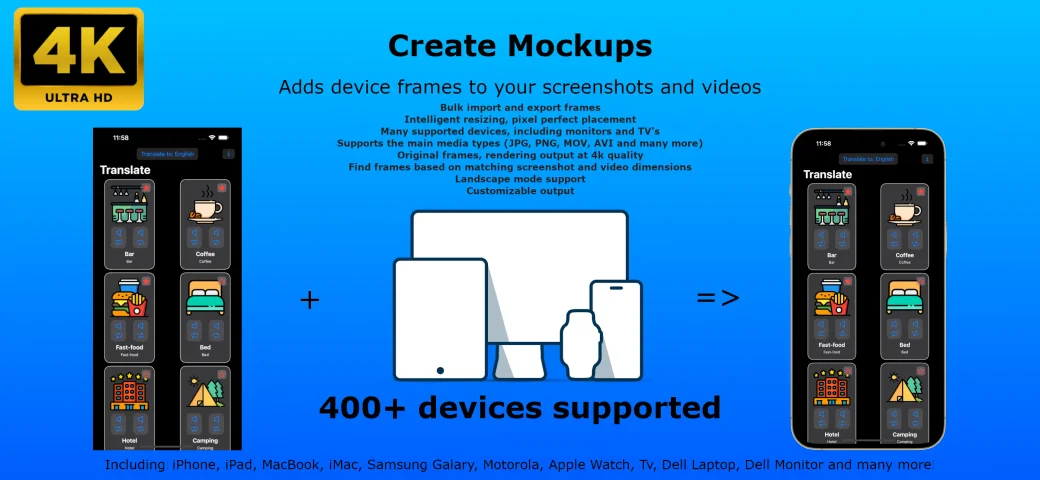
Effortless Add Device Frames to your screenshots and movies - Generate mockups with bezels within seconds
Framify Device is a powerful macOS, iOS and iPad app designed to streamline the process of showcasing screenshots and videos with professional device frames. With just a few clicks, you can frame your screenshots and videos, saving valuable time and energy. Here’s what Framify Device can do for you:
- Instant Framing: Add device frames to your screenshots and videos instantly, without the need for complex design software.
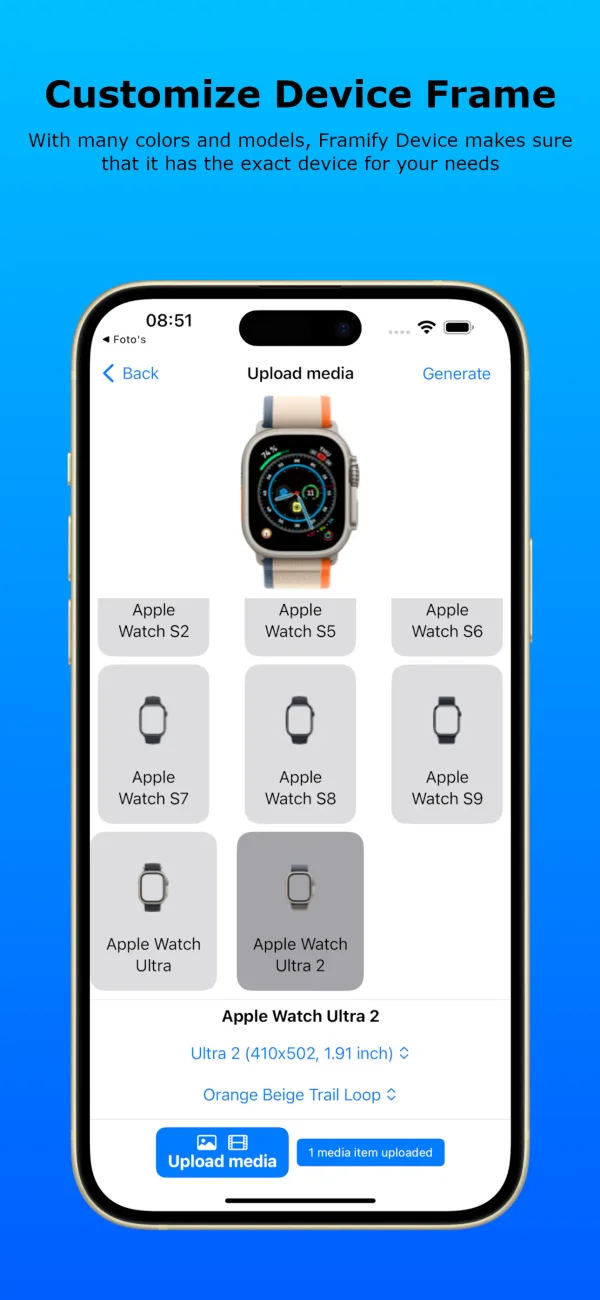
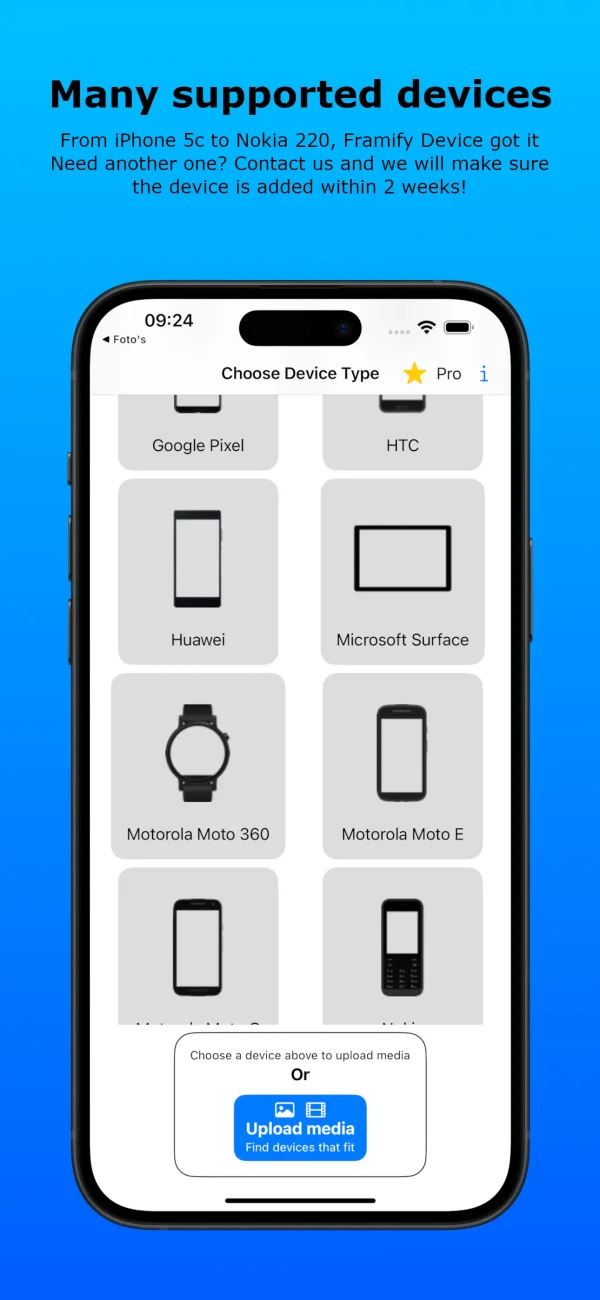
- Wide Device Selection: Choose from a variety of device frames, including iPhones, iPads, MacBooks, Samsung Galaxys and more, to suit every project (400+ devices). Requesting Device Frames is also possible.
- Customization Options: Customize frame colors to match your app’s branding and style for a bezel.
- Seamless Integration: Works seamlessly with macOS, iOS and iPad, allowing you to frame screenshots and videos directly on your desktop, mobile or tablet.
- Time-Saving: Automate the process of cropping and resizing, so you can focus on perfecting your app. Framify Device will match your screenshots and videos pixel-perfect and intelligent inside the frame.
- Export Options: Easily export framed screenshots and videos ready to impress clients, showcase on websites, or share on social media.
- Free Trial: Add a few Device Frames without be charged every day for an unlimited time.
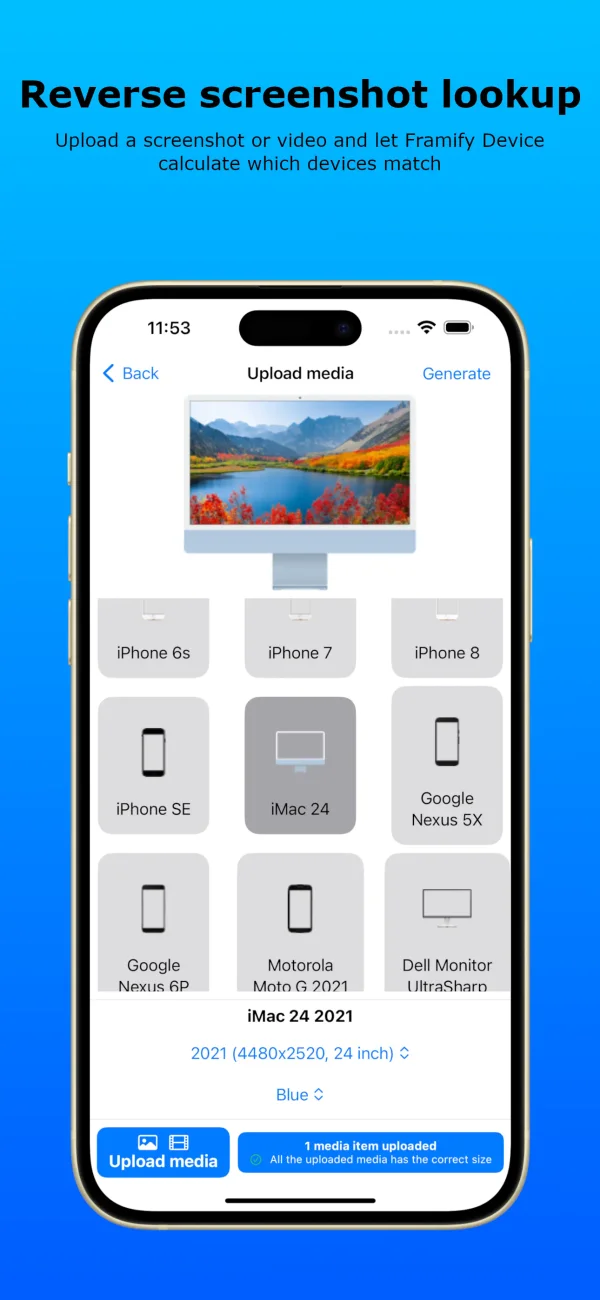
- Dynamic Device Finder: Based on the dimensions of a screenshot and video, Framify Device is able to see matching device frames, giving you just the options of devices which exactly matches the dimensions. Generate a bezel from your media was never been so easy.
- Up to date software: The latest tech is used to make device framing as quick as possible, using Swift, Rust and SwiftUI.
- Many supported files types, allowing you to upload a wide variety of file types, like .png, .mov and many more to generate bezels.
Transform your screenshots and videos into stunning visuals with Framify Device and make a lasting impression on your audience. Create mockups of devices without any hassle.
Terms and conditions: https://framifydevice.com/terms-and-conditions/
What’s new
Version 1.0.8 · Jan 21, 2025
Added 3 new devices
App privacy
What Alexander Tech declares on the App Store about how this app handles data.
-
Data not collected
The developer does not collect any data from this app.
Privacy practices may vary, for example with the features you use or your age.
Information
- Seller
- Alexander Tech
- Category
- Graphics & Design
- Version
- 1.0.8
- Updated
- Jan 21, 2025
- Released
- Mar 24, 2024
- Size
- 124.2 MB
- Requires
- iOS 17.0 or later
- Age rating
- 4+
- Price
- Free
- In-app purchases
- Yes
- Languages
- English, Dutch
- Copyright
- © 2024 Alexander Tech
You might also like
-
 mLite Mockup CreatorMockups the mLite way!
-
 App Mockup Studio: BezelScreenshot maker for apps
-
 Mockuper: Phone Frame MockupPut screenshoot in phone frame
-
 Logo Maker & Design - LogoFormBusiness Card & Brand Creator
-
 Mesher: Design mesh gradientsColour and warping generator
-
 Mockup GeneratorCreator, 3D, Product, Art, AI
-
 MotMark - 3D Mockup VideoHigh Conversion Screenshots
-
 EasyLogo: Quick Logo MakerGenerate Designs Fast & Easy
-
 Lek AI : LinkedIn Post WriterGhost writer for content
-
 Lilacpane: Screenshot DesignPhoto Frames & Promo Graphics