
Ghost Camera - Match Shots
Same angle, every shot
Designed for iPhone, iPod touch
Free
- Age rating4+
- CategoryPhoto & Video
- DeveloperFanlun Liu
- LanguagesEnglish
- Size18.7 MB
Links to the official App Store page
Download.org hosts no file of Ghost Camera - Match Shots. The button opens its official App Store page, published by Fanlun Liu. Listing last checked on Nov 23, 2026.
Screenshots
About
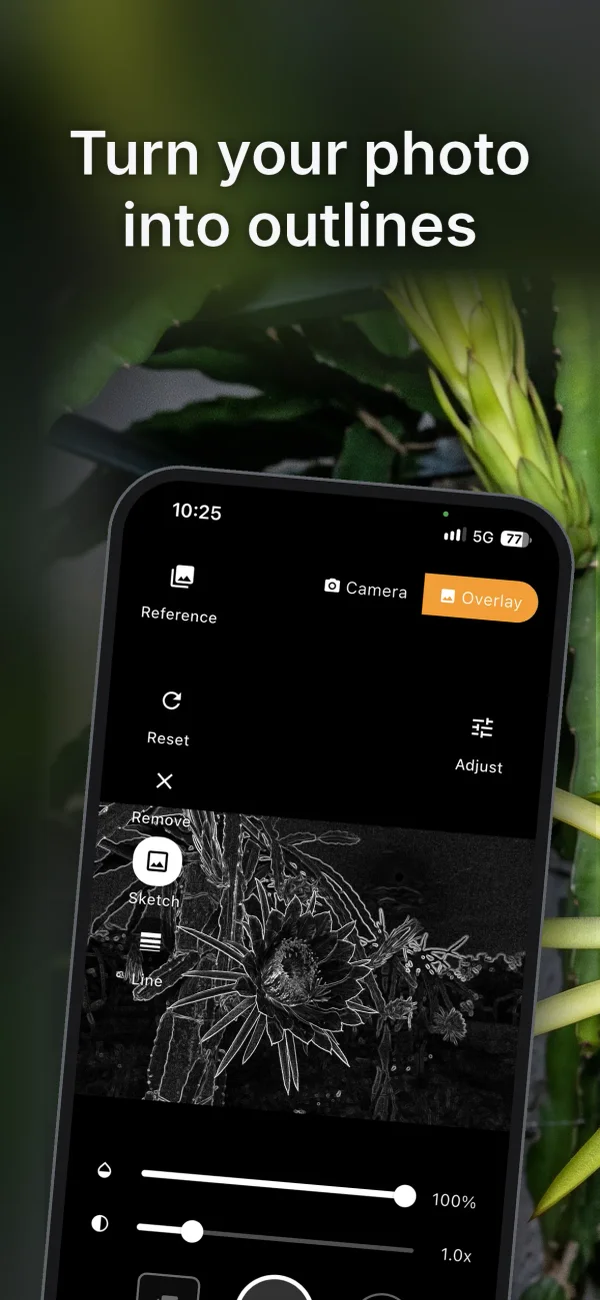
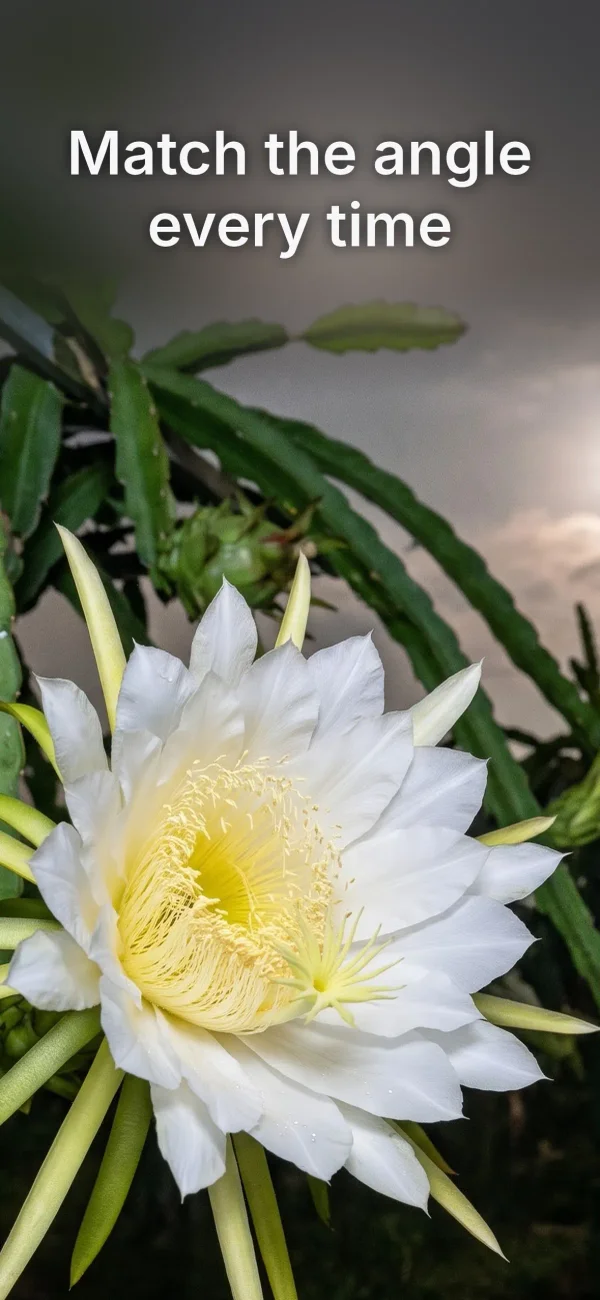
Ghost Camera overlays a reference photo, semi-transparent, on your live camera view, so every shot matches the same angle, distance and framing.
Great for:
• Photographing the same place, plant, artwork or space over time for before-and-after comparisons
• Consistent framing for products, food and portfolios
• Recreating the angle and position of an old photo
Features:
• Semi-transparent reference overlay with adjustable opacity and contrast
• Outline mode: shows only the reference's contour lines so they don't hide the scene, with three line strengths
• Dark / light backdrop layer: dims a busy or bright background so the outlines stand out
• Pinch to scale, rotate and move the reference; drag with one finger to align
• Front and back camera, flash and zoom
• Exposure compensation, AE lock, and tap to focus and meter
• Every shot saves two photos: a clean original and a screenshot with the overlay, so you can check alignment afterwards
Button guide (numbers match the screenshots):
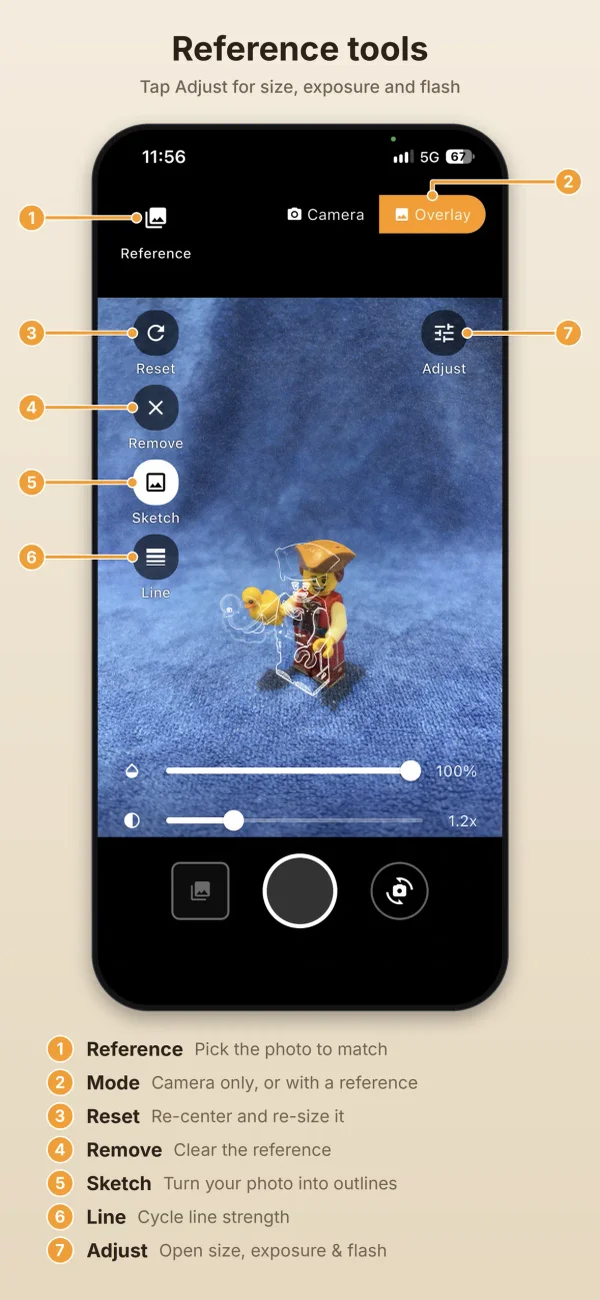
Screenshot 1 – Reference tools
① Reference: pick the photo to match
② Mode: Camera only, or Overlay with your reference
③ Reset: re-center the reference and restore its size
④ Remove: clear the reference
⑤ Sketch: turn your photo into outlines
⑥ Line: cycle through three line strengths
⑦ Adjust: open the Adjust panel
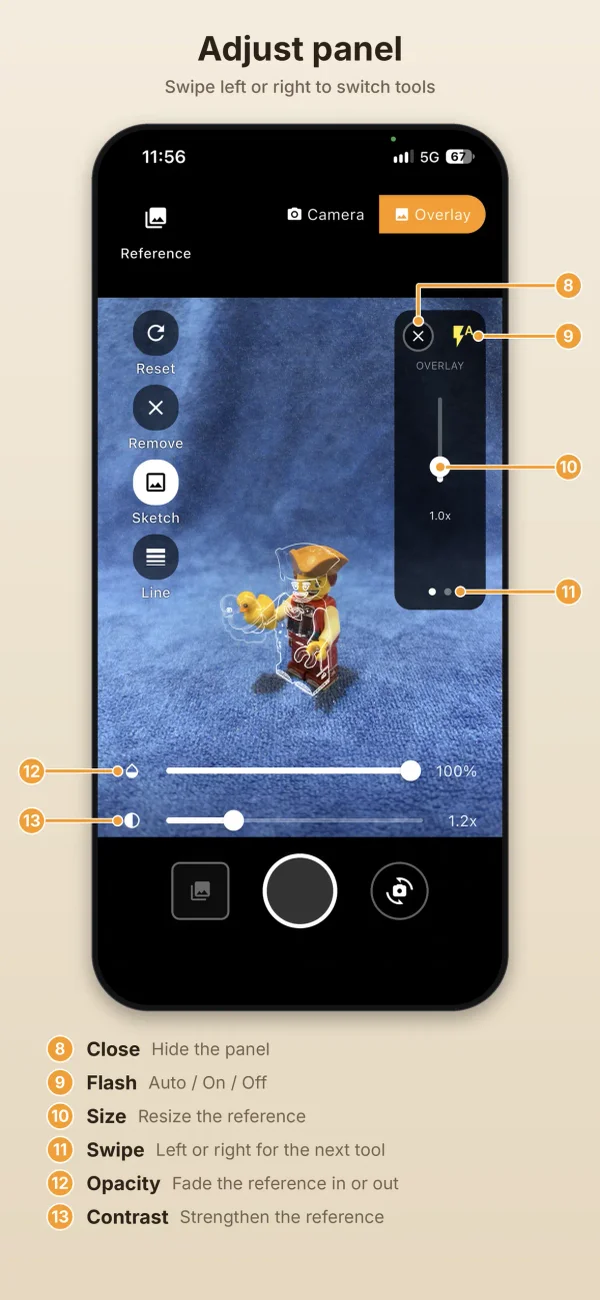
Screenshot 2 – Adjust panel
⑧ Close: hide the panel
⑨ Flash: auto / on / off
⑩ Size: resize the reference (zoom when there is no reference)
⑪ Swipe: swipe left or right to switch between size and exposure; the dots show the current page
⑫ Opacity: fade the reference in or out
⑬ Contrast: contrast of the reference
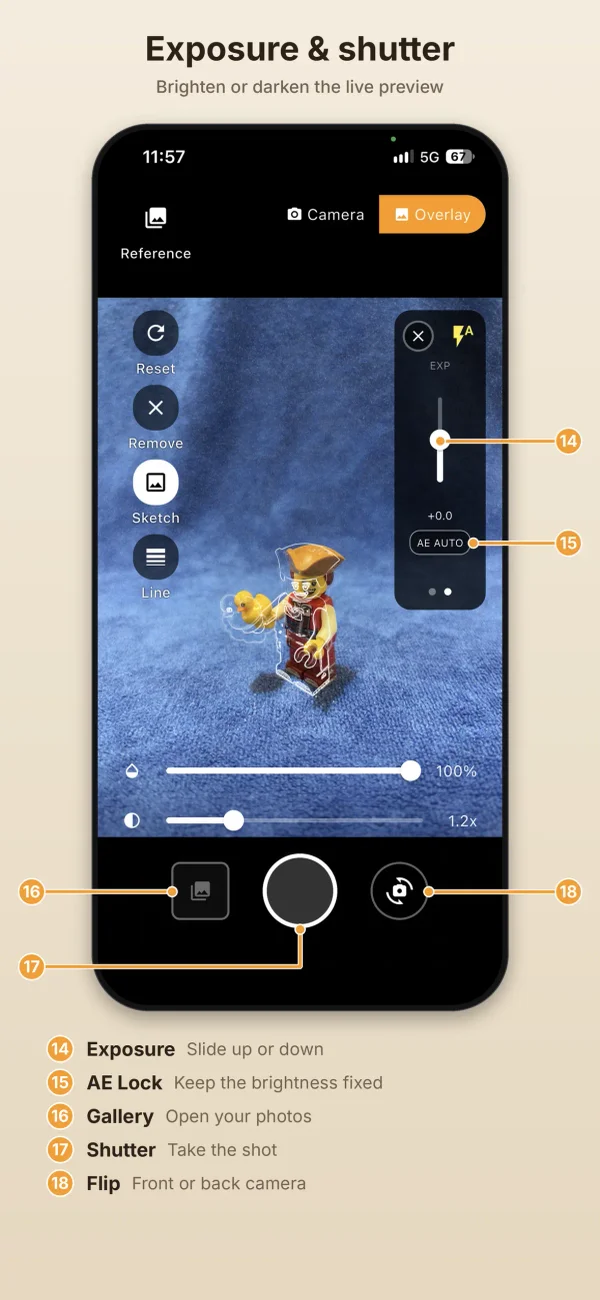
Screenshot 3 – Exposure and shutter
⑭ Exposure: slide up or down to brighten or darken
⑮ AE Lock: keep the brightness fixed (tap again to release)
⑯ Gallery: open your photos
⑰ Shutter: take the shot
⑱ Flip: switch between front and back camera
Privacy: all photos are processed on your device only. Nothing is uploaded and no data is collected.
What’s new
Version 1.4.6 · Nov 20, 2026
- No overlay screenshot is saved when there is no reference image
- With a reference image, you choose on the first shot whether to also save the overlay screenshot; the choice stays until you reopen the app
App privacy
What Fanlun Liu declares on the App Store about how this app handles data.
-
Data not collected
The developer does not collect any data from this app.
Privacy practices may vary, for example with the features you use or your age.
Information
- Seller
- Fanlun Liu
- Category
- Photo & Video
- Version
- 1.4.6
- Updated
- Nov 20, 2026
- Released
- Nov 6, 2026
- Size
- 18.7 MB
- Requires
- iOS 15.0 or later
- Age rating
- 4+
- Price
- Free
- Languages
- English
- Copyright
- © 2026 Allen Liu
You might also like
-
 Afterall Photo: Before & AfterLine up your next shot exactly
-
 FramewiserYour photography coach
-
 AuraFilm: Retro Film CameraAnalog film, on your phone
-
 Mamera - 필름카메라Photo & Video
-
 palet - your pocket cameracreate, own, share ur filters!
-
 Overlay Camera - MatchShotAlign your shots, effortlessly
-
 ReShoot: Crop Video & ReframeVertical Video & Motion Editor
-
 GhostFrame: Recreate Any PhotoPhoto & Video
-
 Lumera CameraAuto or Manual. You Decide.
-
 OverCam - Overlay CameraTrace, align & match shots