
Ghost Camera - Match Shots
Same angle, every shot
iPhone, iPod touch için tasarlandı
Ücretsiz
- Yaş sınırı4+
- KategoriFotoğraf ve Video
- GeliştiriciFanlun Liu
- Dillerİngilizce
- Boyut18,7 MB
Resmi App Store sayfasına bağlanır
Download.org, Ghost Camera - Match Shots için hiçbir dosya barındırmaz. Düğme, uygulamanın App Store üzerindeki sayfasını açar; uygulamayı orada Fanlun Liu yayınlar. Sayfanın son kontrolü: 23.11.2026.
Ekran görüntüleri
Hakkında
Geliştirici bu metni dilinizde sunmamış.
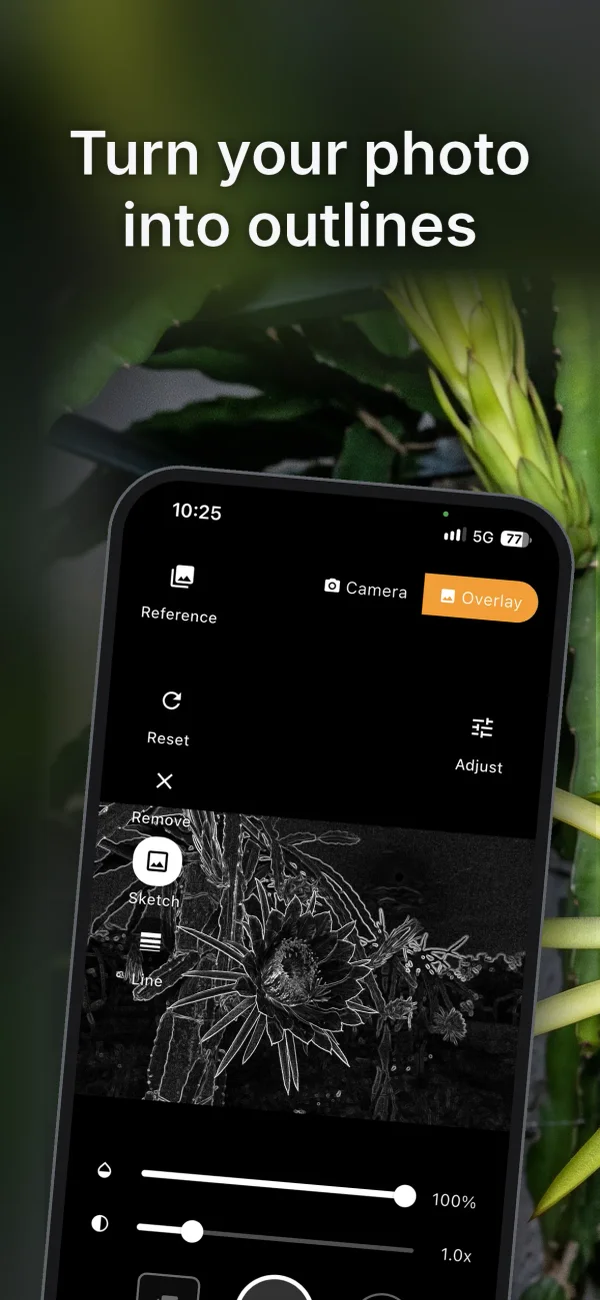
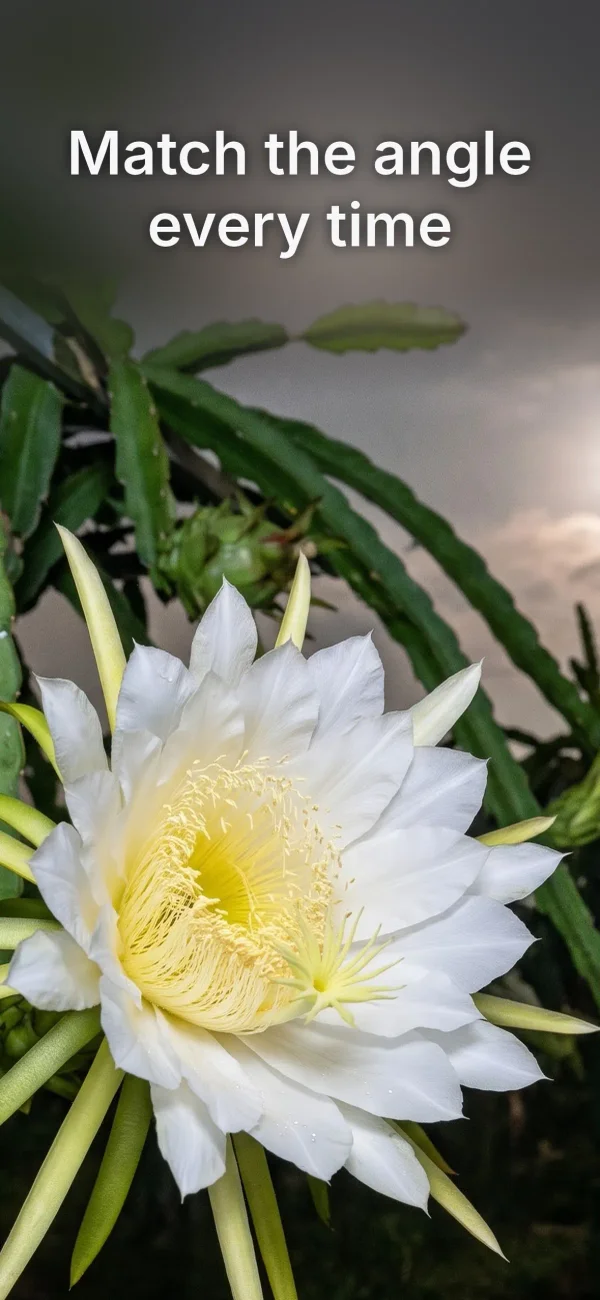
Ghost Camera overlays a reference photo, semi-transparent, on your live camera view, so every shot matches the same angle, distance and framing.
Great for:
• Photographing the same place, plant, artwork or space over time for before-and-after comparisons
• Consistent framing for products, food and portfolios
• Recreating the angle and position of an old photo
Features:
• Semi-transparent reference overlay with adjustable opacity and contrast
• Outline mode: shows only the reference's contour lines so they don't hide the scene, with three line strengths
• Dark / light backdrop layer: dims a busy or bright background so the outlines stand out
• Pinch to scale, rotate and move the reference; drag with one finger to align
• Front and back camera, flash and zoom
• Exposure compensation, AE lock, and tap to focus and meter
• Every shot saves two photos: a clean original and a screenshot with the overlay, so you can check alignment afterwards
Button guide (numbers match the screenshots):
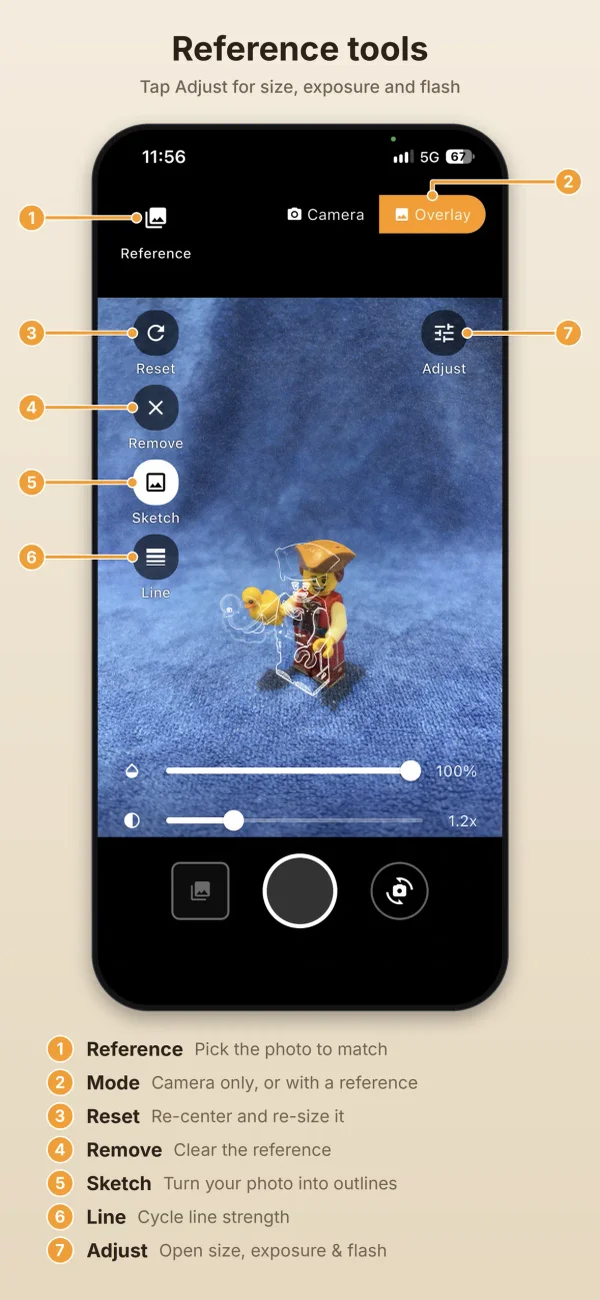
Screenshot 1 – Reference tools
① Reference: pick the photo to match
② Mode: Camera only, or Overlay with your reference
③ Reset: re-center the reference and restore its size
④ Remove: clear the reference
⑤ Sketch: turn your photo into outlines
⑥ Line: cycle through three line strengths
⑦ Adjust: open the Adjust panel
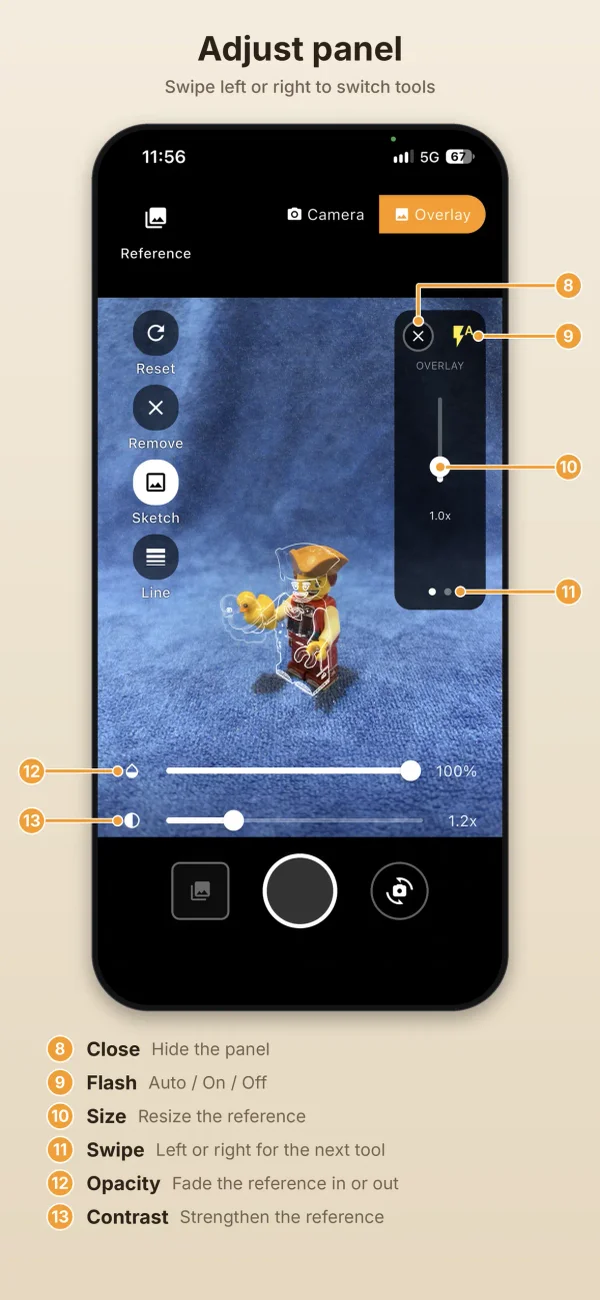
Screenshot 2 – Adjust panel
⑧ Close: hide the panel
⑨ Flash: auto / on / off
⑩ Size: resize the reference (zoom when there is no reference)
⑪ Swipe: swipe left or right to switch between size and exposure; the dots show the current page
⑫ Opacity: fade the reference in or out
⑬ Contrast: contrast of the reference
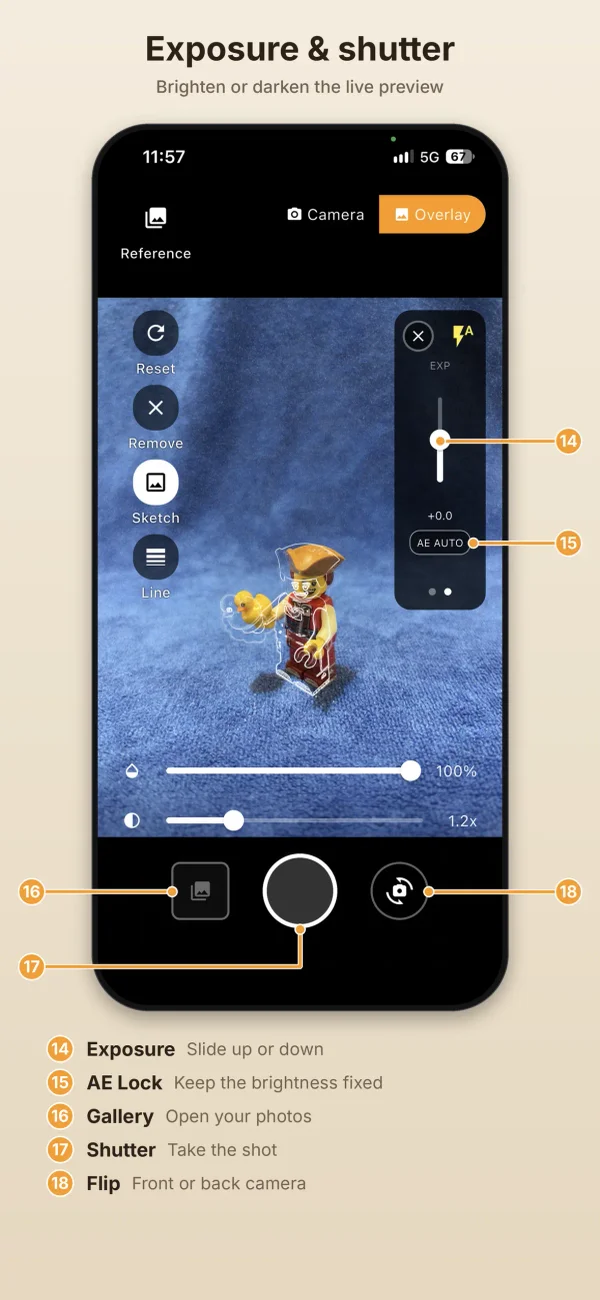
Screenshot 3 – Exposure and shutter
⑭ Exposure: slide up or down to brighten or darken
⑮ AE Lock: keep the brightness fixed (tap again to release)
⑯ Gallery: open your photos
⑰ Shutter: take the shot
⑱ Flip: switch between front and back camera
Privacy: all photos are processed on your device only. Nothing is uploaded and no data is collected.
Yenilikler
Sürüm 1.4.6 · 20.11.2026
- No overlay screenshot is saved when there is no reference image
- With a reference image, you choose on the first shot whether to also save the overlay screenshot; the choice stays until you reopen the app
Uygulama gizliliği
Bu uygulamanın verileri nasıl işlediği hakkında Fanlun Liu tarafından App Store üzerinde yapılan beyan.
-
Veri toplanmıyor
Geliştirici bu uygulamadan hiçbir veri toplamıyor.
Gizlilik uygulamaları, örneğin kullandığınız özelliklere veya yaşınıza göre değişiklik gösterebilir.
Bilgiler
- Satıcı
- Fanlun Liu
- Kategori
- Fotoğraf ve Video
- Sürüm
- 1.4.6
- Güncellendi
- 20.11.2026
- Yayın tarihi
- 06.11.2026
- Boyut
- 18,7 MB
- Gereksinim
- iOS 15.0 veya sonrası
- Yaş sınırı
- 4+
- Fiyat
- Ücretsiz
- Diller
- İngilizce
- Telif hakkı
- © 2026 Allen Liu
Bunları da beğenebilirsiniz
-
 Afterall Photo: Before & AfterFotoğraf ve Video
-
 FramewiserFotoğraf ve Video
-
 AuraFilm: Retro Film CameraFotoğraf ve Video
-
 Mamera - 필름카메라Fotoğraf ve Video
-
 palet - your pocket cameraFotoğraf ve Video
-
 Overlay Camera - MatchShotFotoğraf ve Video
-
 ReShoot: Crop Video & ReframeFotoğraf ve Video
-
 GhostFrame: Recreate Any PhotoFotoğraf ve Video
-
 Lumera CameraFotoğraf ve Video
-
 OverCam - Bindirme Kameraİzle, hizala ve eşleştir