
Ghost Camera - Match Shots
Same angle, every shot
Projetado para iPhone, iPod touch
Grátis
- Classificação etária4+
- CategoriaFoto e vídeo
- DesenvolvedorFanlun Liu
- IdiomasInglês
- Tamanho18,7 MB
Leva à página oficial na App Store
O Download.org não hospeda nenhum arquivo de Ghost Camera - Match Shots. O botão abre a página do app na App Store, onde Fanlun Liu o publica. Página verificada pela última vez em 23/11/2026.
Capturas de tela
Sobre
O desenvolvedor não forneceu este texto no seu idioma.
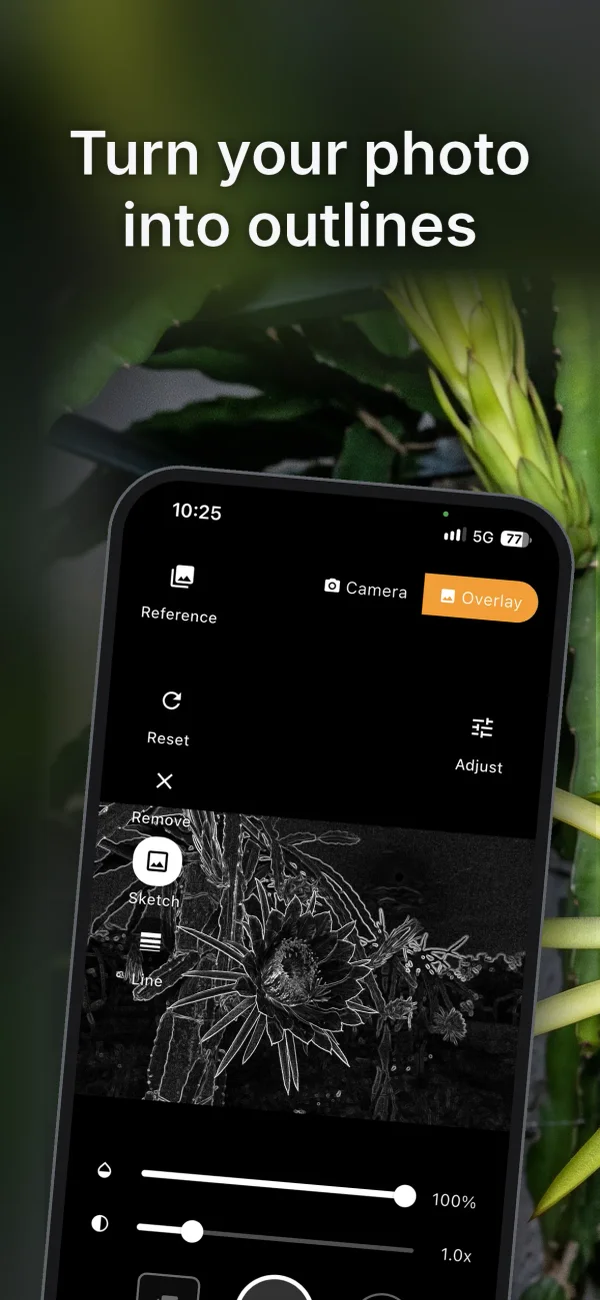
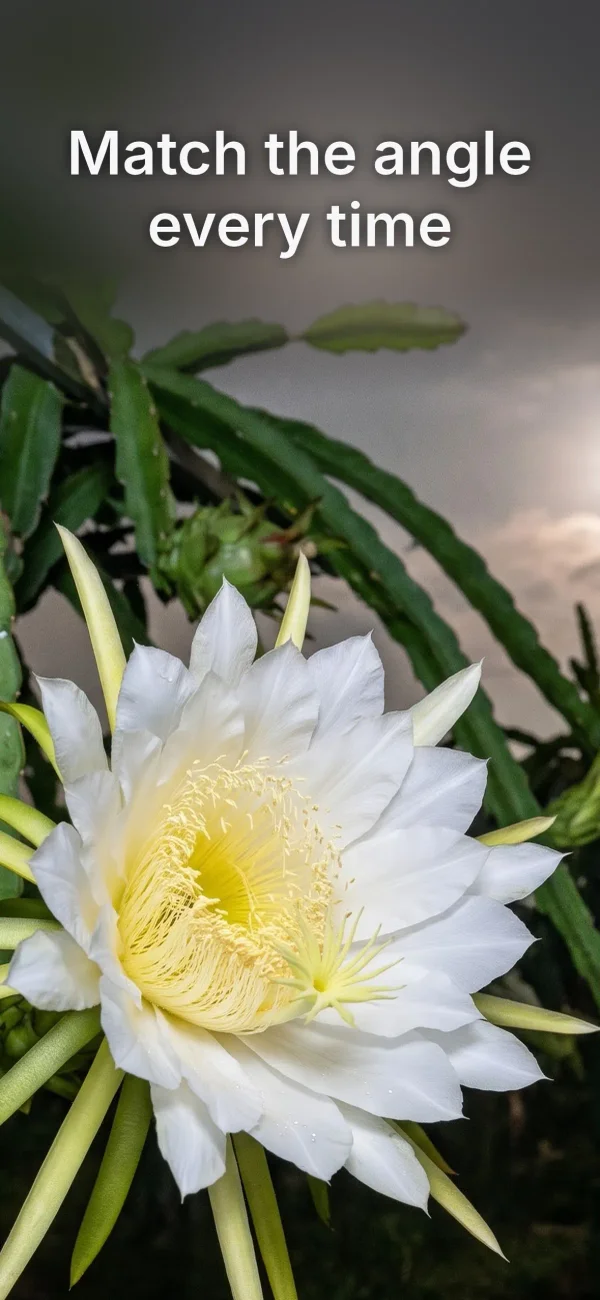
Ghost Camera overlays a reference photo, semi-transparent, on your live camera view, so every shot matches the same angle, distance and framing.
Great for:
• Photographing the same place, plant, artwork or space over time for before-and-after comparisons
• Consistent framing for products, food and portfolios
• Recreating the angle and position of an old photo
Features:
• Semi-transparent reference overlay with adjustable opacity and contrast
• Outline mode: shows only the reference's contour lines so they don't hide the scene, with three line strengths
• Dark / light backdrop layer: dims a busy or bright background so the outlines stand out
• Pinch to scale, rotate and move the reference; drag with one finger to align
• Front and back camera, flash and zoom
• Exposure compensation, AE lock, and tap to focus and meter
• Every shot saves two photos: a clean original and a screenshot with the overlay, so you can check alignment afterwards
Button guide (numbers match the screenshots):
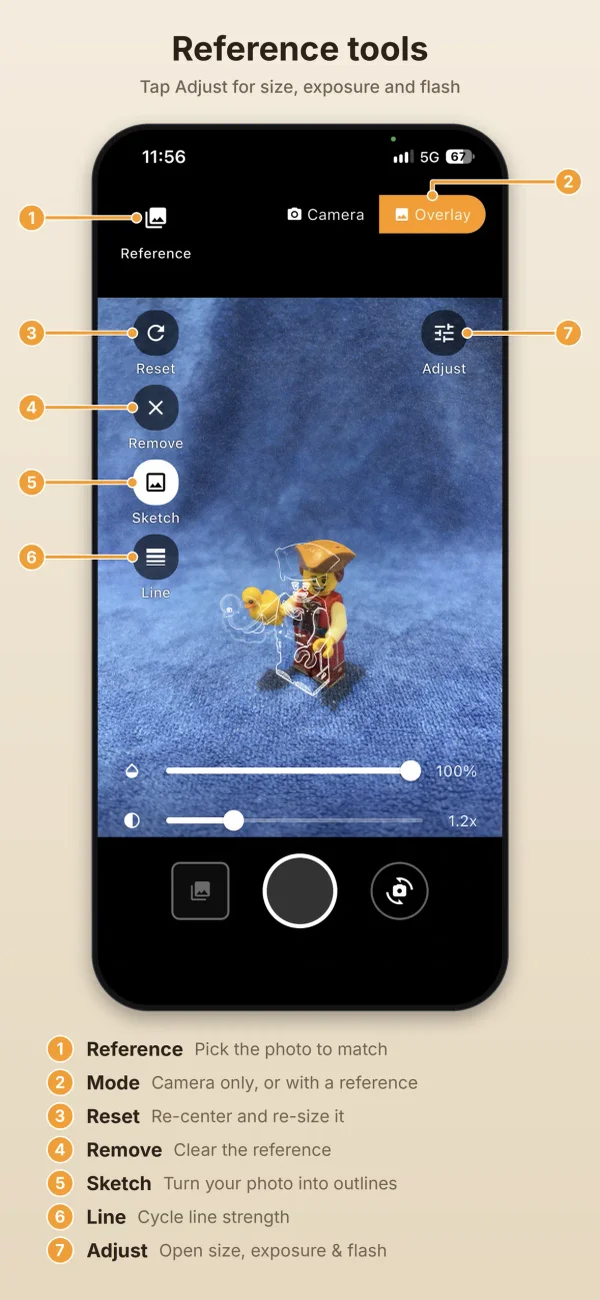
Screenshot 1 – Reference tools
① Reference: pick the photo to match
② Mode: Camera only, or Overlay with your reference
③ Reset: re-center the reference and restore its size
④ Remove: clear the reference
⑤ Sketch: turn your photo into outlines
⑥ Line: cycle through three line strengths
⑦ Adjust: open the Adjust panel
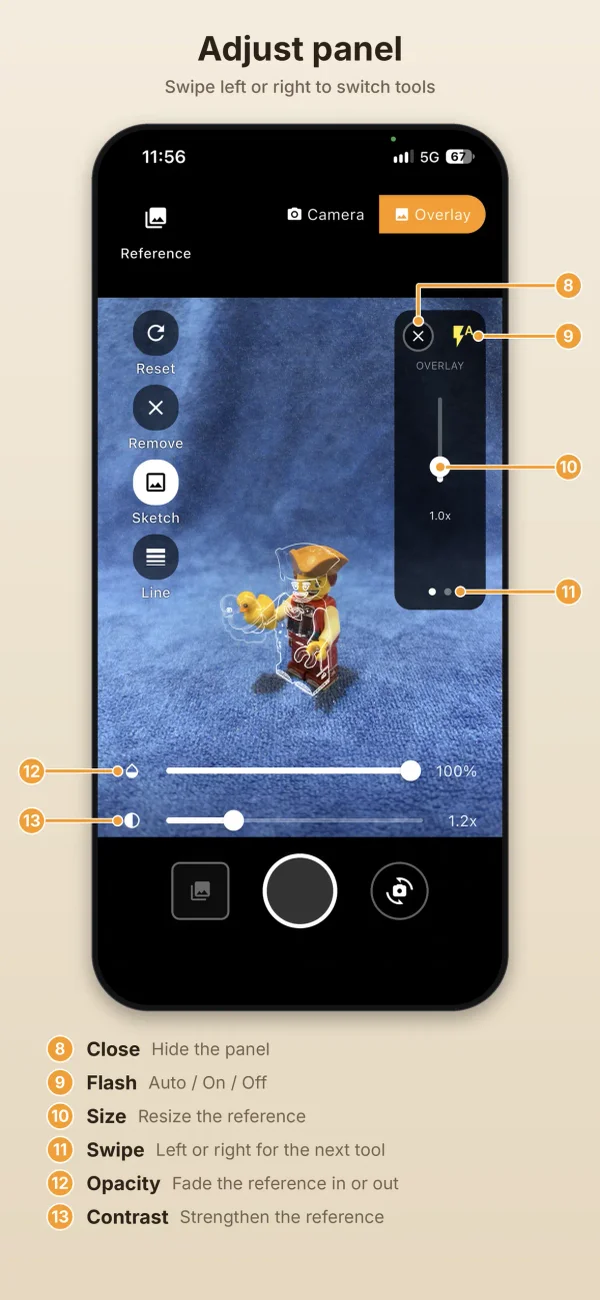
Screenshot 2 – Adjust panel
⑧ Close: hide the panel
⑨ Flash: auto / on / off
⑩ Size: resize the reference (zoom when there is no reference)
⑪ Swipe: swipe left or right to switch between size and exposure; the dots show the current page
⑫ Opacity: fade the reference in or out
⑬ Contrast: contrast of the reference
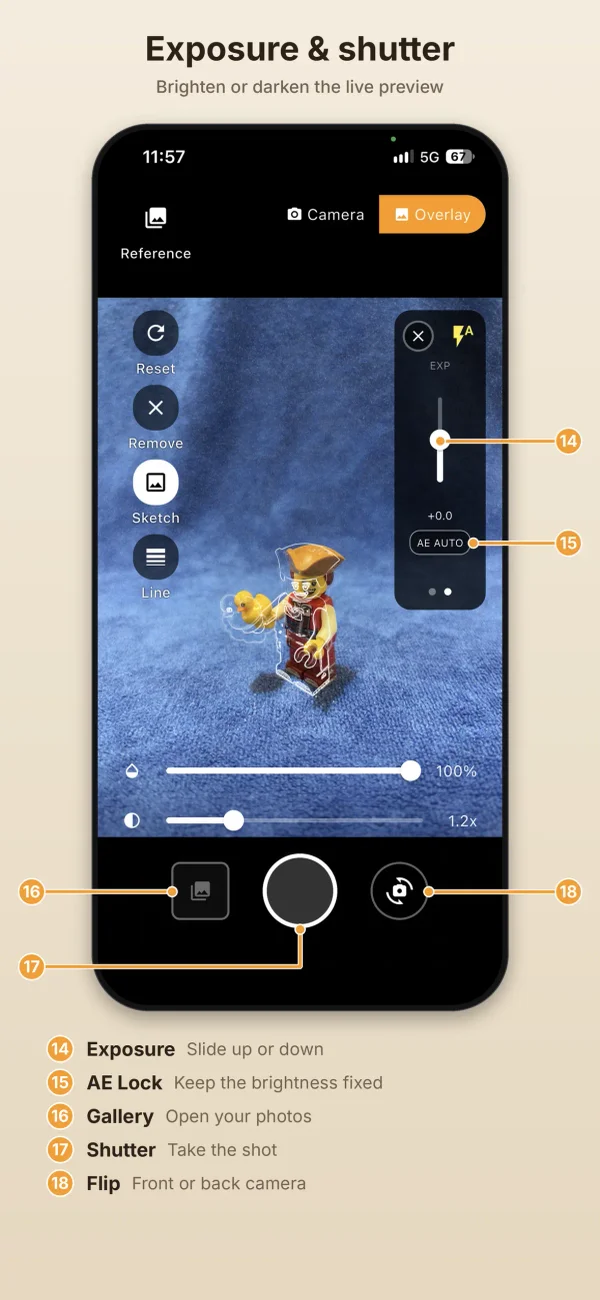
Screenshot 3 – Exposure and shutter
⑭ Exposure: slide up or down to brighten or darken
⑮ AE Lock: keep the brightness fixed (tap again to release)
⑯ Gallery: open your photos
⑰ Shutter: take the shot
⑱ Flip: switch between front and back camera
Privacy: all photos are processed on your device only. Nothing is uploaded and no data is collected.
Novidades
Versão 1.4.6 · 20/11/2026
- No overlay screenshot is saved when there is no reference image
- With a reference image, you choose on the first shot whether to also save the overlay screenshot; the choice stays until you reopen the app
Privacidade do app
O que Fanlun Liu declara na App Store sobre como este app lida com os dados.
-
Dados não coletados
O desenvolvedor não coleta nenhum dado deste app.
As práticas de privacidade podem variar, por exemplo, com base nos recursos que você usa ou na sua idade.
Informações
- Vendedor
- Fanlun Liu
- Categoria
- Foto e vídeo
- Versão
- 1.4.6
- Atualizado
- 20/11/2026
- Lançamento
- 06/11/2026
- Tamanho
- 18,7 MB
- Requer
- iOS 15.0 ou posterior
- Classificação etária
- 4+
- Preço
- Grátis
- Idiomas
- Inglês
- Copyright
- © 2026 Allen Liu
Você também pode gostar
-
 Afterall Photo: Before & AfterFoto e vídeo
-
 FramewiserFoto e vídeo
-
 AuraFilm: Retro Film CameraFoto e vídeo
-
 Mamera - 필름카메라Foto e vídeo
-
 palet - your pocket cameraFoto e vídeo
-
 Overlay Camera - MatchShotFoto e vídeo
-
 ReShoot: recortar vídeoVídeo vertical e narração
-
 GhostFrame: Recreate Any PhotoFoto e vídeo
-
 Lumera CameraFoto e vídeo
-
 OverCam - Câmera sobrepostaTrace, alinhe e repita fotos