- Age rating4+
- CategoryProductivity
- Developerdooho jin
- LanguagesEnglish+ 2 more
- Size39.0 MB
Links to the official App Store page
Download.org hosts no file of GlanceMemo. The button opens its official App Store page, published by dooho jin. Listing last checked on Nov 19, 2026.
Screenshots


About
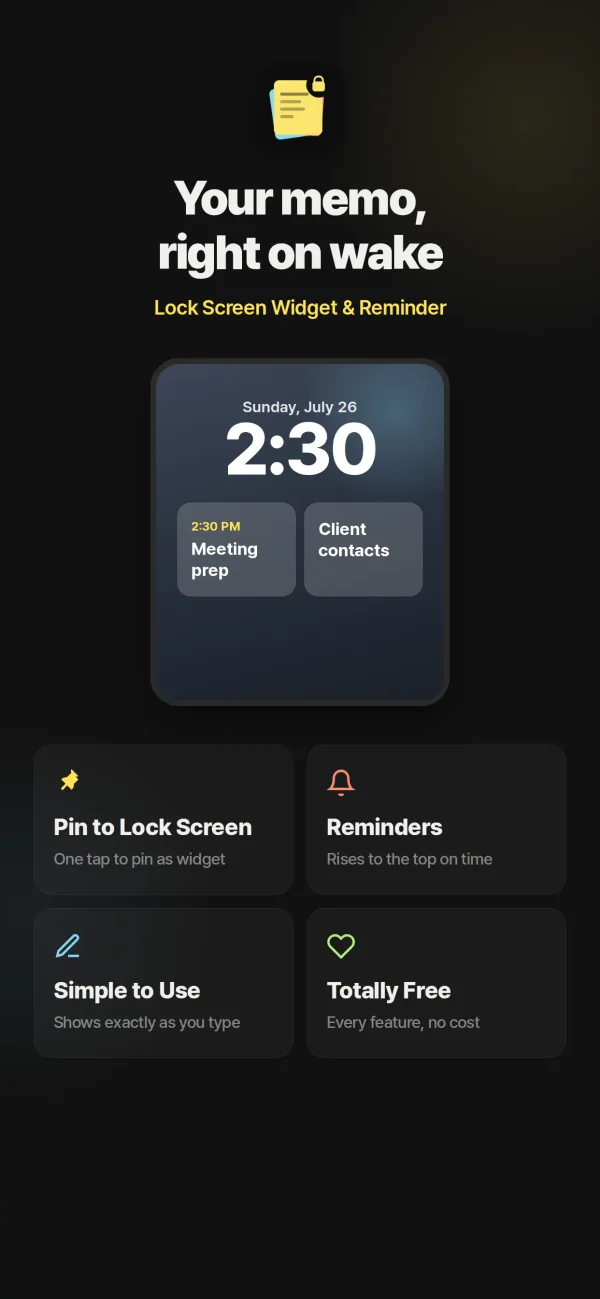
GlanceMemo is the simplest way to keep quick notes visible — right on your lock screen.
Most note apps require you to open them. GlanceMemo doesn't.
Every time you wake your phone, your important reminders and pinned notes are already there.
■ Key Features
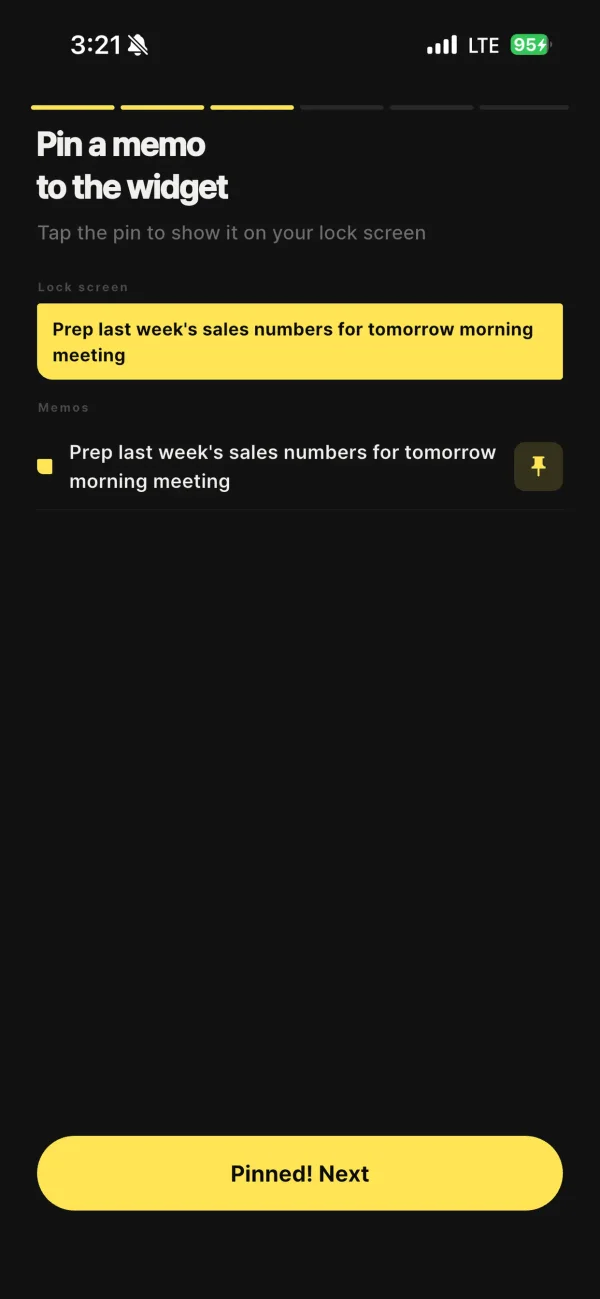
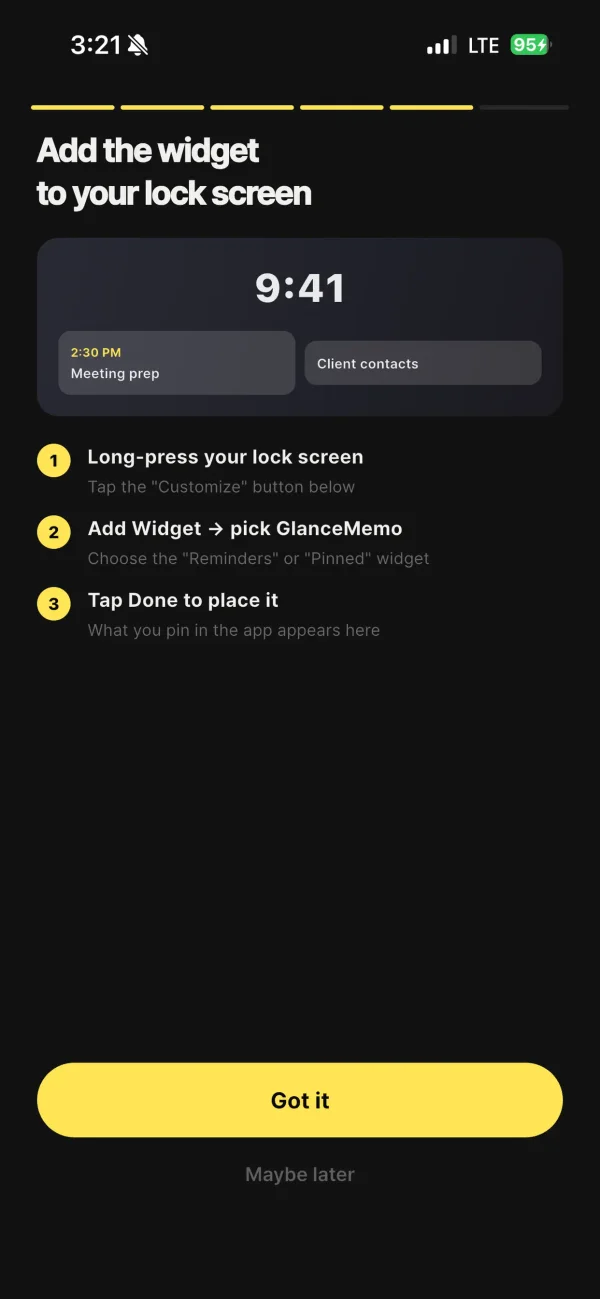
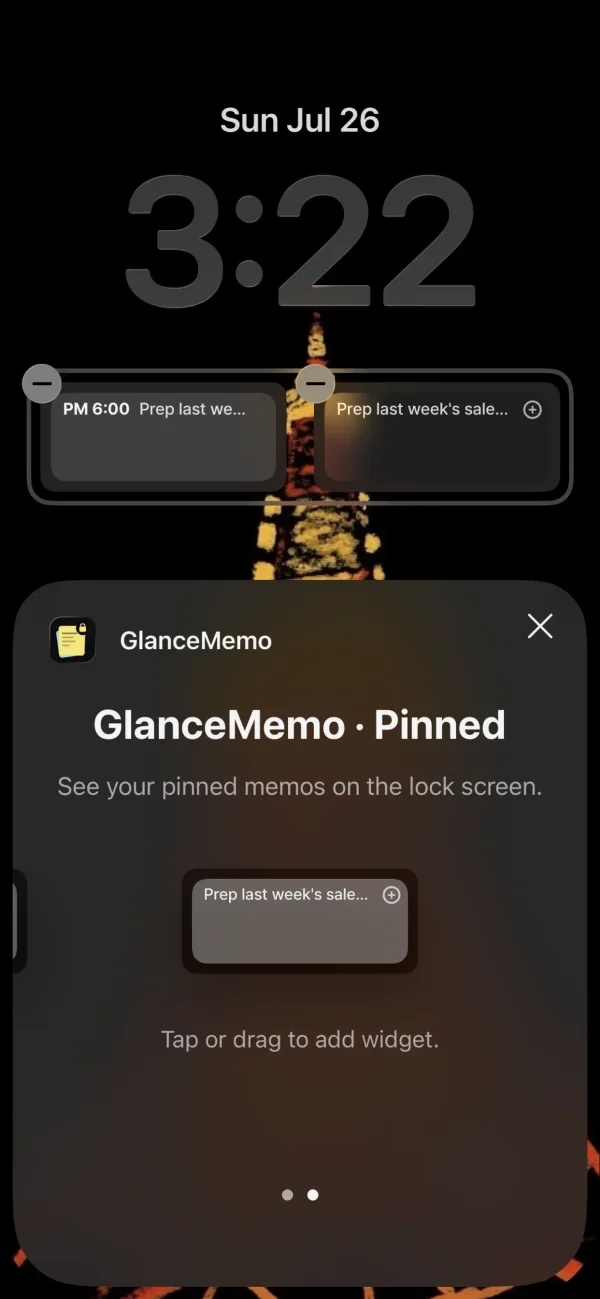
• Pin up to 3 memos on your lock screen widget
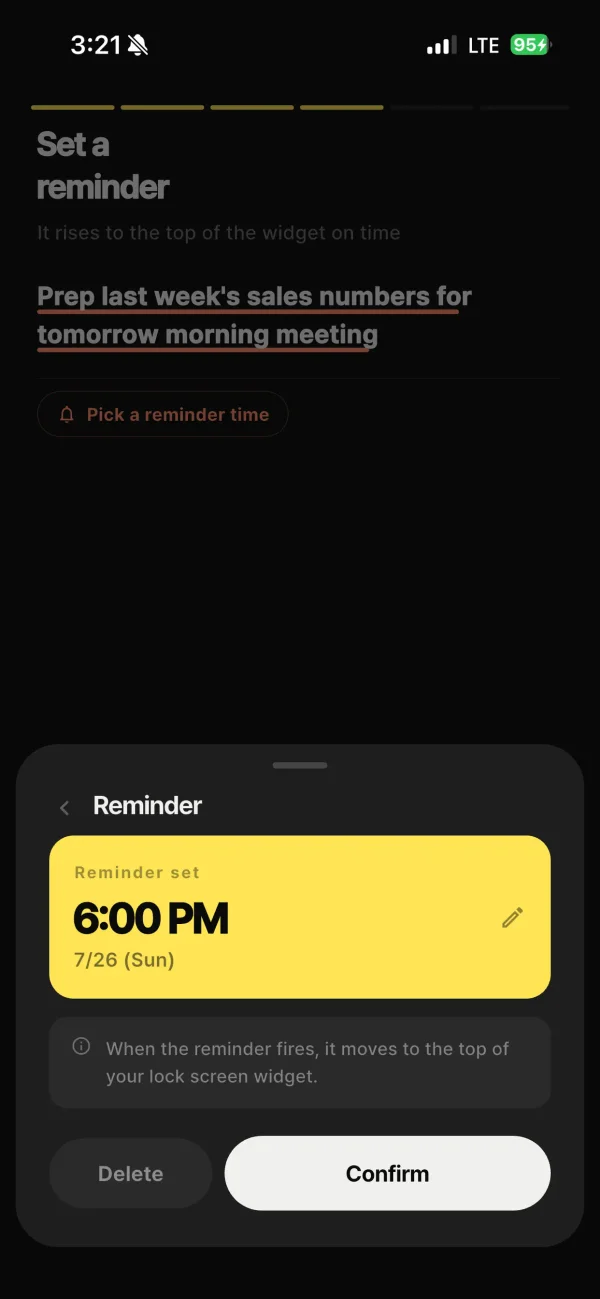
• Reminders widget — scheduled notes automatically float to the top when due
• The first line becomes the widget title (write naturally, no formatting fuss)
• Gentle reminders that surface exactly when you need them
• Beautiful in both light and dark mode
• Available in English, Korean, and Japanese
■ Perfect For
• "Meeting notes for tomorrow" — instantly visible on your morning phone check
• "Grocery list" — no need to open an app at the store
• "Take medication, drink water" — daily nudges that just work
• Quick thoughts, meeting agendas, things you don't want to forget
■ Why GlanceMemo? Other note apps disappear once you close them. GlanceMemo stays visible where you look most — your lock screen. Every phone check becomes a chance to remember what matters. Focused on the essentials: 3 pinned slots, 3 reminder slots — enough for what's important, no more.
■ How to Use
1. Open the app and write your first memo
2. Tap the pin icon in the memo list to pin it to the widget
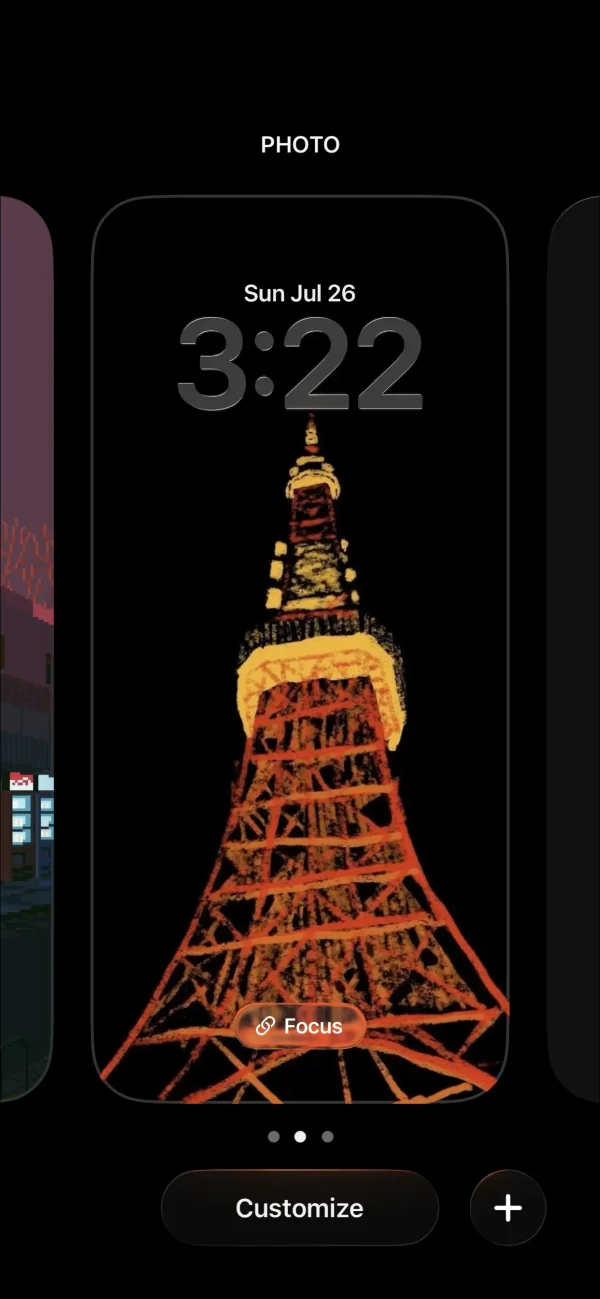
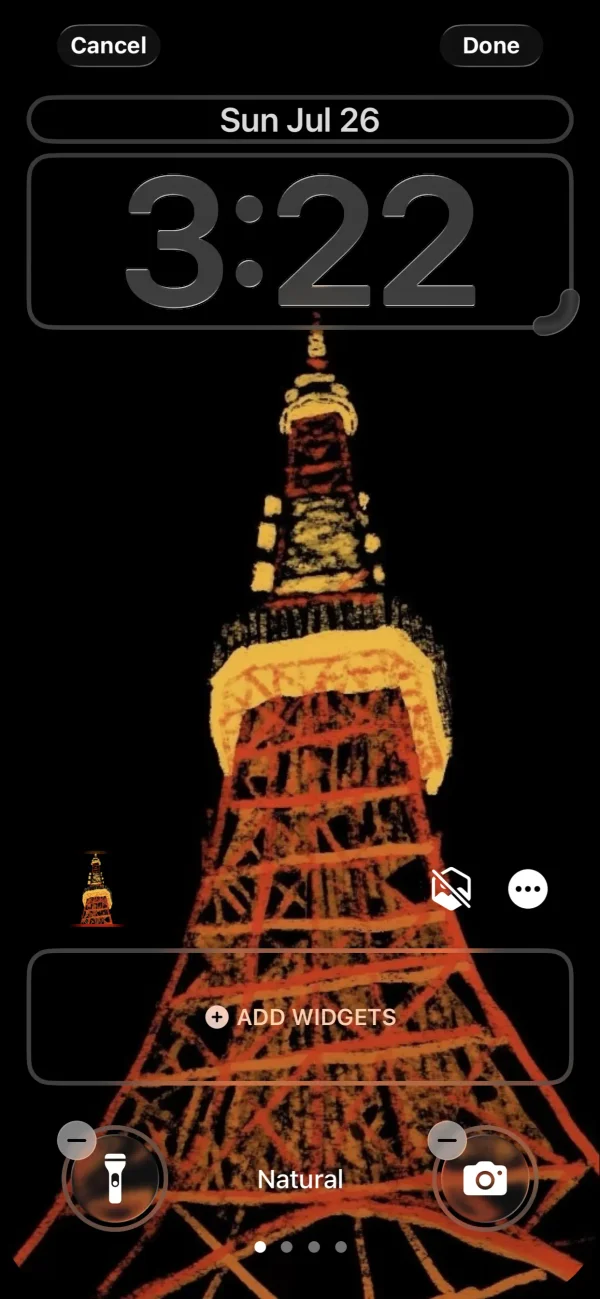
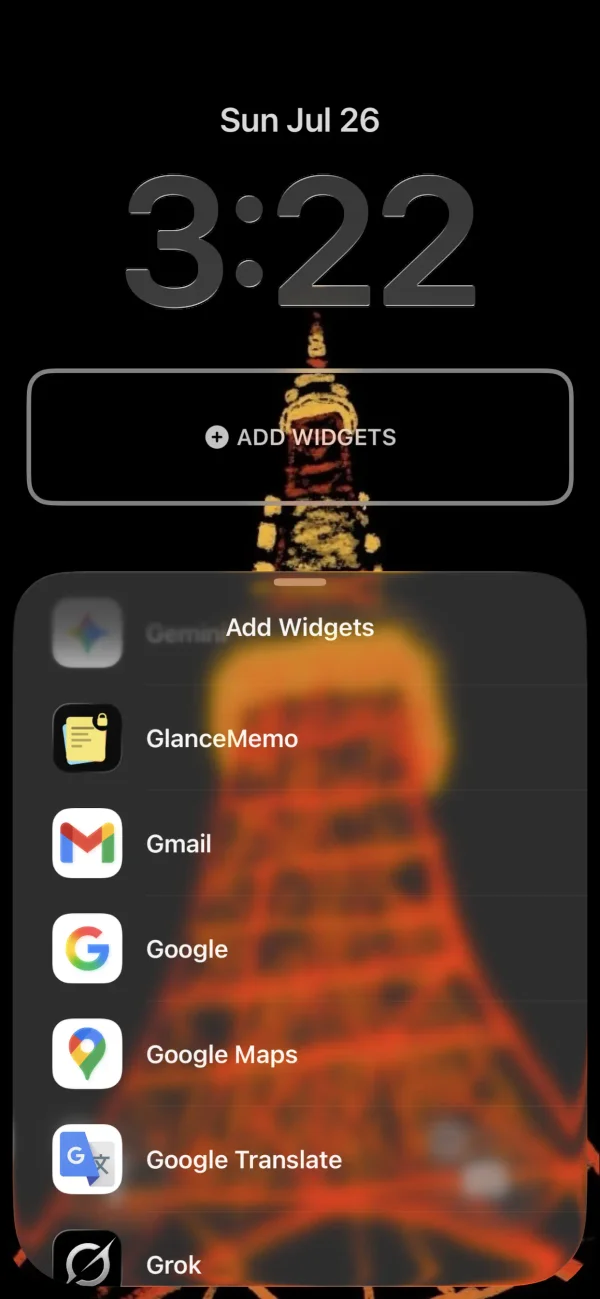
3. Long-press your lock screen → Customize → Add Widget → GlanceMemo
4. Now see it every time you wake your phone
■ Requirements • iOS 16.0 or later (Lock screen widgets are an iOS 16+ feature) Write simply. Always visible. Never open the app again.
App privacy
What dooho jin declares on the App Store about how this app handles data.
-
Data used to track you
May be used to track you across apps and websites owned by other companies.
- Identifiers
- Usage data
-
Data not linked to you
May be collected but is not linked to your identity.
- Identifiers
- Usage data
Privacy practices may vary, for example with the features you use or your age.
Information
- Seller
- dooho jin
- Category
- Productivity
- Version
- 1.0
- Updated
- Aug 6, 2026
- Released
- Aug 5, 2026
- Size
- 39.0 MB
- Requires
- iOS 16.4 or later
- Age rating
- 4+
- Price
- Free
- Languages
- English, Japanese, Korean
- Copyright
- © Watanid Studio
You might also like
-
 Simple Notes by BlaxmithAI note-taking made simple
-
 Today Events WidgetCalendar, Agenda, Countdown
-
 Vanishing NotesTemporary, Self-Destruct Memos
-
 Pinote — Lock Screen NoteSticky Notes Widget on Home
-
 hydo - 잠금화면 일정 공유 캘린더Productivity
-
 Study Smart - School timetableHomework and class tracker
-
 To Do List: Simple ChecklistTasks, Reminders, Grocery List
-
 Mote: Lock Screen NotesSimple reminders, clear mind
-
 CompactCalendar - Month WidgetClean calendar & reminders
-
 Noti - Lock Screen NotesNotes for those hating hassle