- Độ tuổi4+
- Danh mụcHiệu Suất
- Nhà phát triểndooho jin
- Ngôn ngữTiếng Anh+ 2 ngôn ngữ khác
- Kích thước39,0 MB
Liên kết đến trang App Store chính thức
Download.org không lưu trữ tệp nào của GlanceMemo. Nút này mở trang ứng dụng trên App Store, nơi dooho jin phát hành ứng dụng. Trang được kiểm tra lần cuối: 19/11/2026.
Ảnh chụp màn hình


Giới thiệu
Nhà phát triển chưa cung cấp nội dung này bằng ngôn ngữ của bạn.
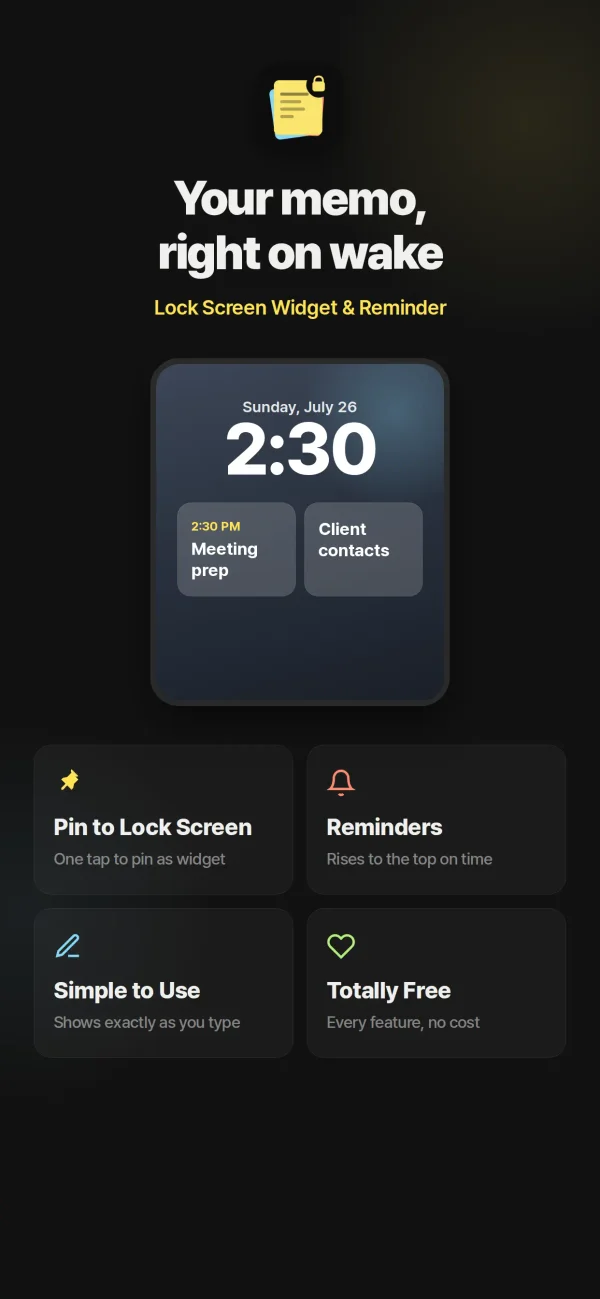
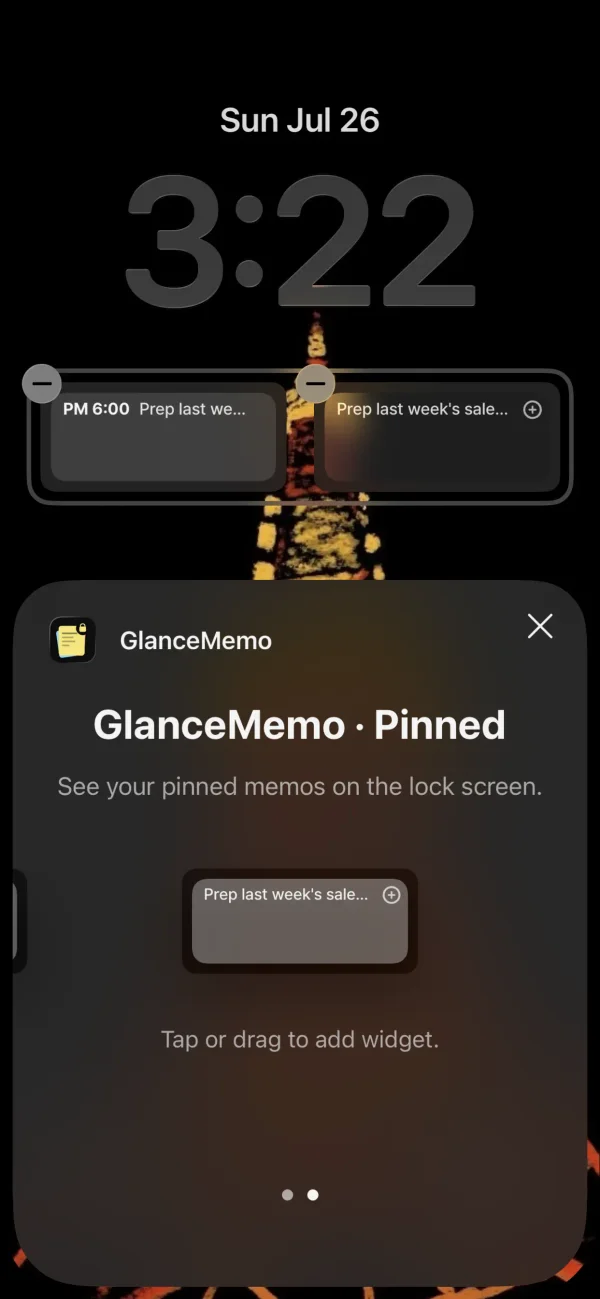
GlanceMemo is the simplest way to keep quick notes visible — right on your lock screen.
Most note apps require you to open them. GlanceMemo doesn't.
Every time you wake your phone, your important reminders and pinned notes are already there.
■ Key Features
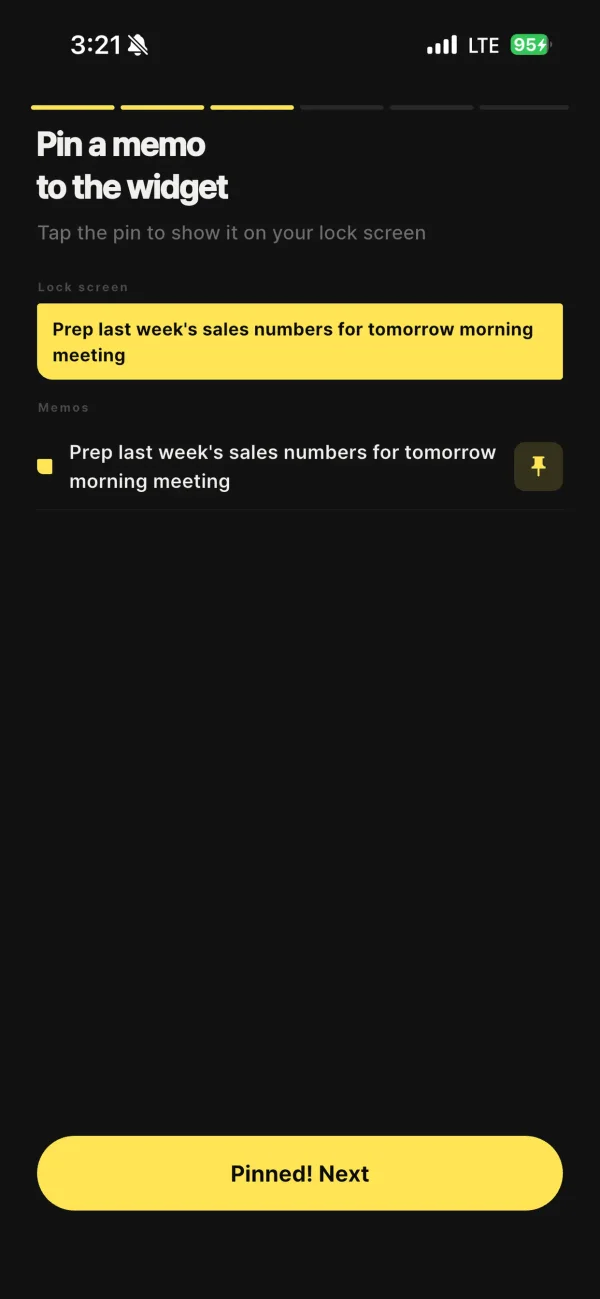
• Pin up to 3 memos on your lock screen widget
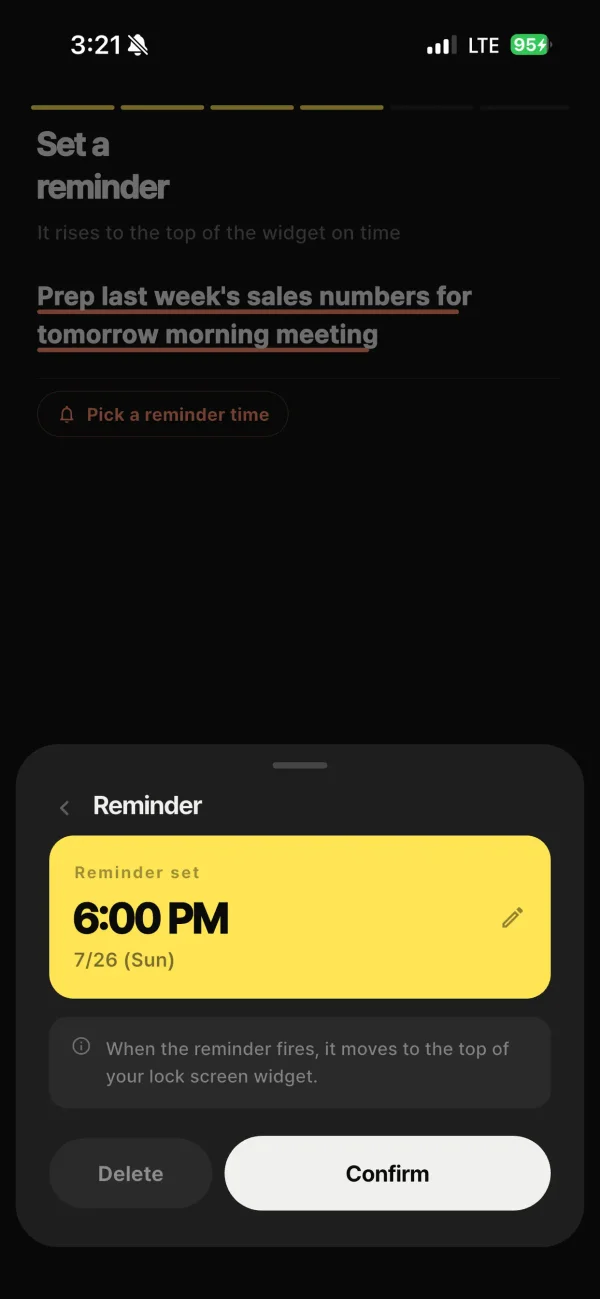
• Reminders widget — scheduled notes automatically float to the top when due
• The first line becomes the widget title (write naturally, no formatting fuss)
• Gentle reminders that surface exactly when you need them
• Beautiful in both light and dark mode
• Available in English, Korean, and Japanese
■ Perfect For
• "Meeting notes for tomorrow" — instantly visible on your morning phone check
• "Grocery list" — no need to open an app at the store
• "Take medication, drink water" — daily nudges that just work
• Quick thoughts, meeting agendas, things you don't want to forget
■ Why GlanceMemo? Other note apps disappear once you close them. GlanceMemo stays visible where you look most — your lock screen. Every phone check becomes a chance to remember what matters. Focused on the essentials: 3 pinned slots, 3 reminder slots — enough for what's important, no more.
■ How to Use
1. Open the app and write your first memo
2. Tap the pin icon in the memo list to pin it to the widget
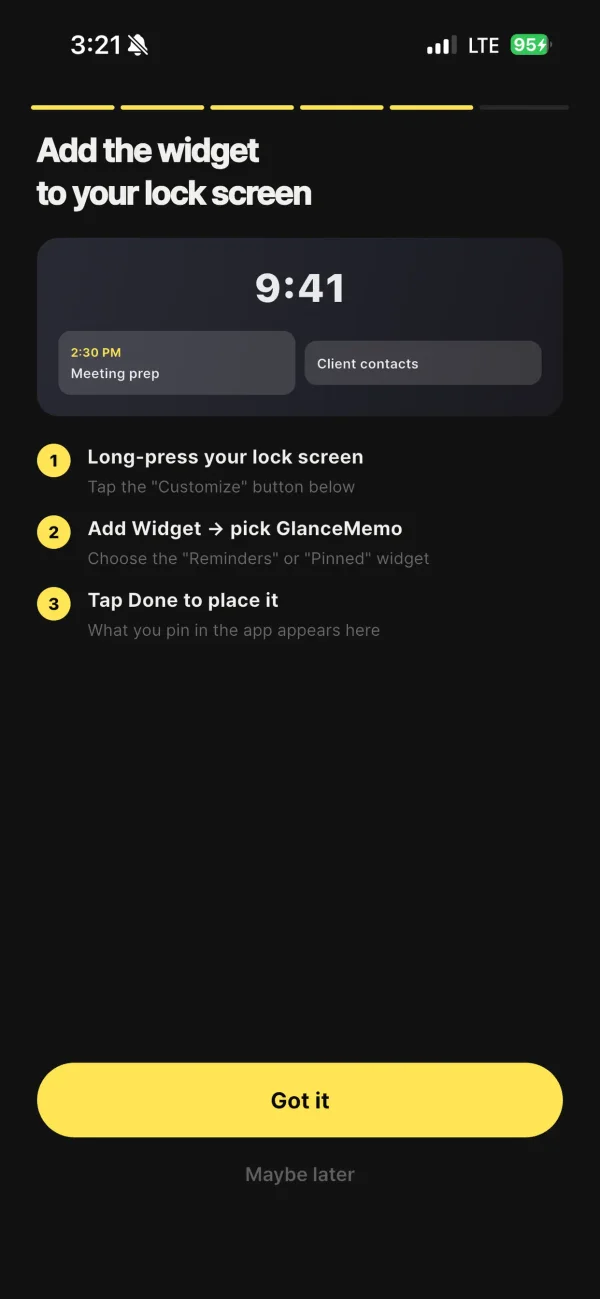
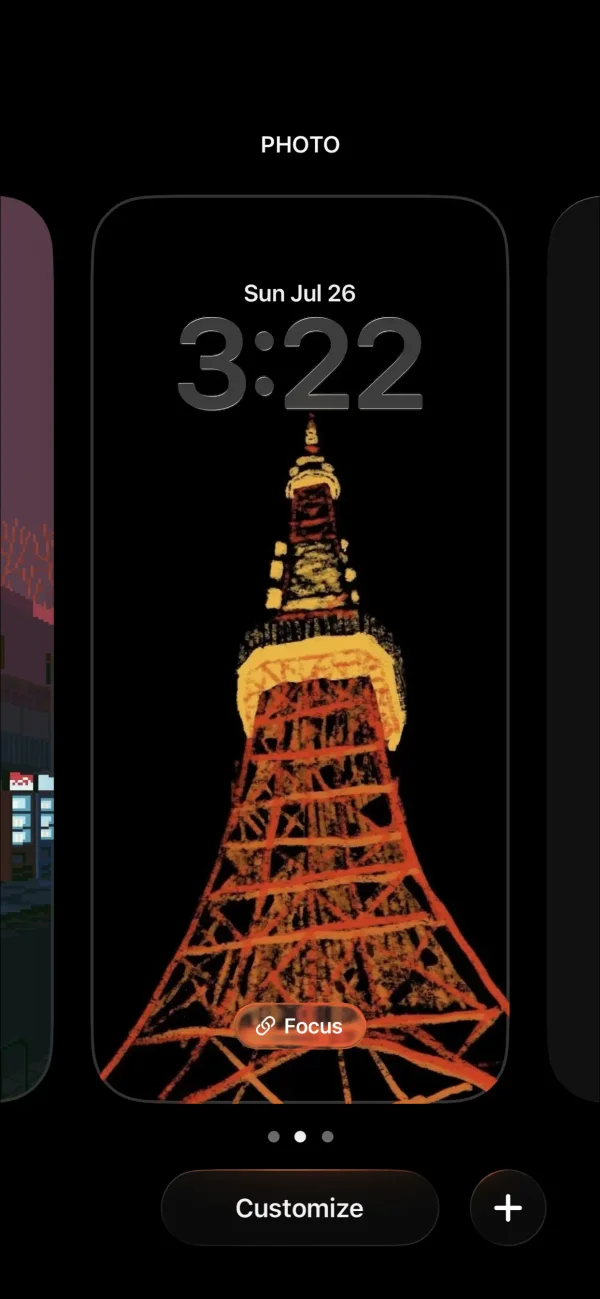
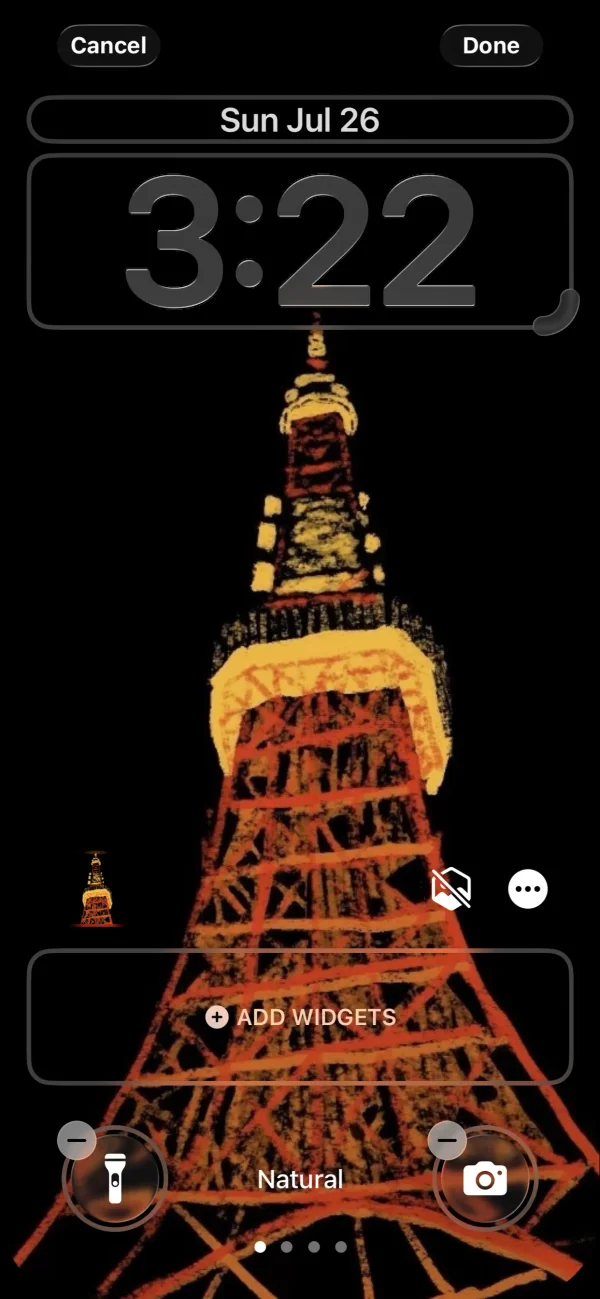
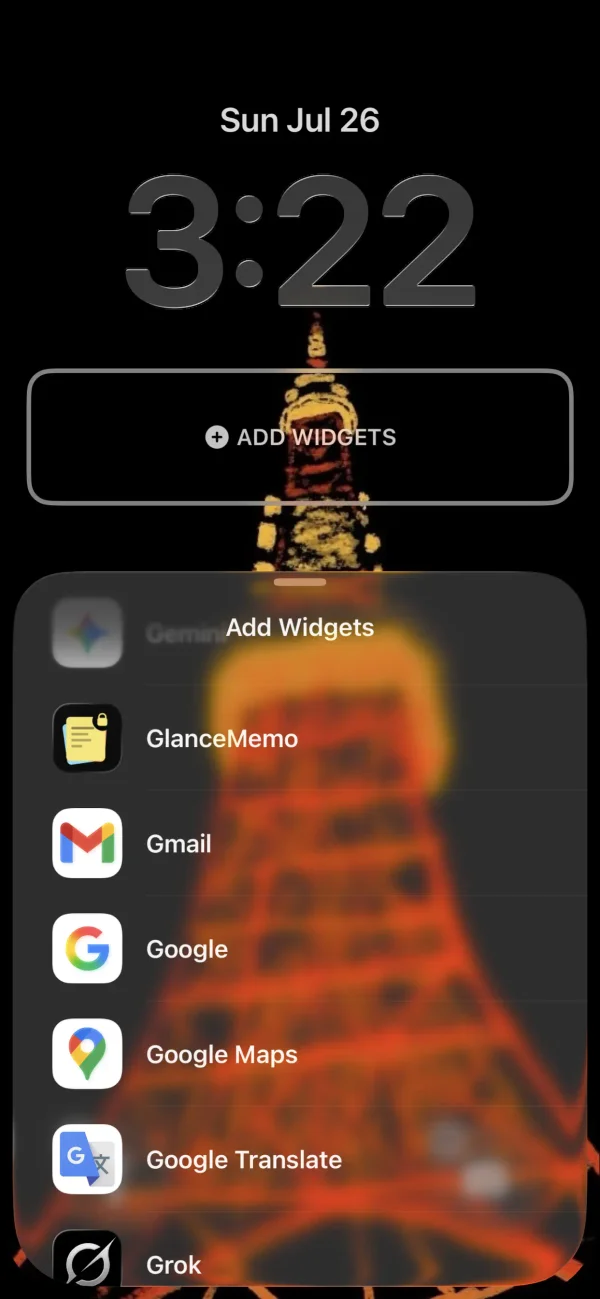
3. Long-press your lock screen → Customize → Add Widget → GlanceMemo
4. Now see it every time you wake your phone
■ Requirements • iOS 16.0 or later (Lock screen widgets are an iOS 16+ feature) Write simply. Always visible. Never open the app again.
Quyền riêng tư của ứng dụng
Những gì dooho jin khai báo trên App Store về cách ứng dụng này xử lý dữ liệu.
-
Dữ liệu được sử dụng để theo dõi bạn
Có thể được sử dụng để theo dõi bạn trên các ứng dụng và trang web do công ty khác sở hữu.
- Mã định danh
- Dữ liệu sử dụng
-
Dữ liệu không liên kết với bạn
Có thể được thu thập nhưng không liên kết với danh tính của bạn.
- Mã định danh
- Dữ liệu sử dụng
Phương thức đảm bảo quyền riêng tư có thể khác nhau, chẳng hạn như tuỳ theo các tính năng bạn sử dụng hoặc độ tuổi của bạn.
Thông tin
- Người bán
- dooho jin
- Danh mục
- Hiệu Suất
- Phiên bản
- 1.0
- Cập nhật
- 06/08/2026
- Phát hành
- 05/08/2026
- Kích thước
- 39,0 MB
- Yêu cầu
- iOS 16.4 trở lên
- Độ tuổi
- 4+
- Giá
- Miễn phí
- Ngôn ngữ
- Tiếng Anh, Tiếng Nhật, Tiếng Hàn
- Bản quyền
- © Watanid Studio
Có thể bạn cũng thích
-
 Simple Notes by BlaxmithHiệu Suất
-
 Today Events WidgetHiệu Suất
-
 Vanishing NotesSổ tay nhanh tự động xóa
-
 Pinote — Lock Screen NoteHiệu Suất
-
 hydo - 잠금화면 일정 공유 캘린더Hiệu Suất
-
 Study Smart - School timetableHiệu Suất
-
 To Do List: Simple ChecklistHiệu Suất
-
 Mote: Lock Screen NotesHiệu Suất
-
 CompactCalendar - Widget LịchLịch và lời nhắc gọn gàng
-
 Noti - Lock Screen NotesHiệu Suất