
Headroom: Remote Desktop
Your AI agent, from the sofa
Designed for iPhone, iPad, Mac
Free · In-app purchases
- Age rating4+
- CategoryUtilities
- DeveloperMusicFlow
- LanguagesEnglish+ 14 more
- Size11.5 MB
Links to the official App Store page
Download.org hosts no file of Headroom: Remote Desktop. The button opens its official App Store page, published by MusicFlow. Listing last checked on Nov 25, 2026.
Screenshots
About
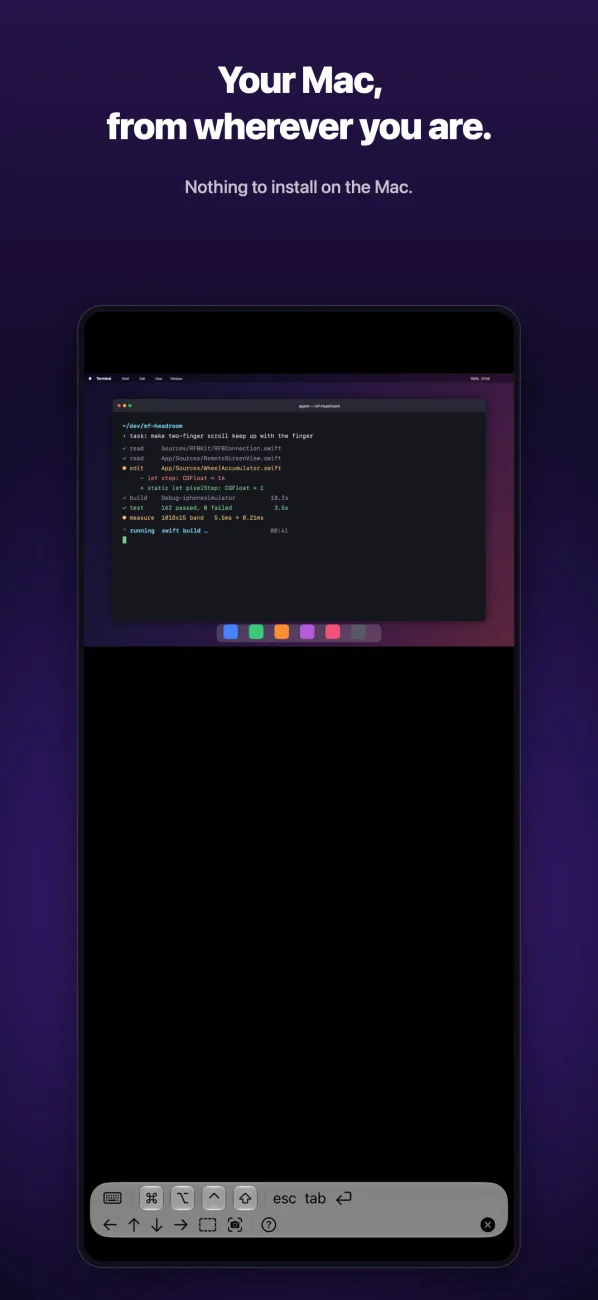
Headroom is a remote desktop for controlling a Mac
from your iPad, iPhone, or another Mac.
The big idea: nothing to install on the Mac.
Turn on macOS's built-in Screen Sharing — that's the whole setup.
WHEN YOU WANT IT
• Drive the Mac in the next room from the couch
• Manage a headless Mac mini — no monitor, no keyboard
• Peek at your dev machine or build server from wherever you are
• Reach your home Mac from anywhere over a VPN such as Tailscale
WHY HEADROOM
• Zero install on the Mac
Connects straight to macOS's built-in Screen Sharing (VNC).
No server app, no agent. One extra — the Mac's sound on your device, and its screen shape on iPad or iPhone Duo — needs Headroom on the Mac too.
• Finds your Macs automatically
Macs on the same Wi-Fi appear instantly via Bonjour.
Manual IP connections work too.
• Fast, smooth screen
Metal rendering plus ZRLE compression — feels real-time on a LAN
and stays usable on thin connections.
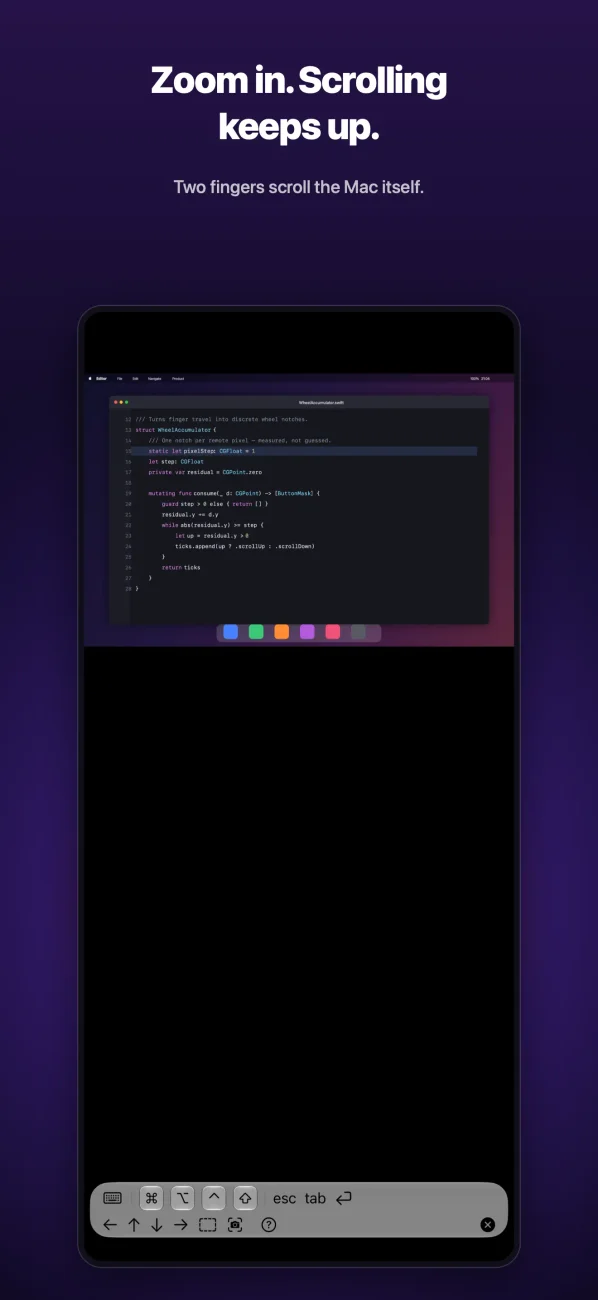
• Touch that makes sense on iPad and iPhone
Tap to click, one-finger scroll, long-press to drag and select text,
two-finger wheel scrolling, pinch to zoom.
• Real mouse behavior on the Mac
On a Mac (same app), clicks, drags, and right-clicks pass through 1:1.
Option-scroll pans; Command-scroll zooms.
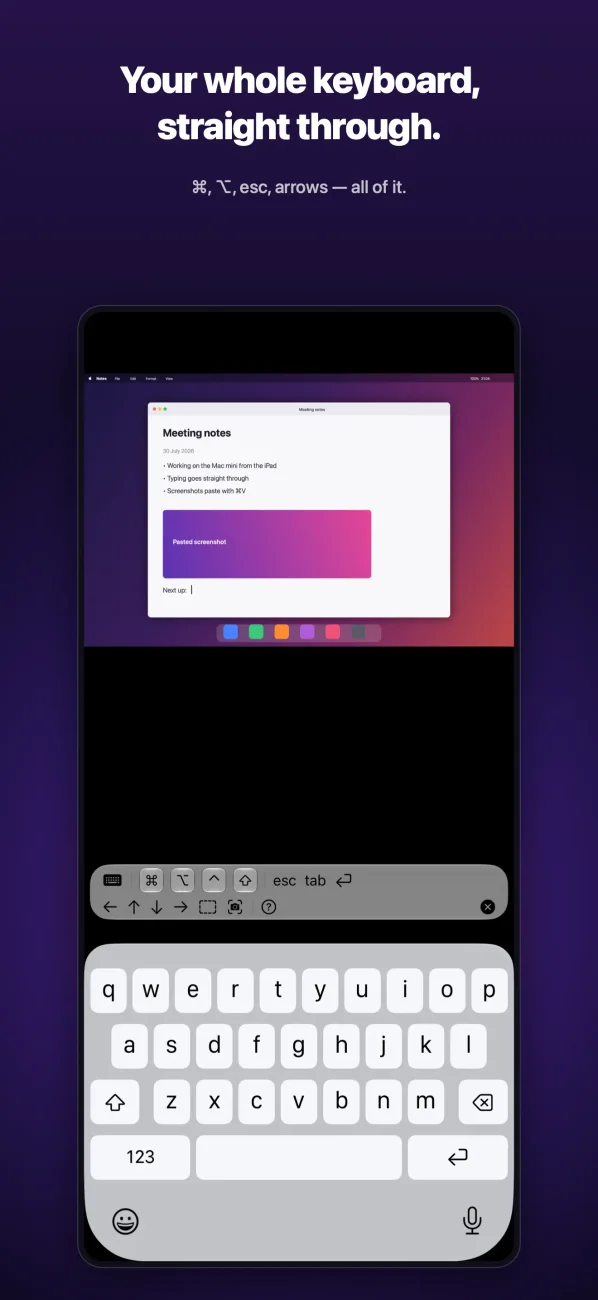
• Full keyboard, and your voice
Software and hardware keyboards both work. Modifier keys (⌘⌥⌃⇧)
tap once for the next keystroke or double-tap to lock —
every shortcut is reachable. Tap the mic on the keyboard and what
you say is typed straight into the Mac.
• Private by design
Credentials live only in your device's Keychain, and passwords are
encrypted in transit using Apple's standard Screen Sharing
authentication.
With Headroom on the Mac too, traffic between your device and the Mac's helper is encrypted with TLS, using a key made for each connection.
The screen picture and your keystrokes are not encrypted — that is how macOS Screen Sharing works. Away from home or on public Wi-Fi, use a VPN such as Tailscale.
• Made for iPhone Duo
Half open like a laptop, your Mac sits on the upper screen and the keyboard
on the lower one. Fully open or held like a book, the Mac spans the inner
screen; closed, the outer screen works on its own. Nothing is drawn across the fold.
WHAT THE CONTROL BAR DOES
• Trackpad: put one under the bar — slide to move, tap to click, tap then touch again and slide to drag. Two fingers scroll, a pinch zooms, a two-finger tap right-clicks
• Displays: with several on the Mac, show them one at a time, full screen
• Circle to zoom: draw around what you want to see
• Open an app: type the first letters and the app opens on the Mac
• Screenshots: the whole screen, an area or the panel, taken on the Mac
• Picture in Picture: keep an eye on the Mac in a small window while you use other apps
• Key button: types your saved password into the Mac's login screen
AND ALSO
• Apple Pencil works as a mouse: hover to move, touch to click and drag
• A widget and a Control Center control reach your last Mac in one tap
• Lock the app with Face ID, and hide your Mac's screen in the app switcher
• Siri and Shortcuts connect, zoom and type for you
CONNECTED IN THREE STEPS
1. On the Mac: System Settings > General > Sharing > turn on Screen Sharing
2. Open Headroom — your Macs appear automatically
3. Sign in with the Mac's username and password. Done.
HEADROOM PRO
• Unlimited connection time
• Every future Pro feature included
REQUIREMENTS
• Client: iPad / iPhone (iOS 17+, verified on iOS 27 and iPadOS 27), Apple Silicon Mac
• Host: any Mac with Screen Sharing enabled (no extra software)
• Same network; for internet access we recommend a VPN such as Tailscale
—
Headroom is built by MusicFlow ("music × engineering") — the tool we
made to run our own headless Mac minis, polished into something we
use every day.
What’s new
Version 1.5.2 · Nov 23, 2026
New in 1.5
1.5.2
• With a hardware keyboard, a click shows the Mac's input mode (あ / A) by the pointer (Headroom Link 1.5.2 or later on the Mac; turn it on in Settings)
• Faster connection and screen drawing
• Fixed the software keyboard not appearing on iOS 27.3
• The default control bar now includes the Mac Sound button
1.5.1
• Choose, reorder and align the control bar's buttons
• One-tap ⌘Tab and screenshot keys
• "Version History" in Settings
• Paste files and images you copied here onto the Mac with ⌘V (Headroom Link 1.5.1 or later on the Mac)
• Drop files onto the picture to send them to the Mac (into Downloads, or pasted into the app window you drop them on)
• Send screenshots and files to the Mac's Downloads with “Send to Headroom” in the share sheet
• The ⌘ key leaves the bar while a physical keyboard is attached
• The Mac app now supports Touch on the touchscreen MacBook Pro
1.5.0
• Headroom Link: your Mac's sound plays on your device
• The Mac's screen fits iPad and iPhone Duo
• Three-finger swipes for Mission Control and desktops
• Sound controls from Apple Watch
App privacy
What MusicFlow declares on the App Store about how this app handles data.
-
Data not linked to you
May be collected but is not linked to your identity.
- Purchases
- Usage data
- Diagnostics
Privacy practices may vary, for example with the features you use or your age.
Information
- Seller
- MusicFlow
- Category
- Utilities
- Version
- 1.5.2
- Updated
- Nov 23, 2026
- Released
- Jul 24, 2026
- Size
- 11.5 MB
- Requires
- iOS 17.0 or later
- Age rating
- 4+
- Price
- Free
- In-app purchases
- Yes
- Languages
- English, Danish, Dutch, Finnish, French, German, Italian, Japanese, Korean, Norwegian Bokmål, Portuguese, Simplified Chinese + 3 more
- Copyright
- © 2026 MusicFlow
You might also like
-
 Telkino: VNC Remote DesktopRemote desktop, no cloud
-
 Farroom: Remote DesktopVNC, RDP & Sunshine streaming
-
 Remio Remote DesktopAccess & Control PC or Laptop
-
 Porthole: Mac Remote DesktopPrivate VNC Screen Sharing
-
 WidenFull-width outer-display pages
-
 Duo Trackpad - Touch ControlTrackpad, gestures & shortcuts
-
 Sill – Mac StreamingRemote Mac window management
-
 Wider - Fullscreen BrowsingMore room for the internet
-
 OutSpan - Fullscreen BrowsingWide web pages and ad blocker
-
 Astropad WorkbenchMac remote desktop & terminal