
- Age rating4+
- CategoryProductivity
- Developerchangwoon choi
- LanguagesKorean+ 1 more
- Size8.0 MB
Links to the official App Store page
Download.org hosts no file of Juns Schedule. The button opens its official App Store page, published by changwoon choi. Listing last checked on Nov 14, 2026.
Screenshots


About
Your day is packed. Juns Schedule does the math so you don't have to.
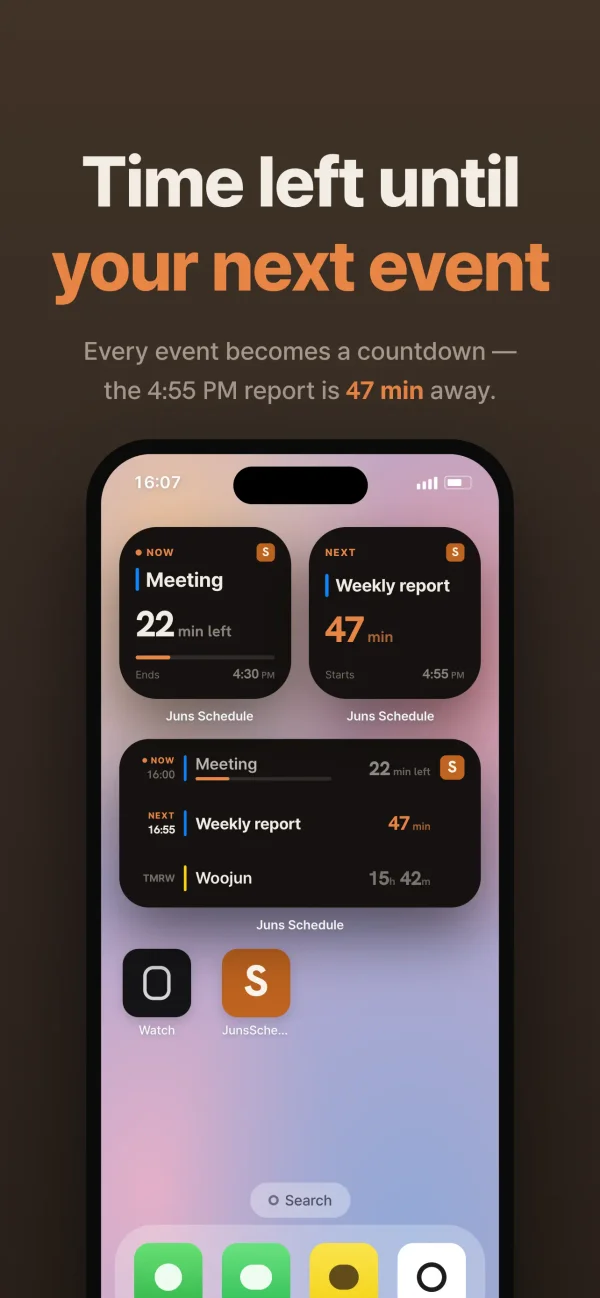
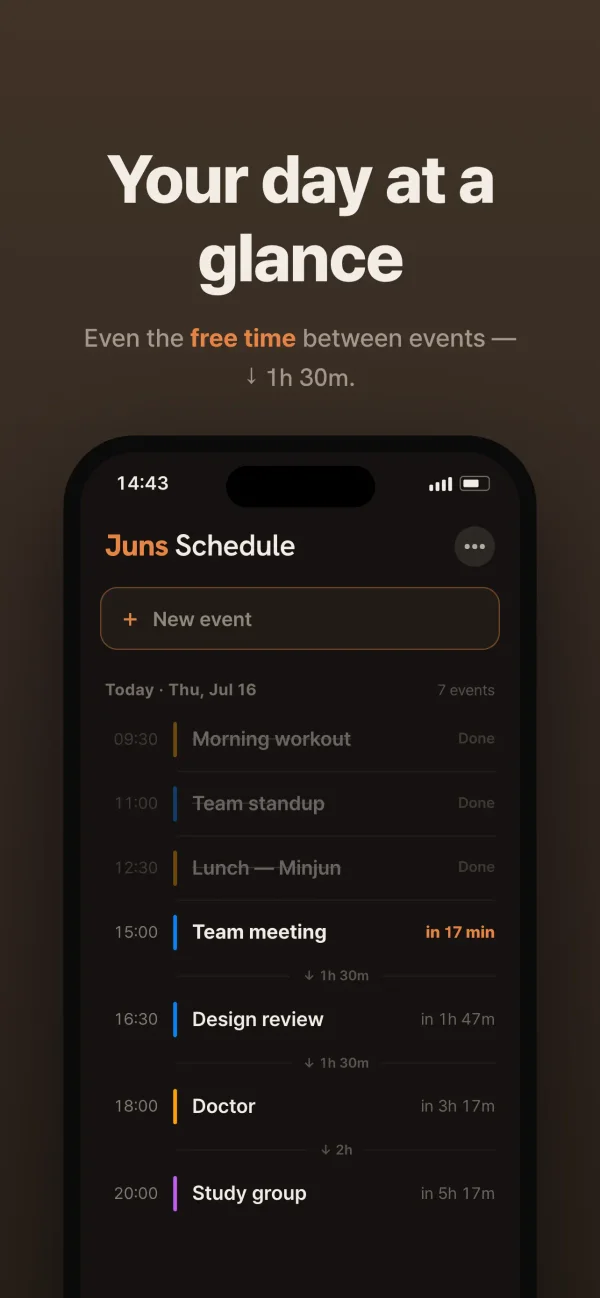
It reads the calendar you already keep and shows one thing that actually matters when you're busy: how much time is left — until your next event starts, and until the one you're in now ends. No more glancing at the clock and subtracting in your head.
WHAT YOU GET
• Live countdowns to your next event and to the end of what's running now
• Home Screen and Lock Screen widgets — the time left, always in view
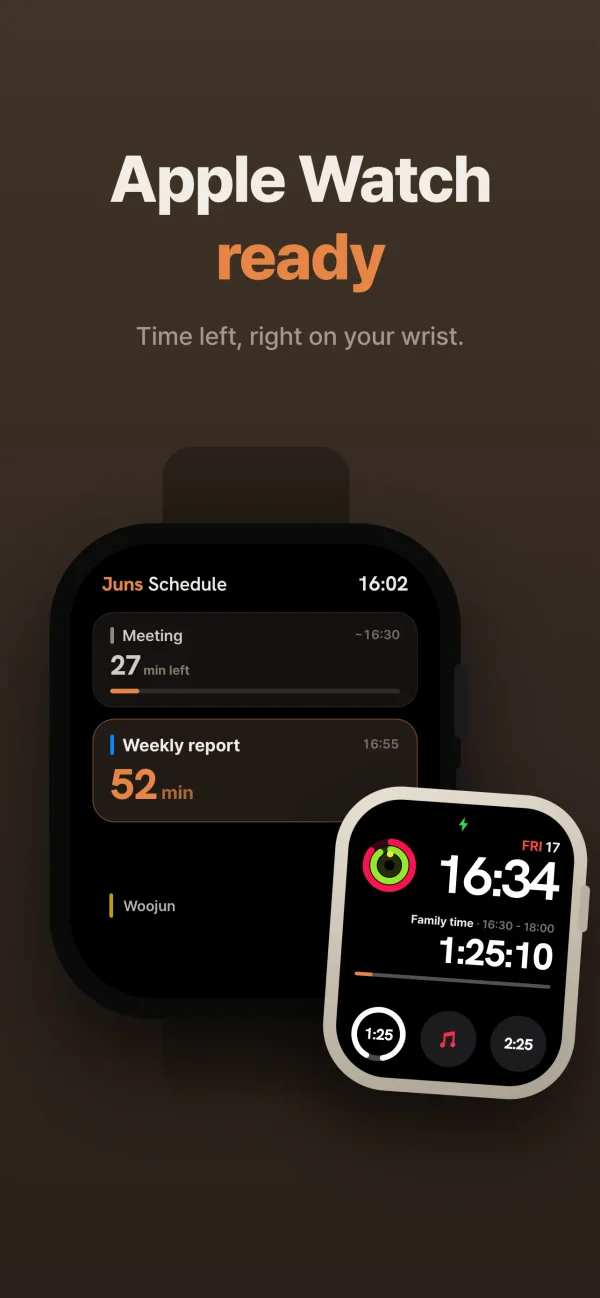
• Apple Watch app and complications — start, end, or skip an event from your wrist
• Built on your existing calendar — nothing new to maintain
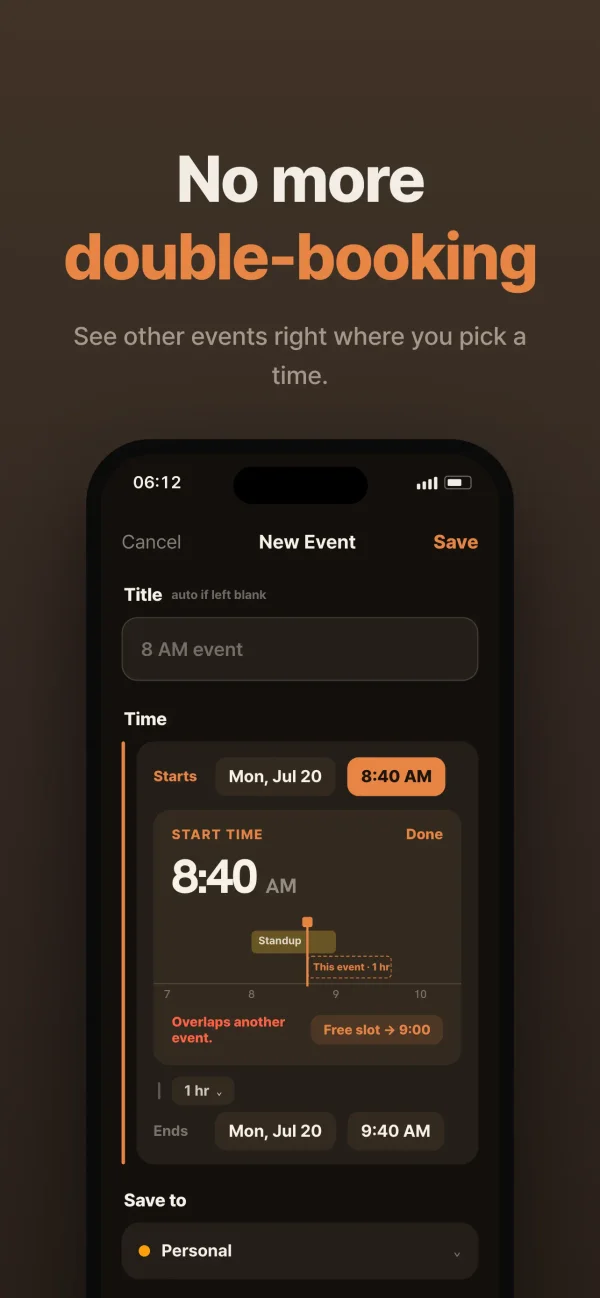
• Fast, minimal entry when you do add something
MADE FOR TIGHT DAYS
Airport runs where check-in and the gate are minutes apart. Back-to-back meetings. Live production, tours, shoots — any day that moves by the minute. If you keep checking "how long do I have?", this is for you.
QUIET BY DESIGN
• Time-sensitive alerts when an event is about to start
• Optional silent auto-start and end reminders
• Numbers you can read at a glance, never a wall of text
NO NONSENSE
• Pay once. No subscription, no ads, no account.
• Reads your calendar on your device. Event details never leave your phone.
• Anonymous usage stats only — nothing that identifies you.
Juns Schedule isn't another calendar. It's the answer to the only question a busy day keeps asking: how much time do I have left?
What’s new
Version 1.3.0 · Sep 1, 2026
• The new-event screen has been reorganized
• Create all-day events here.
• Edit all-day events here too.
• Settings › Display › Visible calendars — choose which calendars this app shows. Hide holidays, birthdays or subscribed calendars that don't need a countdown and your home screen, widgets and watch get a lot quieter. Calendars added later show up automatically.
• Settings › Display › Show all-day events — hide events without a time, like birthdays and trips.
App privacy
What changwoon choi declares on the App Store about how this app handles data.
-
Data not linked to you
May be collected but is not linked to your identity.
- Identifiers
- Usage data
Privacy practices may vary, for example with the features you use or your age.
Information
- Seller
- changwoon choi
- Category
- Productivity
- Version
- 1.3.0
- Updated
- Sep 1, 2026
- Released
- Jul 16, 2026
- Size
- 8.0 MB
- Requires
- iOS 17.0 or later
- Age rating
- 4+
- Languages
- Korean, English
- Copyright
- © 2026 Juns Works
You might also like
-
 Mosco - Calendar & To-DoType one line. It's scheduled.
-
 Gridpaper: To-Do & DiaryTo-dos, events, goals, diary
-
 Pack Check: Voice ChecklistNever leave without it again
-
 오늘치오늘 할 만큼만, 세 칸으로
-
 PassforAllProductivity
-
 Quick Memo+ToDo - PinDeckMemo Widget · To-Do · Gestures
-
 My ListMateProductivity
-
 Kipin: Save Links & NotesBookmark, screenshot organizer
-
 DayBlock: Build your day24-Block Day Log & Focus Timer
-
 LookCalendarLock Screen & Watch Calendar