
KiCad Editor: PCB & Schematic
Electronics design by touch
Designed for iPhone, iPad, iPod touch
In-app purchases
- Age rating4+
- CategoryProductivity
- DeveloperMark Szente
- LanguagesEnglish
- Size86.2 MB
Links to the official App Store page
Download.org hosts no file of KiCad Editor: PCB & Schematic. The button opens its official App Store page, published by Mark Szente. Listing last checked on Nov 24, 2026.
Screenshots
About
KiCad Editor is a schematic and PCB editor for KiCad projects on iPhone and iPad. Draw the schematic, route the board, run the electrical and design rule checks, and export the files your fab asks for, with your finger or an Apple Pencil. It saves the project's own .kicad_sch and .kicad_pcb files the way KiCad writes them, so you can open the project on your desktop and carry on where you left off.
There's nothing to import or convert, and no account to make. Open a project folder from Files or iCloud Drive, share a zip of a project to the app, or clone it from GitHub, GitLab or Gitea.
Features:
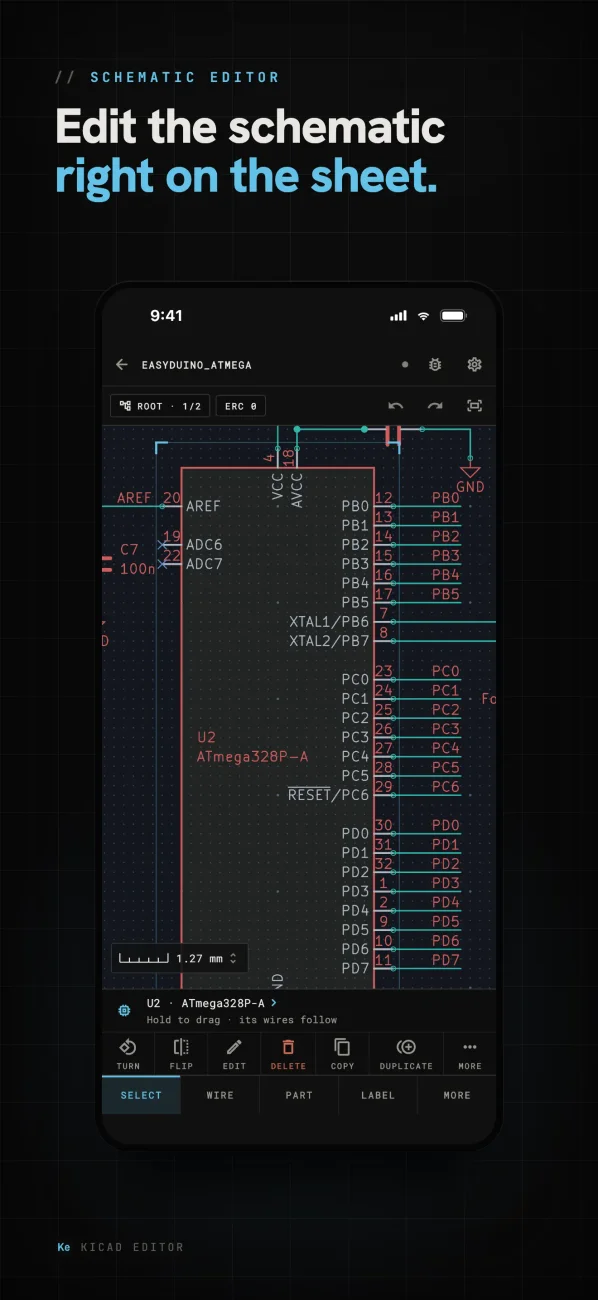
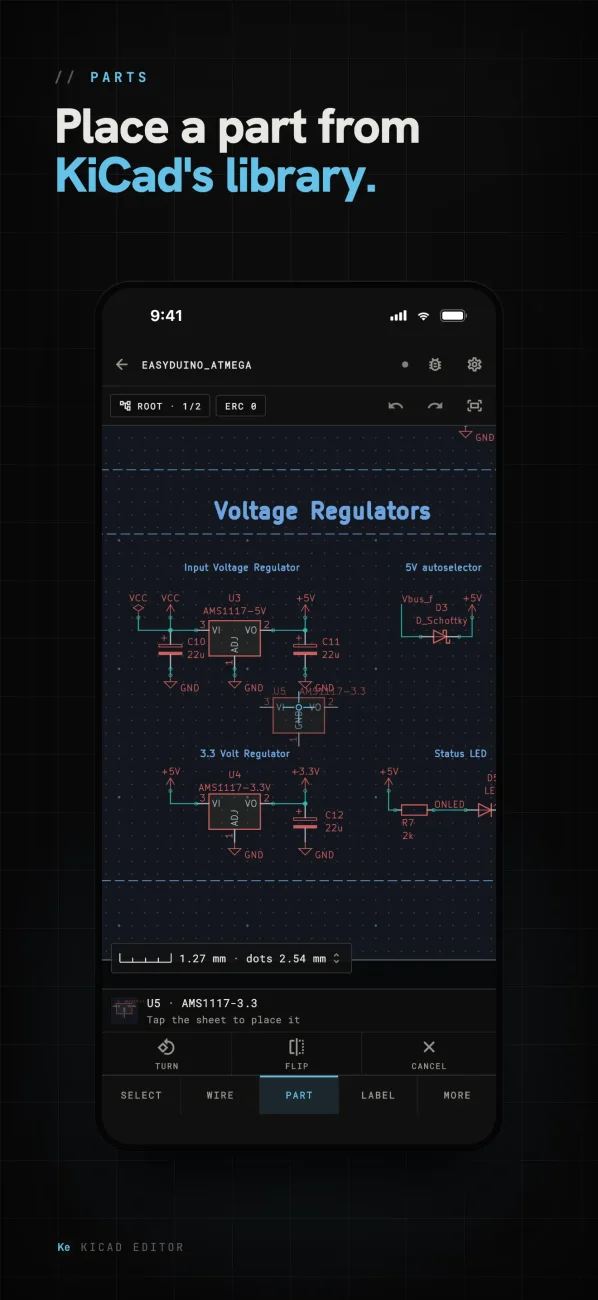
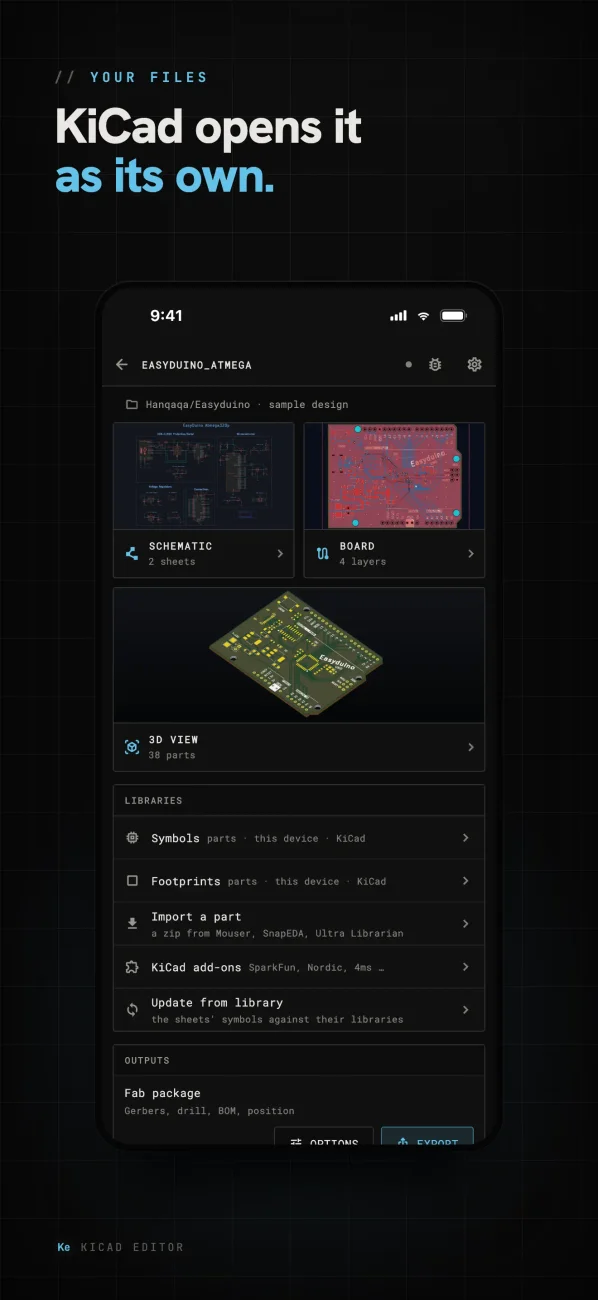
- Schematic editor: place parts from KiCad's own libraries, wire them pin to pin, and add labels, power symbols, buses and hierarchical sheets. Turn, flip, copy, and edit every field KiCad keeps.
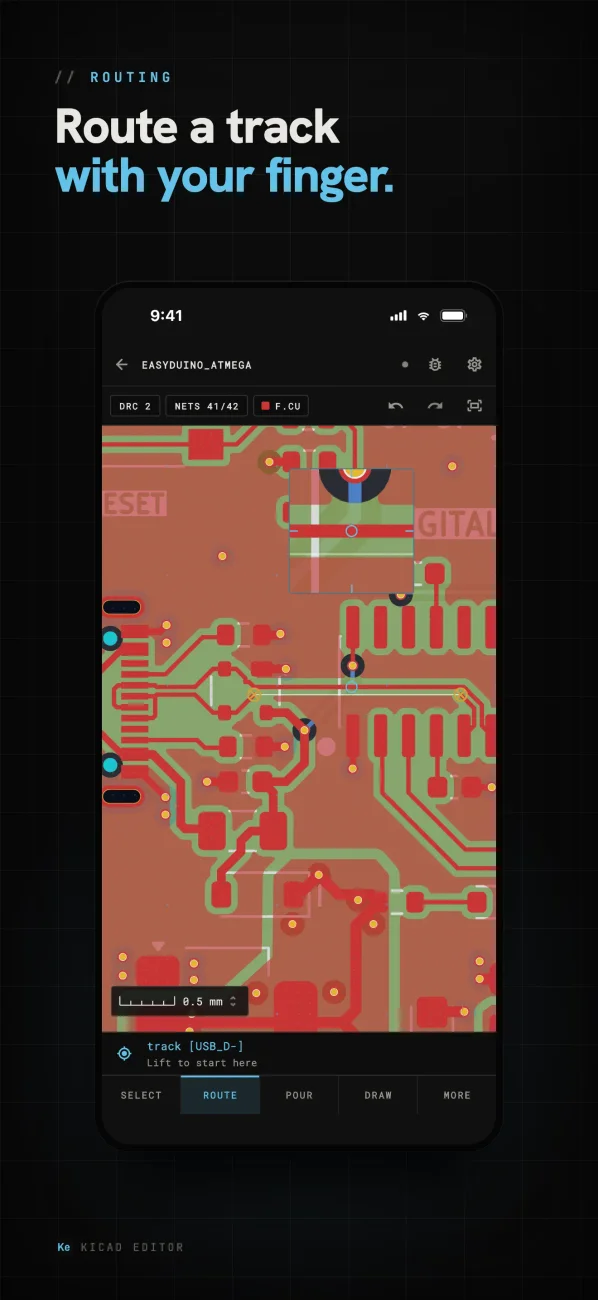
- PCB editor: route with walkaround, push and shove or free angle, with a loupe under your finger. Differential pairs, length tuning, vias, copper pours and teardrops.
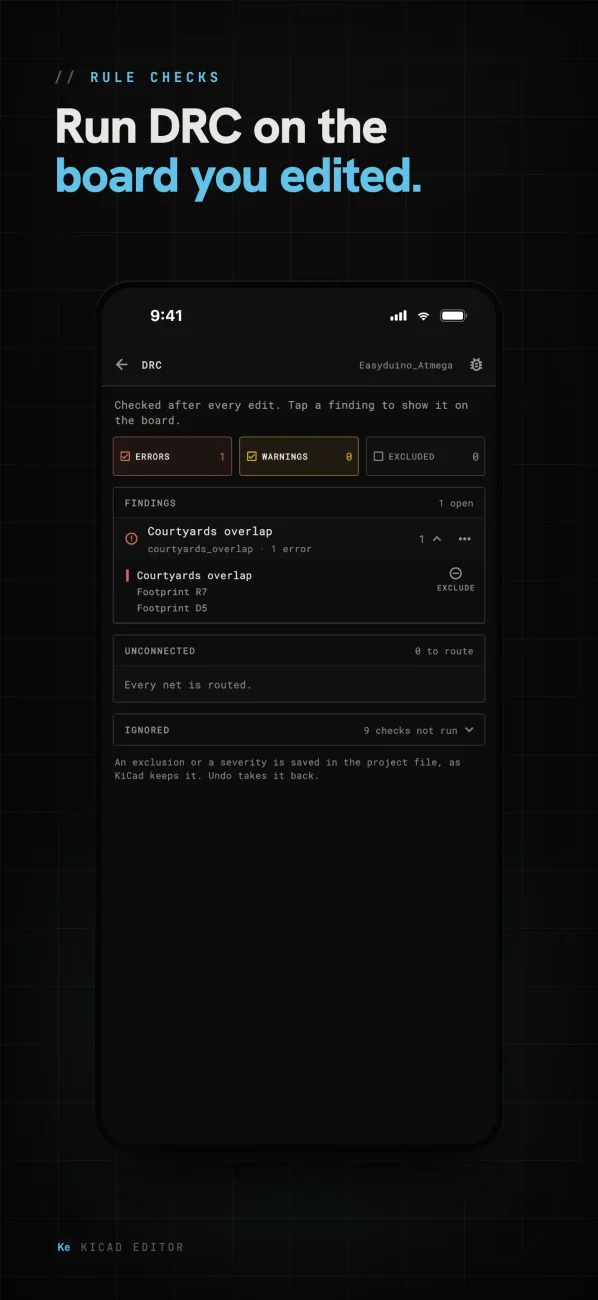
- Rule checks: the design rule check runs in the background as you edit, and the electrical rules check reads your project's own severities and exclusions. Tap a finding to see it on the board.
- Simulator: run the schematic on ngspice, the engine KiCad's own simulator uses. Operating point, transient, AC and DC sweep, with plots you can pinch, zoom and read with a cursor. Give a part a model from a file, KiCad's SPICE library or a built-in device.
- Update PCB from Schematic: every difference between the schematic and the board, listed before anything changes.
- Apple Pencil on iPad: the Pencil picks the exact pad or track under its tip, shows what it would pick while it hovers, and drags without a hold. Squeeze an Apple Pencil Pro for the tools at the tip. Tap two fingers to undo, three to redo.
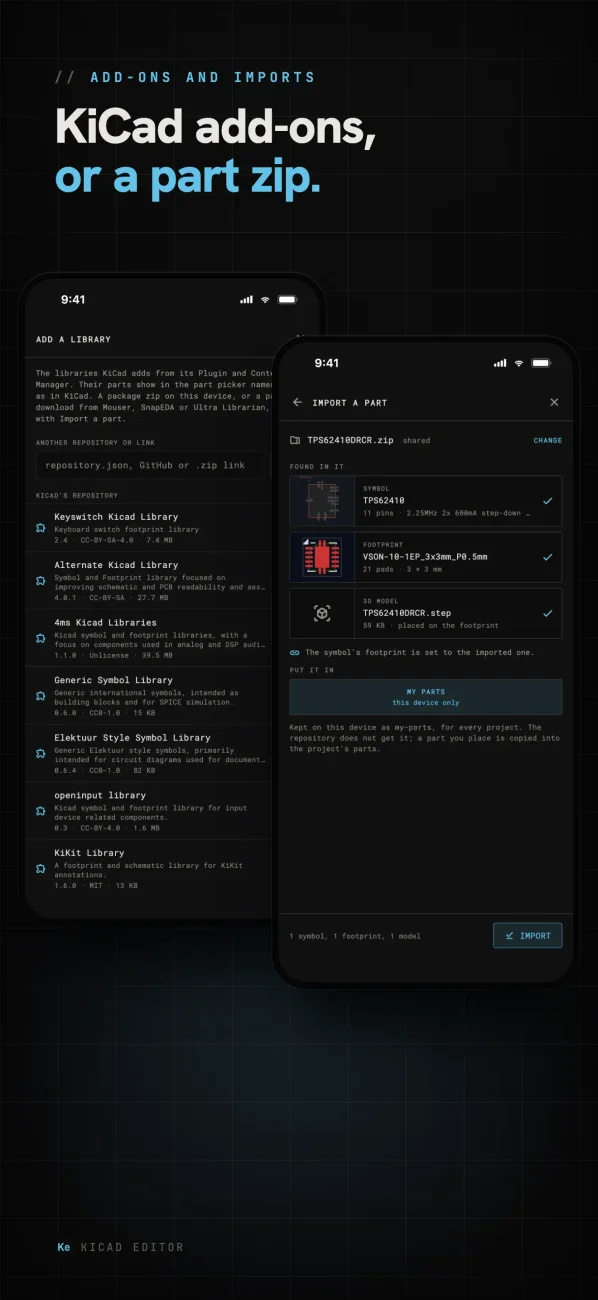
- KiCad's libraries, offline: 22,860 symbols and 15,450 footprints are built in. Install libraries from KiCad's add-on repository, import a part downloaded from Mouser, SnapEDA or Ultra Librarian, or make your own in the symbol and footprint editors.
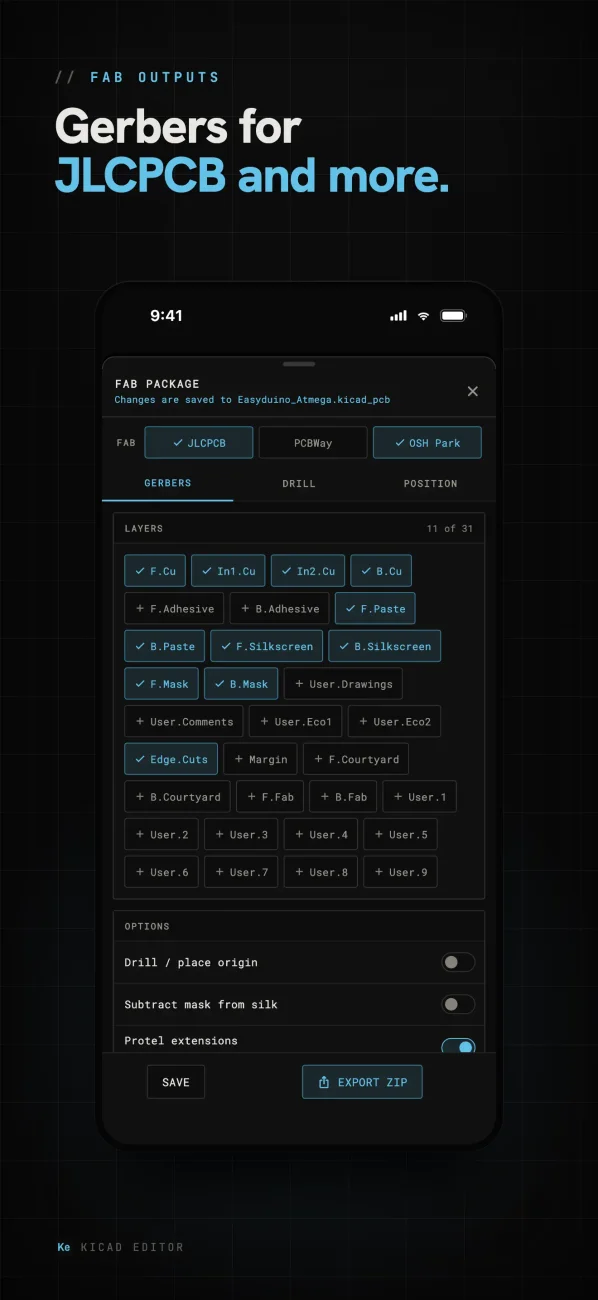
- Files for the fab: Gerbers, drill files, BOM, position files, and PDFs of the schematic and board, zipped with presets for JLCPCB, PCBWay and OSH Park.
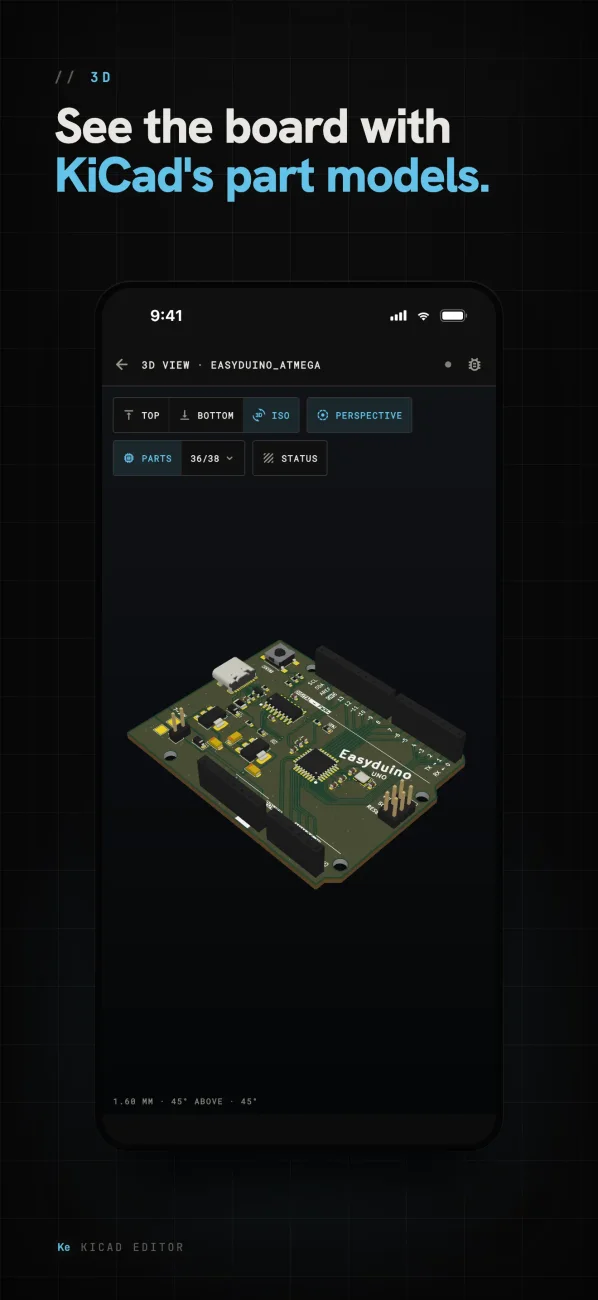
- 3D view: the board with KiCad's 3D part models, from any angle, or on your desk at its real size in AR.
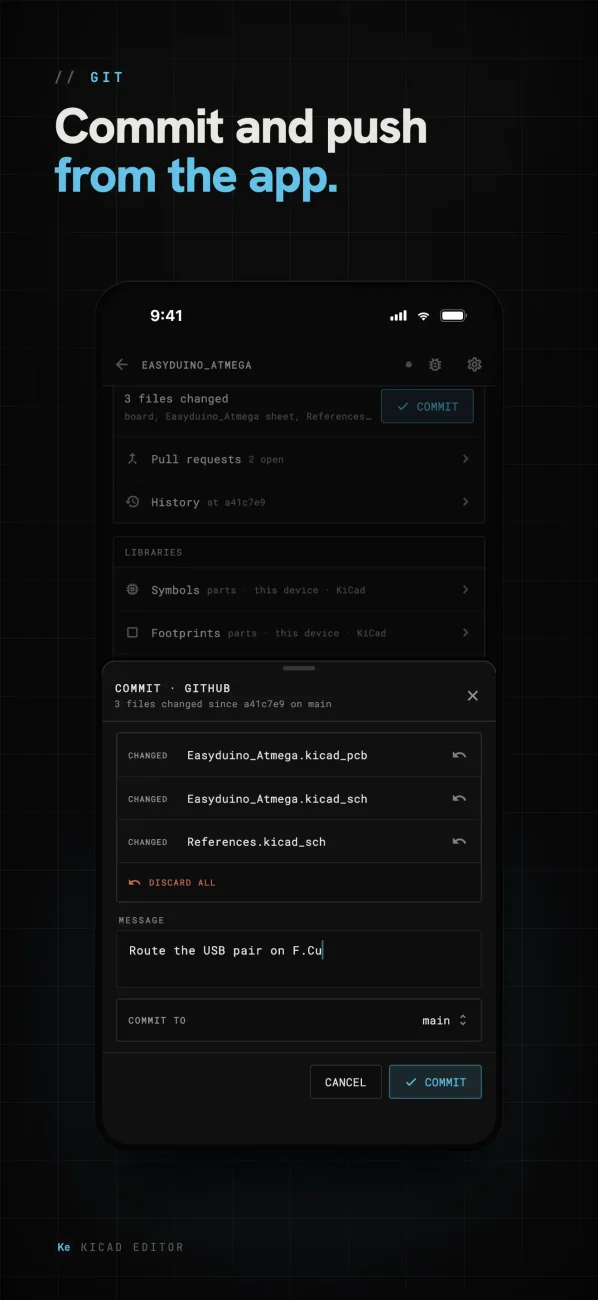
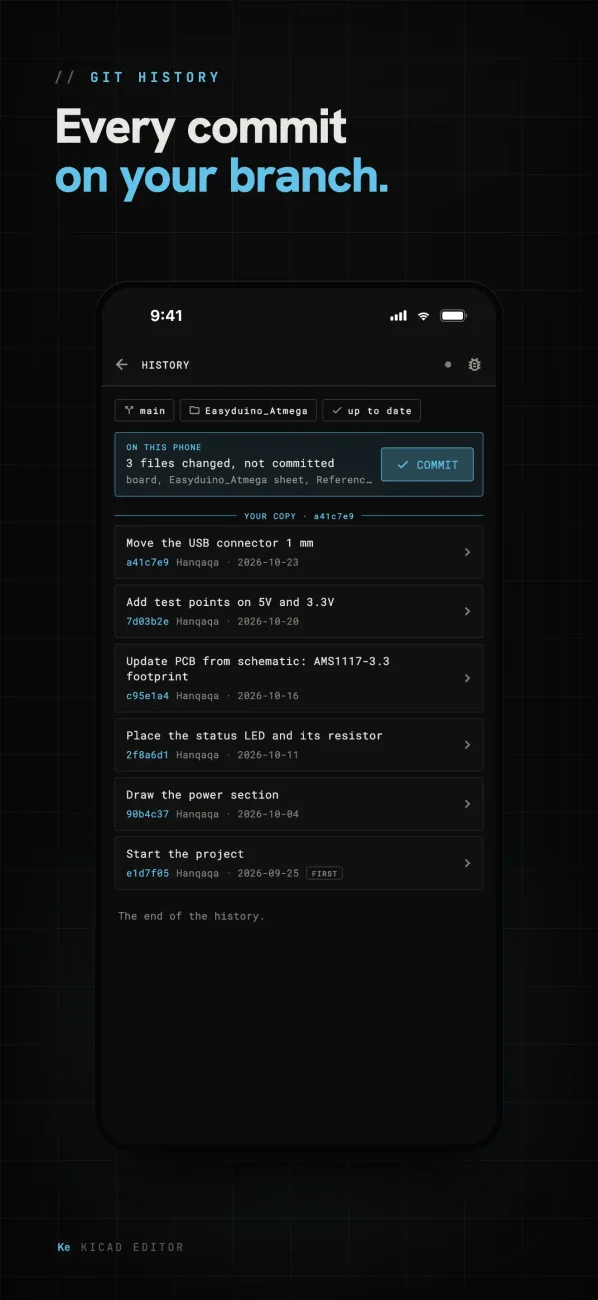
- Git built in: commit and push to GitHub, GitLab, Gitea, Forgejo or Codeberg, private repositories included. History shows what each commit changed on the board and the schematic.
- Board Setup and Schematic Setup: stackup, net classes, design rules and every page of KiCad's own dialogs.
- KiCad 8 to 10: a project keeps the file format it was saved in, and a KiCad 8 or 9 one upgrades to KiCad 10's when you choose. KiCad 6 and 7 projects open read-only, and one tap upgrades them to KiCad 10's format.
Try every feature on the two sample designs, an Arduino-style board and a blank one. Editing your own designs requires a KiCad Editor Pro subscription, monthly or yearly, with a 3-day free trial.
Terms of use: https://www.apple.com/legal/internet-services/itunes/dev/stdeula/
Privacy policy: https://www.kicadeditor.com/privacy
KiCad Editor is not affiliated with, or endorsed by, the KiCad project or its contributors. It is its own implementation, checked against KiCad's output on real projects. If something doesn't match KiCad, please tell us at hello@kicadeditor.com.
What’s new
Version 1.0.13 · Nov 23, 2026
Fixes and improvements
App privacy
What Mark Szente declares on the App Store about how this app handles data.
-
Data linked to you
May be collected and linked to your identity.
- Contact info
- User content
-
Data not linked to you
May be collected but is not linked to your identity.
- Identifiers
- Usage data
- Diagnostics
Privacy practices may vary, for example with the features you use or your age.
Information
- Seller
- Mark Szente
- Category
- Productivity
- Version
- 1.0.13
- Updated
- Nov 23, 2026
- Released
- Nov 8, 2026
- Size
- 86.2 MB
- Requires
- iOS 15.0 or later
- Age rating
- 4+
- In-app purchases
- Yes
- Languages
- English
- Copyright
- © 2026 Mark Szente
You might also like
-
 AGBoard - PCBEditorView & edit Gerber, ODB++
-
 Horizontal PCBView hprj design files.
-
 AI Plant Tracker & Identifier#1 Plant Identifier & Tracker
-
 Union HoursProductivity
-
 TagSpacesYour files, tagged & organized
-
 HanDBase Database ManagerLife. Organized.
-
 MakerSolid CAD3D CAD Modeling
-
 Yesan, GeneaProductivity
-
 Pantry for NextcloudHome lists, photos & notes
-
 3D Scanner LiDAR3D Scan, LiDAR for Measure