MarkSchrift
The plain-text workspace
Designed for iPhone, iPad, Mac
Free · In-app purchases
- Age rating4+
- CategoryProductivity
- DeveloperRFRMD Word Labs LLC
- LanguagesEnglish
- Size16.7 MB
Links to the official App Store page
Download.org hosts no file of MarkSchrift. The button opens its official App Store page, published by RFRMD Word Labs LLC. Listing last checked on Nov 23, 2026.
Screenshots


About
MarkSchrift is the plain-text workspace for iPhone, iPad, and Mac. Write your meeting notes, your class handout, your next chapter - rendered live as you type. Plan your week, track your projects; your files go anywhere.
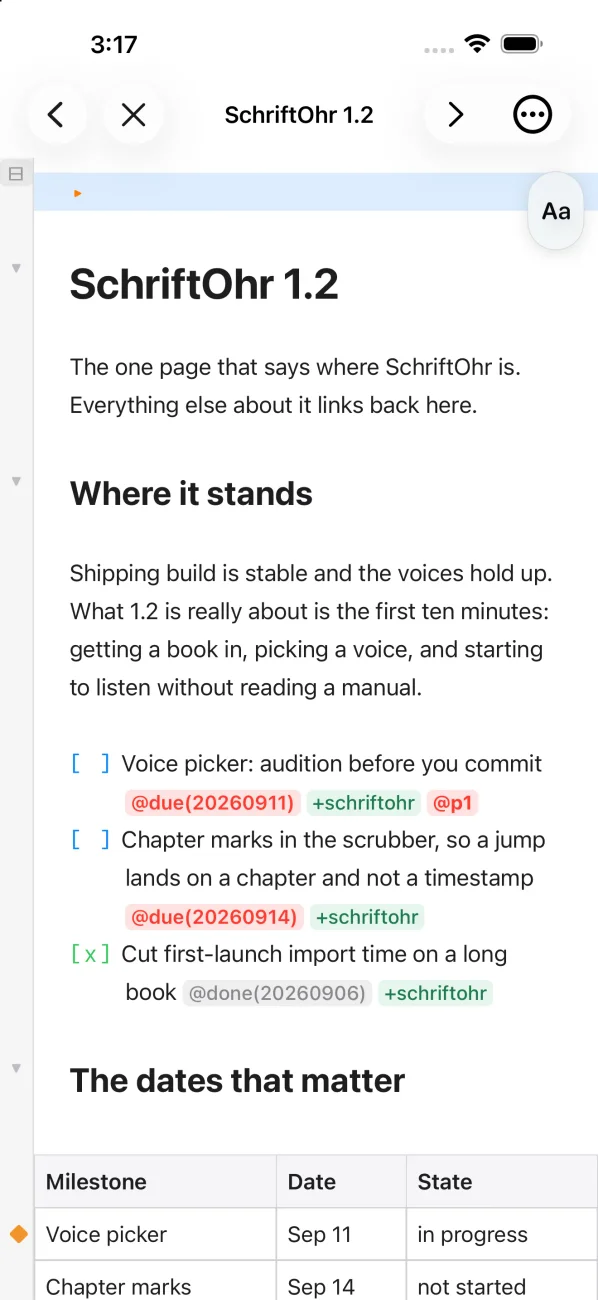
Every document is an ordinary Markdown (.md) text file you own outright: readable in any editor, synced through your own iCloud, portable forever. No proprietary format, no lock-in.
WRITE
- Markdown styles itself as you type; you always see and edit the real text.
- Tables you can edit cell by cell, pictures, footnotes, code with syntax coloring, and typeset math.
- Wiki links connect your notes; backlinks and mentions show what points back.
PLAN
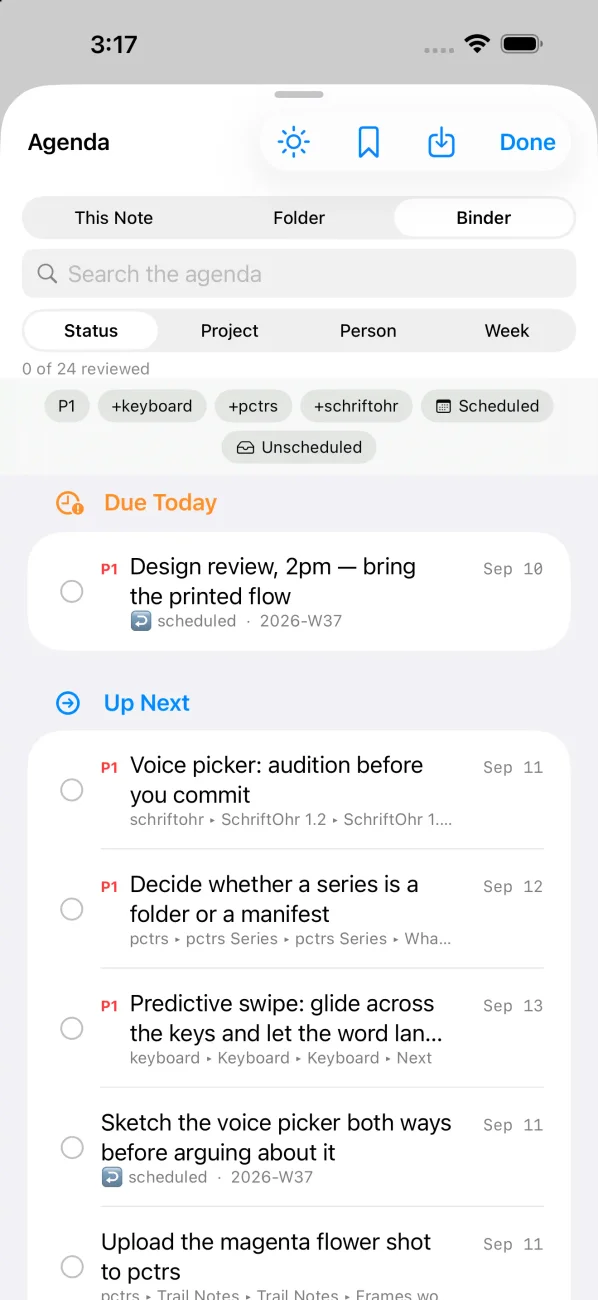
- Tasks are plain checkboxes with small tags for due dates, follow-ups, priorities, and people.
- The Agenda gathers every open task across your notes: past due, due today, up next.
- Projects roll up their notes, tasks, and people onto a home page; a week note plans your days, and recurring tasks come back on schedule.
FIND
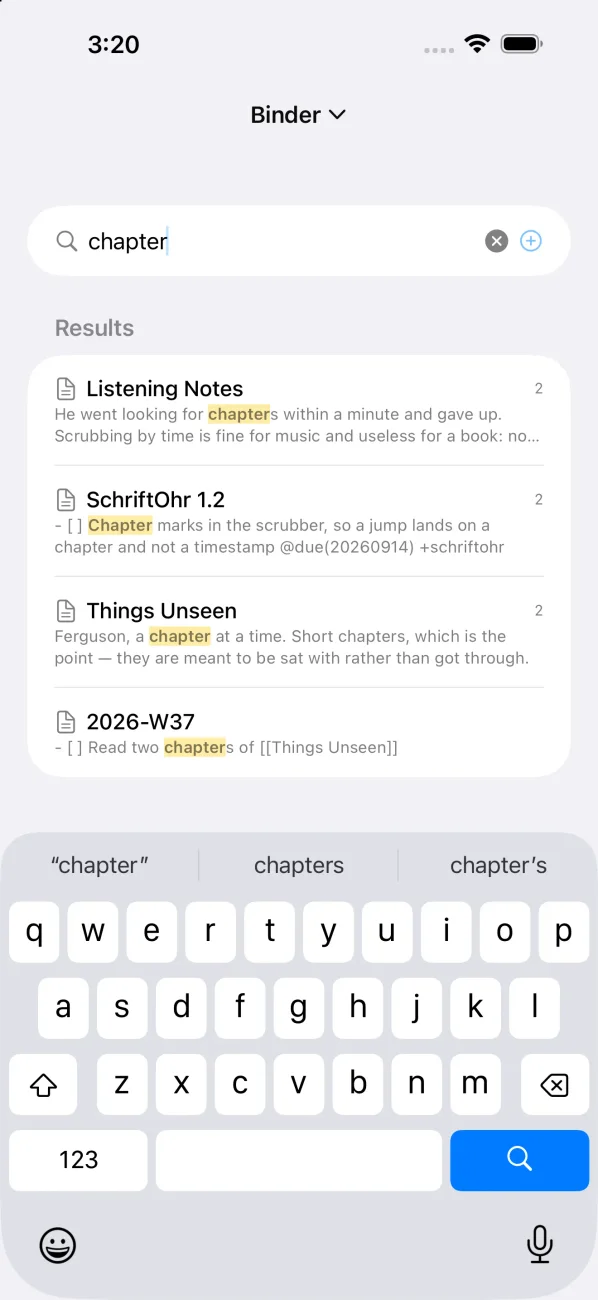
- Search every note by word, phrase, #tag, or project.
- The Binder lists your files, tags, and saved views in one sidebar.
SHARE (beta)
- Live co-editing with end-to-end encryption: the server only ever stores scrambled bytes it cannot read.
- Share an editing link or a read-only link; read-only is enforced cryptographically, not by good manners.
- Collaboration keeps maturing release by release: hardened key handling, signed changes, and sessions that stay fast over time.
EXPORT
- Print or export paginated PDF, Word, and HTML that match what you see.
SUBSCRIPTION
Collab is an optional subscription: $9.99 a year, after a 14-day free trial. You need it only to host a live session or a hosted project. Joining one that someone shares with you is free, and always will be.
Payment is charged to your Apple Account when you confirm. It renews each year unless you turn it off at least 24 hours before the term ends. You can manage or cancel it in your Apple Account settings.
Privacy Policy: https://markschrift.com/privacy-policy.html
Terms of Use: https://www.apple.com/legal/internet-services/itunes/dev/stdeula/
Your files are yours. That is the whole idea.
What’s new
Version 1.4.0 · Nov 18, 2026
New devices: on a new iPhone, iPad or Mac, your notes appear as soon as iCloud has them, without opening the Files app first. Folders with nothing in them yet arrive too. Help has a new topic, Setting Up a New Device.
No more Welcome note: MarkSchrift no longer adds a Welcome note to your iCloud folder each time it starts on a new device.
Outline: the opening page no longer shows an empty Outline column. Open a note and the Outline comes back if you left it open.
Acknowledgements: About lists all the open-source software in MarkSchrift, grouped by licence.
App privacy
What RFRMD Word Labs LLC declares on the App Store about how this app handles data.
-
Data not linked to you
May be collected but is not linked to your identity.
- Contact info
- Identifiers
Privacy practices may vary, for example with the features you use or your age.
Information
- Seller
- RFRMD Word Labs LLC
- Category
- Productivity
- Version
- 1.4.0
- Updated
- Nov 18, 2026
- Released
- Sep 18, 2026
- Size
- 16.7 MB
- Requires
- iOS 18.0 or later
- Age rating
- 4+
- Price
- Free
- In-app purchases
- Yes
- Languages
- English
- Copyright
- © 2026 RFRMD Word Labs LLC
You might also like
-
 Markdown Studio ProA calm Markdown editor
-
 Hashy - AI Markdown EditorAI Markdown Editor All Devices
-
 Etched: Markdown NotesFind any note by meaning
-
 Vector ToDoProductivity
-
 Pellet - Notes, Tasks, PKMLocal notes, tasks and more.
-
 Dayleaf - Minimalist bujoCapture ideas, tasks, events
-
 WriteFreelySimple, minimalist blogging
-
 AnyMarkdown - PDF to MarkdownFile Converter: Docx, Web, OCR
-
 Markdown Editor : Md ViewerReader. Convert to pdf. LaTex
-
 MDWriter - Simple Text EditorQuick capture, instant styling