Memo – Lock Screen Notes
Notes in Notification Center
Designed for iPhone, iPad
Free · In-app purchases
- Age rating4+
- CategoryProductivity
- DeveloperToshihiko Arai
- LanguagesEnglish+ 9 more
- Size20.9 MB
Links to the official App Store page
Download.org hosts no file of Memo – Lock Screen Notes. The button opens its official App Store page, published by Toshihiko Arai. Listing last checked on Nov 14, 2026.
Screenshots

About
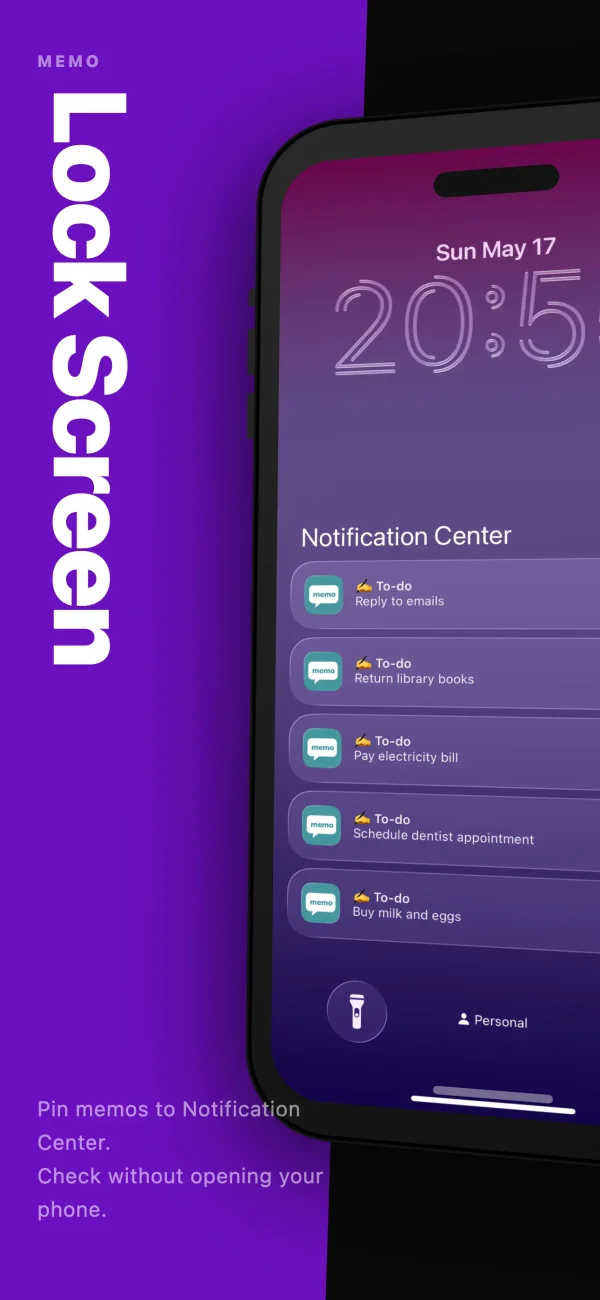
See the note you need today the moment you check your phone.
Memo is for short notes you look at repeatedly: shopping lists, things to bring, tasks for today, quick checklists, URLs, and small reminders you do not want buried inside a full note app. Select the notes that matter now and keep them available from the lock screen and Notification Center, so you can check them without opening the app and searching through a long list.
Use it when a reminder is too heavy and a long note is too easy to forget. A grocery list while you are walking through a store. Things to pack before you leave. A short set of steps you need to follow. A URL you want to keep with the rest of your notes. A few tasks that should stay visible today.
What you can do with Memo:
- Add selected notes to Notification Center
- Check frequently viewed notes from the lock screen
- Organize notes with tags such as shopping, work, home, or travel
- Mark notes as done with strikethrough — completed notes stay visible but dimmed
- Share notes as Markdown with tag headings and checkbox support
- Customize up to four floating action buttons for quick access to your most-used actions
- Save URLs from Safari and other apps with the Share Extension
- Import line-by-line lists from a text file
- Move finished notes to the archive
- Delete notes you no longer need
- Create an iCloud backup and restore it when needed
Memo is intentionally simple. It is not trying to replace a full notebook, calendar, or project manager. It works best for the small pieces of information you want to see quickly and repeatedly. If you need to write a long document, use a note app. If you need an alarm at a specific time, use a reminder. If you want a short note to stay close at hand, use Memo.
Strikethrough lets you mark notes as done without deleting them. A completed shopping item or finished step stays in the list but appears dimmed, so you always know what is left. When you are done, move the checked items to the archive in one step.
When you want to share a set of notes, export them as Markdown. Tags become headings, and notes marked with strikethrough are written as [x] checkboxes. Useful for sending a list to someone else or pasting it into another app.
Tags help keep the list manageable as your notes grow. You can separate shopping, errands, work, home, travel, and personal notes, then choose only the items that should appear in Notification Center. Finished items can be archived so your active list stays focused, while older notes remain available when you need them.
The Share Extension makes it easy to send a URL or text from another app into Memo. When you find a page, product, recipe, or reference you want to check later, save it with a tag and keep moving. Text import is useful for preparing a list on another device or in another app, then bringing it into Memo as individual notes.
For small notes that need to stay visible, not buried, keep them on your lock screen and in Notification Center with Memo.
What’s new
Version 26.10.25 · Oct 25, 2026
■ New
• Memos now save as soon as you close the keyboard. While typing, tap the dimmed area to close it
• Delete all the text in a memo and close it (or tap Done) to delete the memo. Tap Undo to bring it back
• When asked about a label for a new memo, choose "Don't add" 3 times in a row in a tag to get the option "Don't ask for this tag" (Pro)
• Backups now keep several versions, and you can export to and import from a file (Pro)
• Type "memo" in Spotlight to find the app
■ Improvements
• Deleting, archiving, or moving memos to another tag now fades them out smoothly
• When a new memo is added off-screen, the list scrolls to it and highlights it
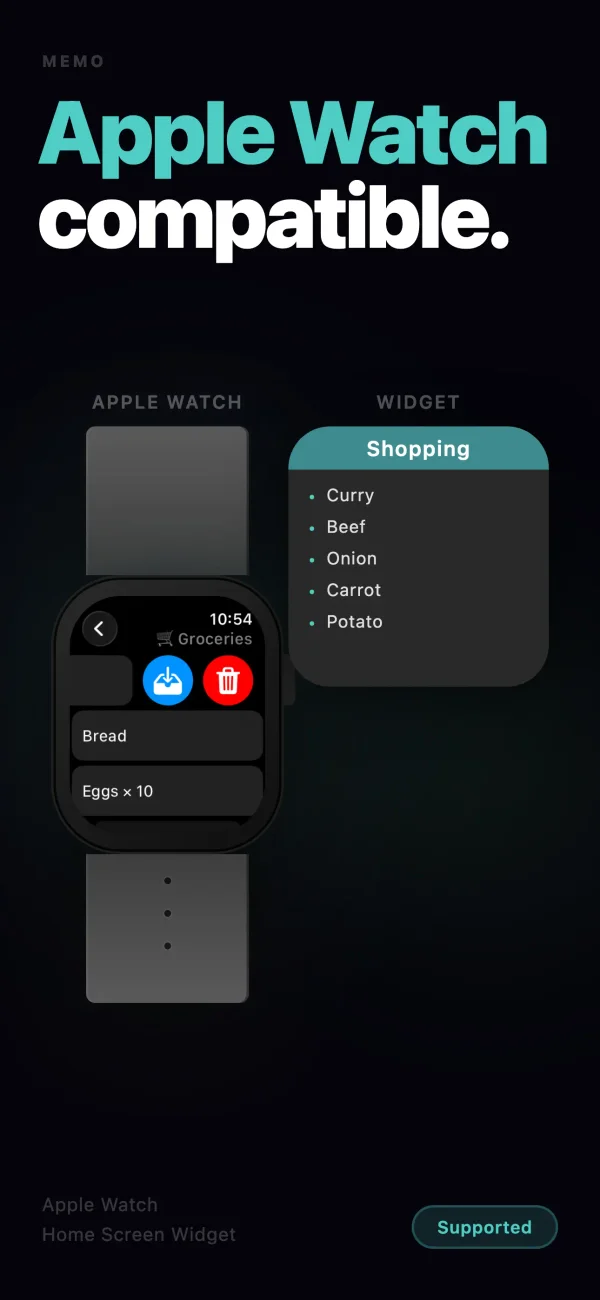
• The Apple Watch icon now matches the iPhone design
■ Fixes
• Fixed iCloud auto sync (beta) not syncing between devices
App privacy
What Toshihiko Arai declares on the App Store about how this app handles data.
-
Data used to track you
May be used to track you across apps and websites owned by other companies.
- Usage data
-
Data linked to you
May be collected and linked to your identity.
- Identifiers
-
Data not linked to you
May be collected but is not linked to your identity.
- Identifiers
- Usage data
- Diagnostics
Privacy practices may vary, for example with the features you use or your age.
Information
- Seller
- Toshihiko Arai
- Category
- Productivity
- Version
- 26.10.25
- Updated
- Oct 25, 2026
- Released
- Sep 13, 2018
- Size
- 20.9 MB
- Requires
- iOS 17.0 or later
- Age rating
- 4+
- Price
- Free
- In-app purchases
- Yes
- Languages
- English, French, German, Japanese, Polish, Portuguese, Russian, Simplified Chinese, Spanish, Traditional Chinese
- Copyright
- © 2026 Toshihiko Arai
You might also like
-
 Memory Helper - SRS ReviewEfficient Study with Reminders
-
 LogseqProductivity
-
 AnjiCardEnhancing memory effectiveness
-
 Standard NotesEnd-to-end encrypted notes
-
 Focus To-Do: Focus Timer&TasksPomodoro timer for work&study
-
 Focus Timer - Time KeeperPomodoro Clock, Stopwatch
-
 FocusPomo · Pomodoro TimerProductivity|for Work & Study
-
 Craft: Notes, Documents, AITask, Schedule & Reminder
-
 Notion: Notes, Tasks, AIPlan, organize, track projects
-
 AppBlock: Block Apps, WebsitesApp Blocker. Limit Screen Time