
MindTodo: Mindmap Todo Manager
Visual Task & Project Planner
Designed for iPhone, iPad, iPod touch
Free
- Age rating4+
- CategoryProductivity
- DeveloperSnapTool
- LanguagesEnglish+ 1 more
- Size41.8 MB
Links to the official App Store page
Download.org hosts no file of MindTodo: Mindmap Todo Manager. The button opens its official App Store page, published by SnapTool. Listing last checked on Nov 14, 2026.
Screenshots


About
An all-in-one productivity app that combines mindmaps with to-do lists.
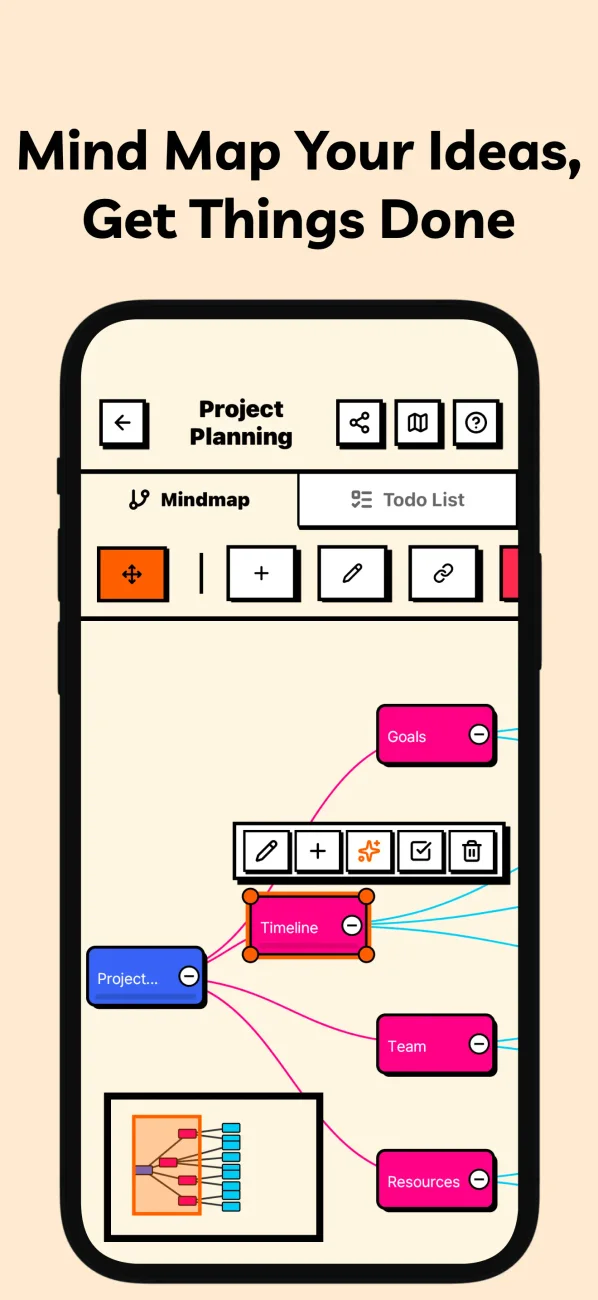
Visually organize complex projects and manage tasks with a hierarchical structure.
Works fully offline without login. Sign in to unlock cloud sync and real-time collaboration across all your devices.
▸ Intuitive Mindmap
• Add and connect nodes freely with touch and drag
• Organize ideas with parent-child hierarchy
• Create connections between any nodes (straight, curved, orthogonal styles)
• Collapse/expand nodes to keep complex mindmaps clean
• Smooth canvas navigation with pinch zoom and pan gestures
▸ Powerful Task Management
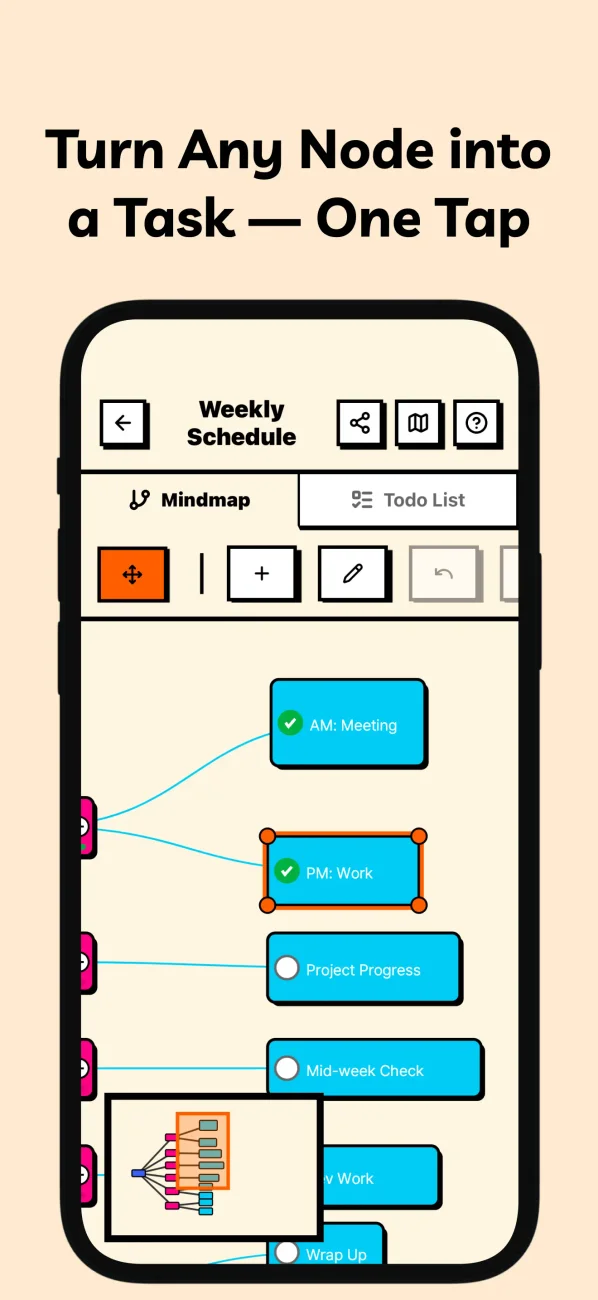
• Convert any node into a to-do with a single tap
• Set priorities (High, Medium, Low) to focus on what matters
• Due dates with quick-select options (Today, Tomorrow, In 3 Days, etc.)
• Notifications to never miss a deadline
• Dedicated To-Do List view to see all tasks at a glance
▸ Auto Layout
• Hierarchical layout — clean tree structure
• Radial layout — expand from center topic
• Force-directed layout — physics-based auto arrangement
• Multi-select alignment (left, right, top, bottom, center)
• Unify selected node sizes (width, height, or both)
▸ 10 Built-in Templates
• Business: Project Planning, Master Plan
• Schedule: Weekly Schedule, Daily Tasks
• Creativity: Brainstorming
• Education: Learning Notes
• Self-development: Goal Setting, Habit Tracker, Wheel of Life, Morning Routine
• One-tap creation with mini previews
▸ Freehand Drawing
• Draw notes and sketches directly on your mindmap
• Multiple pen widths and 7 color options
• Eraser tool for quick corrections
▸ Cloud Sync
• Sign in with Apple or Google to sync across all your devices
• Works offline, syncs automatically when back online
• Data backup ensures safety when switching devices
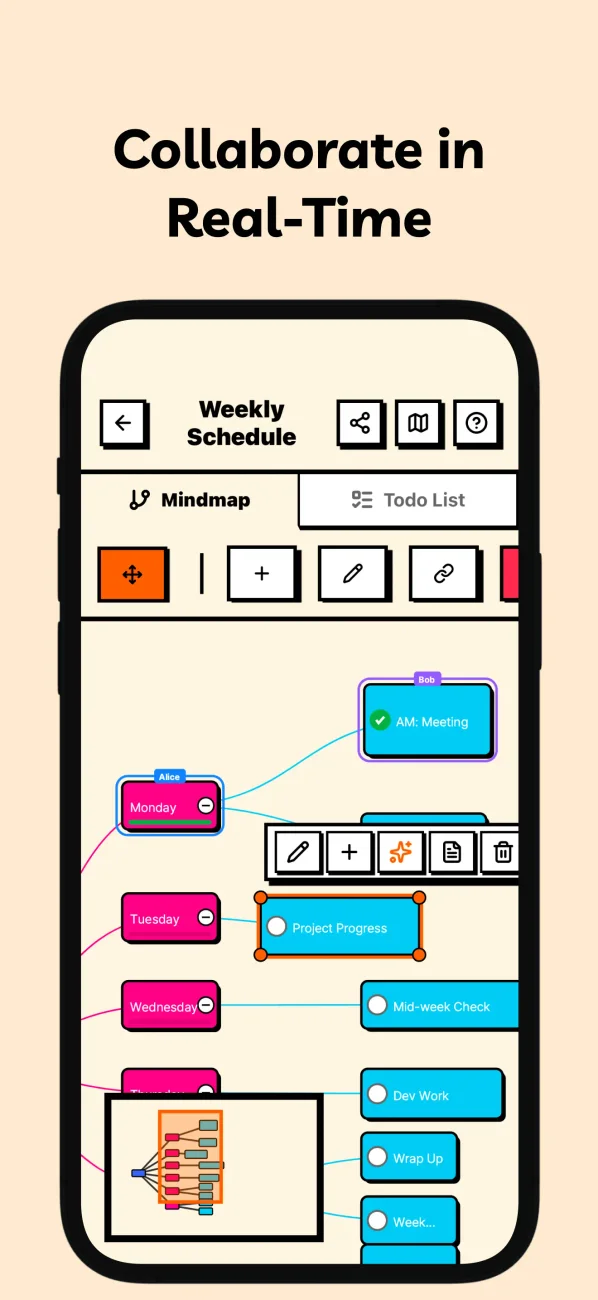
▸ Real-time Collaboration & Sharing
• Share mindmaps with teammates and friends via invite codes
• Set roles: Editor (can modify) or Viewer (read-only)
• Multiple users editing the same mindmap simultaneously
• See collaborators' cursors and activity in real-time
• Automatic conflict resolution — no merge conflicts (CRDT-based)
▸ Handy Tools
• Minimap for a bird's-eye view of your entire mindmap
• Undo/Redo for worry-free editing
• 6 color palettes (Default, Pastel, Vivid, Earth, Ocean, Sunset)
• Export as PNG/JPEG and share
• Interactive tutorial to get started easily
▸ Offline First
• All features available without login
• Data stored securely on your device
• Works perfectly without internet
What’s new
Version 0.0.8 · Apr 6, 2026
Notifications now work across all your mindmaps, including shared ones — with smarter scheduling and better reliability.
App privacy
What SnapTool declares on the App Store about how this app handles data.
-
Data used to track you
May be used to track you across apps and websites owned by other companies.
- Contact info
- Identifiers
-
Data linked to you
May be collected and linked to your identity.
- Contact info
-
Data not linked to you
May be collected but is not linked to your identity.
- Identifiers
- Usage data
Privacy practices may vary, for example with the features you use or your age.
Information
- Seller
- SnapTool
- Category
- Productivity
- Version
- 0.0.8
- Updated
- Apr 6, 2026
- Released
- Oct 14, 2025
- Size
- 41.8 MB
- Requires
- iOS 15.1 or later
- Age rating
- 4+
- Price
- Free
- Languages
- English, Korean
- Copyright
- © 2026 SnapTool
You might also like
-
 Hello-MynahSave, organize, and explore.
-
 Neuro HiveProductivity
-
 Maho NotesBeautiful Markdown note-taking
-
 Plotted: Planner & To Do ListVisual Day Planner & Tracker
-
 MemofyAIOn-Device AI Note Structuring
-
 WikovaAI-Generated Wikipedia
-
 Mindverse: Private AI NotesAI Notes, No Token Fees
-
 MemNote: Context-Aware MemoryCapture notes, improve recall
-
 NobodyWho ChatLocal AI chat on your device
-
 Papyrus: Research LibraryNative research workspace