
MLX-Serve
Music, Images, Text - Local AI
Designed for iPhone, iPad
Free · In-app purchases
- Age rating12+
- CategoryProductivity
- DeveloperDavid Dalcu
- LanguagesEnglish
- Size210.6 MB
Links to the official App Store page
Download.org hosts no file of MLX-Serve. The button opens its official App Store page, published by David Dalcu. Listing last checked on Nov 20, 2026.
Screenshots

About
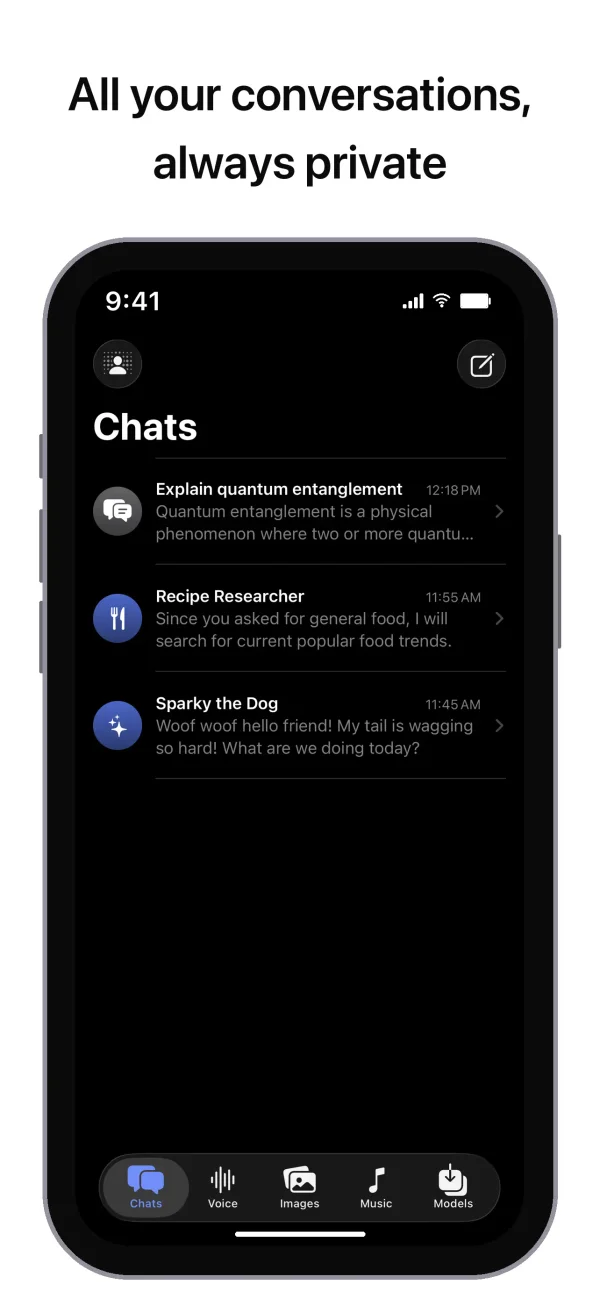
MLX-Serve is a private AI studio that runs entirely on your iPhone. Every conversation, voice recording, and generated image is processed on-device by open-weight models — nothing you type, say, or create ever leaves your phone. There is no account to create, no subscription, and no tracking of any kind.
MUSIC
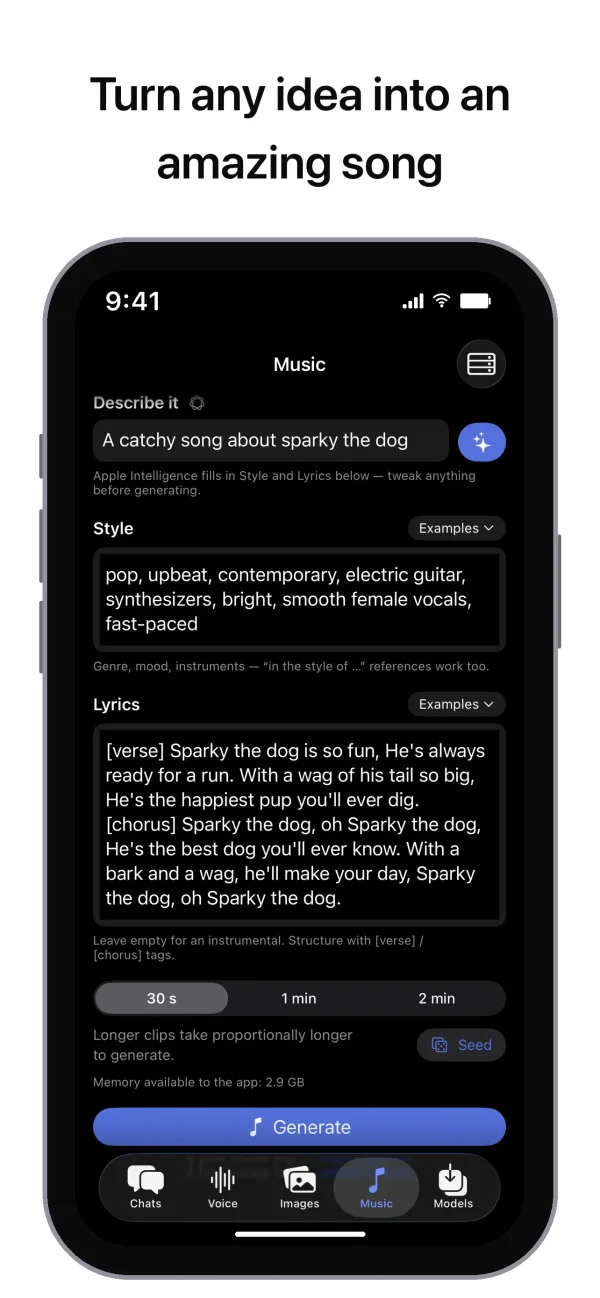
Generate songs locally using your device ! You can also play it back in the background and use MLX-Serve as a player for your generated music on the go.
CHAT
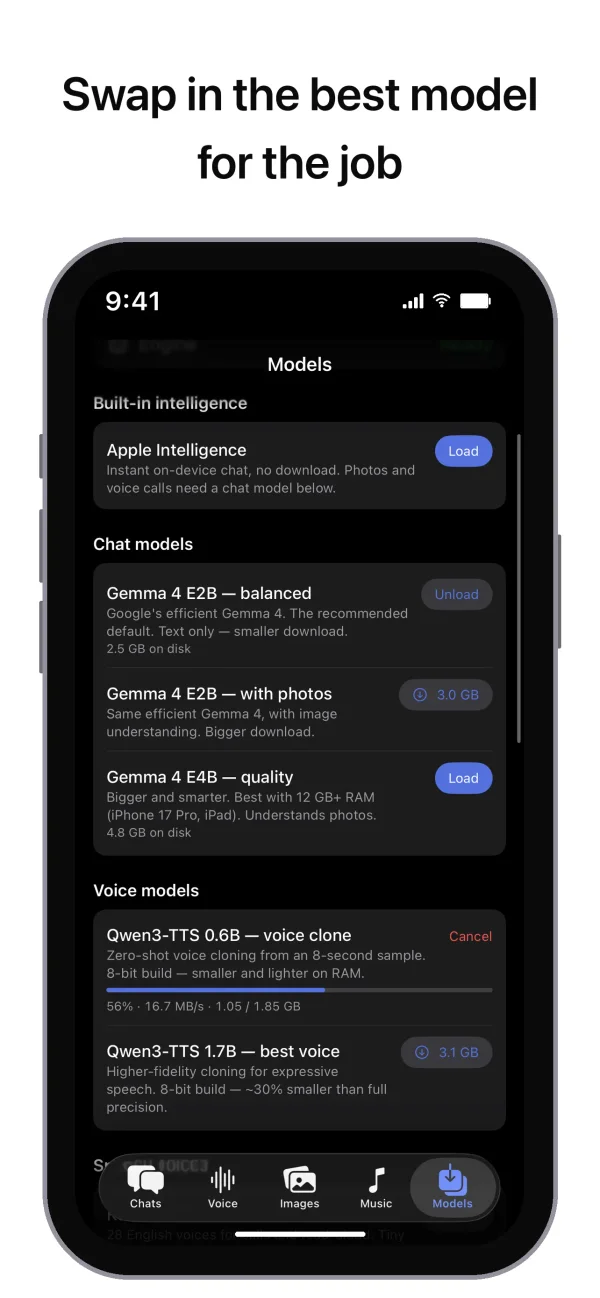
Talk with capable open language models (Google Gemma 4) right on your device. Ask questions, brainstorm, draft messages, get things explained. Some models can even understand photos you attach.
CALL
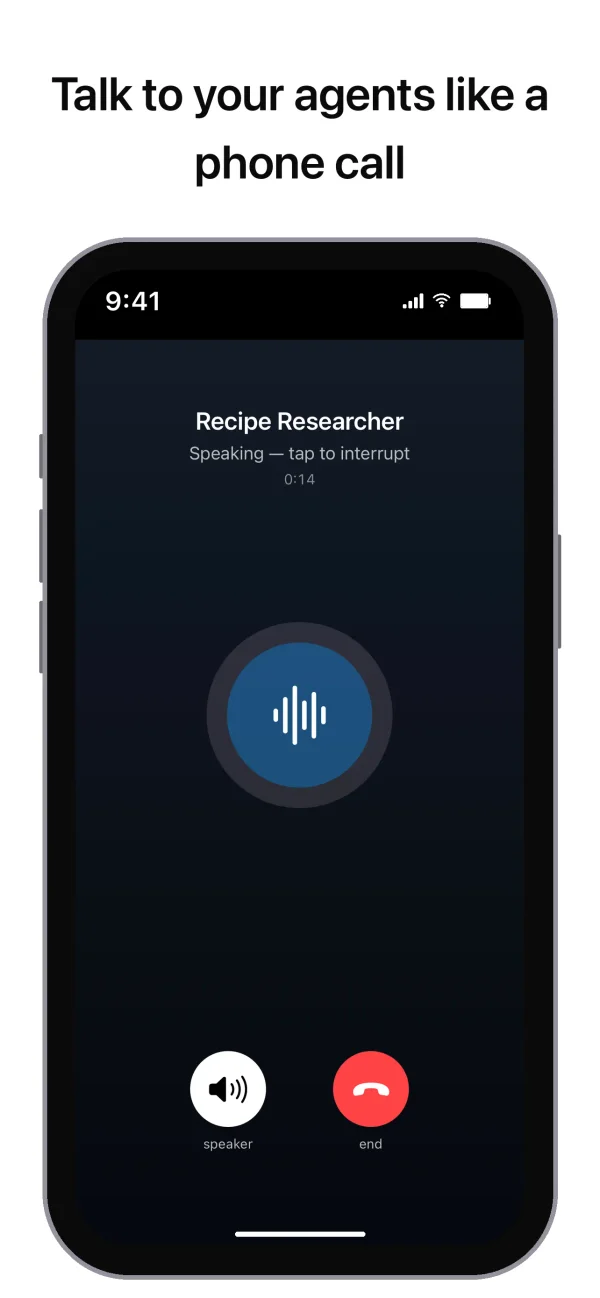
Tap Call inside any conversation to talk to the AI hands-free, like a phone call. Your speech is transcribed on-device and the reply is read back aloud. Speaker and handset modes are both supported, and the transcript is saved to your chat.
VOICE CLONE
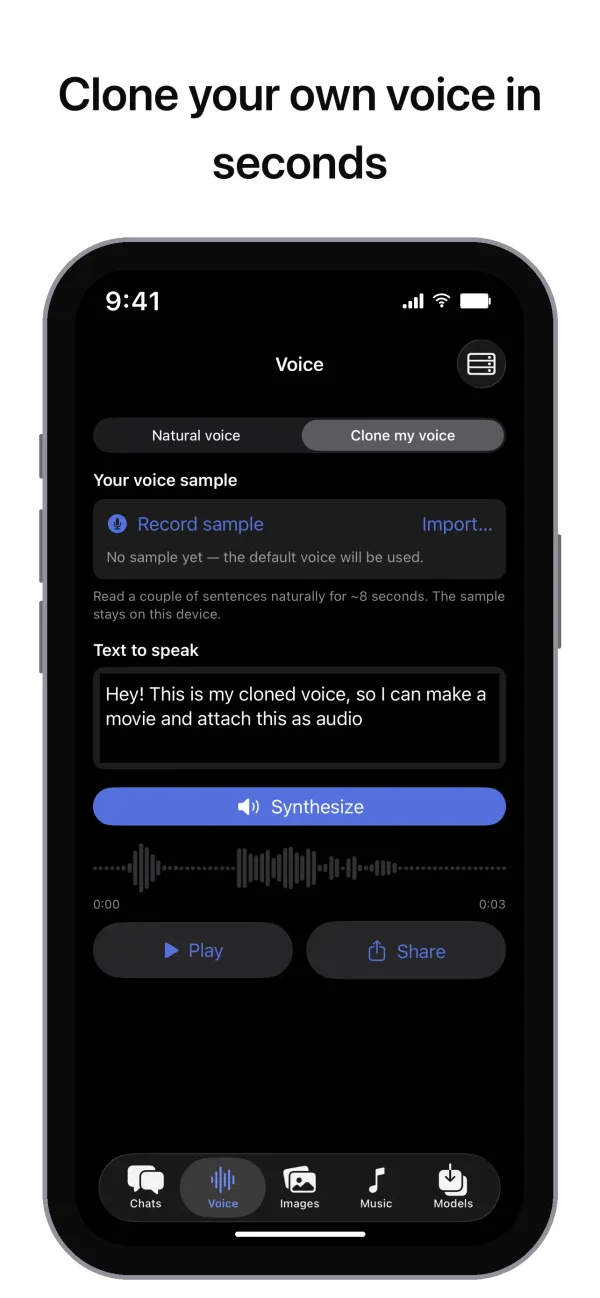
Record about eight seconds of your voice and have the AI speak text in your own voice, using an on-device text-to-speech model. Great for narration and fun.
IMAGES
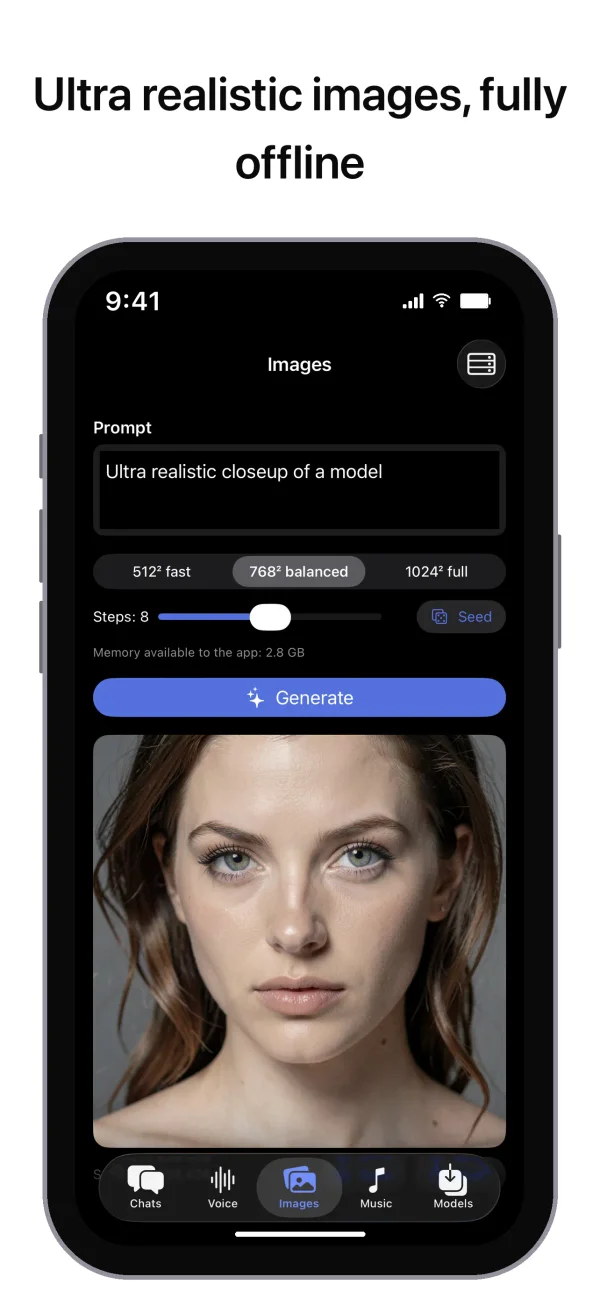
Generate images from a text prompt with an on-device diffusion model (FLUX.2). Tap a result to zoom in, save it to your photo library, or share it.
FULLY PRIVATE, FULLY OFFLINE
- Runs 100% on-device using Apple MLX and the Metal GPU.
- No account, no analytics, no ads, no tracking.
- The network is used only to download the AI models you choose from Hugging Face. After a model is downloaded, that feature works offline.
REQUIREMENTS
Models are multi-gigabyte downloads and on-device AI is demanding, so MLX Chat requires a recent, high-performance iPhone. Download over Wi-Fi is recommended. You pick which models to download and can delete them anytime to reclaim space.
Open models are provided under their respective licenses (Gemma, Apache 2.0). MLX Chat is an independent app and is not affiliated with Google or Apple.
What’s new
Version 1.3.0 · Sep 30, 2026
- Replies are formatted now: lists, bold, code, tables
- Pick your chat model from inside the chat, and every reply shows which model wrote it
- Thinking toggle for models that can think, with a live peek at the reasoning
- New models: LFM2.5 2.6B and 8B-A1B (with DSpark drafters for extra speed), MiMo V2.6 Qwen 9B
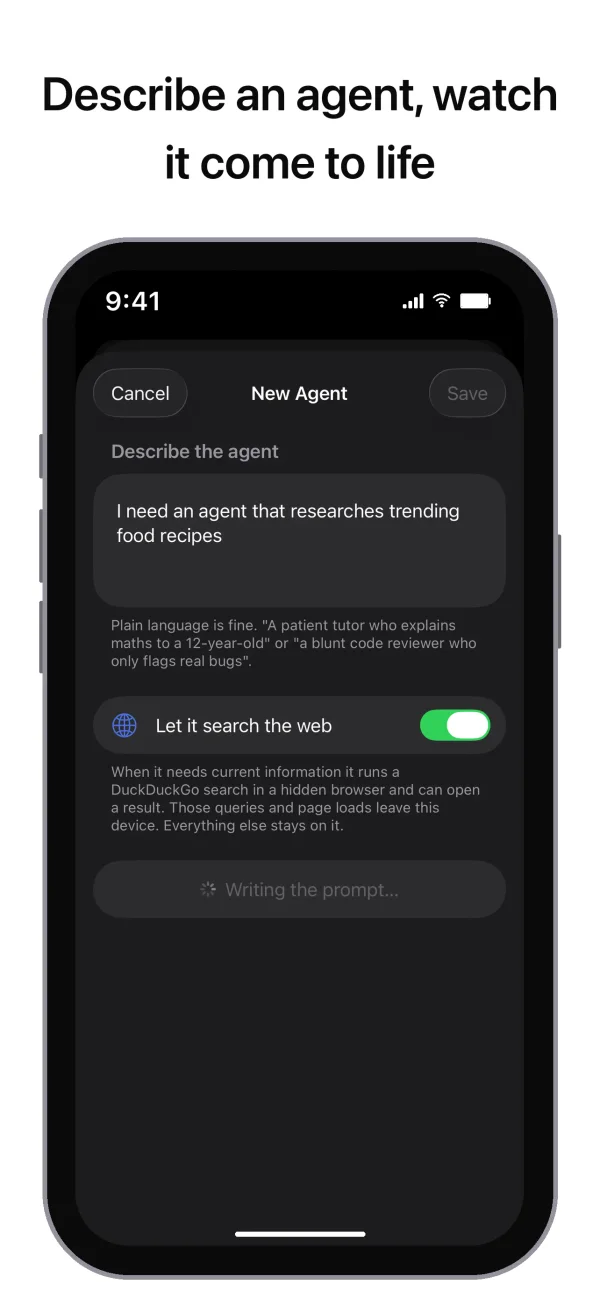
- Agents can use calendar, reminders, places, contacts, alarms, music and message drafts
- Add a Mac by address, for Tailscale and other VPNs
- Long chats use about half the memory
- Fixed replies getting cut off, and the memory check is less strict
- Downloads keep going in the background
- Starter ideas in new chats, and empty chats clean themselves up
- Lock screen controls for favorites
App privacy
What David Dalcu declares on the App Store about how this app handles data.
-
Data not collected
The developer does not collect any data from this app.
Privacy practices may vary, for example with the features you use or your age.
Information
- Seller
- David Dalcu
- Category
- Productivity
- Version
- 1.3.0
- Updated
- Sep 30, 2026
- Released
- Jul 16, 2026
- Size
- 210.6 MB
- Requires
- iOS 26.2 or later
- Age rating
- 12+
- Price
- Free
- In-app purchases
- Yes
- Languages
- English
- Copyright
- © 2026 David Dalcu
You might also like
-
 FrankenWhisperPrivate speech to text
-
 MLX Studio: Local AI ChatPrivate On-Device AI Assistant
-
 Local LLM: On-DeviceOffline AI chat, photos & PDF
-
 Oscilla - Local AIPrivate AI, Running Local
-
 Pelican: AI Chat AssistantAsk anything. Get it done.
-
 Result: Your Personal AgentEveryday tasks, taken care of
-
 Noema: Local AI & Offline LLMPrivate AI Chat with Files
-
 VoiceClaw RealtimeHands-Free AI Agent Control
-
 Redde: Every AI agent, one appVoice Chat & Coding Agents
-
 Atomic Chat: Private Local AIPrivate & Offline AI Assistant