
- Age rating4+
- CategoryProductivity
- Developergggatelier
- LanguagesEnglish+ 1 more
- Size88.2 MB
Links to the official App Store page
Download.org hosts no file of MonCalite. The button opens its official App Store page, published by gggatelier. Listing last checked on Nov 17, 2026.
Screenshots


About
Thanks for visiting MonCalite.
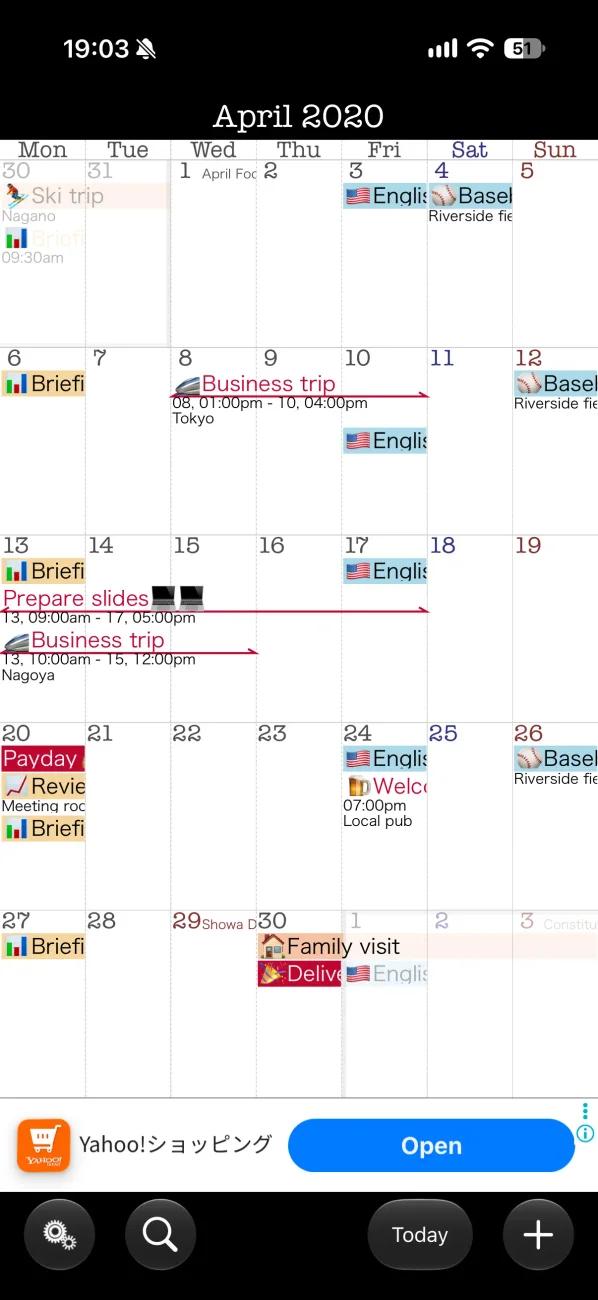
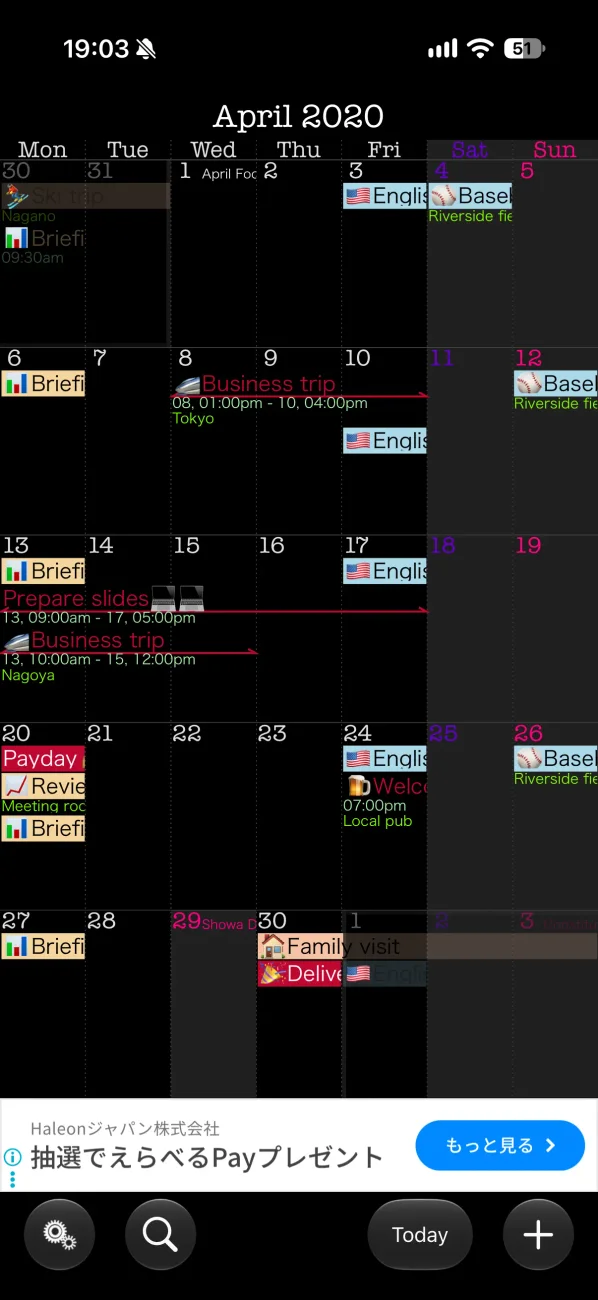
MonCalite is a software dedicated to monitor your schedule on and only on a monthly basis.
It was developed to mimic the actual usage of schedule paper notes, with a view of your monthly schedule at a glance.
This software is suitable for those:
Who writes the plan to manage desk calendar or diary of the month view.
Who tried many scheduler but ended up using monthly view only.
Registered schedules will be synchronized with your iPhone via standard calendar app. If other calendar apps such as iCloud Calendar and MS Exchange are set to sync with the standard calendar app., they will be reflected as well.
The fonts used are relatively small but with the Retina display, you will be able to view both the time and place without a stress. In addition, you can choose the fonts from 7 different size variations for a better view.
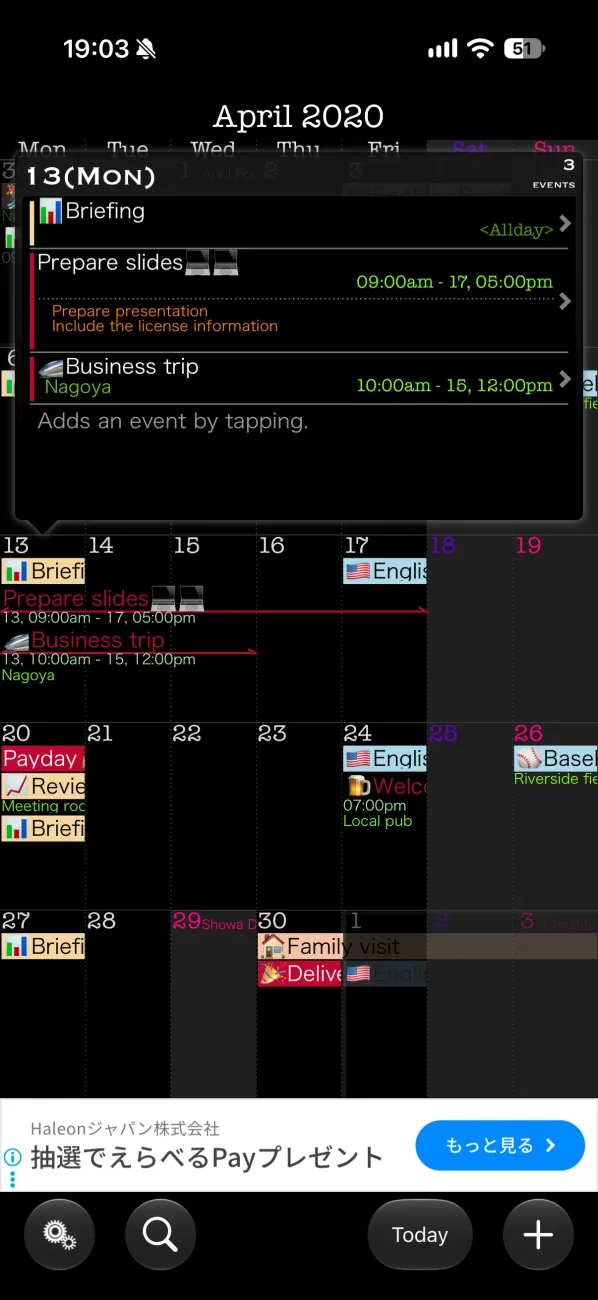
Your daily schedule will be displayed in a popup by tapping the date.
Please try! !
Functions:
+ Monthly calendar view
+ Detailed Event view
+ Launching the maps from a location text
+ Launching the browser from a URL in notes
+ Sync with the standard calendar app.
+ Create a event from input histories.
+ Color selection per calendar (Text color also available in black and white)
+ Adding or deleting calendar in iCloud or Local
+ Event repeat
(Yearly, Monthly, Weekly, Bi-Weekly, Daily and Custom setting)
+ Alarm
+ Beginning of the week
+ Fonts ( 4 types, 7 size variations) And bold
+ Layout of an event display ( 3 types )
+ Icon badge
+ Event copy
+ Landscape mode
+ And other Customizing...
+ Supports for URL Scheme ('com.gggatelier.moncalite://')
+ Supports iOS 15 / 16 / 17 / 18 / 26 / 27
+ Supports multitasking(Slide Over & Split View)
--------------------------
Feedback, requests are
X(Twitter): @gggatelier
mail: gggatelier.apps@gmail.com
What’s new
Version 3.1.1 · Nov 16, 2026
- Fixed an issue where the date in the top-left corner would not change color when selected during Multiple Copy
- Fixed an issue with notifications
- Fixed issues that were causing crashes
App privacy
What gggatelier declares on the App Store about how this app handles data.
-
Data used to track you
May be used to track you across apps and websites owned by other companies.
- Location
- Identifiers
- Usage data
- Diagnostics
-
Data linked to you
May be collected and linked to your identity.
- Location
- Identifiers
- Usage data
- Diagnostics
-
Data not linked to you
May be collected but is not linked to your identity.
- Diagnostics
Privacy practices may vary, for example with the features you use or your age.
Information
- Seller
- Masaki Mori
- Category
- Productivity
- Version
- 3.1.1
- Updated
- Nov 16, 2026
- Released
- Jan 20, 2013
- Size
- 88.2 MB
- Requires
- iOS 15.5 or later
- Age rating
- 4+
- Price
- Free
- Languages
- English, Japanese
- Copyright
- © 2013 - 2026 gggatelier
You might also like
-
 Otona Calendar: Simple PlannerSchedule, Agenda & Reminders
-
 Vertical Planner:Calendar,TodoProductivity
-
 ColumnCalendar and MemoEasy to use.
-
 SnapCal - for Google CalendarProductivity
-
 CalCal|Simple CalendarSee every plan as you scroll
-
 Easy and Simple CalendarSimple and stylish Calendar
-
 Supercal CalendarClear and easy to navigate
-
 Calendar Vertical & MonthlySimple Multiple Calendar
-
 Simple Calendar: Widget Calmonthly schedule glance
-
 Page CalendarThe smooth page-turn calendar