
- Age rating4+
- CategoryUtilities
- DeveloperDavid Liao
- Size4.2 MB
Links to the official App Store page
Download.org hosts no file of NewMotion. The button opens its official App Store page, published by David Liao. Listing last checked on Nov 12, 2026.
Screenshots
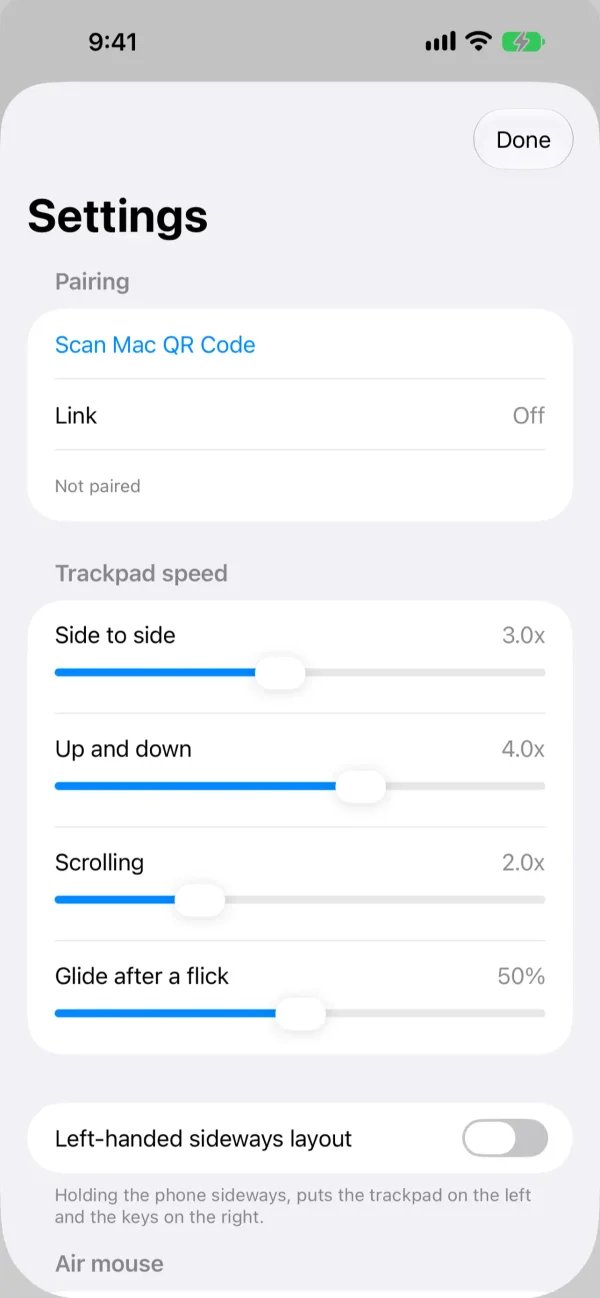
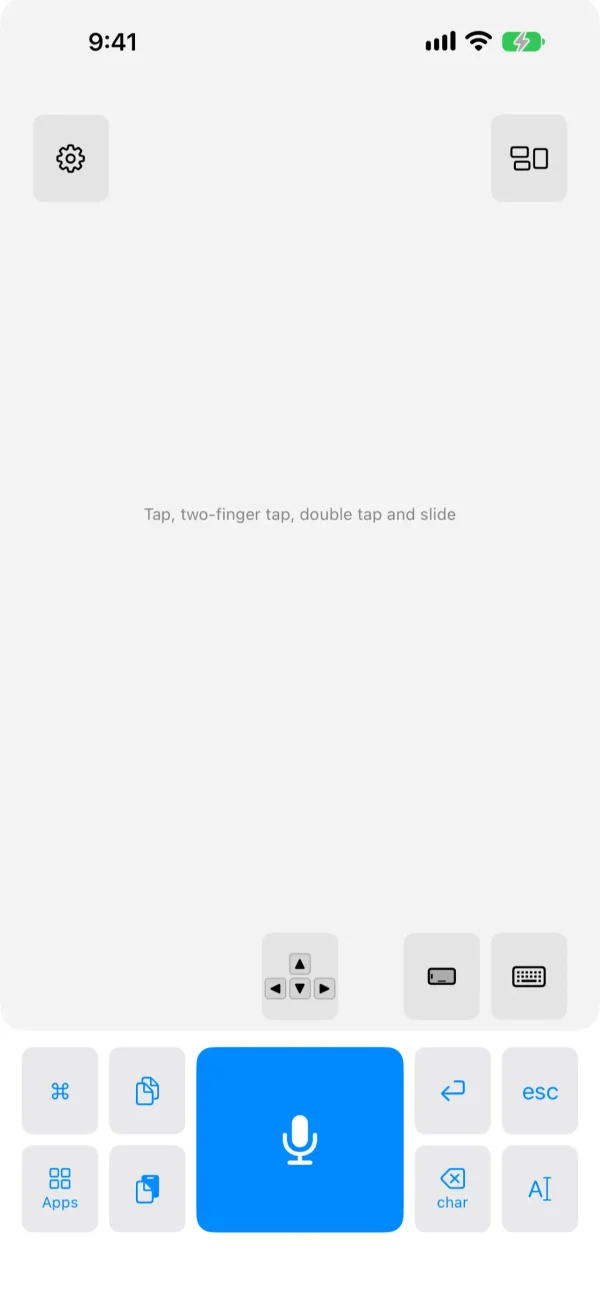

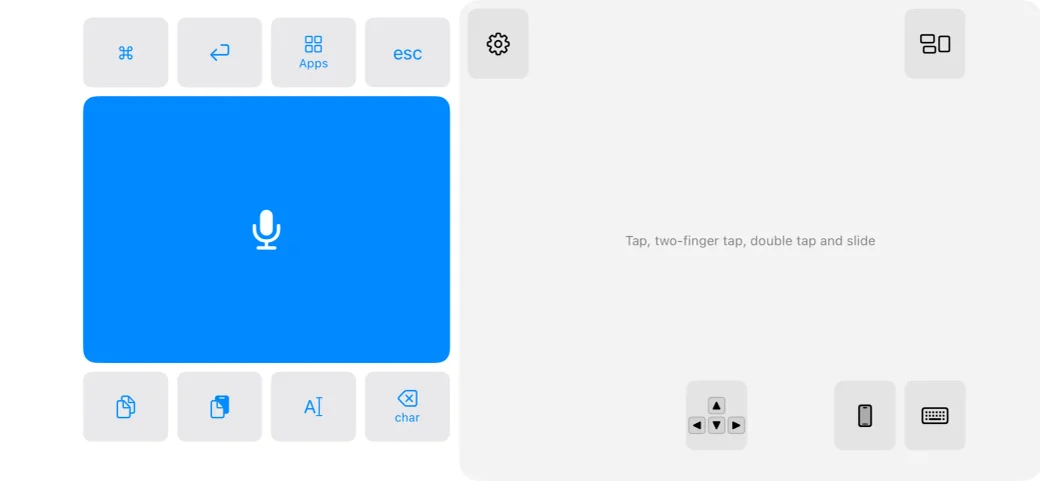
About
NewMotion turns your iPhone into a trackpad, keyboard, and dictation mic for your Mac. The two talk over Bluetooth. Nothing goes over the internet, and there is no account to make.
You need the free Mac companion app, or this app has nothing to connect to. Get it at github.com/ItFeelsLikeMagic/NewMotion.
PAIR ONCE
Scan the QR code the Mac shows. After that the phone finds your Mac on its own whenever both are nearby.
POINT AND SCROLL
Tilt the phone to move the pointer. Swipe to scroll. Tap to click.
TYPE
Use the phone keyboard, or hold a key and slide to fire a shortcut. Hold the Command key and a card of shortcuts appears on the Mac screen. Slide to the one you want and lift.
DICTATE
Hold the talk button and speak. The words appear on the Mac as you say them, and are typed when you let go. Slide up to send with Return, or down to throw them away. Speech is transcribed on the phone by Apple's on-device engine. Audio never leaves the phone.
PRIVATE BY DESIGN
No accounts. No analytics. No servers. Typed text, transcripts, and audio are never stored or logged. The Mac refuses to type into a password field.
REQUIRES
A Mac with Apple silicon on macOS 15 or later, running the NewMotion companion app. Dictation needs iOS 26 or later.
App privacy
What David Liao declares on the App Store about how this app handles data.
-
Data not collected
The developer does not collect any data from this app.
Privacy practices may vary, for example with the features you use or your age.
Information
- Seller
- David Liao|8191719693|1
- Category
- Utilities
- Version
- 0.4.0
- Updated
- Sep 22, 2026
- Released
- Sep 22, 2026
- Size
- 4.2 MB
- Requires
- iOS 18.0 or later
- Age rating
- 4+
- Copyright
- © 2026 David Liao
You might also like
-
 AirType: Trackpad & KeyboardType and click from your phone
-
 Padoo TrackpadMouse for Mac and Windows PC
-
 Pocket Board: Keyboard & MouseBluetooth Trackpad & Numpad
-
 Great BBQUtilities
-
 Pult: Remote for Smart TVUniversal TV remote & mouse
-
 Duo Trackpad - Touch ControlTrackpad, gestures & shortcuts
-
 Universal TV Remote Wi-FiWi-Fi Remote Control for TVs
-
 MouseMeUse your I phone as a mouse!
-
 PalmoteMac mouse, keyboard & control
-
 Pixel Clock - GridAnimated Pixel Clock