
OffMemory
Encrypted Offline Secret Notes
Designed for iPhone, iPad, Mac, iPod touch
In-app purchases
- Age rating4+
- CategoryProductivity
- Developer良 史
- LanguagesEnglish+ 14 more
- Size43.2 MB
Links to the official App Store page
Download.org hosts no file of OffMemory. The button opens its official App Store page, published by 良 史. Listing last checked on Nov 23, 2026.
Screenshots


About
OffMemory is a fully encrypted private notebook: your diary is free and unlimited, and the vault, ledger, period and intimacy logs live in the same locked book. Native on iPhone, iPad, Apple Watch and Mac: one purchase, each device keeping its own book, and you can move everything with a password-protected encrypted backup. AES-256; only your password opens it. No server of ours, no ads.
One book, five doors
On iPhone the app is now four tabs: Notes, Vault, Records, Me. On iPad in landscape the sidebar stays, with the same four doors on the left. The vault and the records are not separate apps: they share one lock, one encryption layer and one recycle bin with the diary, so there is no second password to remember.
Vault: passwords, cards, documents
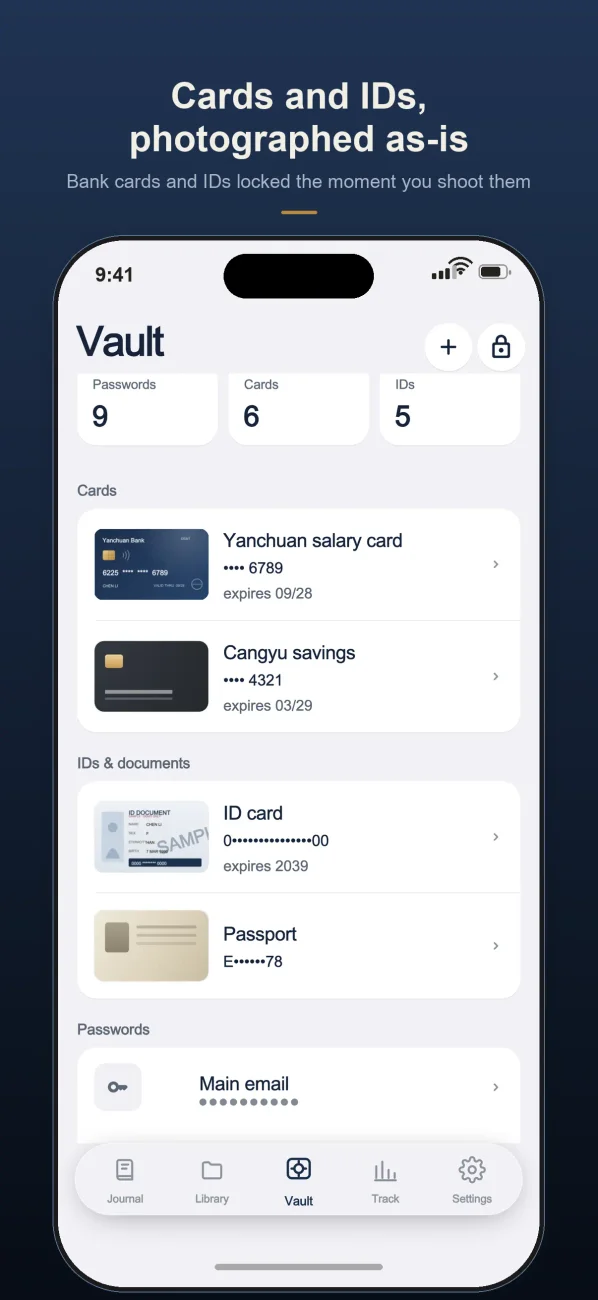
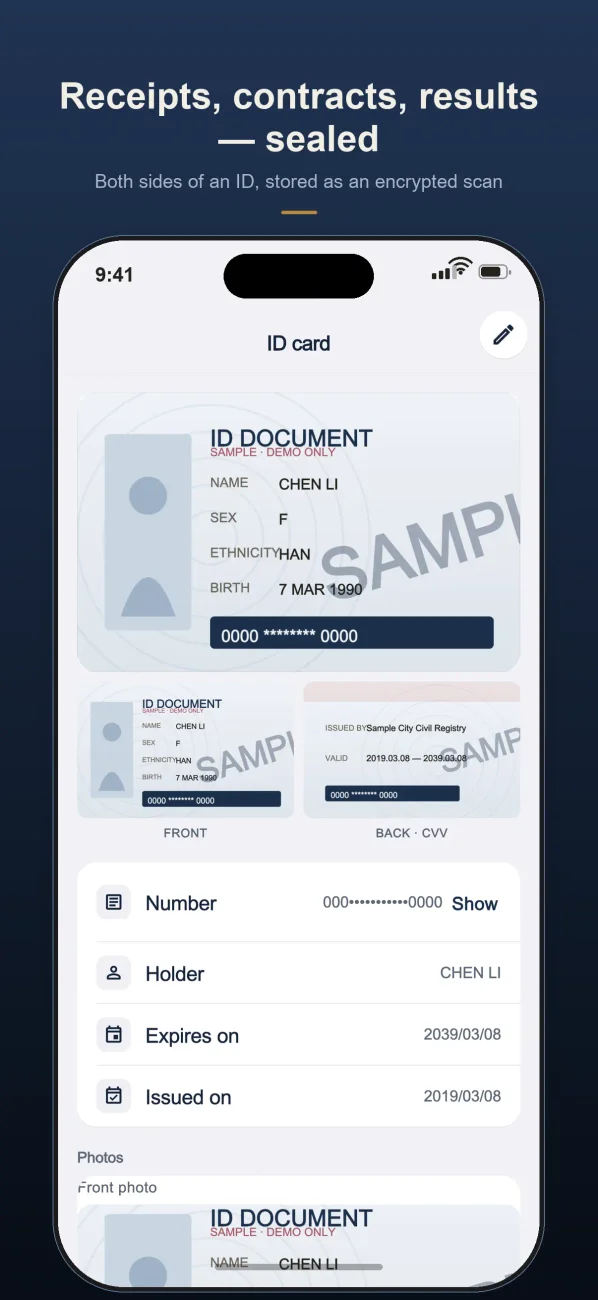
Passwords show as dots, appear on tap and re-mask after five seconds; copying goes through a clipboard guard that clears after thirty seconds; a generator and strength meter are built in. Bank cards are drawn as cards, the number masked except the last group, with a reminder seven days before expiry — storage only: the app cannot pay, transfer or reach any payment network. Documents keep front and back photos, with the number visible only at both ends. While the app is locked, no item and no count is shown at all.
Records: cycle, intimacy, spending
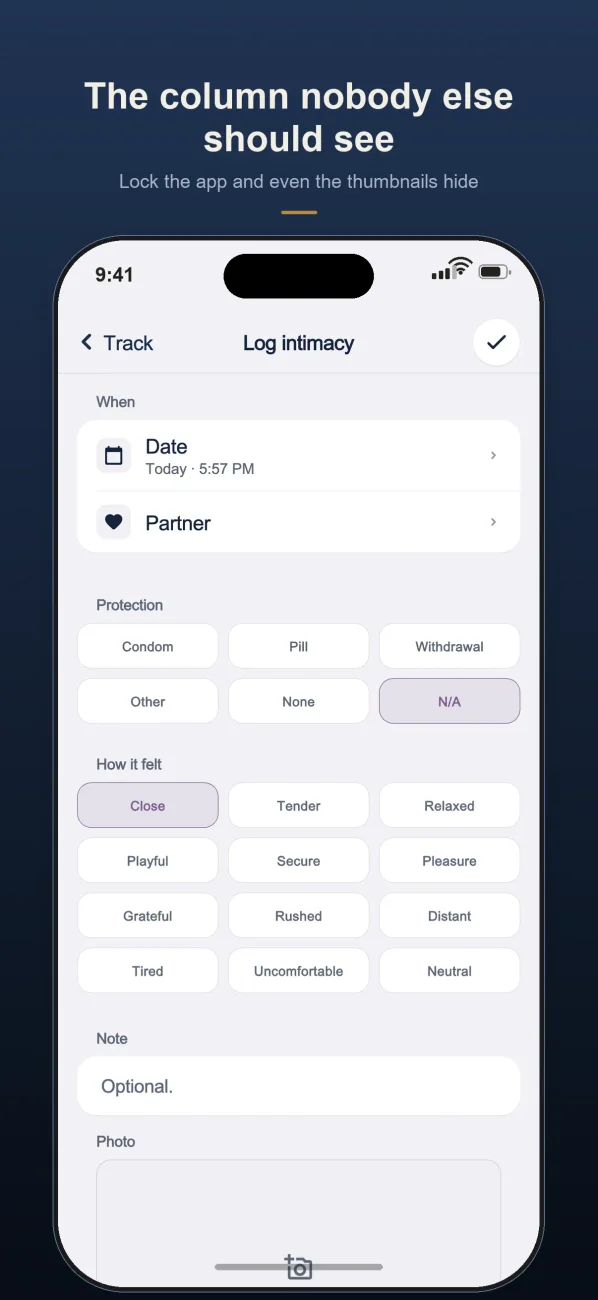
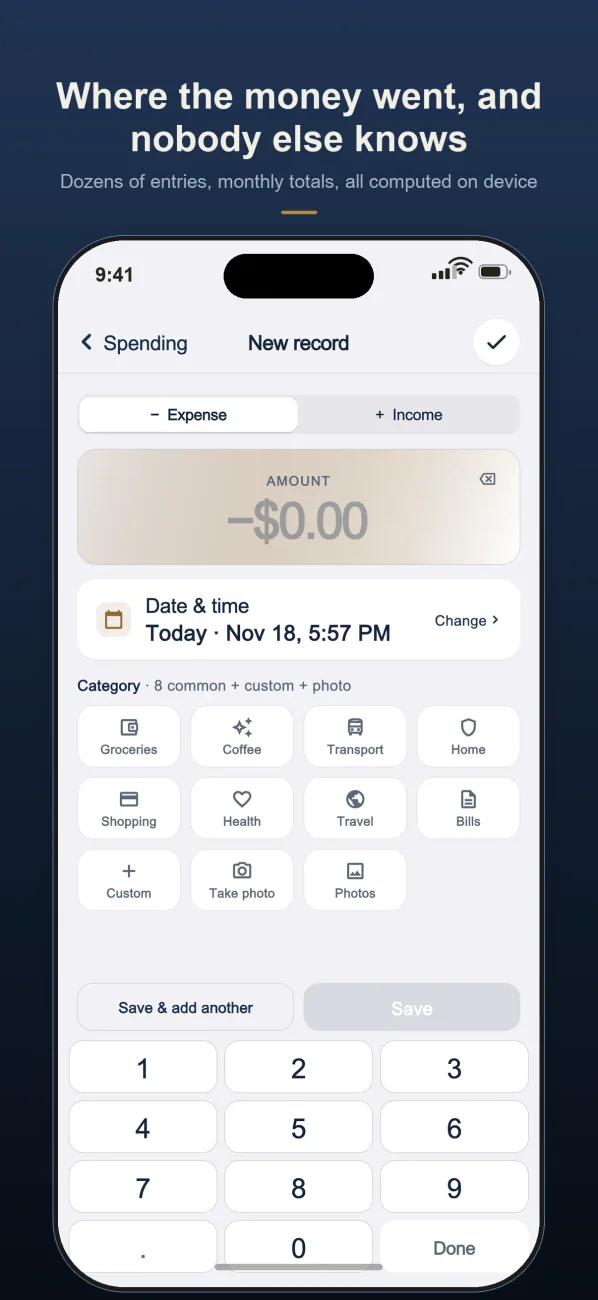
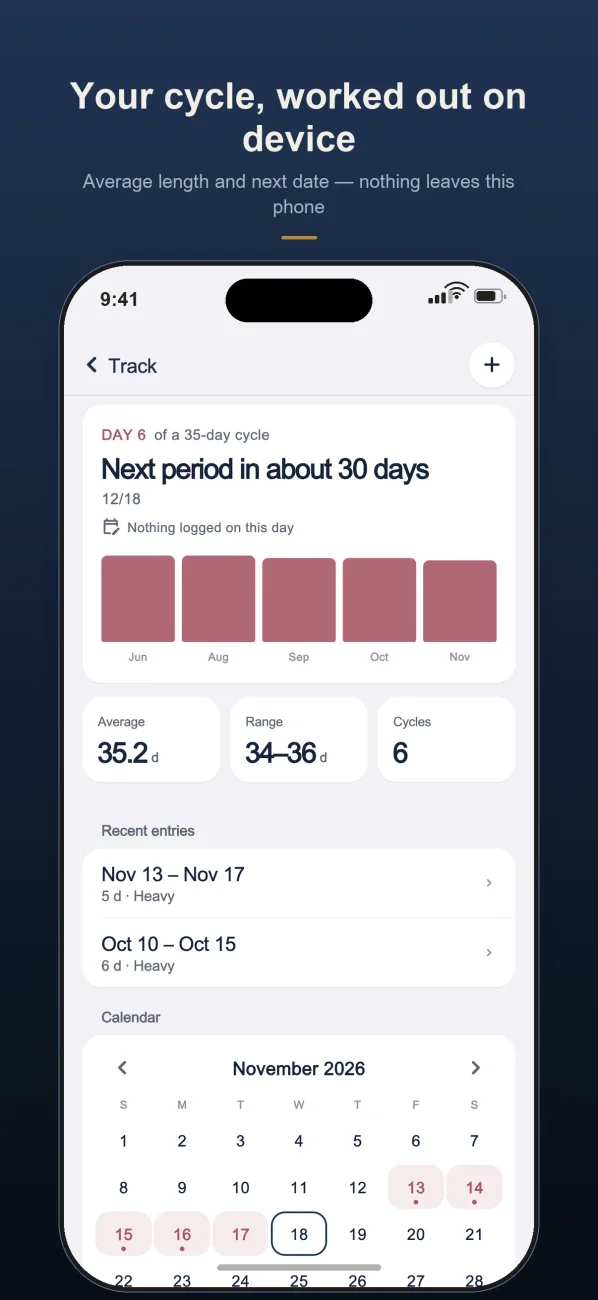
The cycle view colours a monthly calendar, one entry a day, eighteen symptoms to tick, and works out the average length and next estimate from your own dates; it logs your cycle only, gives no diagnosis and cannot be used as contraception. The intimacy log keeps what happened, with no ranking and no comparison. Spending is split into income and expense with categories, and the calendar shows each day's total. All three sit on the same timeline as the diary: Recent lists everything newest first.
Three things worth calling out
1. Second Vault: a second, decoy password opens a separate space where your real content is not visible: separate database, keys and media folders.
2. Apple Watch: capture from your wrist; entries wait in a sync queue, so nothing is lost offline, and you can lock the phone from your wrist.
3. On-device summaries on Apple Intelligence devices: summarise, suggest a title or reflect. Nothing leaves the device.
Key features
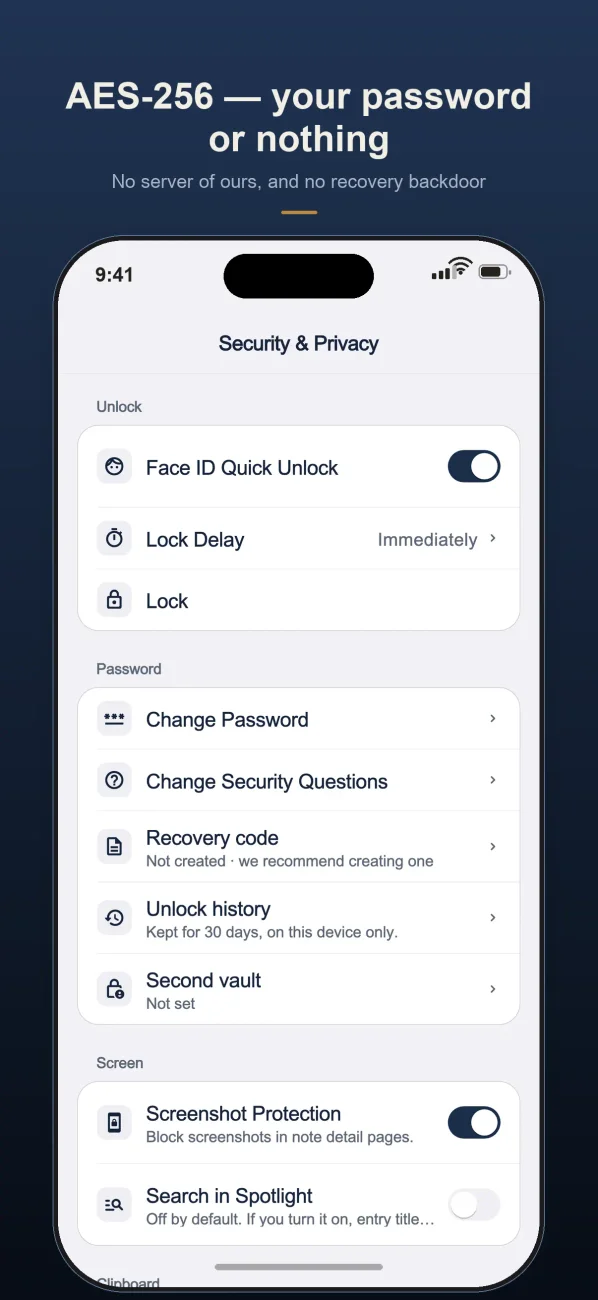
1. Password protection with Face ID; the app locks itself when it leaves the foreground
2. Recovery code: write it down once and everything stays readable even if you forget the password
3. Records share the diary's password and its AES-256 layer, derived with Argon2id
4. Vault in four sections: passwords, bank cards, ID documents, other; sensitive values masked until tapped, then re-masked after five seconds
5. Bank cards: six colours, number masked in groups, reminder seven days before expiry
6. ID documents: front and back photos with the number visible only at both ends
7. Cycle: coloured calendar, eighteen symptoms, average length and next estimate — a log, not medical advice
8. Intimacy log: date, place, type, note — facts only, no evaluation
9. Spending: income and expense, categories, accounts, calendar and monthly totals
10. Record insights: this month's spending, average cycle, the last six months of trends
11. Recent: diary entries and every record type on one timeline
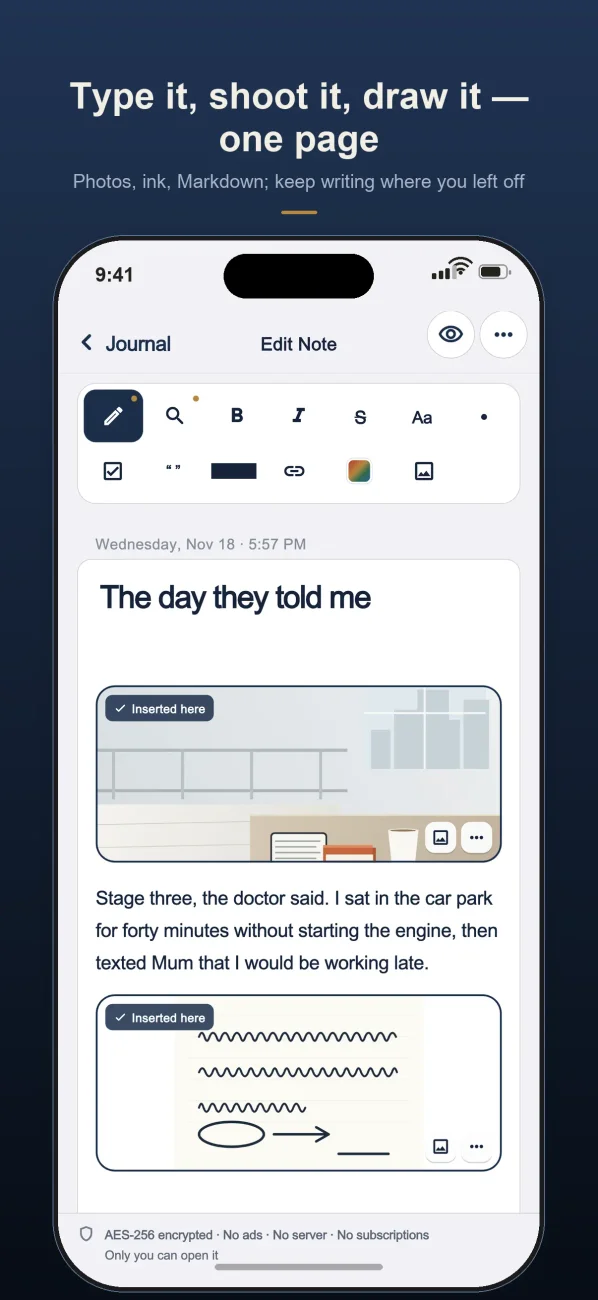
12. Markdown toolbar, folders, tags, favourites, moods, writing calendar, per-note lock, event date, Time Capsule, Year in Review
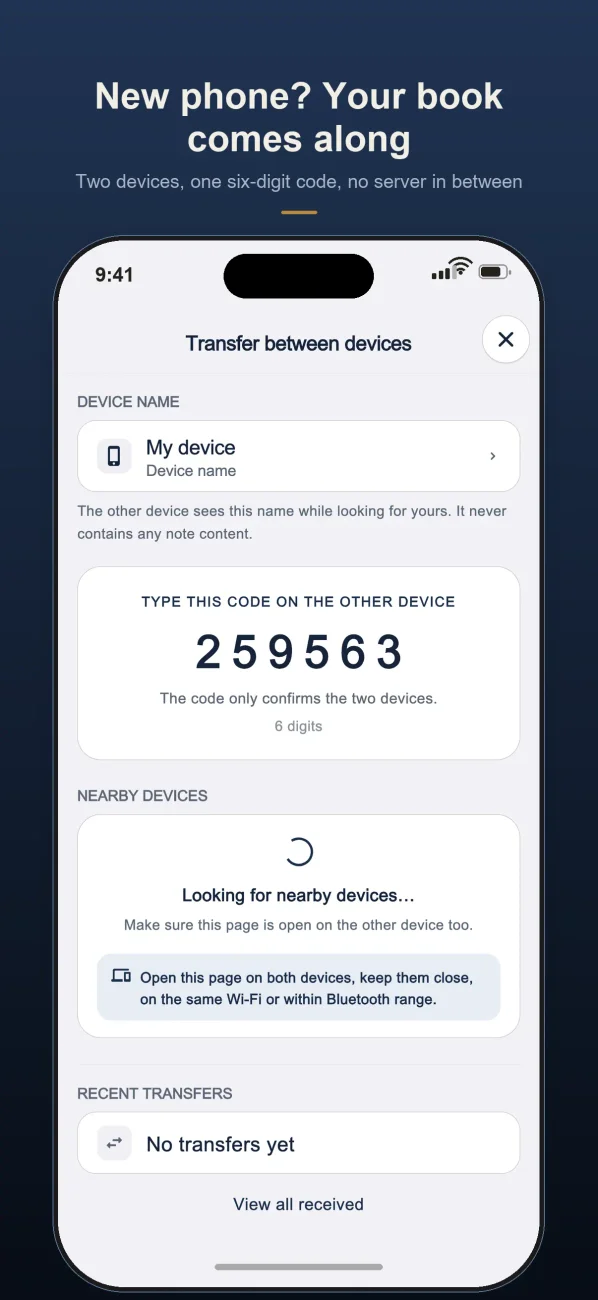
13. An encrypted backup restores on a new phone with the vault and records inside; device-to-device transfer carries them too
14. Optional Spotlight index — titles only, off by default; home-screen widget and Lock Screen control (iOS 18+)
Download free. Diary entries are unlimited and free forever; the vault, ledger, period log and intimacy log share three free items. One purchase unlocks unlimited records and device-to-device transfer, forever. iPhone, iPad, Apple Watch, Mac, 15 languages.
What’s new
Version 4.1.0 · Nov 22, 2026
This release, we keep refining the details you don't see.
May every record you keep be held with care.
Thank you for being with us.
App privacy
What 良 史 declares on the App Store about how this app handles data.
-
Data not collected
The developer does not collect any data from this app.
Privacy practices may vary, for example with the features you use or your age.
Information
- Seller
- 良 史
- Category
- Productivity
- Version
- 4.1.0
- Updated
- Nov 22, 2026
- Released
- Sep 22, 2026
- Size
- 43.2 MB
- Requires
- iOS 15.0 or later
- Age rating
- 4+
- In-app purchases
- Yes
- Languages
- English, Dutch, French, German, Italian, Japanese, Korean, Polish, Portuguese, Russian, Simplified Chinese, Spanish + 3 more
- Copyright
- © 2026 OffMemory
You might also like
-
 Passo Password Manager & 2FAAutofill Passkeys & OTP Vault
-
 Outliner by codediaryYour ideas, organized
-
 1Cryptor : Protect PrivacyEncryption Photos, File, PDF
-
 Password Manager: My PasswordsOffline, Passkeys, 2FA & More
-
 Password Manager:2PasswStore Autofill & Passwords
-
 Passwd: Team Password ManagerProductivity
-
 Password Manager: Safe LockStore, Autofill Passwords
-
 ForSure Password ManagerSafe & AutoFill Passwords.
-
 Leaf Note: Markdown NotesProductivity
-
 PrivacyNotes: Encrypted NotesTasks, diary, passwords, files