OffScroll: Block Apps & To-Dos
Screen time limits & to-dos
Designed for iPhone, iPad
In-app purchases
- Age rating4+
- CategoryProductivity
- DeveloperPaul Konrad Blumberg
- LanguagesGerman+ 1 more
- Size6.8 MB
Links to the official App Store page
Download.org hosts no file of OffScroll: Block Apps & To-Dos. The button opens its official App Store page, published by Paul Konrad Blumberg. Listing last checked on Nov 12, 2026.
Screenshots



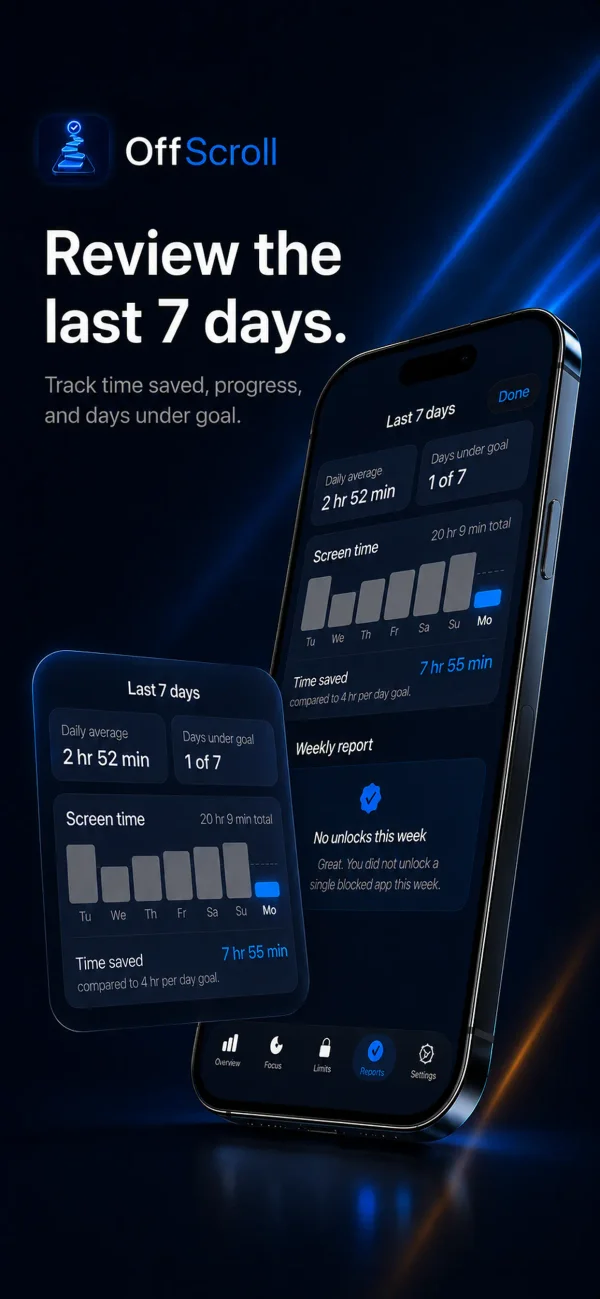


About
Most screen time apps lock you out and leave you standing there. You see a block screen, close it, open the next app — and keep scrolling.
OffScroll doesn't just take the feed away. It puts what you actually meant to do in its place.
HOW IT WORKS
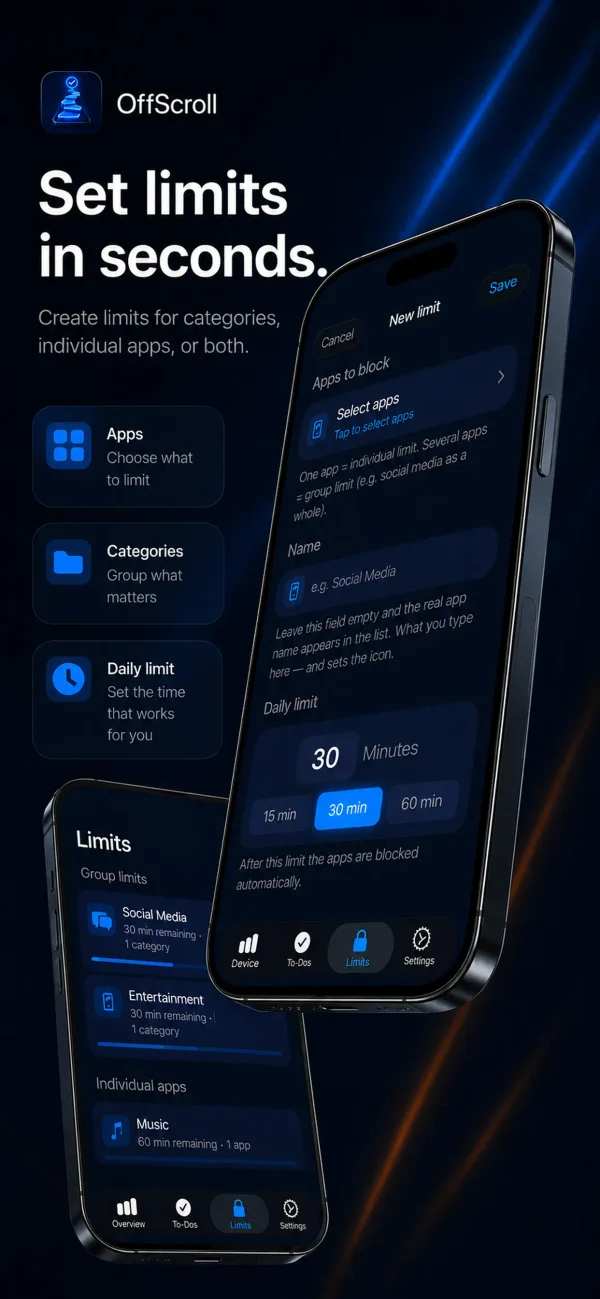
1. Set your limits
Pick single apps or whole categories and give them a daily limit. OffScroll builds on Apple Screen Time, so it really blocks — it doesn't just remind you.
2. Write down what's waiting
A plain list, no folders and no labels. Whatever is at the top is what matters most.
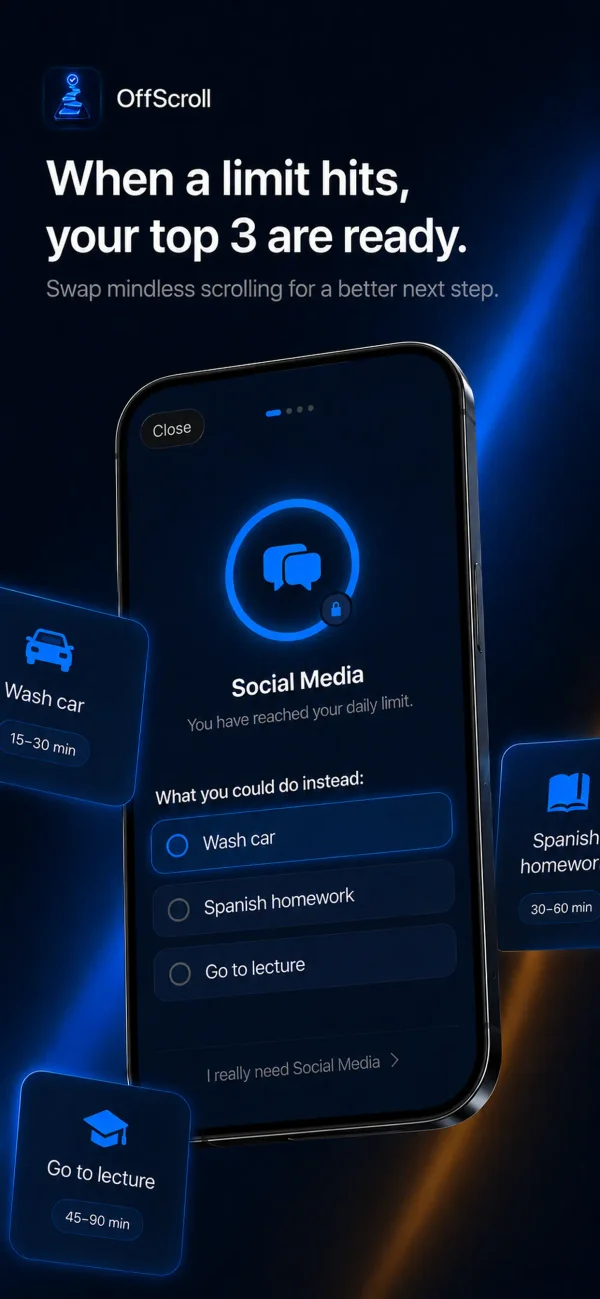
3. At your limit, you see that list
When the time is used up, the block screen shows your three most important tasks. One tap takes you straight there.
4. You can unlock — but you have to explain yourself
You can always get back into your apps. You just have to write down why. When the time runs out, OffScroll asks whether it was worth it.
WHAT SETS OFFSCROLL APART
The block screen isn't a dead end
Other apps say "time's up" and that's that. OffScroll puts your open list in the same spot. You don't just lose something — you get something back.
Unlocking costs you a sentence
No password, no forced waiting period, no wall to fight against. Just one question: why now? That's the difference between a decision and a reflex — and it's why you can look back and see where your time actually went.
Priority is simply the order
No categories, no priority levels, no stars, no points. What's at the top matters. Drag to reorder, that's it.
No leaderboards, no trophies
The app reports, it doesn't cheer. You see your numbers — not your rank next to strangers.
No account, no sign-up
Download it, open it, go. There is nothing to register and no email address to hand over.
EVERYTHING IT DOES
Limits and blocking
· Daily limits for single apps or whole categories
· Real blocking through Apple Screen Time, not just a notice
· Block websites at all times — in Safari
· Cap your daily unlocks: 1 to 10
· Choose how long an unlock lasts: 5, 10, 15 or 30 minutes
· A follow-up question after every unlock, asking whether it was worth it
To-dos
· A list where the order is the priority — drag to reorder
· The top three appear on the block screen
· Completed items are struck through; one-off tasks disappear at the next day change, daily ones come back unchecked
· Swipe to pin
Overview
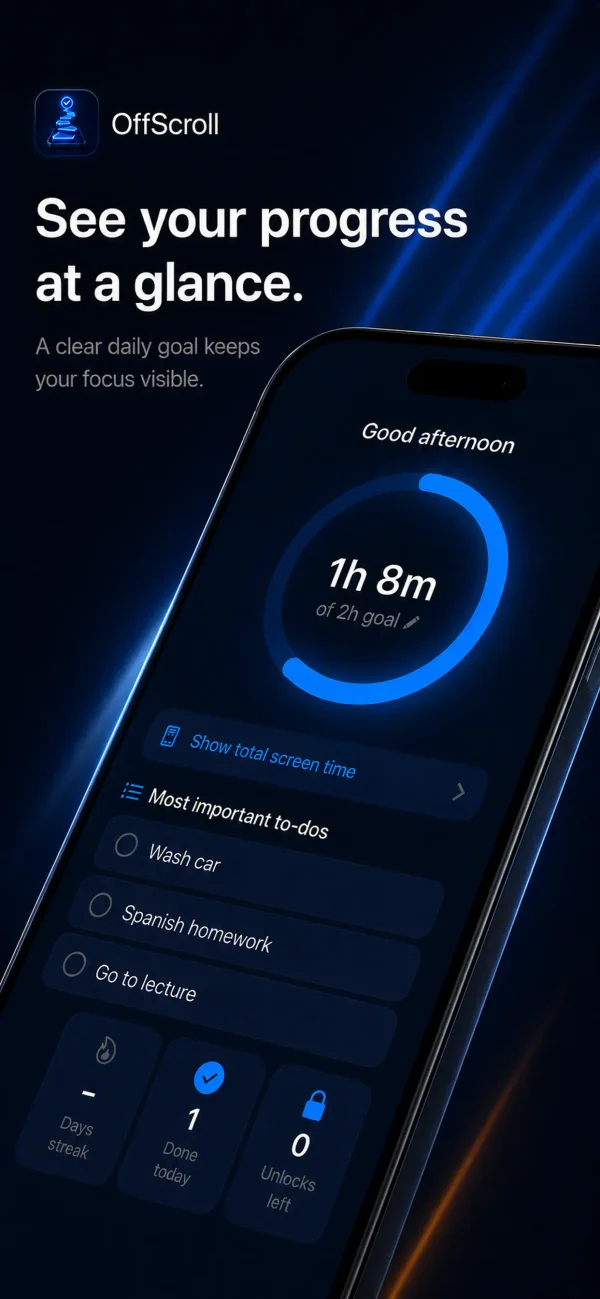
· A ring with your real screen time and your daily goal
· Weekly overview with per-day bars and a goal line
· "Time saved" — measured against your screen time before OffScroll
· A streak for every day you kept your limits
· Unlocks taken and tasks completed per day
Also
· Evening recap, Sunday weekly recap — both can be turned off
· Two colour worlds: Dark Blue or Black & Orange
· For iPhone and iPad
PRIVATE, BECAUSE NOTHING LEAVES YOUR DEVICE
OffScroll has no account, no sign-in, no server. Your limits, your to-dos and your usage data live on your iPhone only. Apple Screen Time doesn't even hand the app the names of the apps you block — we couldn't read them if we wanted to.
SUBSCRIPTION
Use OffScroll for free with one limit for an app, a category or a website, and up to 5 open to-dos. Pro unlocks unlimited limits (including whole groups of apps), daily to-dos, unlimited to-dos and the 7-day overview. Pro is available as a monthly or yearly subscription and starts with an immediate charge. Cancel any time in your App Store account settings.
Privacy Policy: https://offscrollsupport-ship-it.github.io/offscroll-privacy/
Terms of Use: https://www.apple.com/legal/internet-services/itunes/dev/stdeula/
What’s new
Version 1.3.0 · Oct 7, 2026
New: OffScroll is now free to use. One limit for an app, a category or a website and up to five open to-dos – for as long as you like, no subscription needed.
Want more? OffScroll Pro adds unlimited limits, including whole groups of apps, daily to-dos, unlimited to-dos and the 7-day overview – and it now costs less.
App privacy
What Paul Konrad Blumberg declares on the App Store about how this app handles data.
-
Data not collected
The developer does not collect any data from this app.
Privacy practices may vary, for example with the features you use or your age.
Information
- Seller
- Paul Konrad Blumberg
- Category
- Productivity
- Version
- 1.3.0
- Updated
- Oct 7, 2026
- Released
- Aug 26, 2026
- Size
- 6.8 MB
- Requires
- iOS 17.0 or later
- Age rating
- 4+
- In-app purchases
- Yes
- Languages
- German, English
- Copyright
- © 2026 Paul Blumberg
You might also like
-
 Offscroll: Screen Time ControlPause before you scroll
-
 Yap - AI Motivation AgencyAgents that roast & nag
-
 Offliner: Block Apps & DetoxStrict Screen Time Focus
-
 Quit: Screen Time BlockerStop Doomscrolling & Focus
-
 TaskGate: App Blocker & To-DoFinish tasks to unlock apps
-
 Think First: Screen TimeApp Blocker & Focus Timer
-
 KickIt: App & Website BlockerProductivity
-
 Greenhouse: App Blocker, FocusBlock Apps & Limit Screen Time
-
 KairoAiProductivity
-
 TimeVault: Screentime & HabitsEarn screen time with habits