
okLens - Document Scanner
Offline scan · Auto-crop · PDF
Designed for iPhone
In-app purchases
- Age rating4+
- CategoryProductivity
- Developer海龙 李
- LanguagesJapanese+ 5 more
- Size1.0 MB
Links to the official App Store page
Download.org hosts no file of okLens - Document Scanner. The button opens its official App Store page, published by 海龙 李. Listing last checked on Nov 12, 2026.
Screenshots



About
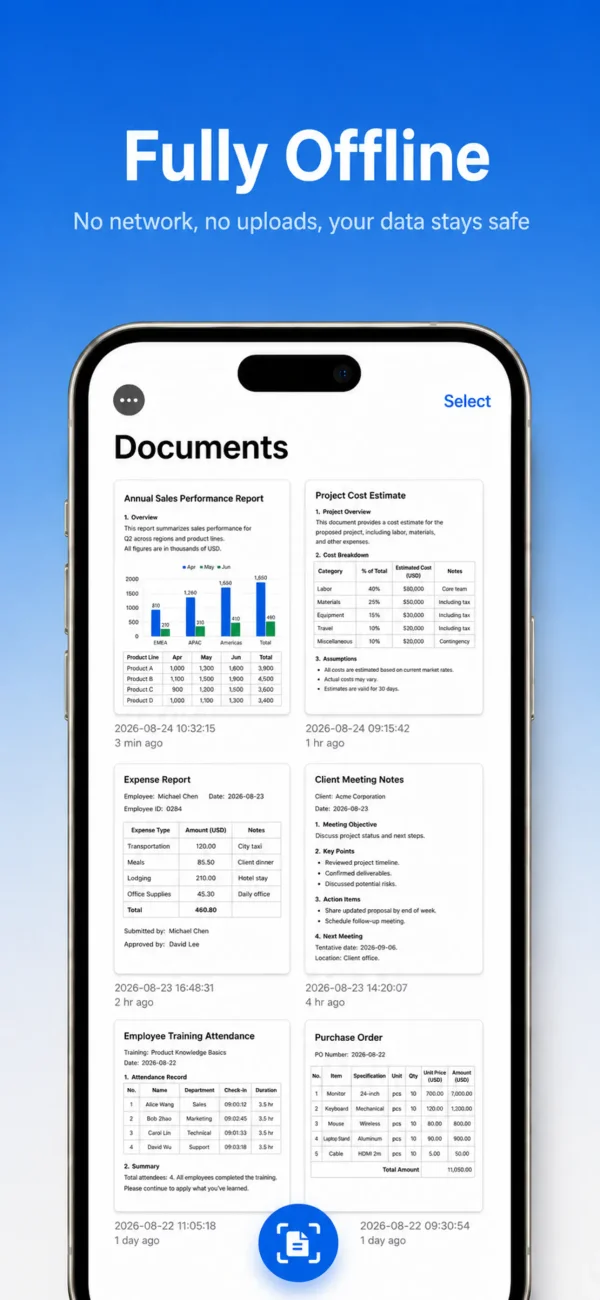
okLens is a minimalist document scanner — photograph a paper document, get a clean, auto-cropped copy that stays on your device, and export it as an image or PDF whenever you need to.
No account. No cloud. No subscription.
WHY okLens
Because Microsoft Lens has been discontinued. okLens is the local alternative: your scans live on your device only — never uploaded, never synced, no sign-up.
WHAT IT DOES
· Camera scanning — manual shutter, so it never fires before you're ready
· Smart crop — finds the document edges automatically, drag the corners to fine-tune
· Straighten — rotate a skewed shot back into place
· Flash — turn on the light when the room is dim
· Import from Photos — turn a photo someone sent you into a clean scan
· Enhance — automatic contrast and sharpness boost
· Export images — send several scans to Photos at once
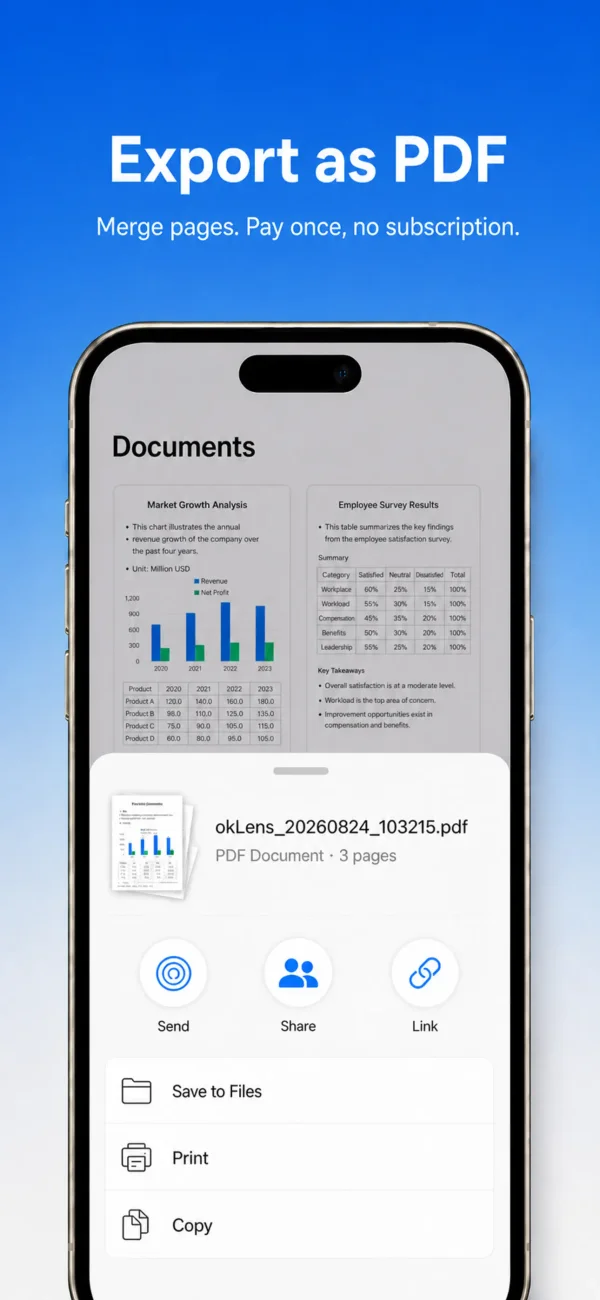
· Make a PDF — merge multiple pages into one file and share it
PRIVACY
okLens makes no network requests of its own. No servers, no accounts, no analytics, no third-party SDKs.
Every scan is stored in the app's private storage. Delete a scan and it is gone from the device; delete the app and everything goes with it.
Saving to Photos uses add-only permission — okLens cannot read, browse, or delete the photos you already have. Importing goes through Apple's system picker, so it only ever receives the images you pick.
PRICING
The free version is fully usable; exported images and PDFs carry one small watermark line. A single purchase removes it for good — a one-time purchase, not a subscription. Yours for life, future updates included.
LANGUAGES
English · 简体中文 · 日本語 · 한국어 · Español · Deutsch
App privacy
What 海龙 李 declares on the App Store about how this app handles data.
-
Data not collected
The developer does not collect any data from this app.
Privacy practices may vary, for example with the features you use or your age.
Information
- Seller
- 海龙 李
- Category
- Productivity
- Version
- 2.0.1
- Updated
- Sep 8, 2026
- Released
- Sep 8, 2026
- Size
- 1.0 MB
- Requires
- iOS 16.0 or later
- Age rating
- 4+
- In-app purchases
- Yes
- Languages
- Japanese, Spanish, German, Simplified Chinese, English, Korean
- Copyright
- © 2026 OKTool
You might also like
-
 Scanner AI: PDF ScannerPrivate, offline, no account
-
 Capy Scan: Document ScannerPDF Scanner with OCR & Sign
-
 LensFlow ScannerScan, OCR & searchable PDFs
-
 NyaScan: PDF ScannerPrivate Doc Scan, OCR & Word
-
 Fumi ReaderA lightweight RSS reader
-
 WhispiProductivity
-
 OverRun: Presentation TimerSpeech countdown with overtime
-
 レポートスキャンProductivity
-
 Privascan: PDF Scanner & OCRPrivate, Offline, No Watermark
-
 MaxScan: Receipt & PDF ScannerPrivate AI, scan & edit PDFs