- Age rating4+
- CategoryDeveloper Tools
- DeveloperPrateek Karnal
- LanguagesEnglish
- Size56.8 MB
Links to the official App Store page
Download.org hosts no file of Orchestrator.Inc. The button opens its official App Store page, published by Prateek Karnal. Listing last checked on Nov 14, 2026.
Screenshots


About
Orchestrator is the companion app for Orchestrator, the desktop workspace for agent-driven development.
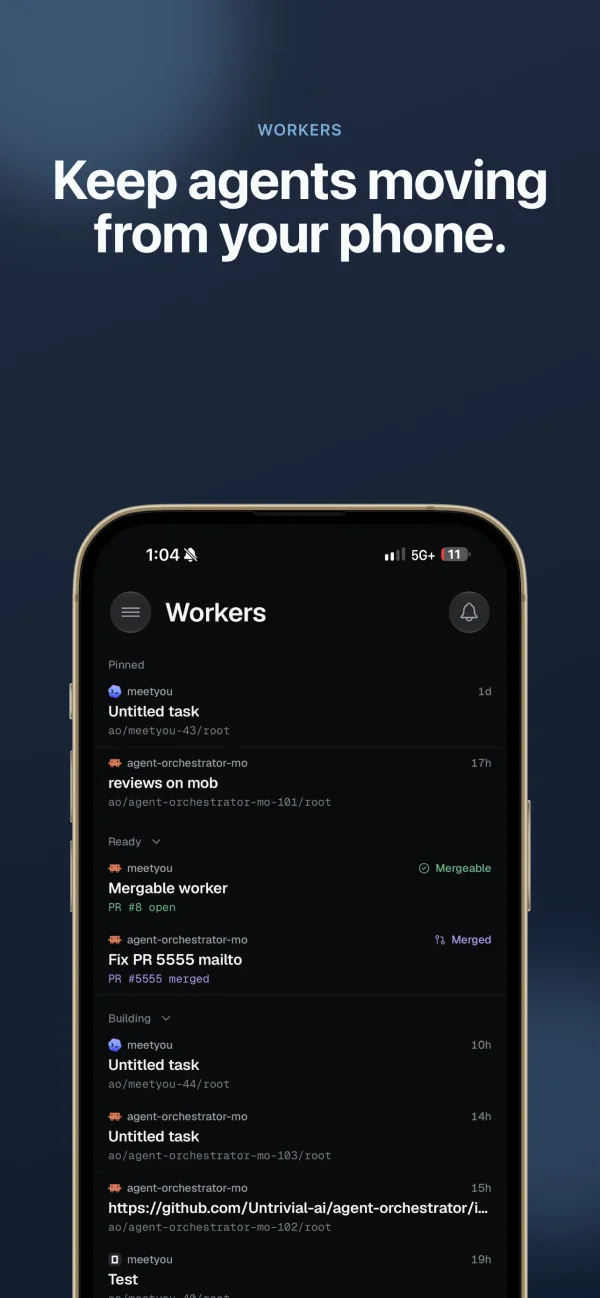
Your agents keep working while you step away from your desk. AO Mobile keeps you in the loop see what every worker is doing, answer the ones that are blocked, and keep work moving from your phone.
REQUIRES THE Orchestrator DESKTOP APP
AO Mobile is a thin client. It connects directly to Agent Orchestrator running on your own computer, over your local network or your Tailscale network. There is no cloud service and no account to create. Your code, conversations, and repositories never leave your machine.
WHAT YOU CAN DO
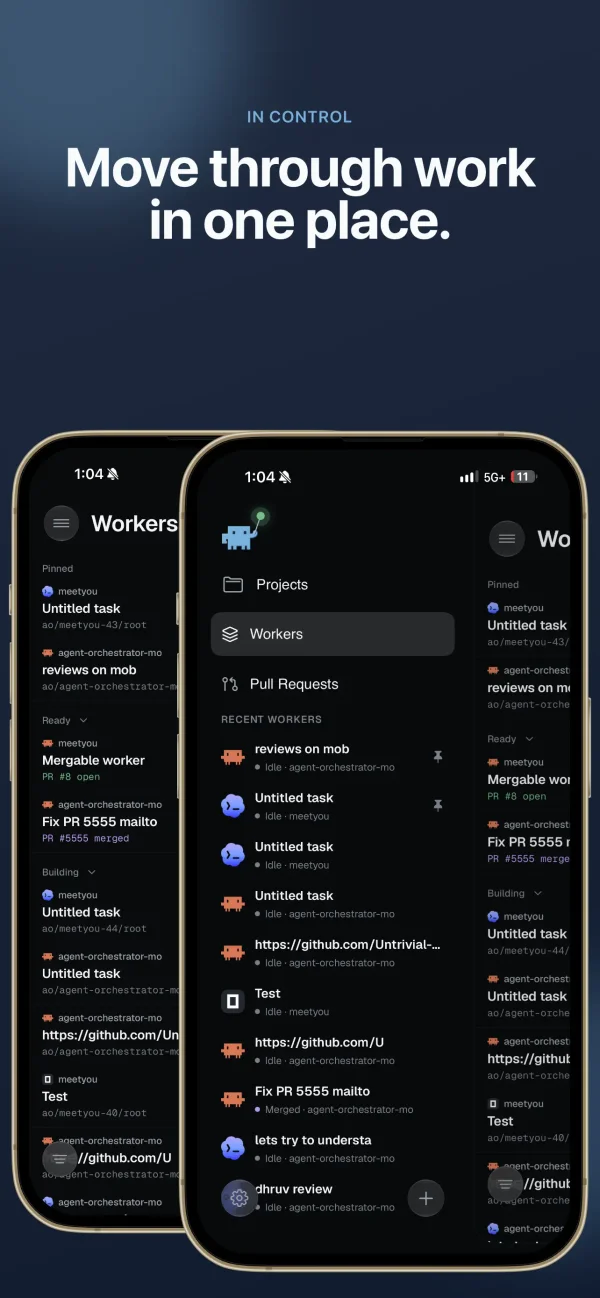
• Live Kanban — every worker session on one board, grouped by what needs your attention: working, needs you, in review, ready to merge.
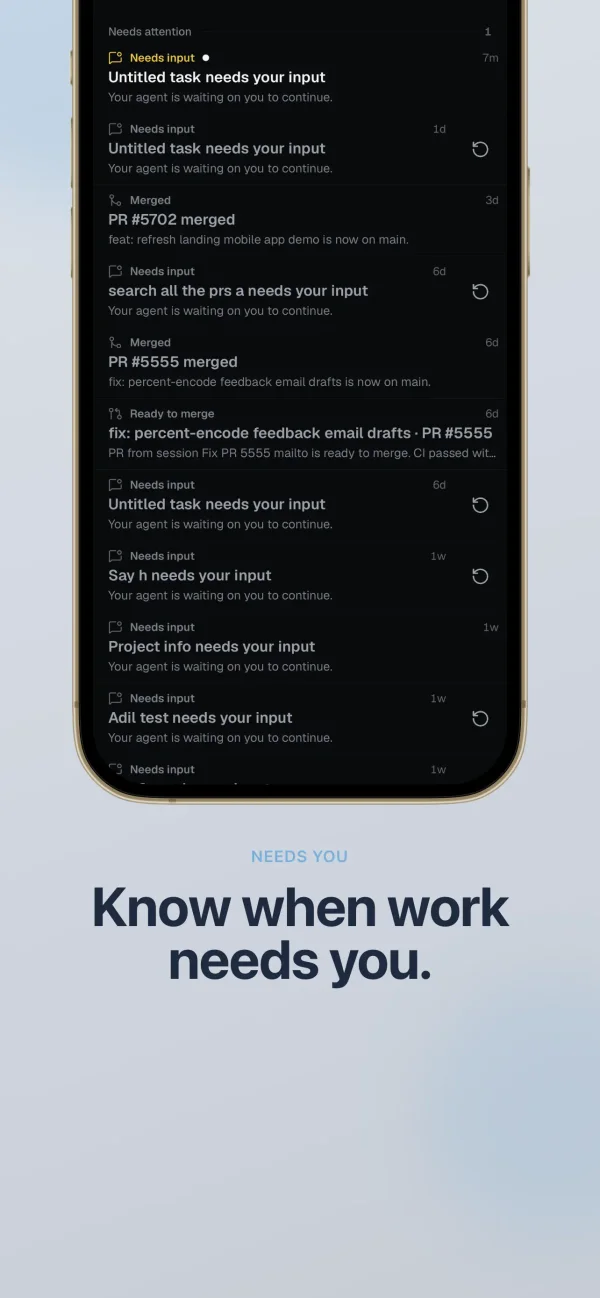
• Get notified when an agent stops — a push notification arrives the moment a session needs your input, and tapping it opens that exact conversation.
• Chat with any agent — full conversation history, streaming responses, approvals, model and provider switching, file attachments, and voice input for when typing is impractical.
• Follow pull requests — open and draft PRs with their checks, CI status, and review state.
• Talk to the orchestrator — your project-level planning agent, for thinking through direction and delegating new work.
• Drop into the terminal — attach to a session's live terminal when you need the raw view.
• Preview running work — open a worker's browser preview to see what it built.
BUILT FOR TRUST
The desktop's connection to your phone is opt-in and off by default. When you enable it, AO opens a separate local listener protected by a rotating password, and pairing happens by scanning a QR code shown on your desktop. Turning it off closes the connection immediately.
GETTING STARTED
1. Install Agent Orchestrator on your Mac, Windows, or Linux machine.
2. Turn on Connect Mobile in the desktop app.
3. Scan the pairing QR code with this app.
Agent Orchestrator is open source. Learn more at aoagents.dev.
What’s new
Version 2.4.0 · Nov 13, 2026
- Switch a chat between Claude Code and Codex right from the model menu.
- Run Orchestrator Cloud sessions and sign in to Cloud coding agents from your phone.
- Preview artifacts in more formats, with tiles in the chat and shareable links.
- Add local projects, and compare files against any branch.
App privacy
What Prateek Karnal declares on the App Store about how this app handles data.
-
Data not linked to you
May be collected but is not linked to your identity.
- Identifiers
- Usage data
Privacy practices may vary, for example with the features you use or your age.
Information
- Seller
- Prateek Karnal
- Category
- Developer Tools
- Version
- 2.4.0
- Updated
- Nov 13, 2026
- Released
- Aug 31, 2026
- Size
- 56.8 MB
- Requires
- iOS 16.4 or later
- Age rating
- 4+
- Price
- Free
- Languages
- English
- Copyright
- © 2026 Untrivial
You might also like
-
 CodyncYour coding agents, as bots
-
 amux - agent multiplexerAI Coding Agent Dashboard
-
 FlonnoAI Model Release Radar
-
 Heeler: Agent ConsoleYour coding agents, anywhere
-
 herdrup: agents in your pocketAnswer your coding agents
-
 Paradev (formerly Superset)Manage AI agents on the go
-
 Digger DNS lookupDNS lookup & dig-style results
-
 TermRover - SSH TerminalMosh, tmux, herdr, AI Agents
-
 Remote Pi - Coding AgentPair your phone to Pi Code
-
 KKCode - OpenCode MobileAI Coding Agent on Mobile