PaperTrace Light Table
Trace drawings, letters & maps
Designed for iPhone, iPad
Free
- Age rating4+
- CategoryGraphics & Design
- DeveloperMichael Furø
- LanguagesEnglish+ 1 more
- Size13.4 MB
Links to the official App Store page
Download.org hosts no file of PaperTrace Light Table. The button opens its official App Store page, published by Michael Furø. Listing last checked on Nov 17, 2026.
Screenshots

About
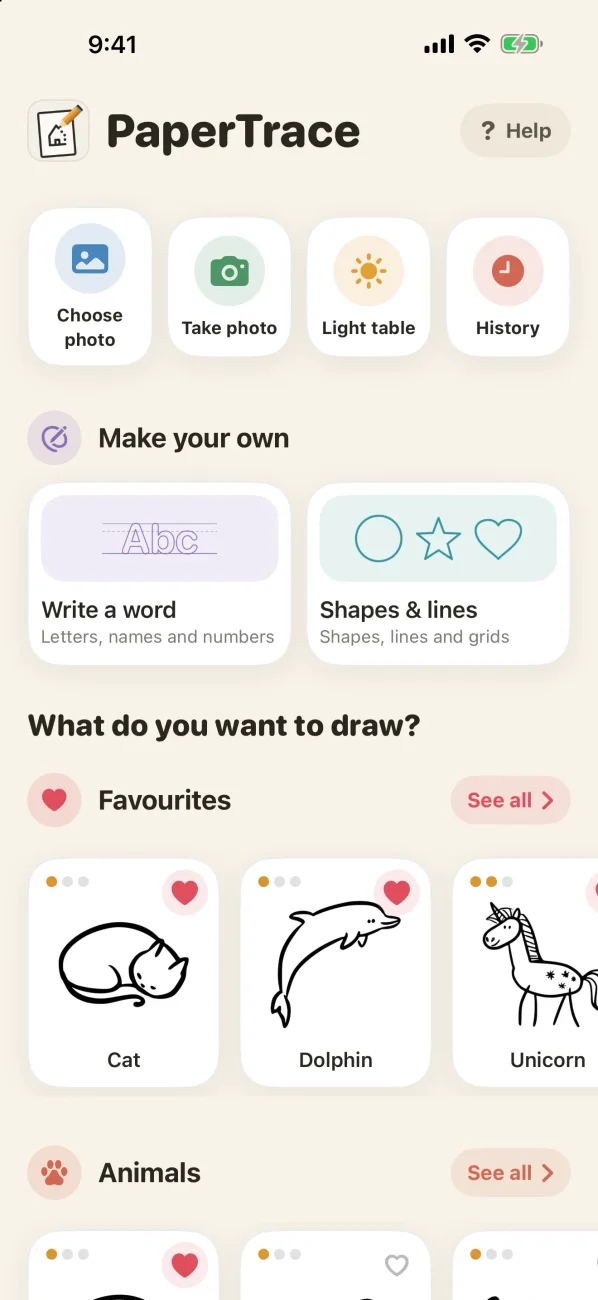
PaperTrace turns your iPhone or iPad into a light table. Pick a picture, lay a sheet of paper on the screen, lock it, and trace.
154 drawings to choose from, words and names you type yourself, shapes and grids, or your own photos.
For anyone who likes to draw: small children, grown-ups, grandparents and whole classrooms.
HOW IT WORKS
1. Pick a drawing, write a word, or choose a photo.
2. Move, zoom and turn the picture with your fingers until it sits right.
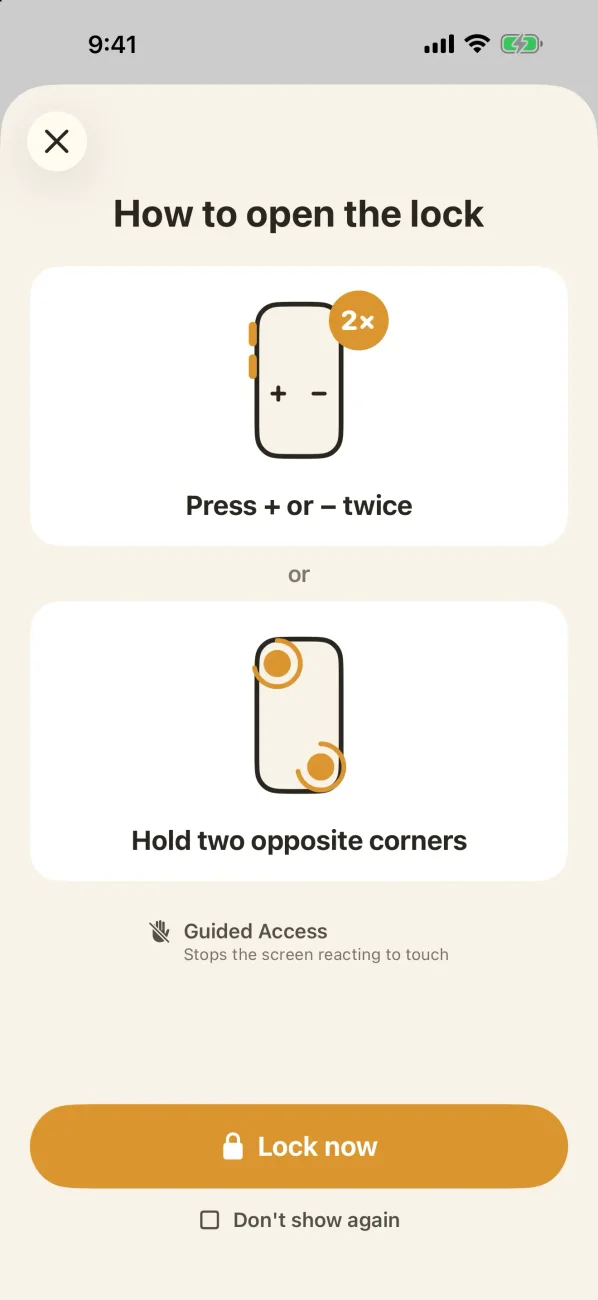
3. Tap Lock. Before it locks, a short card shows how to open it again.
4. Lay the paper on the glass and trace. The picture stays still, the screen goes to full brightness, stays on, and keeps its orientation.
DRAWINGS
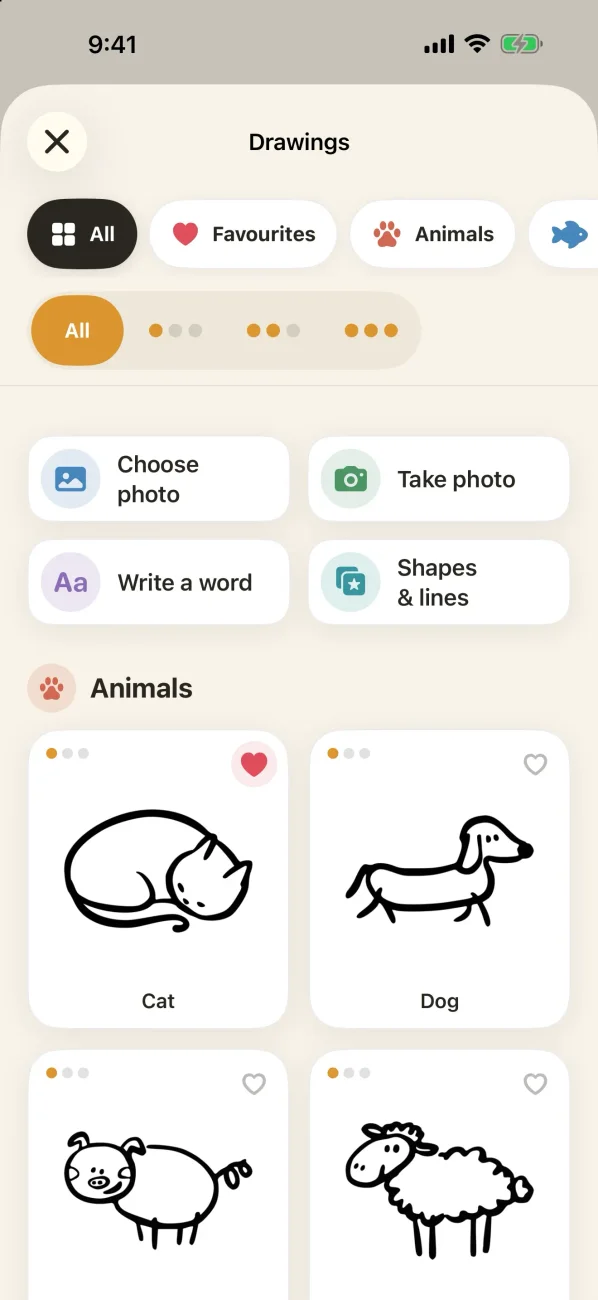
154 drawings in 13 categories: Animals, Sea life, Dinosaurs, Vehicles, Nature, Fantasy, Food, Space, Fun, Wildlife & plants, People, places & things, Science, and Maps.
Every drawing is marked Easy, Medium or Hard (53 easy, 75 medium, 26 hard), and you can show just one level. Start with a snail or a sun, move on to a tiger, a sailing ship or a piano.
Maps: 11 outline maps of the world, the world with countries, Europe, the Nordic countries, Norway, Africa, Asia, North America, South America, Oceania and the USA.
Science: skeleton, heart, eye, brain, lungs, DNA, lab flask and a tardigrade.
Tap the heart on a drawing to keep it in Favourites.
WRITE A WORD
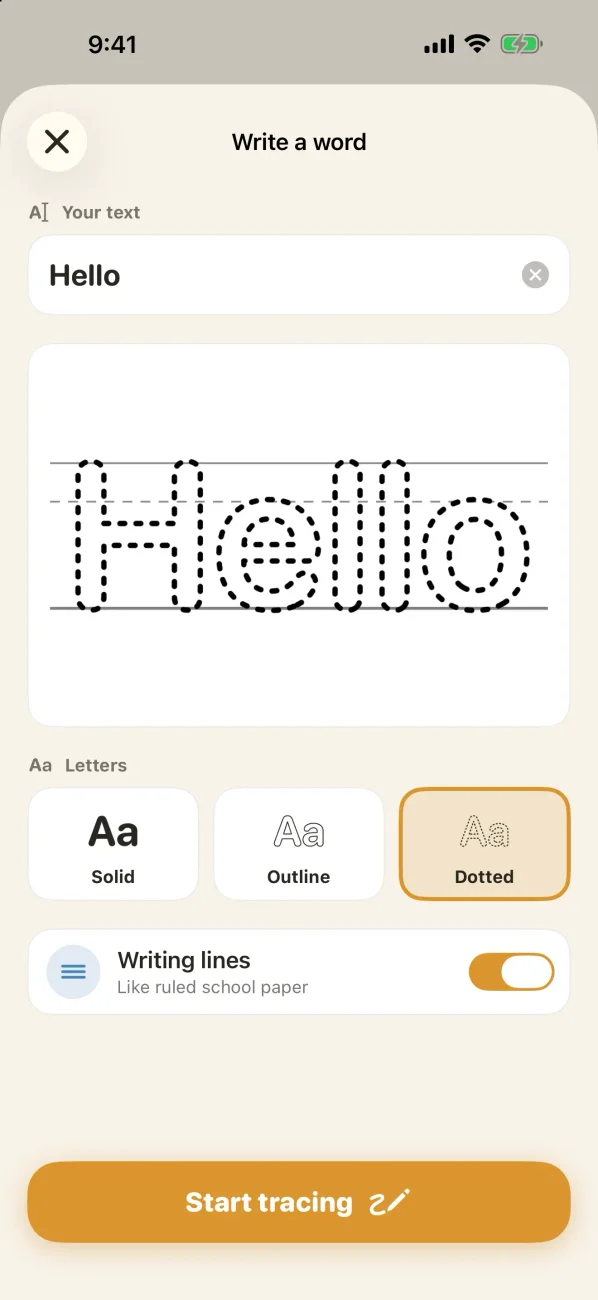
Type a letter, a name, a word or numbers. Choose solid, outline or dotted letters, and turn on writing lines like ruled school paper. Good for handwriting practice, name tags and lettering.
SHAPES & LINES
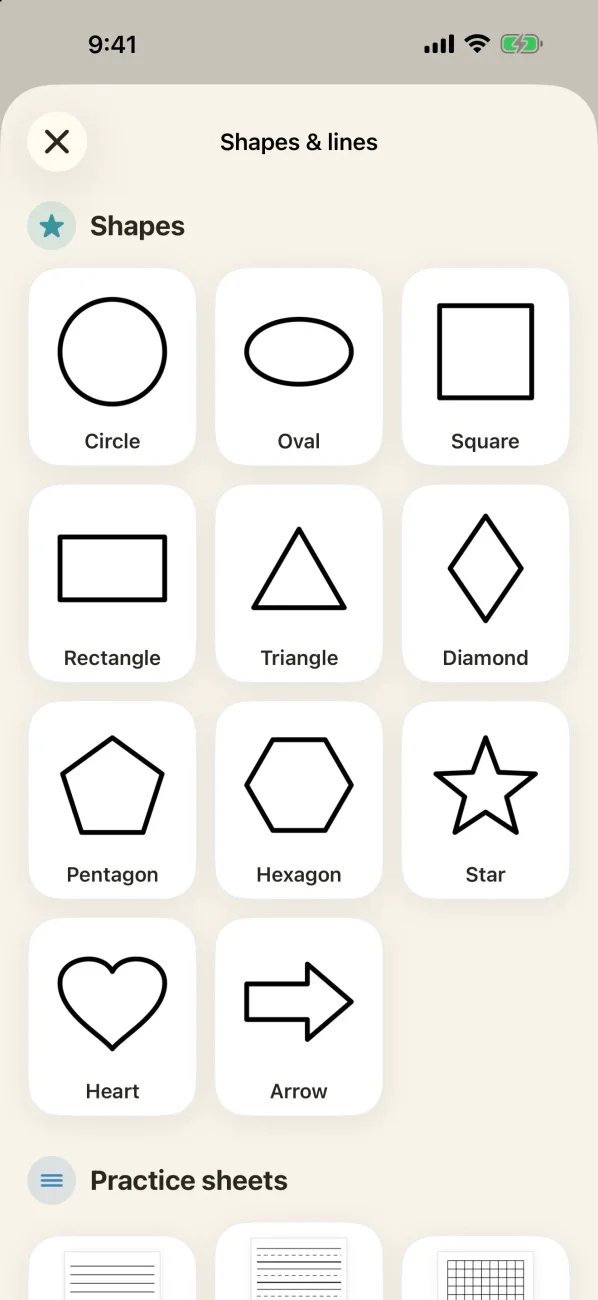
11 shapes: circle, oval, square, rectangle, triangle, diamond, pentagon, hexagon, star, heart and arrow.
5 practice sheets: ruled lines, handwriting lines, square grid, dot grid, and circles in circles.
YOUR OWN PICTURES
Choose a photo from your library, or take a picture of a drawing with the camera. Then adjust it: fit to screen, turn, mirror, upside down, outline, invert, brightness and contrast, with a white or black screen around the picture.
THE LOCK
While locked, the screen ignores hands and paper. To open it, press + or − twice, or hold two opposite corners together for a moment. A palm resting in one corner does not open it.
For a screen that ignores touch completely, use Guided Access with Touch turned off. PaperTrace shows you how, step by step.
AT SCHOOL
Write a word for handwriting practice, outline maps for geography, shapes and grids for maths, and diagrams for science. No accounts and no ads. Tips for teachers at papertrace.no.
LIGHT TABLE
Only white light at full brightness, with the picture hidden. Put your own original on the screen and a blank sheet on top.
HISTORY
Recent pictures stay ready on the home screen. Save the ones you want to come back to.
PRIVACY
No account. Your pictures stay on the device and are never sent to us. PaperTrace sends anonymous usage counts, such as which drawing was opened and when the screen was locked, with no advertising ID and no tracking across apps. Details at papertrace.no.
The drawings come from CC0 and public-domain collections (CocoMaterial, Openclipart and Wikimedia Commons). The maps are drawn from public-domain Natural Earth data.
What’s new
Version 1.1 · Nov 16, 2026
A big update.
• 154 drawings in 13 categories, now with outline maps and science diagrams. Each is marked Easy, Medium or Hard, and you can filter by level and keep favourites.
• Write a word: type a name or a word and trace it in solid, outline or dotted letters, with writing lines if you like.
• Shapes & lines: 11 shapes and 5 practice sheets with ruled lines, grids and dots.
• A new lock: press + or − twice, or hold two opposite corners. The how-to shows before you lock, and there is a guide to Guided Access.
• New home screen, layouts made for iPad, and Help & feedback.
• Anonymous usage counts help us see what to improve. No advertising ID, no tracking.
App privacy
What Michael Furø declares on the App Store about how this app handles data.
-
Data not linked to you
May be collected but is not linked to your identity.
- Identifiers
- Usage data
Privacy practices may vary, for example with the features you use or your age.
Information
- Seller
- Michael Furø
- Category
- Graphics & Design
- Version
- 1.1
- Updated
- Nov 16, 2026
- Released
- Aug 27, 2026
- Size
- 13.4 MB
- Requires
- iOS 18.0 or later
- Age rating
- 4+
- Price
- Free
- Languages
- English, Norwegian Bokmål
- Copyright
- © 2026 PaperTrace
You might also like
-
 Overtrace: AR Drawing & SketchTrace Your Photos on Paper
-
 LightPad: Tracing Light BoxLight box for paper tracing
-
 Lightbox Trace: Draw on PaperImage Tracing. Grid Projector
-
 Light TabletTrace photos from your device
-
 Translucent: AR Trace & DrawSketch on Paper, Light Box
-
 Tracer: Trace Drawing CameraLearn to Draw & Trace Photos
-
 Photo Trace & Draw - TracelyTrace photos onto paper
-
 Lightbox draw - tracing paperTrace Images Easily on Paper
-
 Papercopy: Trace & DrawTrace any image onto paper
-
 AR Drawing:Sketch & Trace appDrawing Projector for Photos