PDFNest: View, Edit & Convert
Convert, Sign & Compress PDFs
Designed for iPhone, iPad, iPod touch
Free · In-app purchases
- Age rating4+
- CategoryBusiness
- DeveloperMuhammad Talha
- LanguagesEnglish
- Size147.9 MB
Links to the official App Store page
Download.org hosts no file of PDFNest: View, Edit & Convert. The button opens its official App Store page, published by Muhammad Talha. Listing last checked on Nov 15, 2026.
Screenshots


About
PDFNest: Your Complete Document Solution
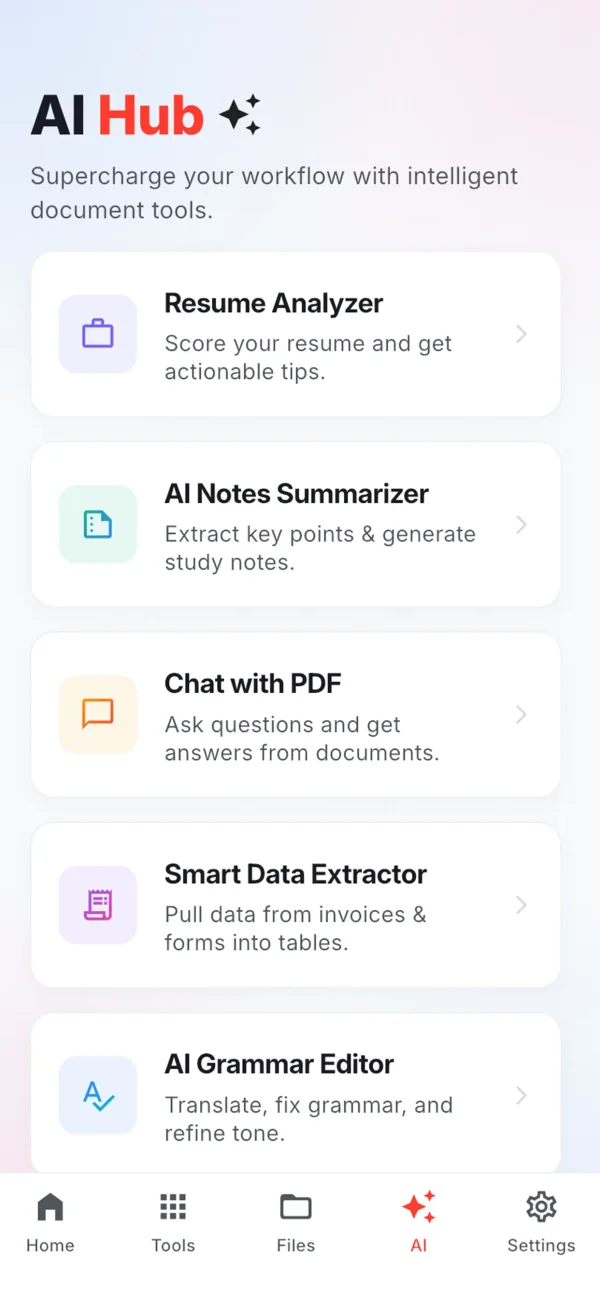
Manage all your documents in one app. Whether you need to read PDFs, edit documents, scan files, convert images, merge files, split pages, or add your signature, PDFNest provides everything you need to stay productive wherever you are.
Designed for students, professionals, business owners, and everyday users, PDFNest combines powerful PDF tools with a clean and pleasant interface that makes document management fast and effortless.
Modify your PDF documents.
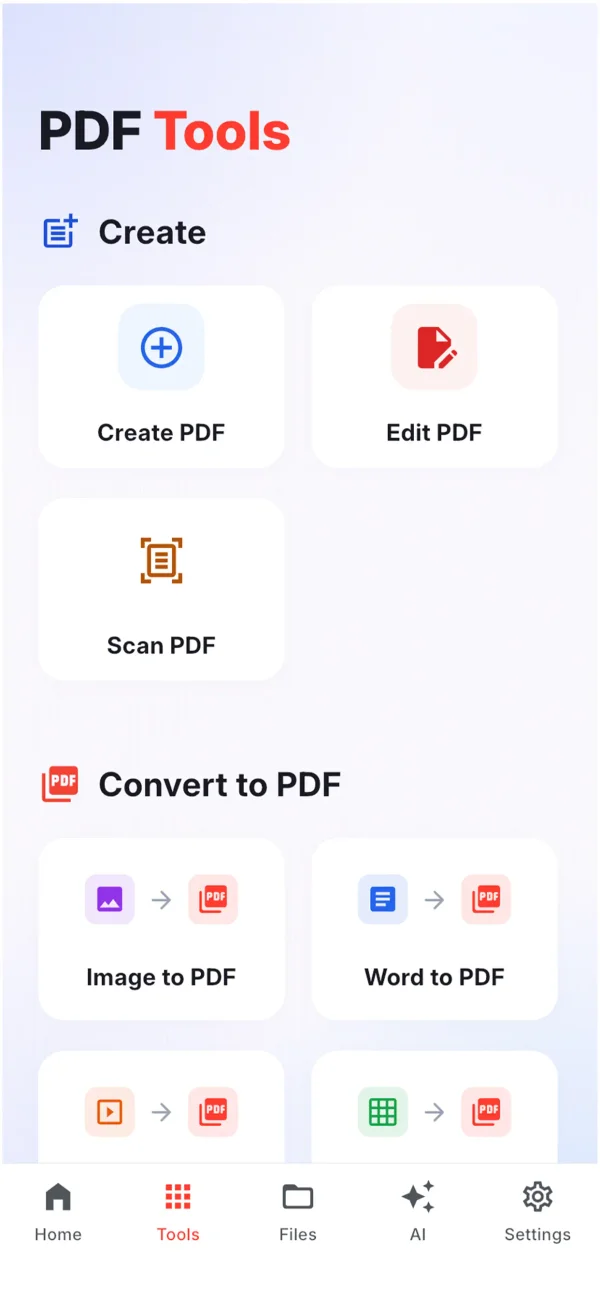
• Edit PDF text
• Underline and strike through text
• Insert images into PDFs
• Organize document pages
Enjoy a comfortable reading experience.
• Fast PDF loading
• Smooth scrolling
• Recent document history
Turn paper documents into high quality PDFs.
• Scan receipts
• Scan contracts
• Scan invoices
• Scan notes
• Scan IDs
• Scan certificates
Convert between popular document formats.
• Images to PDF
• PDF to Images
• Word to PDF*
• Excel to PDF*
• PowerPoint to PDF*
• Text to PDF
Organize PDFs files efficiently.
• Merge multiple PDFs
• Split PDF pages
• Rearrange pages
• Rotate pages
• Delete pages
• Duplicate pages
• Compress PDF files
Sign Documents without printing.
• Create digital signatures
• Draw your signature
• Insert saved signatures
• Add text fields
Protect Your Files
Keep your documents secure.
• Password protected PDFs*
• Lock sensitive files
• Secure local storage
Why Choose PDF?
• Beautiful and modern interface
• Fast document processing
• High quality PDF rendering
• Easy to understand tools
• Suitable for work, school, and personal use
Whether you're reviewing contracts, completing school assignments, scanning receipts, signing forms, or organizing business documents, PDFNest helps you get the job done quickly and efficiently.
Privacy policy: https://muhammadtalhaapps.blogspot.com/p/privacy-policy.html
Terms of use: https://www.apple.com/legal/internet-services/itunes/dev/stdeula/
What’s new
Version 1.0.4 · Aug 25, 2026
Enhanced PDF management
Smoother document processing
Improved user interface for easier navigation
App privacy
What Muhammad Talha declares on the App Store about how this app handles data.
-
Data used to track you
May be used to track you across apps and websites owned by other companies.
- Location
- Identifiers
-
Data not linked to you
May be collected but is not linked to your identity.
- Location
- Identifiers
Privacy practices may vary, for example with the features you use or your age.
Information
- Seller
- Muhammad Talha
- Category
- Business
- Version
- 1.0.4
- Updated
- Aug 25, 2026
- Released
- Jul 29, 2026
- Size
- 147.9 MB
- Requires
- iOS 15.0 or later
- Age rating
- 4+
- Price
- Free
- In-app purchases
- Yes
- Languages
- English
- Copyright
- © Hbit
You might also like
-
 Vyapar1Business
-
 FueleoFuel Delivery Management
-
 Pageva: PDF to Word ConverterPhoto to PDF Maker & Scanner
-
 PDF Editor: Scan, Sign, FillConvert, Read & Edit Documents
-
 Image to PDF: Scanner AppPhoto Converter & OCR Reader
-
 ChatEngineProductivity
-
 BossPDF: PDF Editor & ScannerEdit, Sign, Document Converter
-
 GenPaperProductivity
-
 PDFX: Editor, Reader & SignerConvert, Fill & Annotate Docs
-
 PDF Scanner & Doc EditorScan, OCR & Merge PDF Files