
Photo Editor Viewer
Layers, Filters & Touch Edit
Designed for iPhone, iPad, Mac, iPod touch
Free
- Age rating4+
- CategoryGraphics & Design
- DeveloperHefei Yunyilian Intelligent Technology Co., Ltd
- LanguagesEnglish+ 4 more
- Size87.2 MB
Links to the official App Store page
Download.org hosts no file of Photo Editor Viewer. The button opens its official App Store page, published by Hefei Yunyilian Intelligent Technology Co., Ltd. Listing last checked on Nov 14, 2026.
Screenshots


About
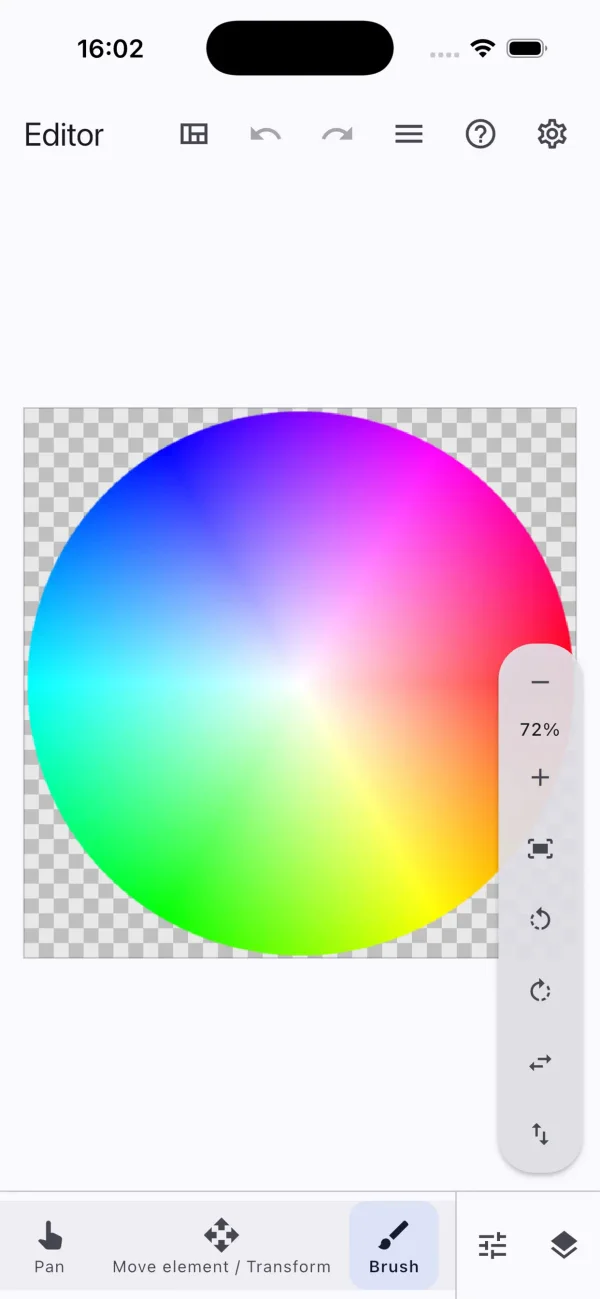
Picture Editor Viewer is a powerful yet approachable image editor for iPhone and iPad. Switch between Standard mode for quick fixes and Pro mode for layered, non-destructive work—all in one app.
EDIT THE WAY YOU WANT
• Standard mode: crop, adjust colors, apply filters, add text, and export in seconds
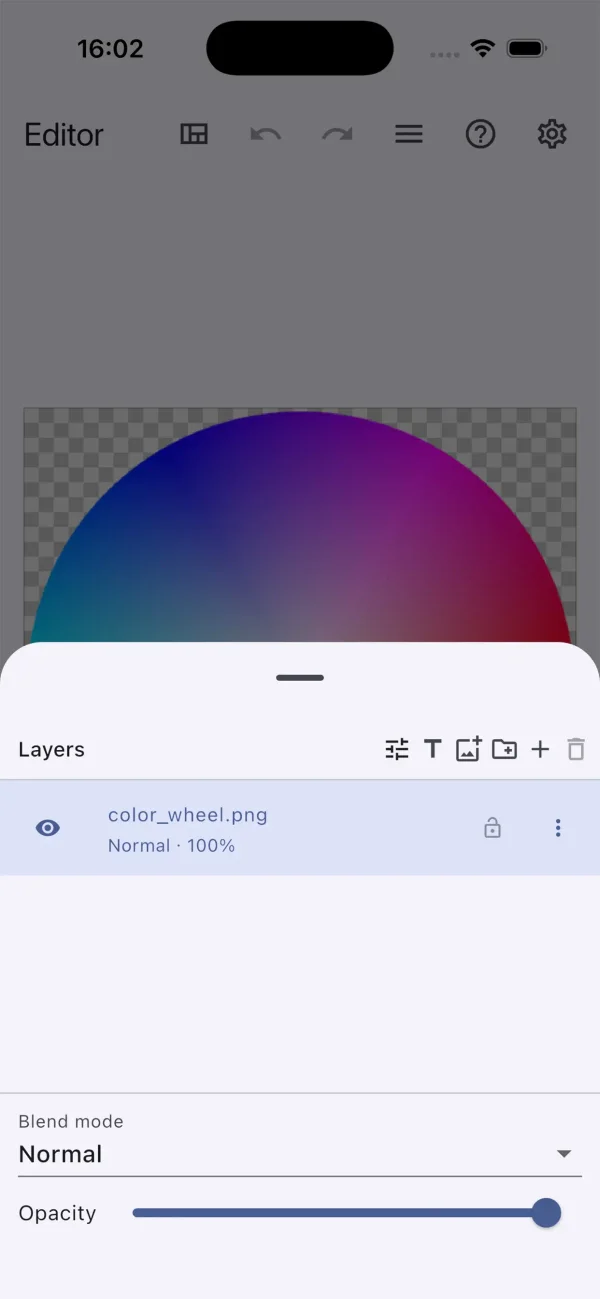
• Pro mode: unlock layers, masks, blend modes, adjustment layers, and advanced retouch tools
• Pinch to zoom, double-tap to fit, and smooth panning designed for touch
REAL LAYER WORKFLOW
• Multiple layers with opacity, blend modes, reorder, merge, and groups
• Pixel masks: create from selections, paint to refine, toggle on/off
• Non-destructive adjustment layers that update live as you edit
• Save projects as .peproj with layers intact
TOOLS YOU EXPECT
• Brush, pencil, eraser, paint bucket, gradient, and color picker
• Selection: rectangle, ellipse, lasso, polygon, magic wand—with add, subtract, intersect
• Transform: crop, rotate, flip, free transform, perspective, shear
• Retouch: clone stamp, healing brush, dodge, burn, smudge
• Shapes and text with font, size, style, and alignment controls
ADJUSTMENTS & FILTERS
• Brightness, contrast, levels, curves, hue/saturation, gamma, color balance, white balance
• Auto levels, auto contrast, black & white, invert, sepia, posterize, threshold
• Blur, sharpen, pixelate, vignette, emboss, edge detect, noise, median, oil paint
• Swirl, ripple, clouds, motion blur, radial blur, and more
• GPU-accelerated live preview where supported
OPEN & EXPORT BROADLY
• Open PNG, JPEG, GIF, WebP, BMP, TIFF, PSD, ORA, ICO, and more
• Import layered PSD and OpenRaster (.ora) files
• Export PNG, JPEG, BMP, TGA, GIF with quality presets and resize options
• Open from Files, share sheet, or other apps; export back when done
BUILT FOR iOS
• Optimized for phone and tablet layouts
• Apple Pencil pressure on supported devices
• Dark and light themes with customizable accent colors
• English, Chinese, Japanese, Korean, and Spanish
• Undo/redo, recent files, and auto-save recovery
Whether you are fixing a snapshot, designing a social post, or opening a layered PSD on the go, Picture Editor brings desktop-class editing to your pocket.
Privacy: Picture Editor processes images on your device. Your photos are not uploaded to our servers for editing.
What’s new
Version 1.0.5 · Nov 6, 2026
fix some bugs
App privacy
What Hefei Yunyilian Intelligent Technology Co., Ltd declares on the App Store about how this app handles data.
-
Data not collected
The developer does not collect any data from this app.
Privacy practices may vary, for example with the features you use or your age.
Information
- Seller
- Hefei Yunyilian Intelligent Technology Co., Ltd
- Category
- Graphics & Design
- Version
- 1.0.5
- Updated
- Nov 6, 2026
- Released
- Jul 6, 2026
- Size
- 87.2 MB
- Requires
- iOS 15.0 or later
- Age rating
- 4+
- Price
- Free
- Languages
- English, Japanese, Korean, Simplified Chinese, Spanish
- Copyright
- © OpenIoTHub
You might also like
-
 LayerPocketOffline PSD Layer Editor
-
 QuickImage - Photo LayersLayer Photo Editor
-
 NPS Image EditorA multi-layer image editor
-
 PixShop - PDF, Image EditorPDF, PSD & PPTX Editor
-
 Bitrot: Glitch Photo EditorA tool for graphic design
-
 MoveBrush - Animated DrawingMoving Brushes for Everyone
-
 OverprintSilkscreen posters by hand
-
 InkvertStack Filters.Transform Photos
-
 PalettonPick, Create Color Palettes