
Plan Timer: Visual Routines
Your activities, step by step
Designed for iPhone, iPad
Free · In-app purchases
- Age rating4+
- CategoryUtilities
- DeveloperJoseph Martell
- LanguagesEnglish+ 1 more
- Size30.5 MB
Links to the official App Store page
Download.org hosts no file of Plan Timer: Visual Routines. The button opens its official App Store page, published by Joseph Martell. Listing last checked on Nov 18, 2026.
Screenshots



About
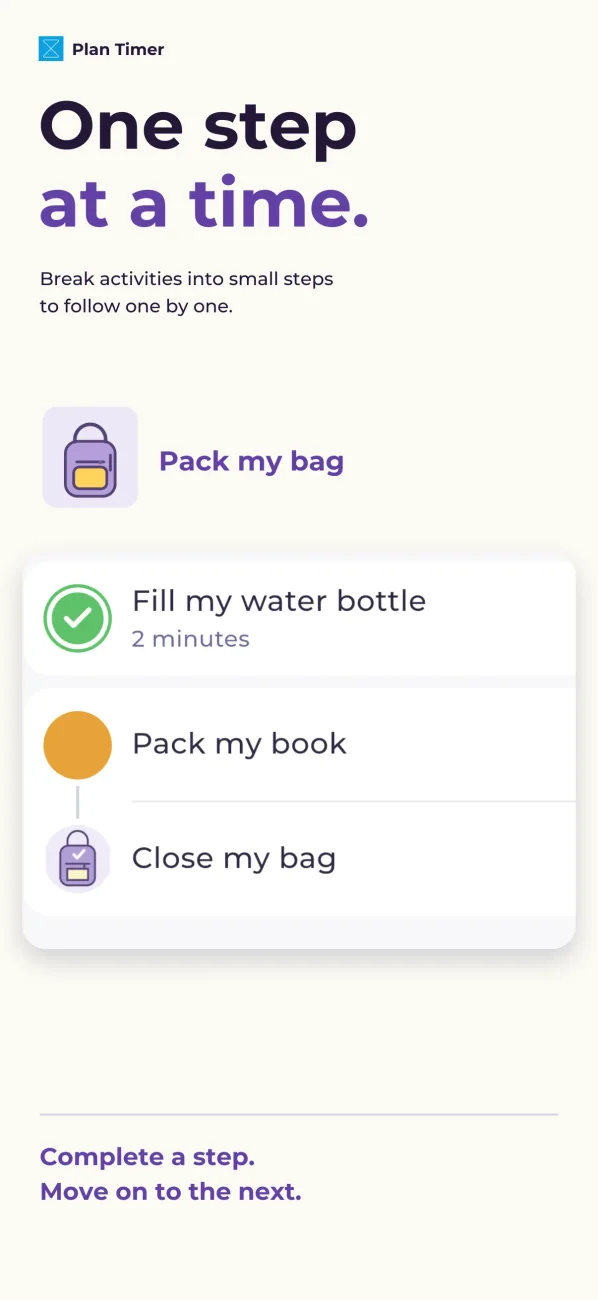
Break everyday activities into picture steps and follow them one at a time. Create your own visual routines for free, with no account required, then bring them together in your daily schedule.
EVERYDAY TASKS, STEP BY STEP
• Break each activity into easy-to-follow steps.
• Choose pictures from the library or use your own photos.
• Add a timer to the steps that need one.
• Bring your activities together in a visual schedule.
From packing a bag to getting dressed or taking a break, create visual guides for your everyday activities. Complete one step, then move on to the next.
FOR PROFESSIONALS AND CAREGIVERS
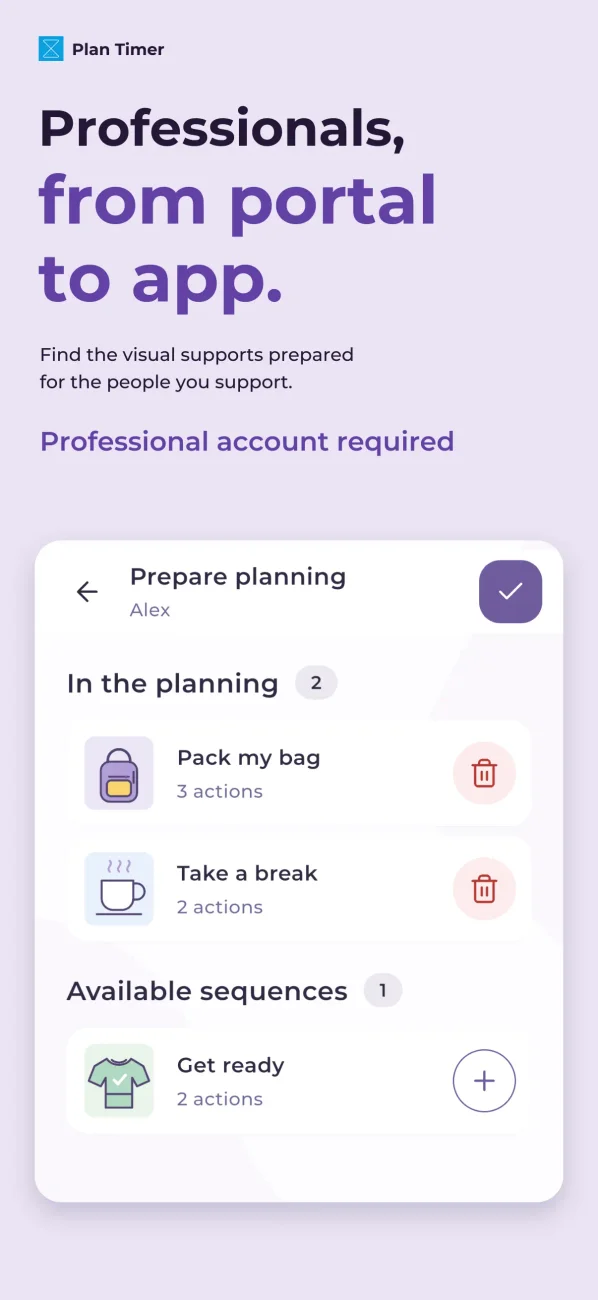
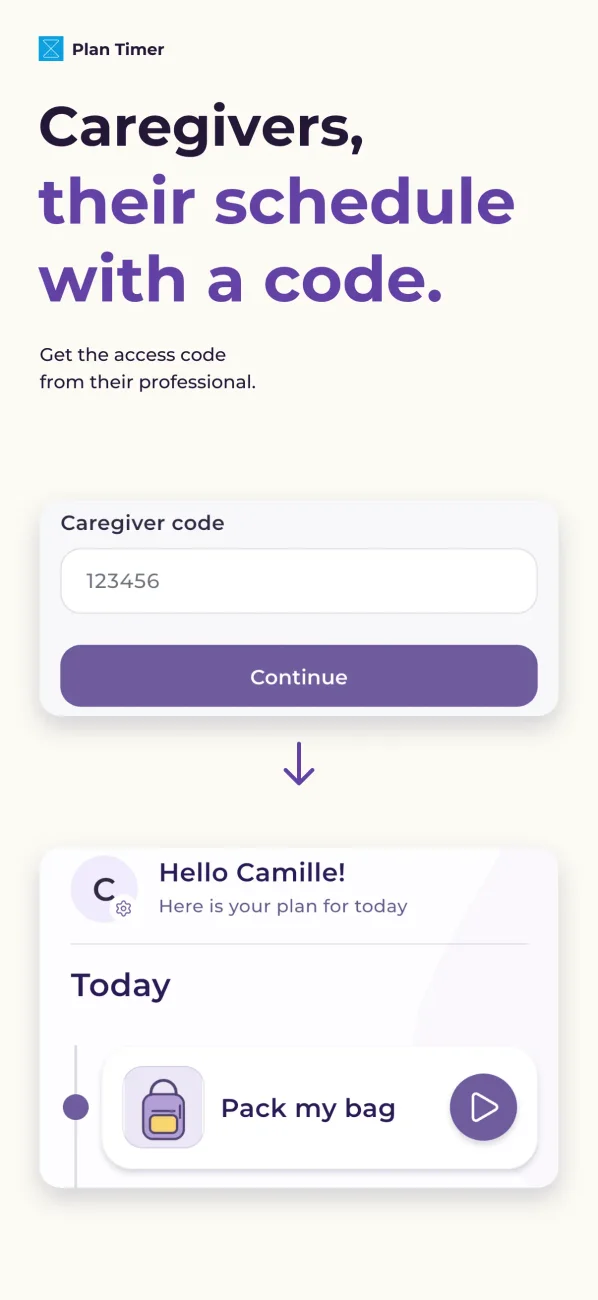
Use schedules prepared in the Plan Timer web portal on iPhone or iPad. Professionals select the people they are authorised to support. Caregivers enter a code to access the schedule for the person they support. These modes require access provided separately as part of their support arrangements.
TRY THE INTERACTIVE DEMO
Explore personal, professional and caregiver modes with fictional examples. Run timers and complete activity steps to see how the app works.
OPTIONAL PREMIUM
Creating and using your personal schedule is free. Premium adds themes, sound effects and spoken titles. Professional and caregiver access is separate from this in-app purchase.
Professional portal: https://plan-timer.com
Questions? contact@plan-timer.com
Privacy policy: https://plan-timer.com/politique-confidentialite/
Terms of use: https://www.apple.com/legal/internet-services/itunes/dev/stdeula/
What’s new
Version 1.0.0 · Nov 8, 2026
Your visual schedule, redesigned for everyday life.
• A refreshed interface for finding activities and following their steps.
• Create and edit your personal schedule directly in the app.
• Try timers and complete steps in the new interactive demo.
• Access visual supports through redesigned professional and caregiver journeys.
• Updated handling of Premium purchases and restoration on iOS.
For users of earlier versions: scheduled reminders in personal mode, token economies and configurable rewards are no longer offered.
Requires iOS 16 or later.
App privacy
What Joseph Martell declares on the App Store about how this app handles data.
-
Data linked to you
May be collected and linked to your identity.
- Contact info
- User content
- Identifiers
- Usage data
- Diagnostics
Privacy practices may vary, for example with the features you use or your age.
Information
- Seller
- Joseph Martell
- Category
- Utilities
- Version
- 1.0.0
- Updated
- Nov 8, 2026
- Released
- Apr 4, 2022
- Size
- 30.5 MB
- Requires
- iOS 16.0 or later
- Age rating
- 4+
- Price
- Free
- In-app purchases
- Yes
- Languages
- English, French
- Copyright
- © 2026, ITCare
You might also like
-
 AutismProOverload, Routines, AAC
-
 Eliot Protect alarmSystem for alarms
-
 TodoLaddersVisual schedule as board game
-
 Multitimer Countdown: CountKitTIME & DATE Progress Counter
-
 Customized Keyboard: K-boardAdd photos & colors to keys
-
 PocketPrinter5890Utilities
-
 Book Flip Notes3D page flip handwriting
-
 Image to PDF Converter;Convert Photo to PDF fast
-
 PLANNING MANAGERUtilities
-
 PDF Reader Light & SimpleUtilities