Plan Timer: Visual Routines
Your activities, step by step
Được thiết kế cho iPhone, iPad
Miễn phí · Mua hàng trong ứng dụng
- Độ tuổi4+
- Danh mụcTiện Ích
- Nhà phát triểnJoseph Martell
- Ngôn ngữTiếng Anh+ 1 ngôn ngữ khác
- Kích thước30,5 MB
Liên kết đến trang App Store chính thức
Download.org không lưu trữ tệp nào của Plan Timer: Visual Routines. Nút này mở trang ứng dụng trên App Store, nơi Joseph Martell phát hành ứng dụng. Trang được kiểm tra lần cuối: 18/11/2026.
Ảnh chụp màn hình



Giới thiệu
Nhà phát triển chưa cung cấp nội dung này bằng ngôn ngữ của bạn.
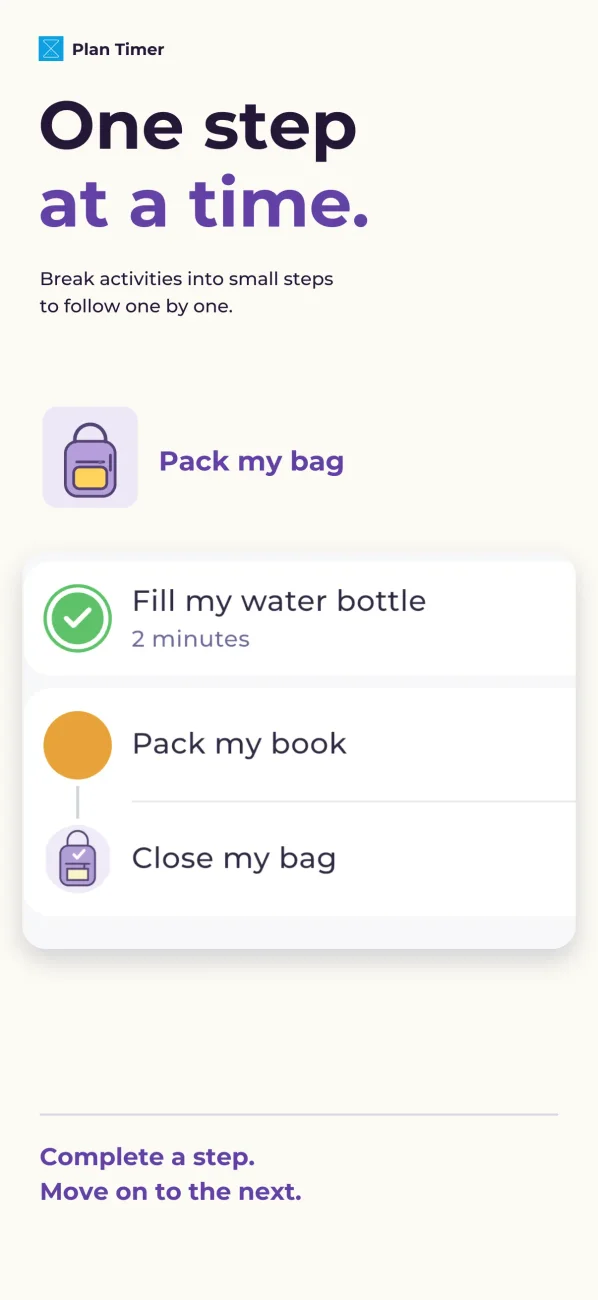
Break everyday activities into picture steps and follow them one at a time. Create your own visual routines for free, with no account required, then bring them together in your daily schedule.
EVERYDAY TASKS, STEP BY STEP
• Break each activity into easy-to-follow steps.
• Choose pictures from the library or use your own photos.
• Add a timer to the steps that need one.
• Bring your activities together in a visual schedule.
From packing a bag to getting dressed or taking a break, create visual guides for your everyday activities. Complete one step, then move on to the next.
FOR PROFESSIONALS AND CAREGIVERS
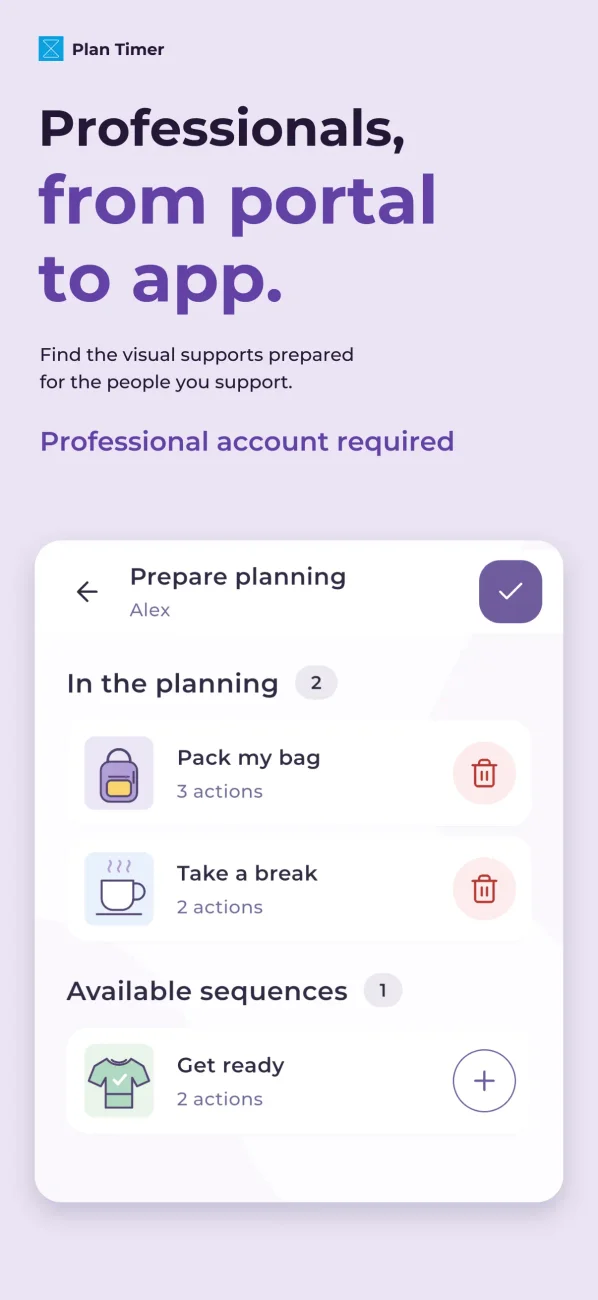
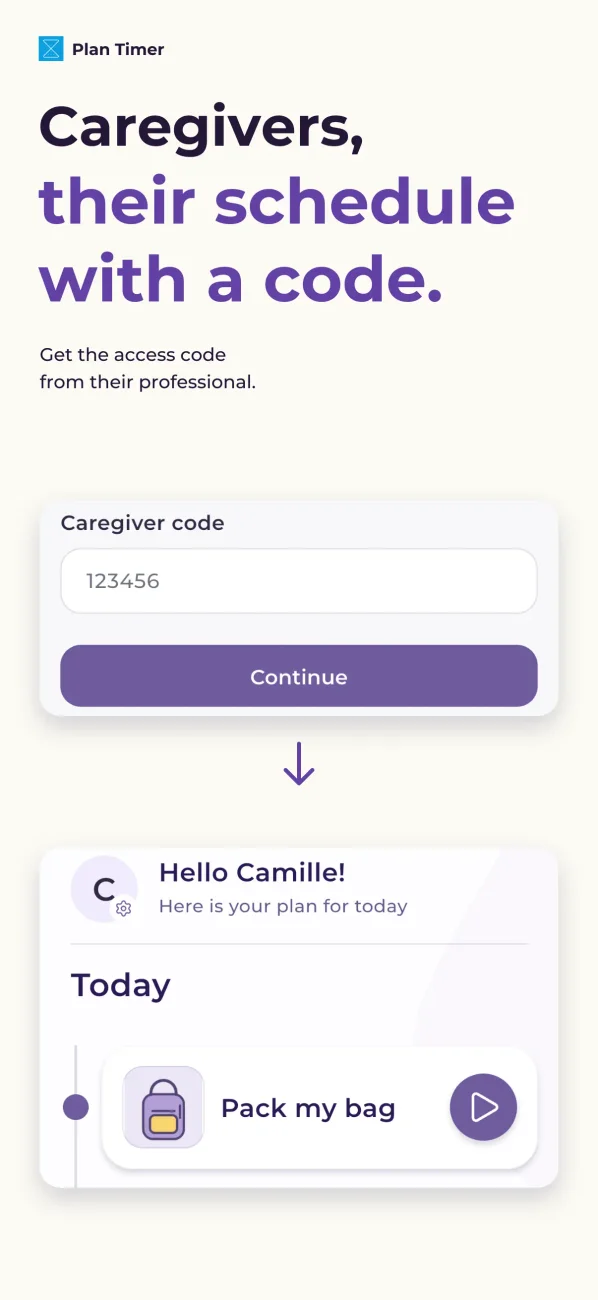
Use schedules prepared in the Plan Timer web portal on iPhone or iPad. Professionals select the people they are authorised to support. Caregivers enter a code to access the schedule for the person they support. These modes require access provided separately as part of their support arrangements.
TRY THE INTERACTIVE DEMO
Explore personal, professional and caregiver modes with fictional examples. Run timers and complete activity steps to see how the app works.
OPTIONAL PREMIUM
Creating and using your personal schedule is free. Premium adds themes, sound effects and spoken titles. Professional and caregiver access is separate from this in-app purchase.
Professional portal: https://plan-timer.com
Questions? contact@plan-timer.com
Privacy policy: https://plan-timer.com/politique-confidentialite/
Terms of use: https://www.apple.com/legal/internet-services/itunes/dev/stdeula/
Có gì mới
Phiên bản 1.0.0 · 08/11/2026
Your visual schedule, redesigned for everyday life.
• A refreshed interface for finding activities and following their steps.
• Create and edit your personal schedule directly in the app.
• Try timers and complete steps in the new interactive demo.
• Access visual supports through redesigned professional and caregiver journeys.
• Updated handling of Premium purchases and restoration on iOS.
For users of earlier versions: scheduled reminders in personal mode, token economies and configurable rewards are no longer offered.
Requires iOS 16 or later.
Quyền riêng tư của ứng dụng
Những gì Joseph Martell khai báo trên App Store về cách ứng dụng này xử lý dữ liệu.
-
Dữ liệu liên kết với bạn
Có thể được thu thập và liên kết với danh tính của bạn.
- Thông tin liên hệ
- Nội dung của người dùng
- Mã định danh
- Dữ liệu sử dụng
- Chẩn đoán
Phương thức đảm bảo quyền riêng tư có thể khác nhau, chẳng hạn như tuỳ theo các tính năng bạn sử dụng hoặc độ tuổi của bạn.
Thông tin
- Người bán
- Joseph Martell
- Danh mục
- Tiện Ích
- Phiên bản
- 1.0.0
- Cập nhật
- 08/11/2026
- Phát hành
- 04/04/2022
- Kích thước
- 30,5 MB
- Yêu cầu
- iOS 16.0 trở lên
- Độ tuổi
- 4+
- Giá
- Miễn phí
- Mua hàng trong ứng dụng
- Có
- Ngôn ngữ
- Tiếng Anh, Tiếng Pháp
- Bản quyền
- © 2026, ITCare