- Age rating4+
- CategoryUtilities
- Developer基伟 徐
- LanguagesEnglish+ 9 more
- Size1.8 MB
Links to the official App Store page
Download.org hosts no file of PPI Guru. The button opens its official App Store page, published by 基伟 徐. Listing last checked on Nov 24, 2026.
Screenshots
About
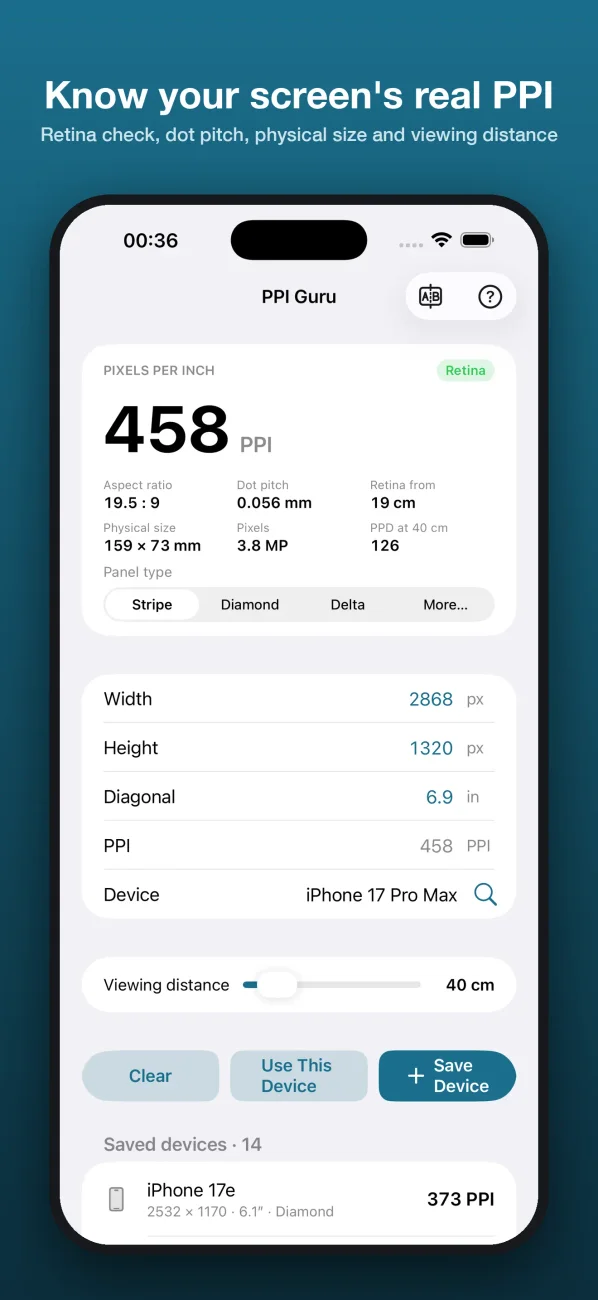
PPI Guru is a utility to calculate a display's PPI (Pixels Per Inch) for phones, tablets, laptops, monitors and TVs.
To calculate the PPI of a display, just enter the screen width and height in pixels and the diagonal size in inches. The PPI is calculated automatically, and PPI Guru indicates whether the display is a Retina Display (size 10″ or larger with PPI of 200 or more, or size under 10″ with PPI of 300 or more).
Key Features:
• Calculating PPI automatically, with Retina Display indicator
• Starts with your own device's screen already filled in
• Aspect ratio, dot pitch, physical size and total pixels
• Retina distance and pixels per degree at your viewing distance
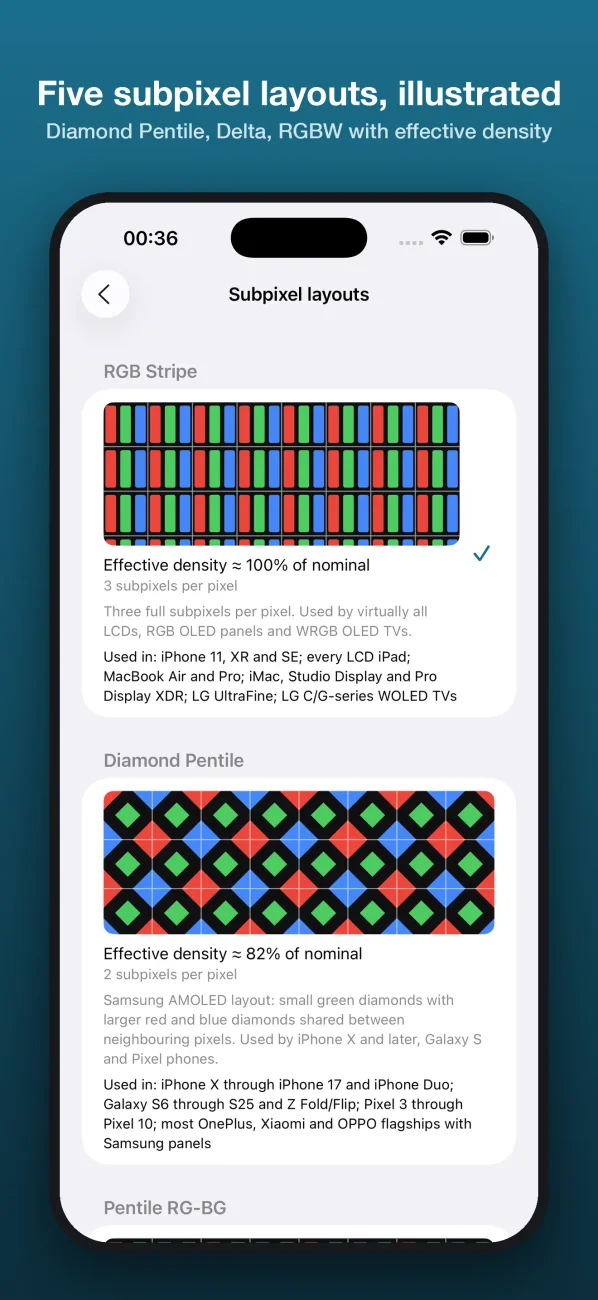
• Subpixel layouts: RGB stripe, Diamond Pentile, RG-BG Pentile, Delta and RGBW, illustrated, with effective PPI
• Reverse calculation: enter a PPI to get the diagonal size
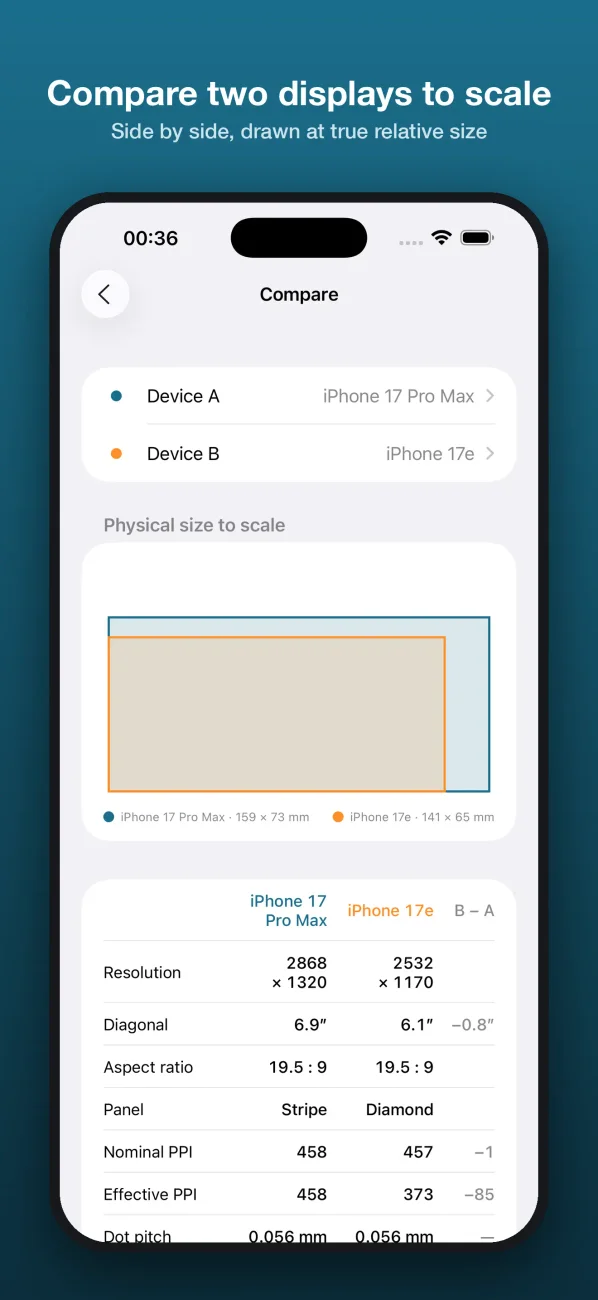
• Compare two displays side by side, drawn to scale
• Built-in offline library of about 250 devices: every iPhone, iPad and Mac, Apple displays, plus Samsung, Google, OnePlus, Xiaomi, monitors, TVs and handhelds
• Search device information from the internet
• Save device information for later reference
• English, Simplified Chinese, Traditional Chinese and Japanese
For devices on sale, you can just enter the device name and tap Search: PPI Guru looks it up in the built-in library first, then on the web, and fills in the display's information.
PS. Online search may not return accurate information, and it depends on network access to the search engine. Effective PPI figures for OLED layouts are approximations.
Device information is saved locally for further reference.
What’s new
Version 2.0.0 · Nov 13, 2026
PPI Guru 2.0 is a new, native app for iPhone, iPad, Mac and Apple TV.
• Your own device is recognised and filled in at launch
• Aspect ratio, dot pitch, physical size, total pixels and Retina distance
• Five subpixel layouts with illustrations and effective PPI
• Reverse calculation from PPI to diagonal size
• Compare two displays to scale
• Built-in offline library of about 250 devices
• iPad split view and iPhone Duo support
• Simplified Chinese, Traditional Chinese and Japanese
App privacy
What 基伟 徐 declares on the App Store about how this app handles data.
-
Data not collected
The developer does not collect any data from this app.
Privacy practices may vary, for example with the features you use or your age.
Information
- Seller
- 基伟 徐
- Category
- Utilities
- Version
- 2.0.0
- Updated
- Nov 13, 2026
- Released
- May 20, 2020
- Size
- 1.8 MB
- Requires
- iOS 15.0 or later
- Age rating
- 4+
- Price
- Free
- Languages
- English, Japanese, Malay, Portuguese, Simplified Chinese, Spanish, Tamil, Thai, Traditional Chinese, Vietnamese
- Copyright
- © 2026 TickPlant.com
You might also like
-
 Sensi MasterThe right sensi for your phone
-
 Goxit FF - Sensi ProSensitivity & DPI Tool
-
 Game Aim Converter: Sensi DPIFreestyle Sensitivity Panel
-
 Sensi ElitePro Sensitivity by Players
-
 SenXit External FF PanelFF Panel & Sensitivity
-
 Mouse EasyUse your device as a mouse
-
 Freestyle FF PanelPanel,Sensitivity,Optimization
-
 FFH QuatroSensi & Performance Boost
-
 ExitLag: Lower your PingPlay anywhere, master anything
-
 ZArchiver: UnZip, UnRar, 7Z7Z, Zip, Rar and PDF Editor