Presenter Remote: Slides & TV
Laser Pointer, PDF, Clicker
Designed for iPhone, iPad
Free
- Age rating4+
- CategoryProductivity
- DeveloperTomas Zacha
- LanguagesEnglish
- Size1.4 MB
Links to the official App Store page
Download.org hosts no file of Presenter Remote: Slides & TV. The button opens its official App Store page, published by Tomas Zacha. Listing last checked on Nov 18, 2026.
Screenshots

About
Turn your iPhone into a wireless presentation remote and laser pointer. Open a PDF, photo or video, send it to your TV, and control everything from your phone — no extra hardware, no account, nothing to set up.
Present from the front of the room while your slides shine on the big screen. Step through slides, point at what matters, draw on the fly, and zoom in on the details — all from your hand.
PRESENT ANYTHING
• PDF slide decks, photos, and videos
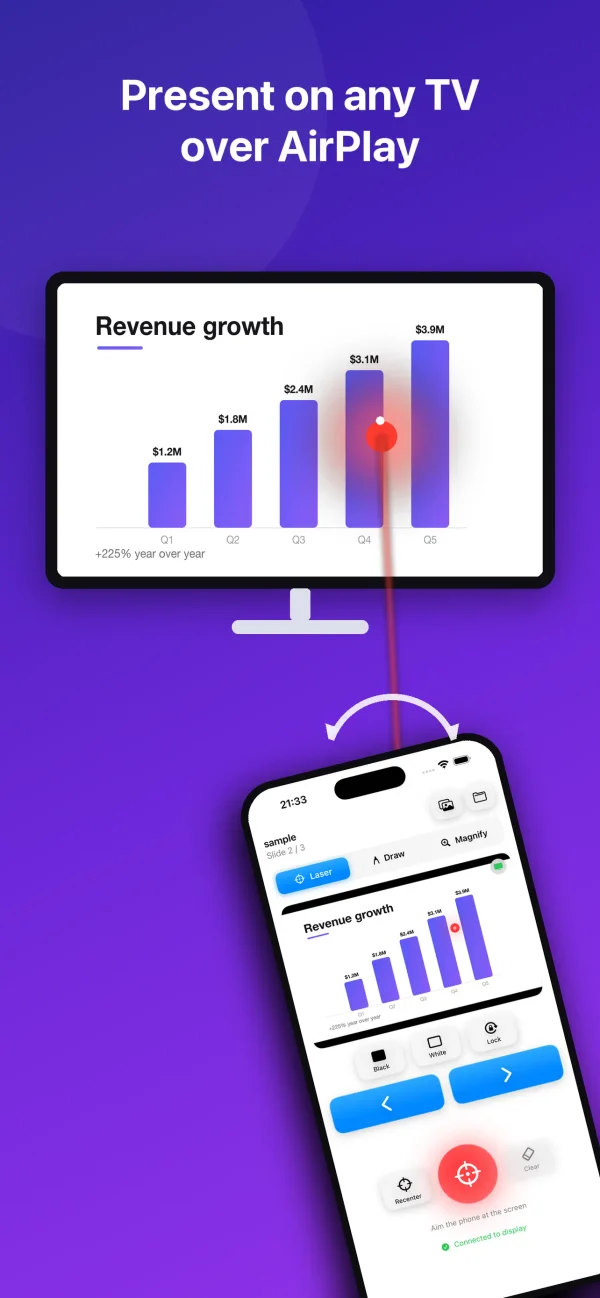
• Beam to your TV via AirPlay screen mirroring
• Open files from the Files app or your Photo Library
• Or share straight to the app from any other app
YOUR PHONE IS THE REMOTE
• Next / previous slide with a tap
• Use the volume buttons as a clicker — advance slides without looking
• A clean controller on your phone, full‑screen slides on the TV
POINT, DRAW & ZOOM
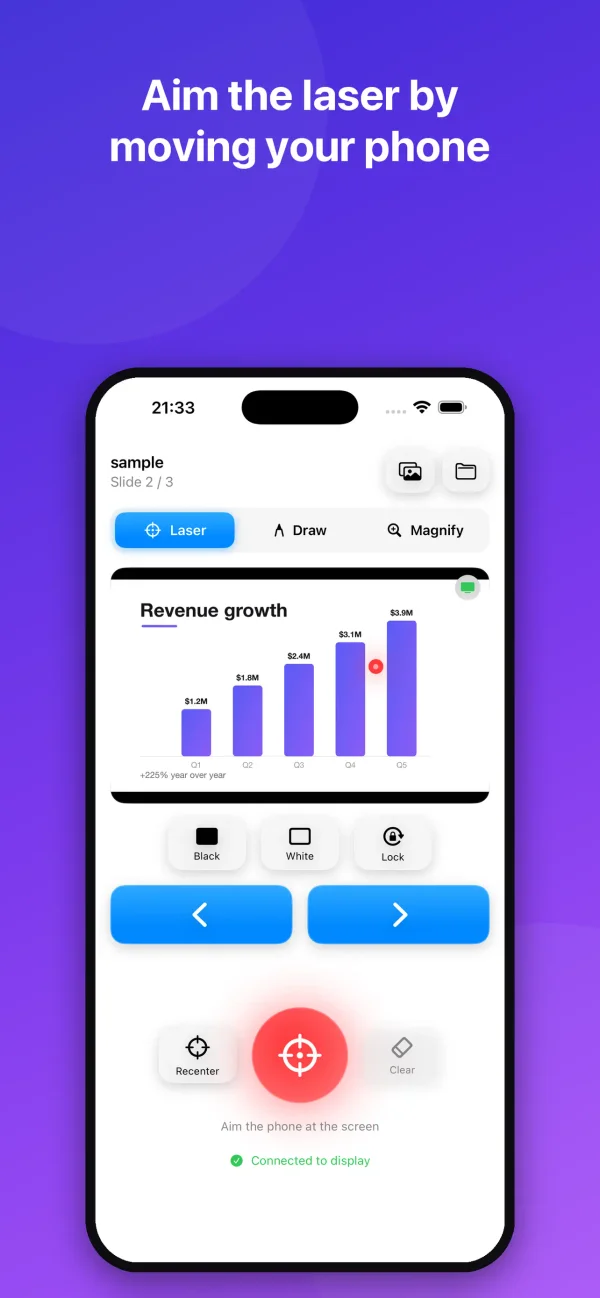
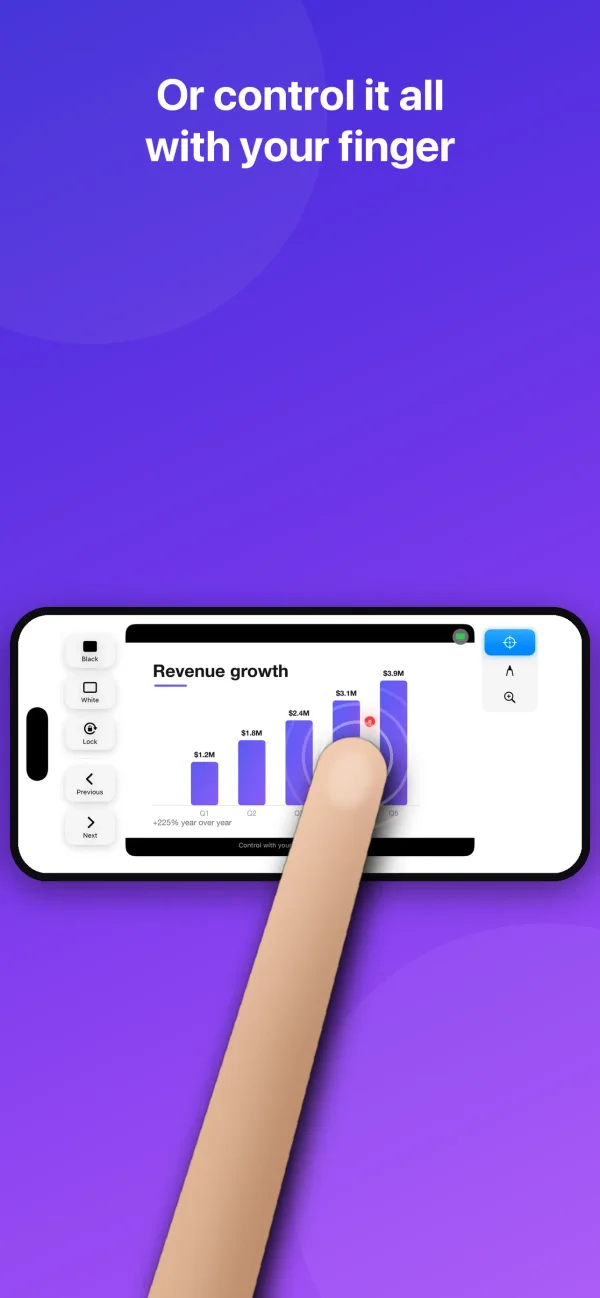
• Laser pointer controlled by moving your phone — or with your finger
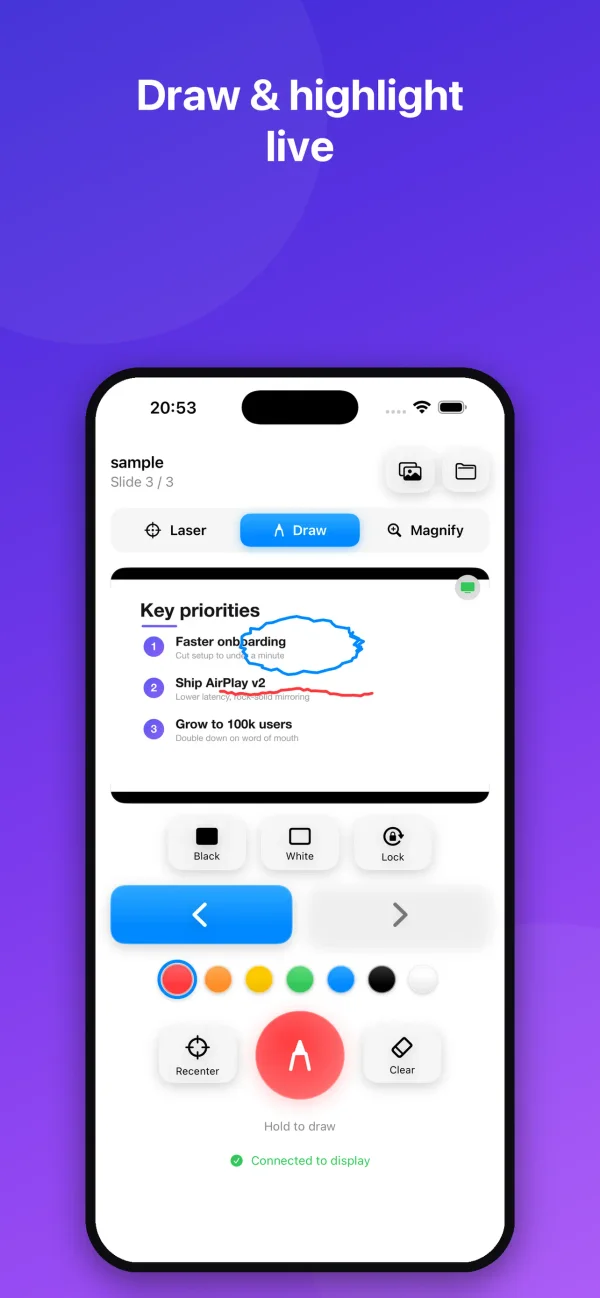
• Draw and highlight in multiple colors
• Magnifier loupe to zoom in on small text and charts
• Pinch to zoom and pan the whole slide for the audience
BUILT FOR REAL TALKS
• Black / white screen to instantly focus attention
• Lock the orientation so the layout never flips mid‑sentence
• The screen stays awake while you present
• Haptic feedback so you feel every slide change
• Play, pause and scrub videos, with volume control
PRIVATE BY DESIGN
• Works entirely on your device
• No sign‑up, no tracking, no cloud upload
Whether it's a meeting, a lecture, a pitch or a classroom, Presenter Remote makes presenting from your iPhone effortless.
App privacy
What Tomas Zacha declares on the App Store about how this app handles data.
-
Data not collected
The developer does not collect any data from this app.
Privacy practices may vary, for example with the features you use or your age.
Information
- Seller
- Tomas Zacha
- Category
- Productivity
- Version
- 1.0
- Updated
- Jul 13, 2026
- Released
- Jul 13, 2026
- Size
- 1.4 MB
- Requires
- iOS 26.0 or later
- Age rating
- 4+
- Price
- Free
- Languages
- English
- Copyright
- © Tomas Zacha
You might also like
-
 Wireless PresenterControl slides with your phone
-
 PresentSync: Slide RemotePresentation Clicker & Pointer
-
 PresentCast: Playlist CastingPhone Preview & Local Cast
-
 Aimo PointerAimo
-
 Send Files: File Transfer AppFile Transfer App by FreeFile
-
 Worship Planner | Ministry AppPlan. Collaborate. Worship.
-
 Stache SocialSave and organize social posts
-
 1List: Simple Todo ListLive tasks and Widgets
-
 Text Scan - OCR Photo to TextScan, copy & export PDF
-
 Dhinote - Structured NotesYour thoughts - organized