Presently: Present Media,Timer
Breakout Room Timer & Signage
Designed for iPhone
Free
- Age rating4+
- CategoryProductivity
- DeveloperKarmjit Singh
- LanguagesEnglish
- Size5.9 MB
Links to the official App Store page
Download.org hosts no file of Presently: Present Media,Timer. The button opens its official App Store page, published by Karmjit Singh. Listing last checked on Nov 15, 2026.
Screenshots

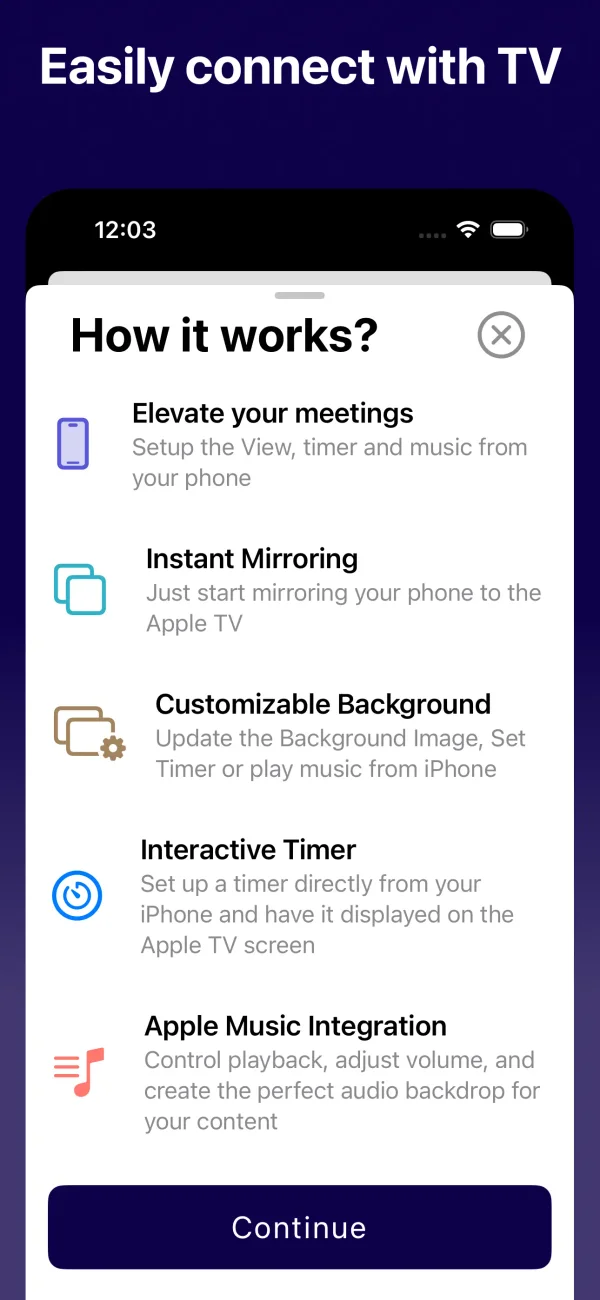
About
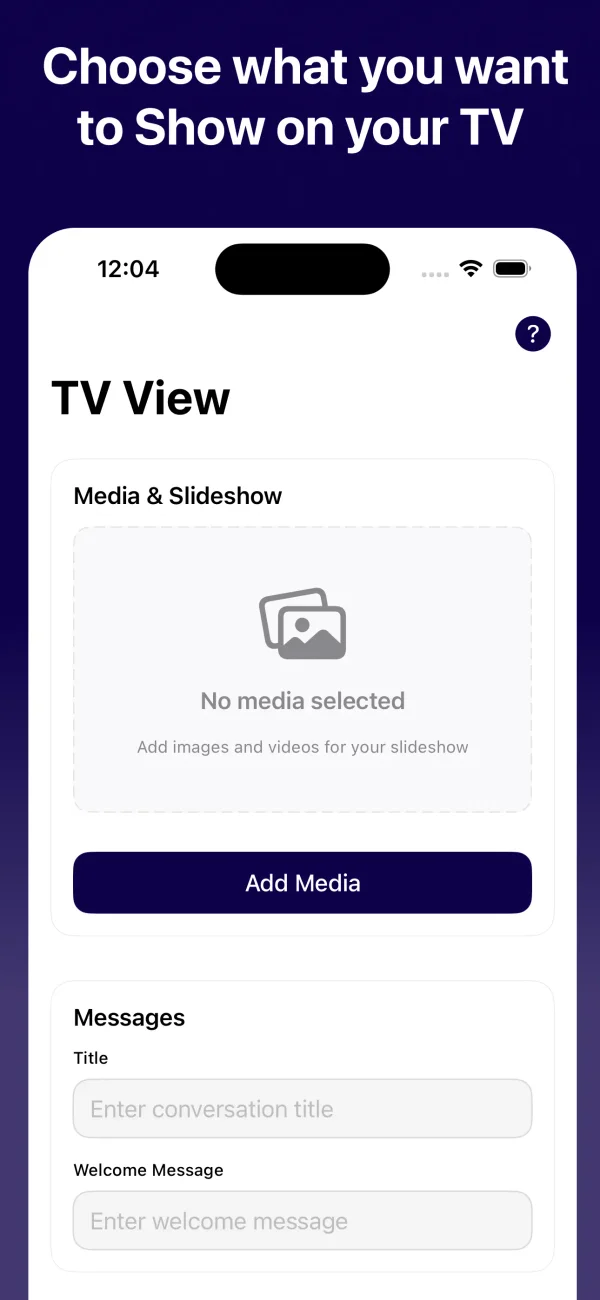
A clean, modern controller for running engaging workshops and presentations. Build a compelling on‑screen experience by combining your media, timed segments, and music—then project it to an external display with beautifully scaled typography and smooth transitions.
Bring order and energy to any session: welcome your audience, run slideshows, keep segments on time, and set the vibe with Apple Music—directly from your iPhone or iPad.
Key features
1. External display presentation: Automatically renders a polished presentation on an external screen with adaptive layout and crisp typography.
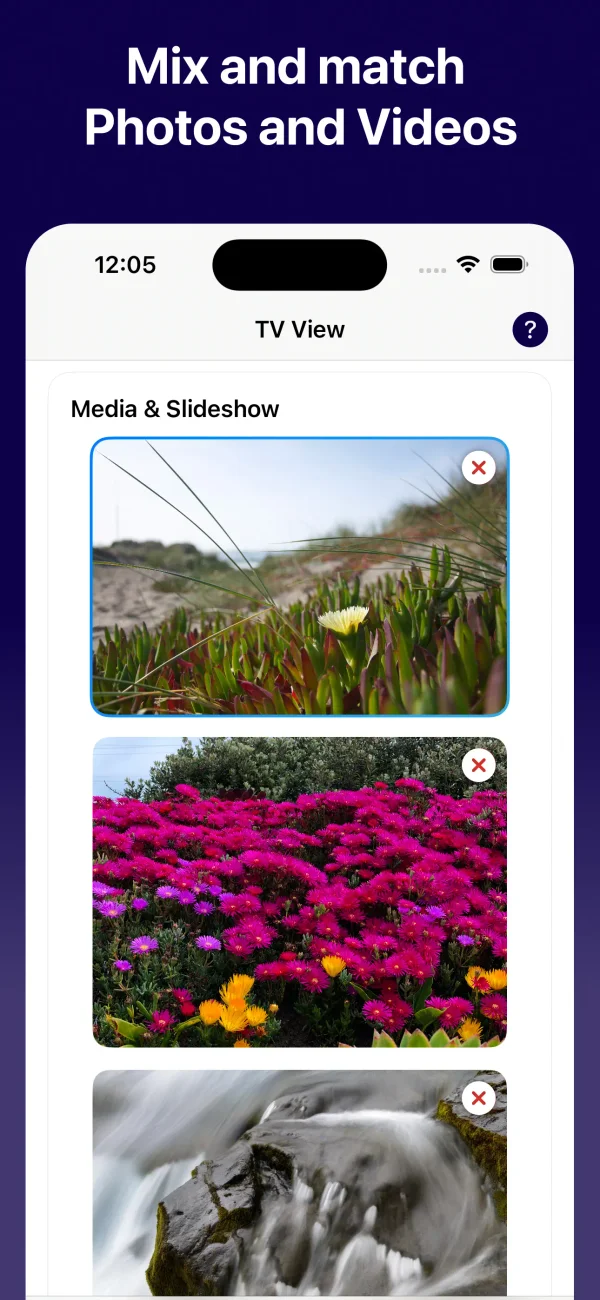
2. Media slideshow: Mix images and videos, highlight the current item, and navigate with play/pause and previous/next controls.
3. Adjustable slideshow timing: Auto‑advance with a customizable interval or take full manual control.
4. Video playback options: Seamless transitions and an optional loop/repeat toggle for continuous playback.
5. Title and welcome message: Set a prominent title and message that sit over your media with excellent readability.
6. Font customization: Choose font family, size scale, weight, and color for both title and message with a live preview.
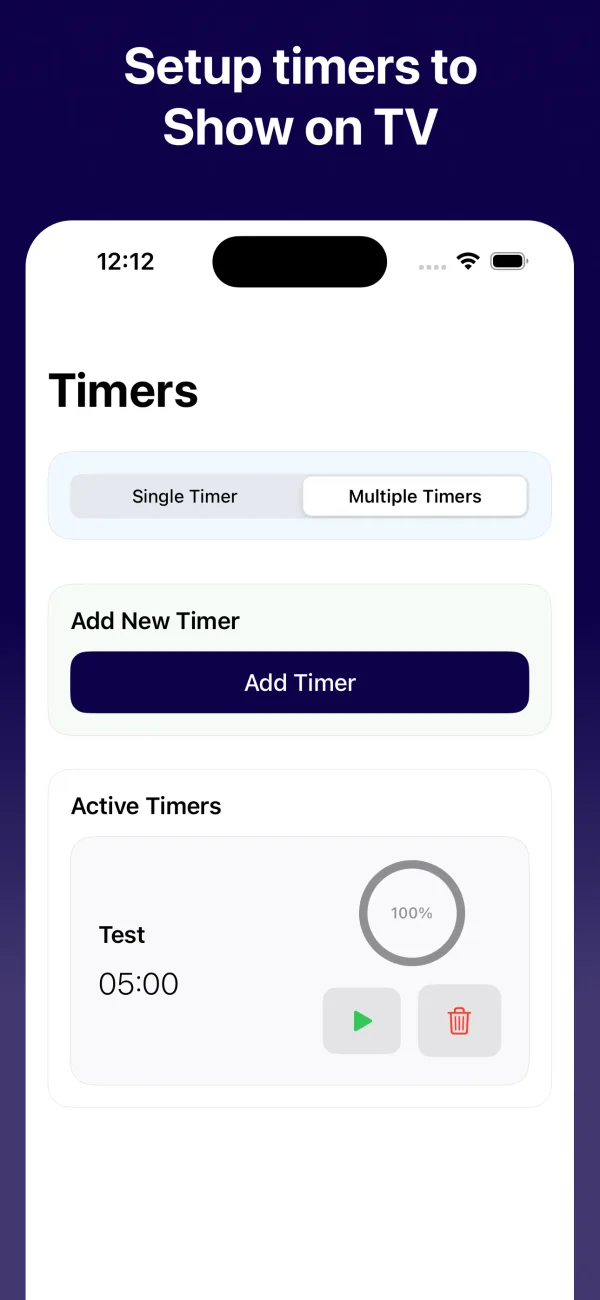
7. Single timer: Start a focused countdown with quick presets and on‑the‑fly adjustments.
8. Multiple timers: Create and manage several named timers at once, each with clear progress and state.
9. Apple Music integration: Select a playlist, view artwork, and control playback (play/pause, previous/next) from within the app.
10. First‑launch guide: A quick walkthrough to get you presenting fast.
11. Apple Music: Playback requires Apple Music authorization. An active Apple Music subscription may be required for full functionality.
Terms of Use: https://presently.karmaacademy.com.au/terms.html
Privacy Policy: https://presently.karmaacademy.com.au/privacy.html
App privacy
What Karmjit Singh declares on the App Store about how this app handles data.
-
Data not collected
The developer does not collect any data from this app.
Privacy practices may vary, for example with the features you use or your age.
Information
- Seller
- Karmjit Singh
- Category
- Productivity
- Version
- 1.0.2
- Updated
- Aug 18, 2025
- Released
- Aug 18, 2025
- Size
- 5.9 MB
- Requires
- iOS 17.0 or later
- Age rating
- 4+
- Price
- Free
- Languages
- English
- Copyright
- © 2025 Karma Academy
You might also like
-
 Digital Habits: FocusHide distractions on any site
-
 NeatNotes : Notes and listsnotepad, stickies, reminders
-
 Plander: Planner & CalendarMinimal planner·Widget support
-
 PDF Converter Scanner PrinterConvert Photo to PDF,Scan PDF
-
 LoroNote - Speech to TextTranscribe audio to text, STT
-
 TimeTill: Countdown WidgetTrack Events & Count Up Days
-
 TTS Text To Speech: Read AloudScreen reader - listen to text
-
 bypassgpt - ai humanizerai detector - undetectable ai
-
 Documents & PDF Scanner - FyleScan Receipts, OCR & Organize
-
 Tempus: Daily Planner & To-DoTime Blocking & Focus for ADHD