Prime Scan: PDF Scanner
Scan, Sign & OCR Documents
Designed for iPhone, iPad
Free · In-app purchases
- Age rating4+
- CategoryBusiness
- DeveloperHosseinAli Parsi Moghaddam
- LanguagesEnglish+ 19 more
- Size12.3 MB
Links to the official App Store page
Download.org hosts no file of Prime Scan: PDF Scanner. The button opens its official App Store page, published by HosseinAli Parsi Moghaddam. Listing last checked on Nov 27, 2026.
Screenshots


About
PrimeScan turns your iPhone into a fast, powerful document scanner.
Scan, sign, merge, compress — all offline and private.
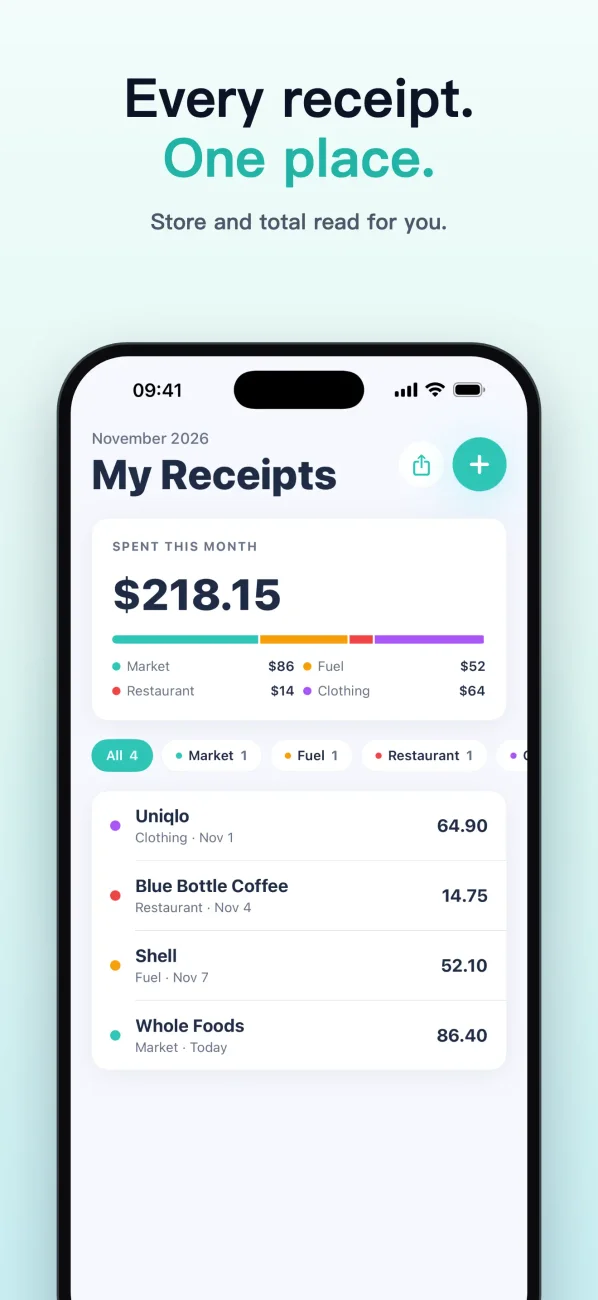
Free to use — no account, no ads. Optional Prime Scan Plus subscription unlocks watermark removal, receipt reports and more.
YOUR DOCUMENTS STAY ON YOUR DEVICE
Unlike other scanner apps, PrimeScan processes everything locally.
No cloud uploads. No account required. No ads. No tracking.
Your documents never leave your phone.
SMART DOCUMENT SCANNING
• Auto edge detection and perspective correction
• Auto-capture when document is perfectly aligned
• Image filters: Original, Clean, and Color
• Multi-page scanning with drag-to-reorder
• Manual crop for precise control
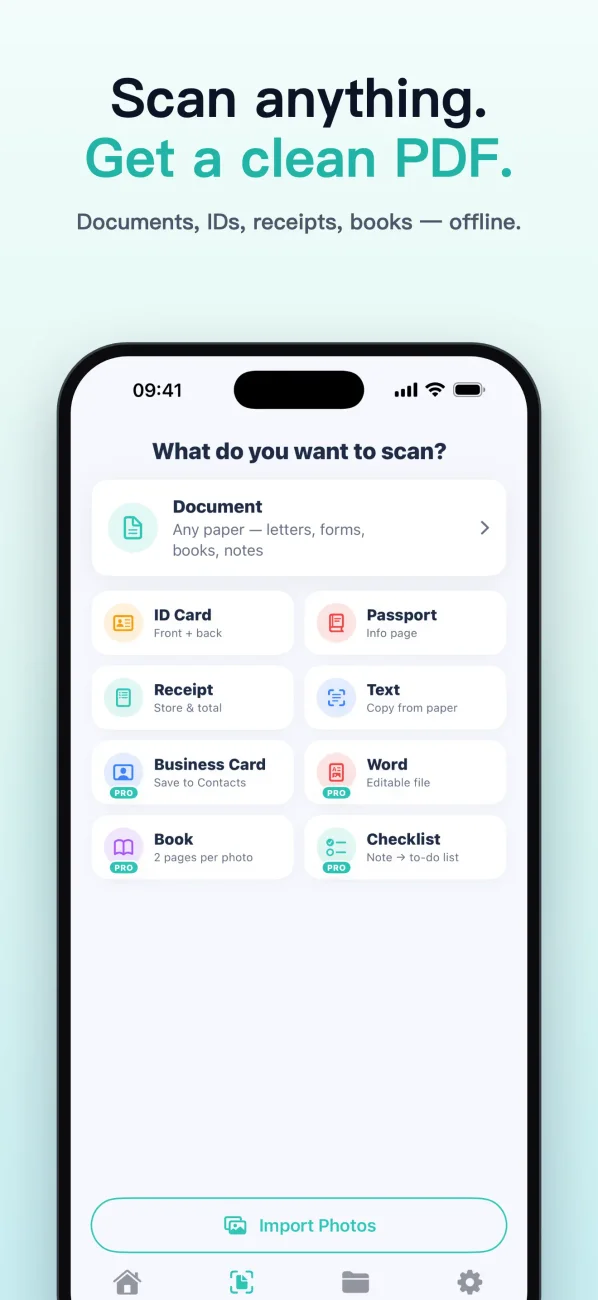
SCAN ID CARDS & PASSPORTS
• Dedicated ID card mode — scans front and back on one page
• Passport scanning mode for travel documents
SIGN & ANNOTATE PDFs
• Draw and save up to 3 custom signatures
• Add text and date annotations to any page
• Position, resize, and rotate annotations freely
• Save as copy or overwrite the original
POWERFUL PDF TOOLS
• Merge — combine multiple PDFs into one document
• Compress — reduce file size with 3 quality levels
• Photos to PDF — convert photos from your library into PDFs
ORGANIZED FILE MANAGEMENT
• Built-in folders: Work, Personal, Receipts, Medical
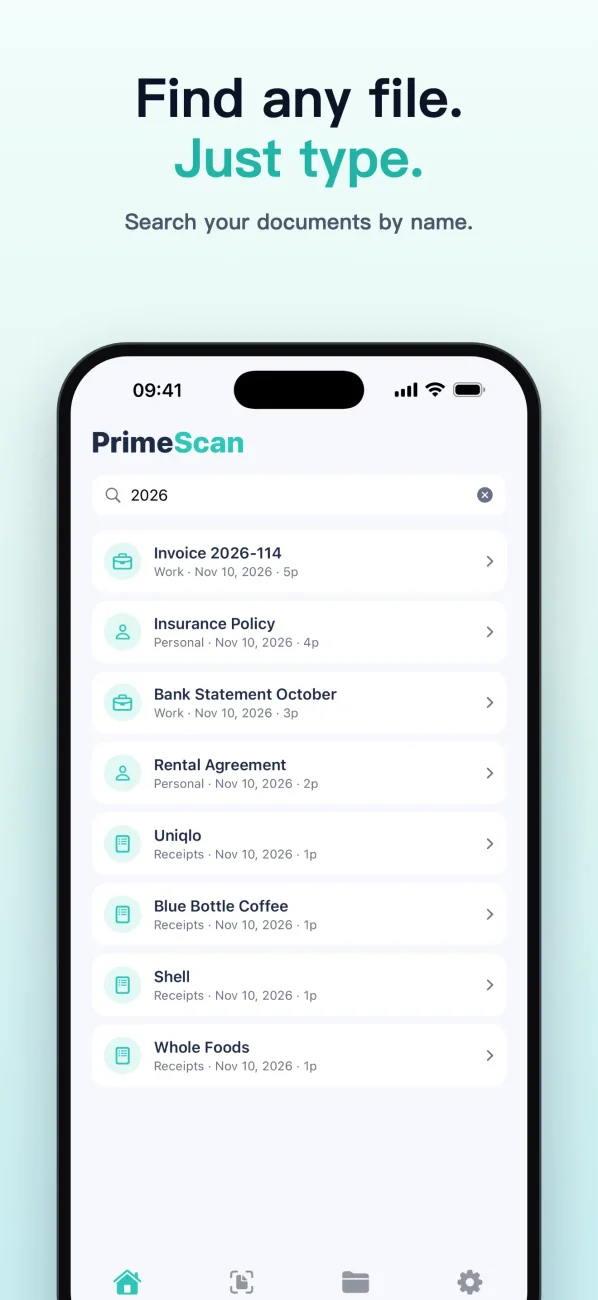
• Search, sort by date/name/size, rename, and move files
• Recent documents on home screen for quick access
FLEXIBLE EXPORT & SHARING
• Export as PDF, JPG, or PNG
• Share instantly via the system share sheet
• Custom filenames and folder selection
20 LANGUAGES SUPPORTED
English, Spanish, French, Portuguese, German, Turkish,
Japanese, Chinese, Italian, Korean, Arabic, Hebrew, Vietnamese,
Thai, Hindi, Russian, Indonesian, Dutch, Polish and more.
BUILT FOR PRIVACY
PrimeScan requires no sign-up, no internet connection, and
no permissions beyond camera and photo library. Your scanned
documents, signatures, and personal data stay on your device.
Download PrimeScan today — the free, private scanner that
just works.
Terms of Use: https://primescan.app/terms
What’s new
Version 1.8.2 · Nov 26, 2026
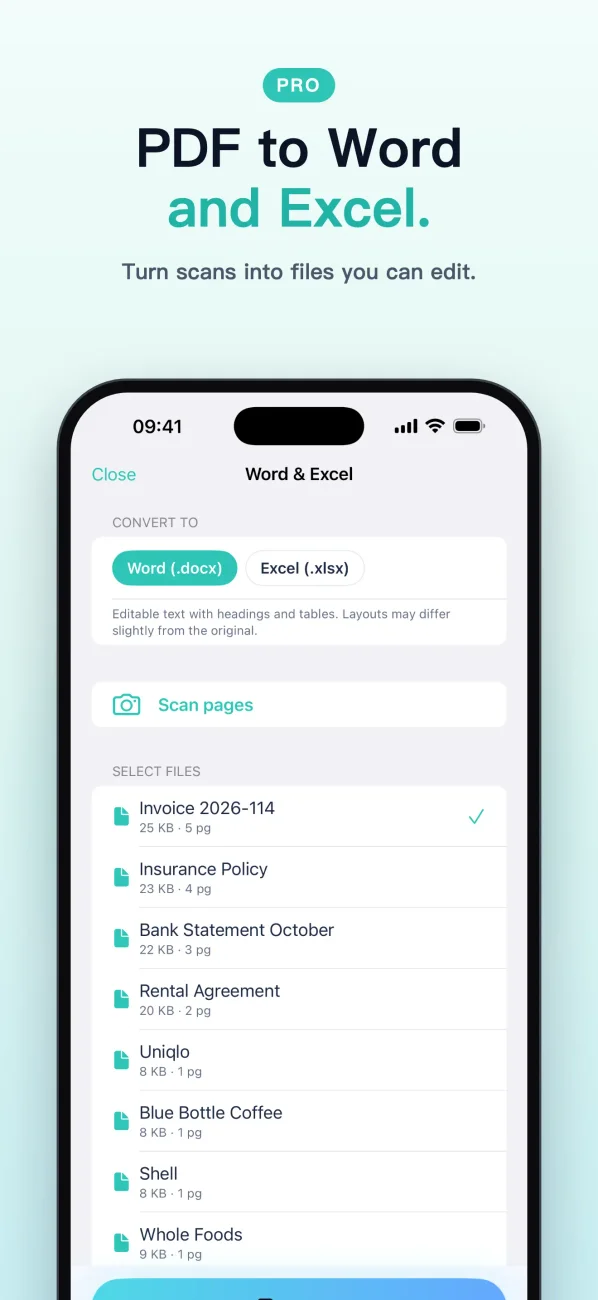
New: after saving a scan, turn it into an editable Word document in one tap (Pro).
Small improvements and fixes.
App privacy
What HosseinAli Parsi Moghaddam declares on the App Store about how this app handles data.
-
Data not collected
The developer does not collect any data from this app.
Privacy practices may vary, for example with the features you use or your age.
Information
- Seller
- HosseinAli Parsi Moghaddam
- Category
- Business
- Version
- 1.8.2
- Updated
- Nov 26, 2026
- Released
- Mar 25, 2026
- Size
- 12.3 MB
- Requires
- iOS 16.0 or later
- Age rating
- 4+
- Price
- Free
- In-app purchases
- Yes
- Languages
- English, Arabic, Dutch, French, German, Hebrew, Hindi, Indonesian, Italian, Japanese, Korean, Persian + 8 more
- Copyright
- © 2025 PrimeScan
You might also like
-
 PDF Reader: Edit, Scan & SignConvert to Word, Excel & Merge
-
 ScanMate: PDF ScannerNo ads. No watermark. Ever.
-
 MaShot: PDF Document ScannerOffline Scan, Sign, OCR & Edit
-
 Scanling – PDF Scanner & OCRNo subscription. No account.
-
 ScannerCam LightPrivate on-device PDF scanner
-
 QuietScan: PDF ScannerPrivate scanner. Local OCR.
-
 DocuMind: AI PDF ScannerScan, Edit, Sign & Chat PDF
-
 Clearcan: PDF ScannerScan, Search Text. No Ads
-
 Paperix - PDF Secure and LocalPDF Secure Scans On Device AI
-
 Document Scanner PDFDoc Scanner : PDF Maker