PureDocu: PDF Scanner
Scan, Convert & OCR Docs
Designed for iPhone, iPad
In-app purchases
- Age rating4+
- CategoryProductivity
- DeveloperPhilip Tarimo
- LanguagesEnglish
- Size3.4 MB
Links to the official App Store page
Download.org hosts no file of PureDocu: PDF Scanner. The button opens its official App Store page, published by Philip Tarimo. Listing last checked on Nov 23, 2026.
Screenshots

About
PureDocu — Scanner, Converter & PDF Toolkit
Scan, convert, and read documents — all on your device, nothing uploaded.
PureDocu turns your iPhone and iPad into a powerful, private document workspace. Scan paper with your camera, convert files between formats, edit PDFs, and read it all in a built-in reader — without an account, without the cloud, and without anyone ever seeing your files.
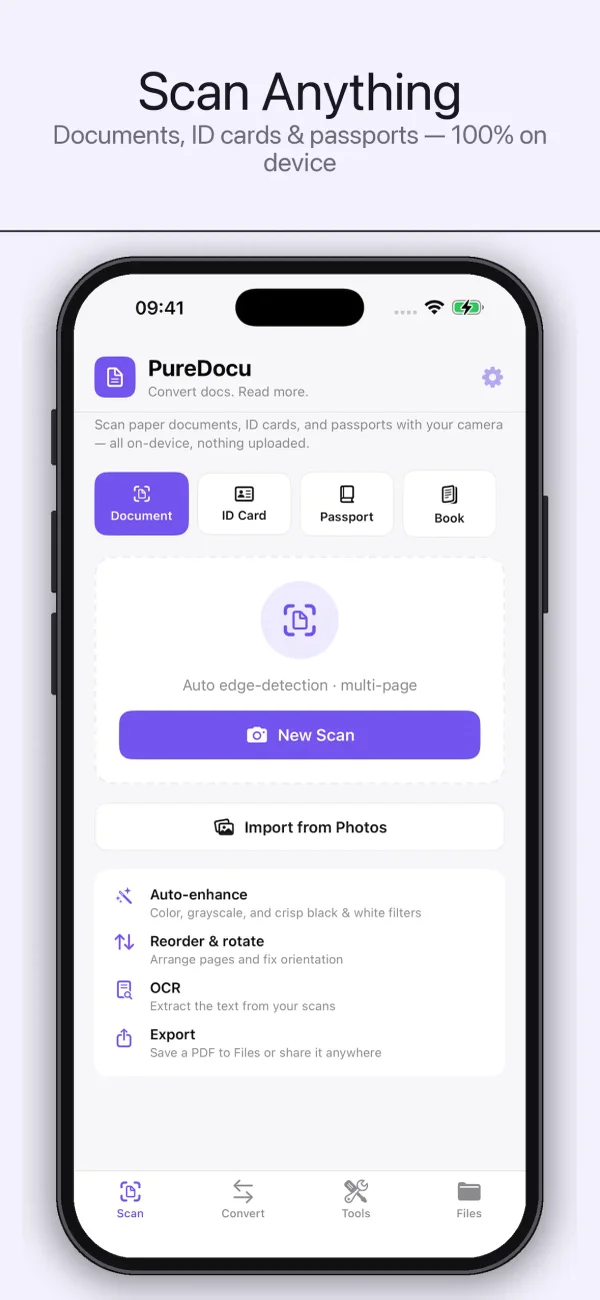
SCAN ANYTHING
• Documents — auto edge-detection, multi-page, crisp enhancement
• ID cards — front and back combined onto a single page
• Passports — reads the details automatically
• Books — facing pages split into two
• QR codes & barcodes — scan and open in a tap
• Import photos from your library and turn them into a document
ENHANCE & PERFECT
• Color, grayscale, and crisp black & white filters
• Re-crop and straighten edges after capture
• Rotate, reorder, and delete pages
• OCR — extract text or create searchable PDFs
EXPORT YOUR WAY
• Save scans as PDF, Word, Excel, TXT, or JPG
• Choose the page size — A4, A3, Letter, and more
• Protect with a password or add a watermark
• Print with AirPrint or share anywhere
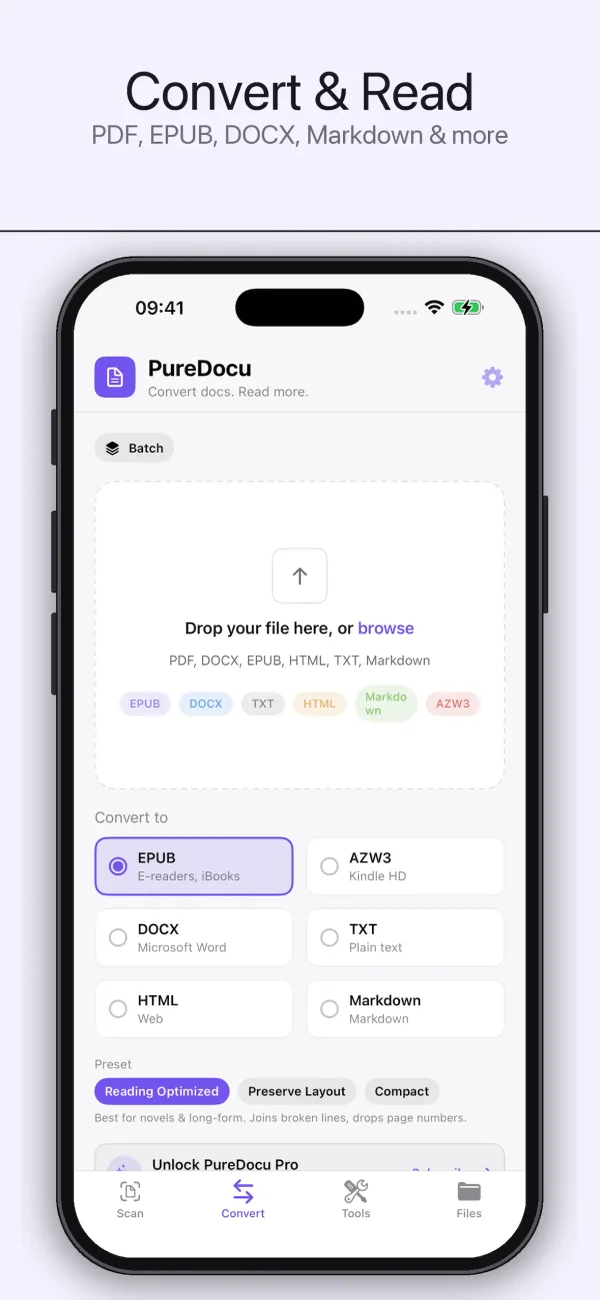
CONVERT & READ
• Convert between PDF, EPUB, DOCX, HTML, TXT, and Markdown
• Preserves images and formatting
• Read the result in the built-in reader with dark mode
A COMPLETE PDF TOOLKIT
• Sign, merge, split, and compress
• Lock, watermark, redact, and annotate
• Organize, extract, and reorder pages
• Make scanned PDFs searchable with OCR
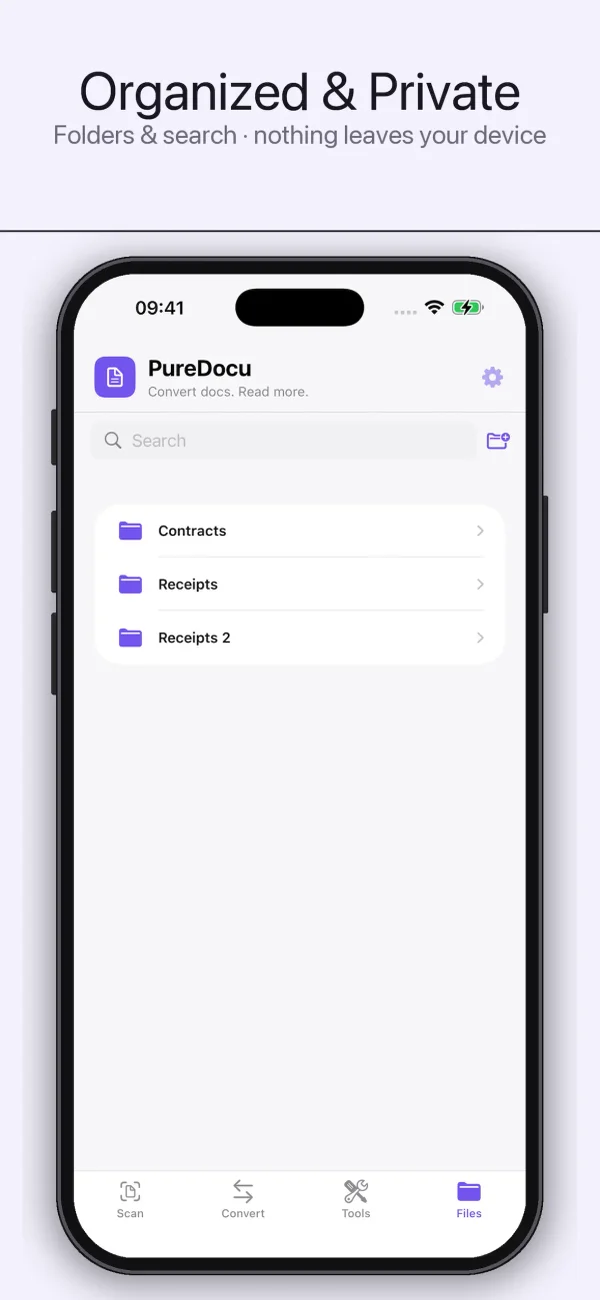
ORGANIZED & PRIVATE
• Folders and search keep everything tidy
• Optional iCloud sync across your own devices
• 100% on-device — no uploads, no servers, no account, no tracking
Your documents are yours. PureDocu processes everything on your device, so your scans, IDs, and files never leave your iPhone or iPad.
Privacy Policy: https://sites.google.com/view/puredocu
Terms of Use: https://www.apple.com/legal/internet-services/itunes/dev/stdeula/
What’s new
Version 3.2 · Nov 19, 2026
Meet the new PureDocu — now a full document scanner, plus everything you already love.
SCAN
• Scan documents, ID cards, passports, books, and QR codes with your camera
• Auto edge-detection, multi-page capture, and crisp enhancement filters
• Re-crop and straighten edges after capture
• Import photos from your library and turn them into documents
EXPORT & OCR
• Save as PDF, Word, Excel, TXT, or JPG — pages fit your scan, no extra borders
• Create searchable PDFs with an on-device OCR text layer
• Faster, multi-language text recognition
• Add a password, choose a page size, or print with AirPrint
ORGANIZE
• Folders and search in Files keep everything tidy
CONVERT & EDIT
• Convert PDF, EPUB, DOCX, HTML, TXT & Markdown, then read in the built-in reader
• Full PDF toolkit — sign, merge, split, compress, lock, redact, annotate & more
Everything still happens 100% on your device. Your files never leave your phone.
App privacy
What Philip Tarimo declares on the App Store about how this app handles data.
-
Data not collected
The developer does not collect any data from this app.
Privacy practices may vary, for example with the features you use or your age.
Information
- Seller
- Philip Tarimo
- Category
- Productivity
- Version
- 3.2
- Updated
- Nov 19, 2026
- Released
- May 6, 2026
- Size
- 3.4 MB
- Requires
- iOS 18.4 or later
- Age rating
- 4+
- In-app purchases
- Yes
- Languages
- English
- Copyright
- © 2026 PureDocu. All rights reserved.
You might also like
-
 EyeScan Pro OCR & PDF ScannerProductivity
-
 Quick PDF ScannerScan, save, and share PDFs
-
 ScanOne - PDF ScannerOne Price. Zero Ads. Forever.
-
 PDF Converter - PDFKitConvert and merge offline
-
 ScanLite: Scanner and OCRScan to PDF and image to text
-
 ScanMate: PDF ScannerNo ads. No watermark. Ever.
-
 PDF Converter & Maker - PDFOnPDF to Word, Excel, JPG & EPUB
-
 PDF to Text ExtractorExtract Text from PDF & More
-
 PDF Scanner - Receipt ScannerDocument Scanner - PDF Editor
-
 Scanner • PDF Document ScannerCam scanner PDF scanner app